1. Product Overview
The SWOFY M4 is a portable digital music player designed for high-fidelity audio playback. It features a 2.4-inch touchscreen, 128GB of internal storage expandable via Micro SD card, Bluetooth 5.4 connectivity, an HD speaker, FM radio, E-book reader, and voice recorder functions. This manual provides instructions for setup, operation, and maintenance of your device.
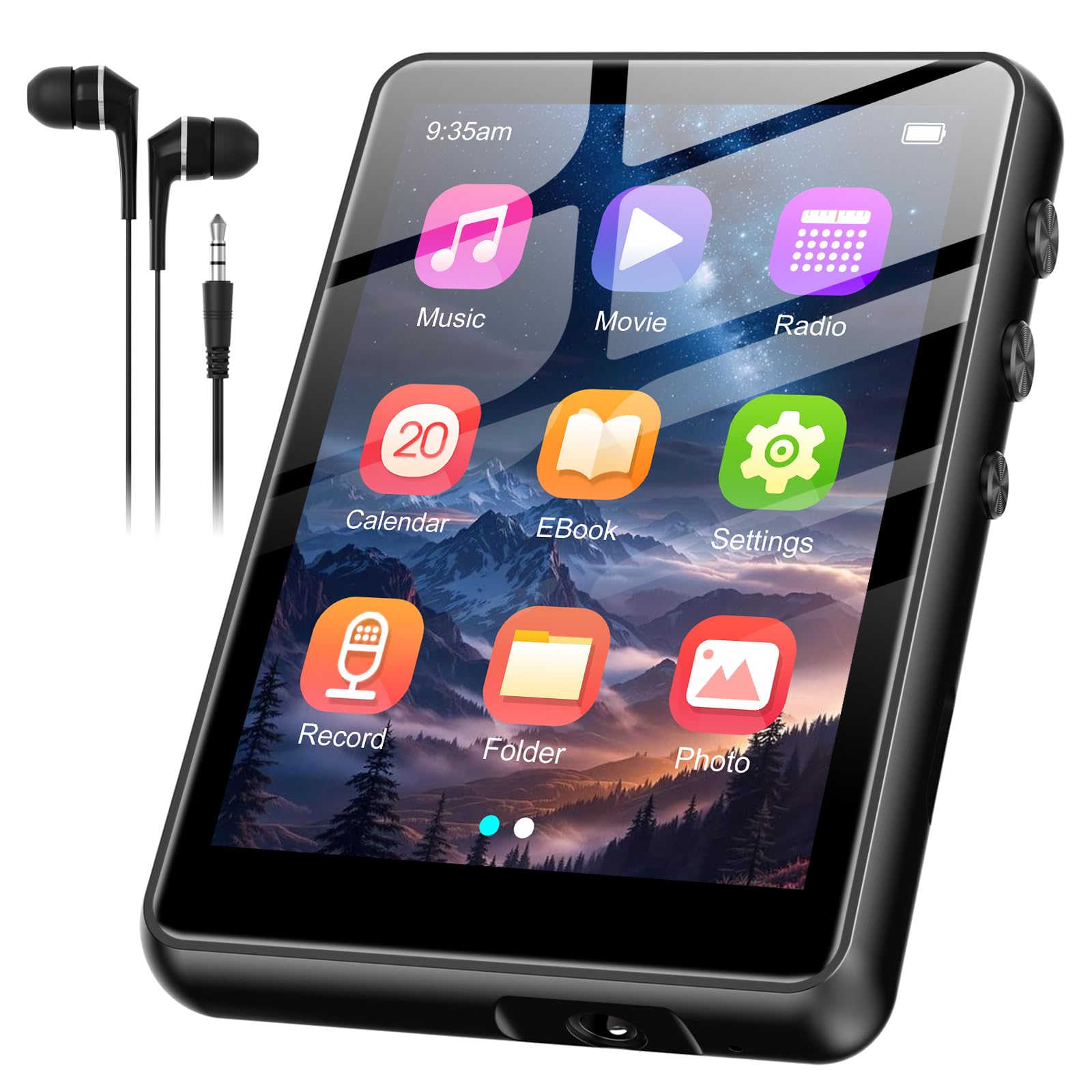
Image 1.1: Front view of the SWOFY M4 MP3 Player, showcasing its 2.4-inch touchscreen display.
2. Setup
2.1. Unboxing and Package Contents
Carefully unpack your SWOFY M4 MP3 Player and verify that all components are present:
- 1x SWOFY M4 MP3 Player
- 1x USB Type-C Cable
- 1x Wired Earbuds
- 1x User Manual (this document)
- 1x Protective Cover (may vary by package)
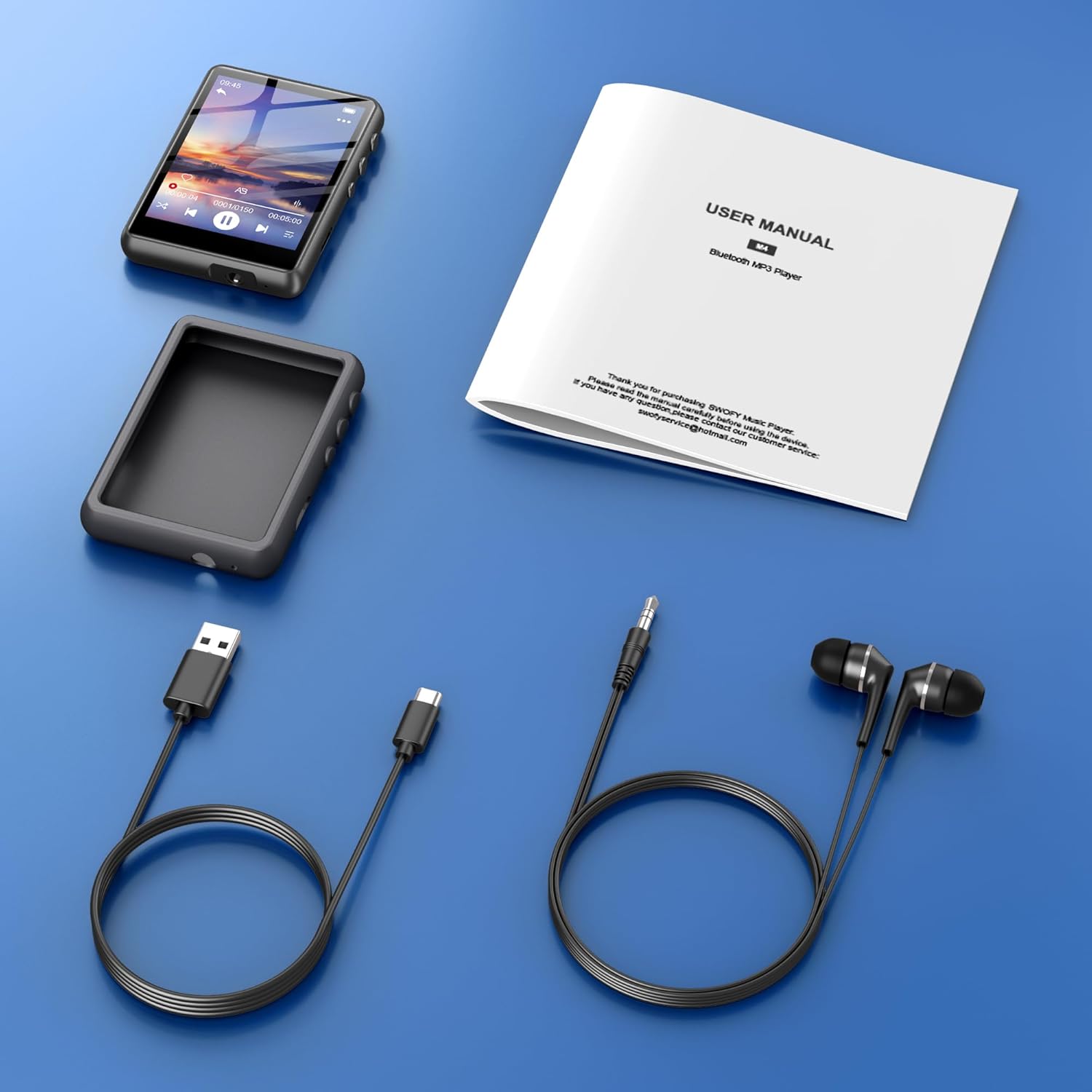
Image 2.1: Contents of the SWOFY M4 MP3 Player package, including the device, USB-C cable, wired earbuds, and user manual.
2.2. Device Layout and Ports
Familiarize yourself with the physical features of your MP3 player:

Image 2.2: Diagram showing the location of volume controls, power button, Type-C port, reset button, 3.5mm headphone jack, and TF card slot on the SWOFY M4 MP3 Player.
- Volume +/-: Adjusts audio output level.
- Power ON/OFF: Press and hold to power on or off.
- Type-C Port: For charging and data transfer.
- Reset Button: Small pinhole for device reset (use a thin object).
- 3.5mm Headphone Jack: Connect wired headphones.
- TF Card Slot: Insert a Micro SD card for expanded storage.
2.3. Charging the Device
Before first use, fully charge the MP3 player. Connect the provided USB Type-C cable to the device and a USB power adapter (not included) or a computer's USB port. A full charge typically takes approximately 2 hours and provides up to 50 hours of music playback.

Image 2.3: The SWOFY M4 MP3 Player connected to a USB Type-C cable for charging, highlighting its 300mAh battery.

Image 2.4: The SWOFY M4 MP3 Player displaying its main menu with an icon indicating 2 hours for a full charge and up to 50 hours of usage.
2.4. Transferring Music and Files
The device has 128GB of built-in memory and supports Micro SD cards up to 512GB for additional storage. To transfer files:
- Connect the MP3 player to your computer using the USB Type-C cable.
- The device will appear as a removable disk drive on your computer.
- Drag and drop your music, video, e-book, or other compatible files into the appropriate folders on the MP3 player.
- Safely eject the device from your computer before disconnecting the cable.

Image 2.5: The SWOFY M4 MP3 Player displaying music playback, emphasizing its 128GB built-in storage, expandable to 512GB.
3. Operating Instructions
3.1. Navigating the Interface
The SWOFY M4 features a 2.4-inch sensitive touchscreen for intuitive navigation. Tap icons to select functions and swipe to scroll through lists or pages.

Image 3.1: A hand interacting with the 2.4-inch sensitive touchscreen of the SWOFY M4 MP3 Player during music playback.
3.2. Music Playback
From the main menu, tap the "Music" icon to access your audio library. You can browse by artist, album, genre, or all songs. The player supports HiFi Lossless Sound quality and various formats including MP3, OGG, FLAC, AAC, WMA, WAV, and APE.

Image 3.2: A graphic promoting the HiFi Lossless Sound quality of the SWOFY M4 MP3 Player, listing supported audio formats.
During playback, use the on-screen controls for play/pause, skip tracks, and volume adjustment. The device also has a built-in HD speaker for listening without headphones.
3.3. Bluetooth Connection
The SWOFY M4 features Bluetooth 5.4 for wireless audio streaming to compatible headphones or speakers. To pair a Bluetooth device:
- Go to the main menu and tap the "Bluetooth" icon.
- Turn on Bluetooth on the MP3 player.
- Ensure your Bluetooth headphones or speaker are in pairing mode.
- Select your device from the list of available devices on the MP3 player's screen.
- Once connected, audio will stream wirelessly.
Note: Direct pairing to car Bluetooth systems, smartphones, or PCs is not supported.

Image 3.3: The SWOFY M4 MP3 Player displaying music playback, with graphics indicating upgraded Bluetooth 5.3 for enhanced speed and range. Note about car/smartphone/PC not supported.

Image 3.4: The SWOFY M4 MP3 Player showing Bluetooth connectivity, indicating stable pairing with headphones, speakers, and car stereos (note: car stereo pairing is generally not supported for direct file transfer, only for audio output).
3.4. Other Functions (FM Radio, Voice Recorder, E-Book, Video, Alarm Clock)
The SWOFY M4 offers a range of additional features:
- FM Radio: Tap the "Radio" icon. Connect wired headphones to act as an antenna for optimal reception.
- Voice Recorder: Tap the "Record" icon to start and stop audio recordings.
- E-Book: Tap the "E-Book" icon to read compatible text files.
- Video Playback: Tap the "Video" icon to watch videos. The device supports AMV and AVI formats.
- Alarm Clock: Access the "Settings" menu to set alarms.

Image 3.5: The SWOFY M4 MP3 Player displaying its main menu with icons for Music, FM Radio, Folder, Bluetooth, 128GB storage, Recording, Picture, and Video functions.

Image 3.6: The SWOFY M4 MP3 Player displaying an action movie scene, indicating support for AMV and AVI video formats with HD playback.
3.5. Video Demonstration
Watch this video for a demonstration of navigating the music player and playing video content on the SWOFY M4.
Video 3.1: A user demonstrating the SWOFY M4 MP3 Player's interface, showing how to browse music files and play a video.
4. Maintenance
4.1. Cleaning
To clean the device, use a soft, dry, lint-free cloth. Do not use abrasive cleaners, solvents, or aerosol sprays directly on the device. Avoid getting moisture into openings.
4.2. Battery Care
The device contains a Lithium Polymer battery. For optimal battery life, avoid extreme temperatures and fully discharge and recharge the device periodically. If storing for an extended period, charge the device to about 50% before storage.
5. Troubleshooting
- Device does not power on: Ensure the battery is charged. Connect to a power source and try again.
- Screen is unresponsive: Try restarting the device. If unresponsive, locate the small reset pinhole (refer to Image 2.2) and gently press it with a thin object (e.g., a paperclip) to force a restart.
- No sound: Check the volume level. Ensure headphones are properly connected or Bluetooth is paired correctly.
- Bluetooth pairing issues: Ensure both devices are in pairing mode and within range. Turn Bluetooth off and on again on the MP3 player.
- Files not appearing: Ensure files are transferred to the correct folders and are in supported formats.
6. Specifications
| Feature | Specification |
|---|---|
| Brand | SWOFY |
| Model Name | M4 |
| Memory Storage Capacity | 128 GB (expandable up to 512GB via Micro SD) |
| Screen Size | 2.4 Inches |
| Connectivity Technology | Bluetooth 5.4, USB 2.0 |
| Special Features | Built-In Speaker, Equalizer, FM Radio, Touch Screen, Video Playback, Voice Recorder |
| Compatible Devices | Bluetooth Headphones, Personal Computer, Bluetooth Speakers |
| Media Type | Micro SD |
| Battery Type | 1 Lithium Polymer battery (included) |
| Item Weight | 6.4 ounces |
| Package Dimensions | 5.87 x 5.75 x 0.75 inches |
7. Warranty and Support
Your SWOFY M4 MP3 Player comes with a 24-month warranty. If you encounter any issues or require assistance, please contact SWOFY customer support. Refer to the product packaging or the official SWOFY website for specific contact details.
For further support, you may visit the SWOFY Store on Amazon.


