
Important Safeguards
When using electrical appliances, basic safety precautions should always be followed, including:
- Read all instructions before use.
- Do not touch hot surfaces. Use handles or knobs.
- To protect against electrical shock, do not immerse cord, plugs, or the appliance in water or other liquid.
- Close supervision is necessary when any appliance is used by or near children.
- Unplug from outlet when not in use and before cleaning. Allow to cool before putting on or taking off parts.
- Do not operate any appliance with a damaged cord or plug, or after the appliance malfunctions or has been damaged in any manner.
- The use of accessory attachments not recommended by the appliance manufacturer may cause injuries.
- Do not use outdoors.
- Do not let cord hang over edge of table or counter, or touch hot surfaces.
- Do not place on or near a hot gas or electric burner, or in a heated oven.
- Extreme caution must be used when moving an appliance containing hot oil or other hot liquids.
- Always attach plug to appliance first, then plug cord into the wall outlet. To disconnect, turn any control to 'off', then remove plug from wall outlet.
- Do not use appliance for other than intended use.
Product Overview
The Chefman TurboFry 9-Quart Air Fryer utilizes a powerful DC motor for rapid air circulation, enabling faster and crispier cooking results. It features a digital touchscreen interface with multiple cooking functions and an extra-large basket.
Components
- Main Unit with Digital Touch Controls
- 9-Quart Nonstick Air Fryer Basket
- Removable Cooking Rack
- Easy-View Window with Interior Light
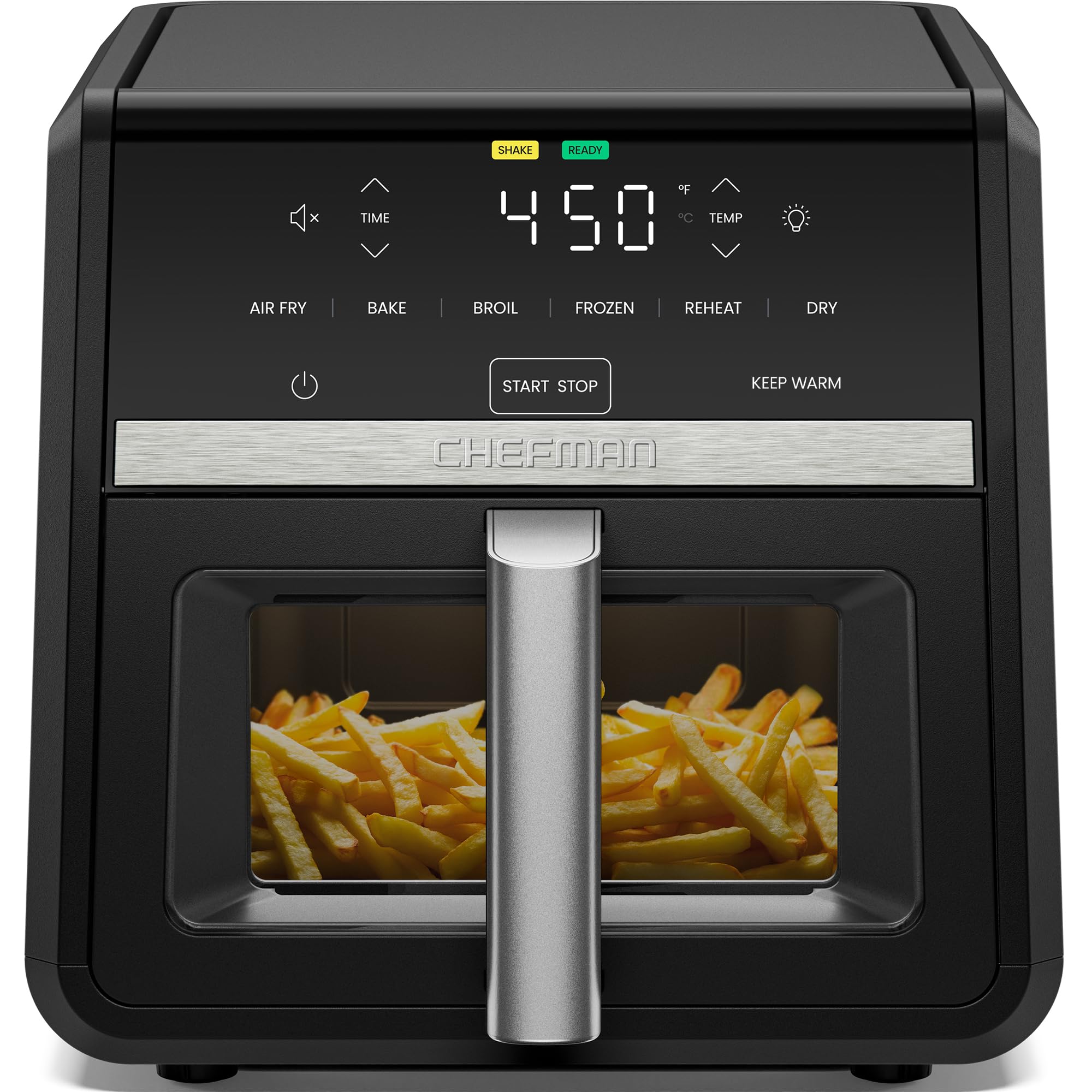
Image: The Chefman TurboFry 9-Quart Air Fryer, showcasing its large capacity basket filled with crispy food.
Digital Touch Controls
The appliance features an intuitive digital touchscreen for easy operation. Controls include power, time adjustment, temperature adjustment, and function selection.
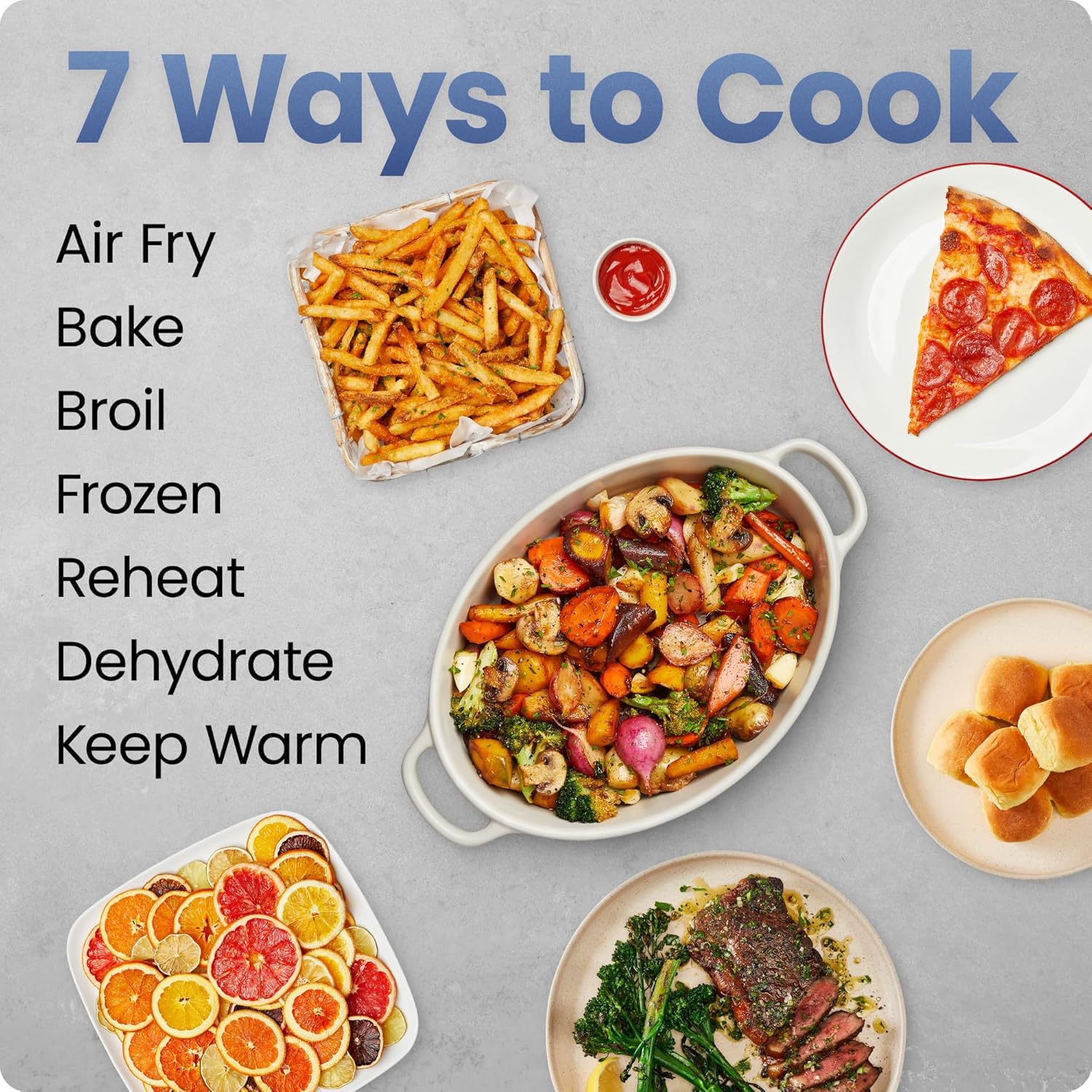
Image: Detailed view of the digital touch control panel, displaying time and temperature settings.
Setup
Before first use, follow these steps:
- Unpack the air fryer and remove all packaging materials, including any promotional stickers or labels.
- Wipe the exterior of the appliance with a damp cloth.
- Wash the air fryer basket and cooking rack with warm, soapy water. Rinse thoroughly and dry completely.
- Place the air fryer on a stable, heat-resistant surface, ensuring adequate ventilation around the unit.
- Insert the cooking rack into the air fryer basket, then slide the basket into the main unit until it clicks into place.
Operating Instructions
This section details how to use your Chefman TurboFry Air Fryer for various cooking tasks.
General Operation
- Plug the appliance into a grounded electrical outlet. The power button will illuminate.
- Press the power button to turn on the display.
- Select your desired cooking function by tapping the corresponding icon on the touchscreen.
- Adjust the time and temperature using the up/down arrows.
- Press the 'Start/Stop' button to begin cooking.
- To pause cooking, press 'Start/Stop' again. To resume, press it once more.
- The air fryer will beep when cooking is complete.
7-in-1 Cooking Functions
Your air fryer offers seven versatile cooking functions:
- Air Fry: For crispy results with little to no oil.
- Bake: Ideal for cakes, pastries, and other baked goods.
- Broil: For browning and crisping the top layer of food.
- Frozen: Specifically designed to defrost and crisp frozen foods.
- Reheat: To warm up leftovers efficiently.
- Dehydrate: For drying fruits, vegetables, and making jerky.
- Keep Warm: Maintains food at serving temperature for up to 30 minutes.

Image: A visual representation of the diverse meals that can be prepared using the air fryer's seven cooking functions.
Temperature and Time Adjustment
The air fryer allows for precise temperature control from 90°F to 450°F and time adjustment to suit your recipes. Use the dedicated up/down arrows for each setting.
Shake Reminder
For evenly cooked and crisped results, the air fryer will provide a 'Shake Reminder' halfway through certain cooking cycles. Simply remove the basket, shake the contents, and reinsert to continue cooking.
Easy-View Window
Monitor your food's progress without opening the basket, thanks to the built-in viewing window and interior light. This helps maintain consistent cooking temperature and prevents heat loss.

Image: The air fryer's easy-view window, allowing users to check on food without interrupting the cooking process.
Cleaning and Maintenance
Proper cleaning ensures the longevity and optimal performance of your air fryer.
- Always unplug the air fryer and allow it to cool completely before cleaning.
- The nonstick air fryer basket and cooking rack are top-rack dishwasher safe for easy cleanup.
- For stubborn food residue, soak the basket and rack in warm, soapy water before washing.
- Wipe the exterior of the appliance with a damp cloth. Do not immerse the main unit in water or any other liquid.
- Ensure all parts are thoroughly dry before storing or next use.

Image: The nonstick air fryer basket, demonstrating its ease of cleaning after cooking.
Troubleshooting
If you encounter issues with your air fryer, refer to the following common problems and solutions:
| Problem | Possible Cause | Solution |
|---|---|---|
| Air fryer does not turn on. | Not plugged in; power outlet malfunction; appliance malfunction. | Ensure the power cord is securely plugged into a working outlet. Check the circuit breaker. If the issue persists, contact customer support. |
| Food is not cooked evenly. | Basket overloaded; food not shaken or flipped; incorrect temperature/time. | Do not overload the basket. Shake or flip food halfway through cooking. Adjust temperature and time as needed for specific recipes. |
| White smoke coming from the appliance. | Grease residue from previous use; high-fat food cooking. | Clean the basket and rack thoroughly after each use. For high-fat foods, drain excess fat during cooking. |
| Food is not crispy. | Basket overloaded; insufficient cooking time/temperature; too much moisture. | Cook in smaller batches. Increase cooking time or temperature. Pat food dry before air frying. |
Specifications
- Model Name: TurboFry®
- Model Number: RJ38-9TW-V2
- Capacity: 9 Quarts
- Wattage: 1750W
- Voltage: 120V
- Max Temperature Setting: 450°F
- Min Temperature Setting: 90°F
- Control Method: Touch
- Product Dimensions: 15.75"D x 11.81"W x 11.42"H
- Item Weight: 11.25 Pounds
- Material: Metal, Plastic
- Color: Black
- Special Feature: Powerful DC motor for faster, crispier cooking
- Air Frying Technology: Rapid Air Circulation
- Nonstick Coating: Yes
- Dishwasher Safe Parts: Yes (Basket and Rack)

Image: The Chefman TurboFry Air Fryer with its key dimensions indicated.
Warranty and Support
Your Chefman TurboFry 9-Quart Air Fryer comes with a 1-year assurance provided by Chefman, covering manufacturing defects under normal household use.
For product support, warranty claims, or further assistance, please visit the official Chefman website or contact their customer service department. Keep your purchase receipt as proof of purchase for warranty purposes.
Contact Information:
- Website: www.chefman.com
- Customer Service: Refer to the website for current contact methods (phone, email, chat).


