
Introduction
This manual provides instructions for the proper use and maintenance of your Philips TAL3000 Wireless Headset. This headset is designed for clear communication in various environments, featuring a noise-cancelling microphone, comfortable design, and multi-device connectivity.

Image: The Philips TAL3000 Wireless Office Headset, showcasing its design for productivity with clear calls and comfort.
Package Contents
Verify that all items are present in your package:
- Philips TAL3000 Wireless Headset
- Charging base
- USB-C Charging Cable
- Car charger
- User Manual (this document)
Product Overview
Familiarize yourself with the headset's components and controls.
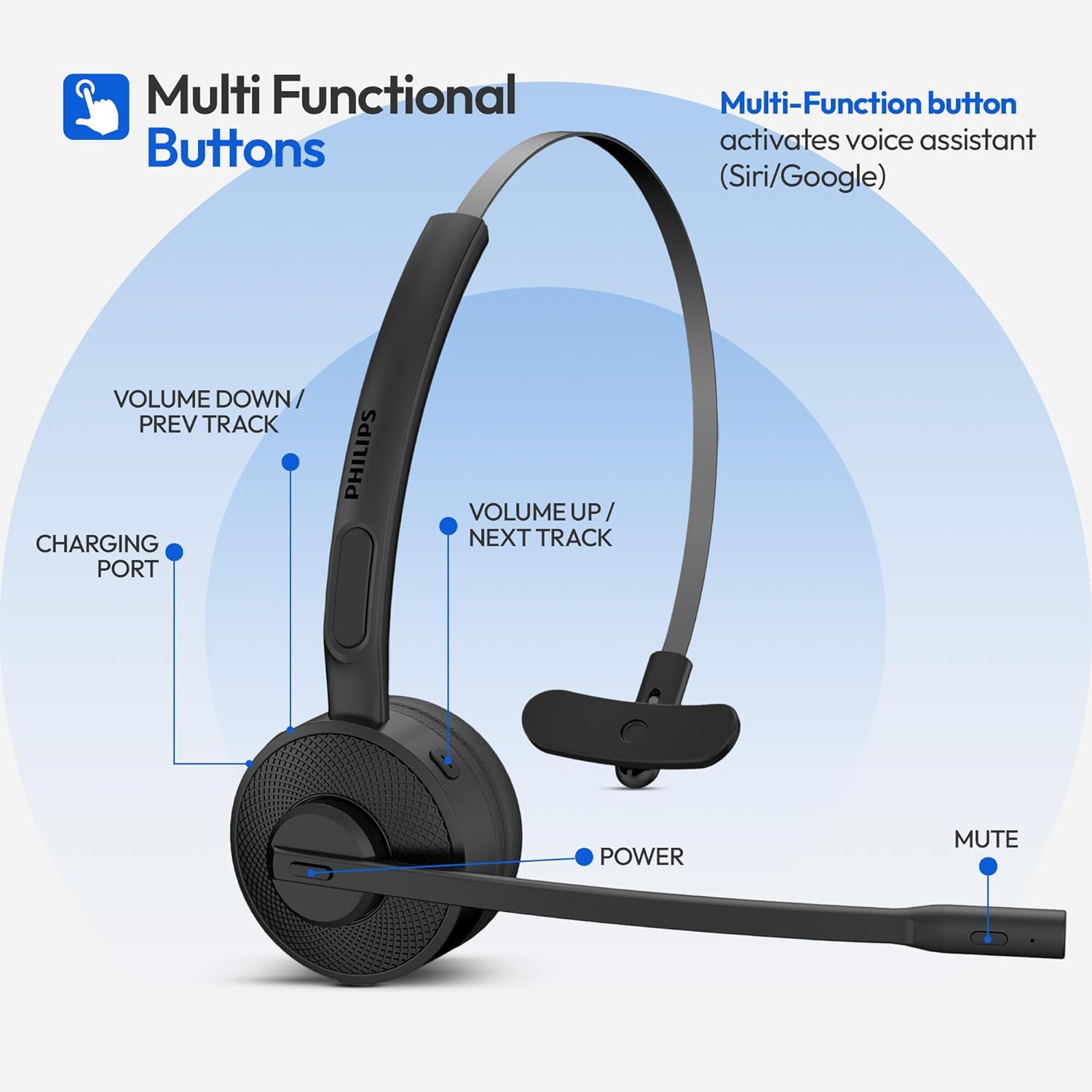
Image: A diagram illustrating the location of the Multi-Function button, Volume Up/Next Track, Volume Down/Previous Track, Charging Port, Power button, and Mute button on the Philips TAL3000 headset.
Controls:
- Multi-Function Button: Activates voice assistant (Siri/Google Assistant), answers/ends calls.
- Volume Up / Next Track: Increases volume, skips to the next audio track.
- Volume Down / Previous Track: Decreases volume, goes to the previous audio track.
- Power Button: Powers the headset on/off, initiates Bluetooth pairing.
- Mute Button: Mutes or unmutes the microphone during calls.
Ports:
- Charging Port (USB-C): Used for direct charging of the headset.
Setup
1. Charging the Headset
Before initial use, fully charge the headset. The headset offers two charging methods:
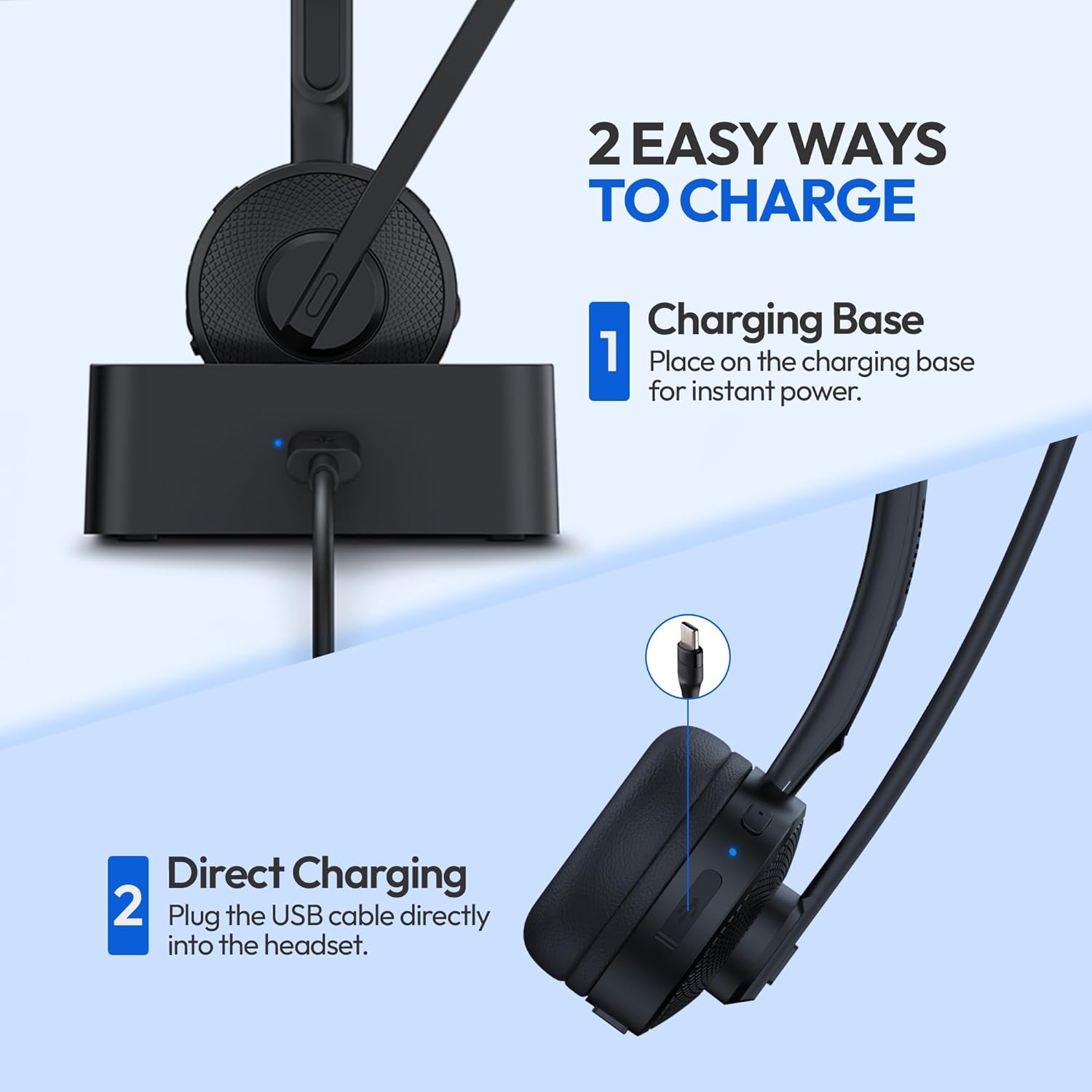
Image: Illustration showing the two charging options for the headset: placing it on the charging base or plugging a USB-C cable directly into the headset.
- Using the Charging Base: Connect the charging base to a power source using the provided USB-C cable. Place the headset onto the charging base. The headset will magnetically align and begin charging.
- Direct Charging: Connect the USB-C charging cable directly to the charging port on the headset and to a power source.
A full charge takes approximately 2 hours and provides up to 15 hours of talk time.

Image: The headset on its charging base, highlighting its 15-hour working time and 2-hour fast charging capability.
2. Bluetooth Pairing
The headset can be paired with up to two devices simultaneously.
- Ensure the headset is charged and powered off.
- Press and hold the Power Button until the LED indicator flashes blue and red, indicating pairing mode.
- On your device (smartphone, laptop, tablet), enable Bluetooth and search for available devices.
- Select "Philips TAL3000" from the list of devices.
- Once paired, the LED indicator will flash blue slowly.
The headset supports Bluetooth 5.4 with a range of up to 33 feet (10 meters).

Image: The Philips TAL3000 headset demonstrating multi-device connection, paired simultaneously with a smartphone and a laptop.
Operating the Headset
Power On/Off
- To power on: Press and hold the Power Button for 2 seconds.
- To power off: Press and hold the Power Button for 3 seconds.
Making and Receiving Calls
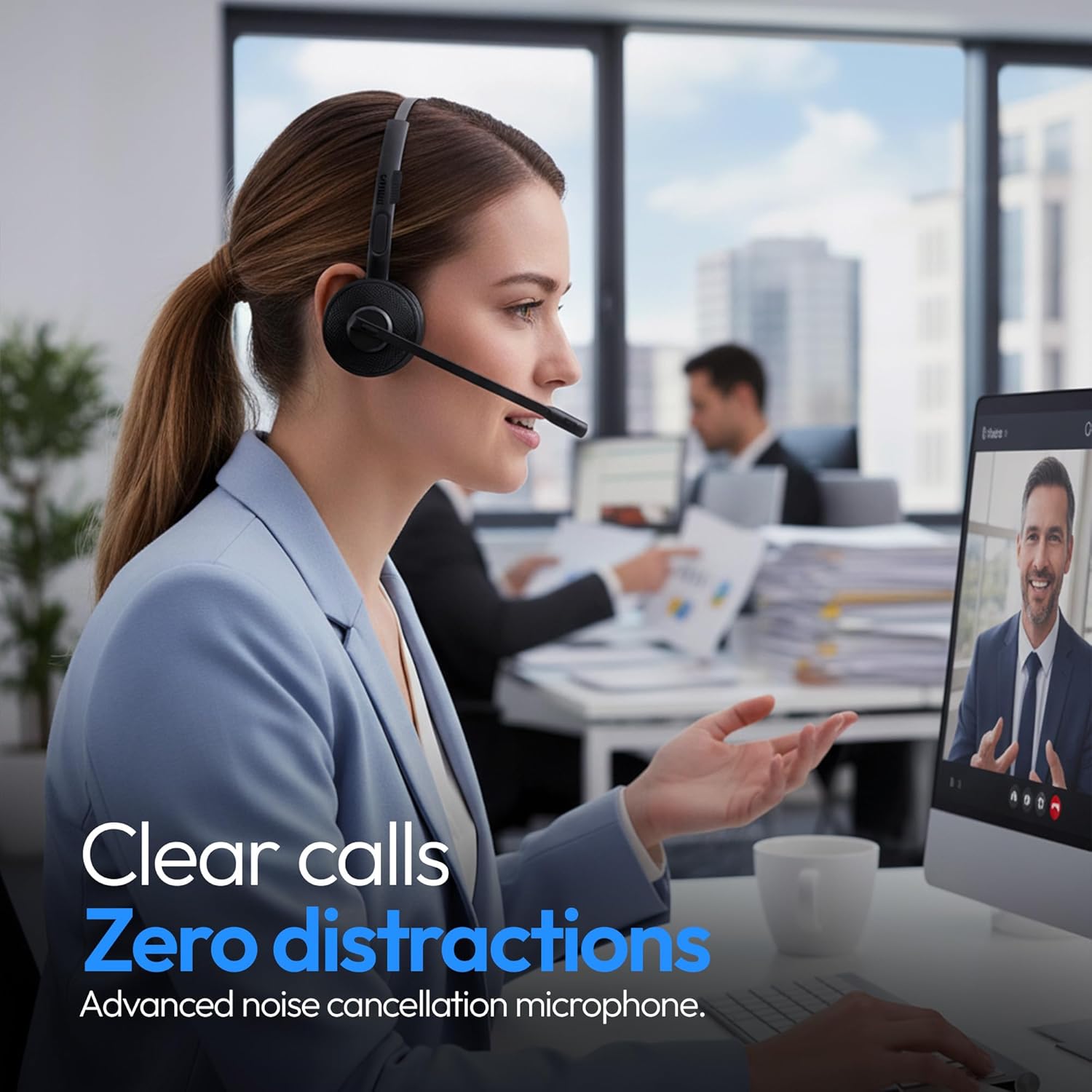
Image: A woman wearing the Philips TAL3000 headset, engaged in a video call, illustrating clear communication with noise cancellation.
- Answer Call: Press the Multi-Function Button once.
- End Call: Press the Multi-Function Button once during an active call.
- Reject Call: Press and hold the Multi-Function Button for 2 seconds.
- Adjust Volume: Use the Volume Up or Volume Down buttons.

Image: A man driving a truck and using the Philips TAL3000 headset, demonstrating its hands-free function for answering calls and controlling audio without touching a device.
Mute Function

Image: A woman touching the microphone boom of the Philips TAL3000 headset, indicating the one-touch mute feature for private conversations during calls.
- During a call, press the Mute Button on the microphone boom to mute your microphone.
- Press the Mute Button again to unmute.
Voice Assistant
- Press the Multi-Function Button twice to activate your device's voice assistant (Siri, Google Assistant, etc.).
Wearing the Headset
The headset features an adjustable steel headband and a flip-away microphone for comfort and convenience.

Image: The Philips TAL3000 headset highlighting its ultra-lightweight design, adjustable headband, and flip-away microphone for all-day comfort.
- Adjust the headband to fit comfortably over your head.
- Position the microphone boom close to your mouth for optimal voice pickup.
- When not in use, the microphone can be flipped up and out of the way.
Maintenance
- Cleaning: Wipe the headset with a soft, dry cloth. Do not use abrasive cleaners or solvents.
- Storage: Store the headset in a cool, dry place away from direct sunlight and extreme temperatures.
- Battery Care: To prolong battery life, avoid fully discharging the headset frequently. Charge it regularly, even if not in constant use.
Troubleshooting
| Problem | Solution |
|---|---|
| Headset does not power on. | Ensure the headset is charged. Connect it to the charging base or directly via USB-C cable. |
| Cannot pair with a device. |
|
| No sound or low volume. |
|
| Microphone not working. |
|
| Poor call quality / background noise. |
|
Specifications
| Feature | Detail |
|---|---|
| Brand | Philips |
| Model Number | TAL3000 |
| Color | Black |
| Ear Placement | On Ear |
| Impedance | 32 Ohms |
| Battery Average Life | 15 Hours (Talk Time) |
| Battery Charge Time | 2 Hours |
| Frequency Range | 20 Hz - 20,000 Hz |
| Connectivity Technology | Bluetooth, Wireless |
| Bluetooth Version | 5.4 |
| Wireless Range | Up to 33 feet (10 meters) |
| Microphone | AI Noise Cancelling |
| Weight | 4.7 Ounces |
| Control Type | Button Control |
| Additional Features | Adjustable Headband, Built-In Voice Assistant, Charging stand, Lightweight, Microphone Included |
Warranty Information
This Philips TAL3000 Wireless Headset is covered by a standard manufacturer's warranty. For detailed information regarding warranty terms, conditions, and registration, please refer to the warranty card included in your package or visit the official Philips support website.
Support
For further assistance, technical support, or to view frequently asked questions, please visit the official Philips support website:
You may also contact Philips customer service directly through the contact information provided on their website.


