
1. Safety Information
WARNING: Risk of Electric Shock
- Before installing the fan, disconnect the power supply by turning off the circuit breaker.
- All electrical connections must be in accordance with local and National Electric Code (N.E.C.) standards and ANSI/NFPA 70. Consult a qualified electrician if you are unfamiliar with proper electrical wiring connections.
- Do not alter, re-locate, or remove wiring when nothing goes wrong with the product. Double-check all connections and screws to ensure they are tight and correct.
- Verify that the supply voltage is correct by comparing it with the product information.
- Make sure the installation site allows a minimum of 7.5 feet from the blades to the floor.
- Both the fan and the light are powered by a controller and DC motor. It is not possible to control the light/fan independently with multiple wall switches. If you have more than one live wire, connect one of them and insulate the other.
- This fan is designed for indoor use and outdoor spaces like patios, but should not be exposed directly to rain.
2. Package Contents
Before beginning installation, ensure all components are present and undamaged. Refer to the image below for a visual guide to the included parts:
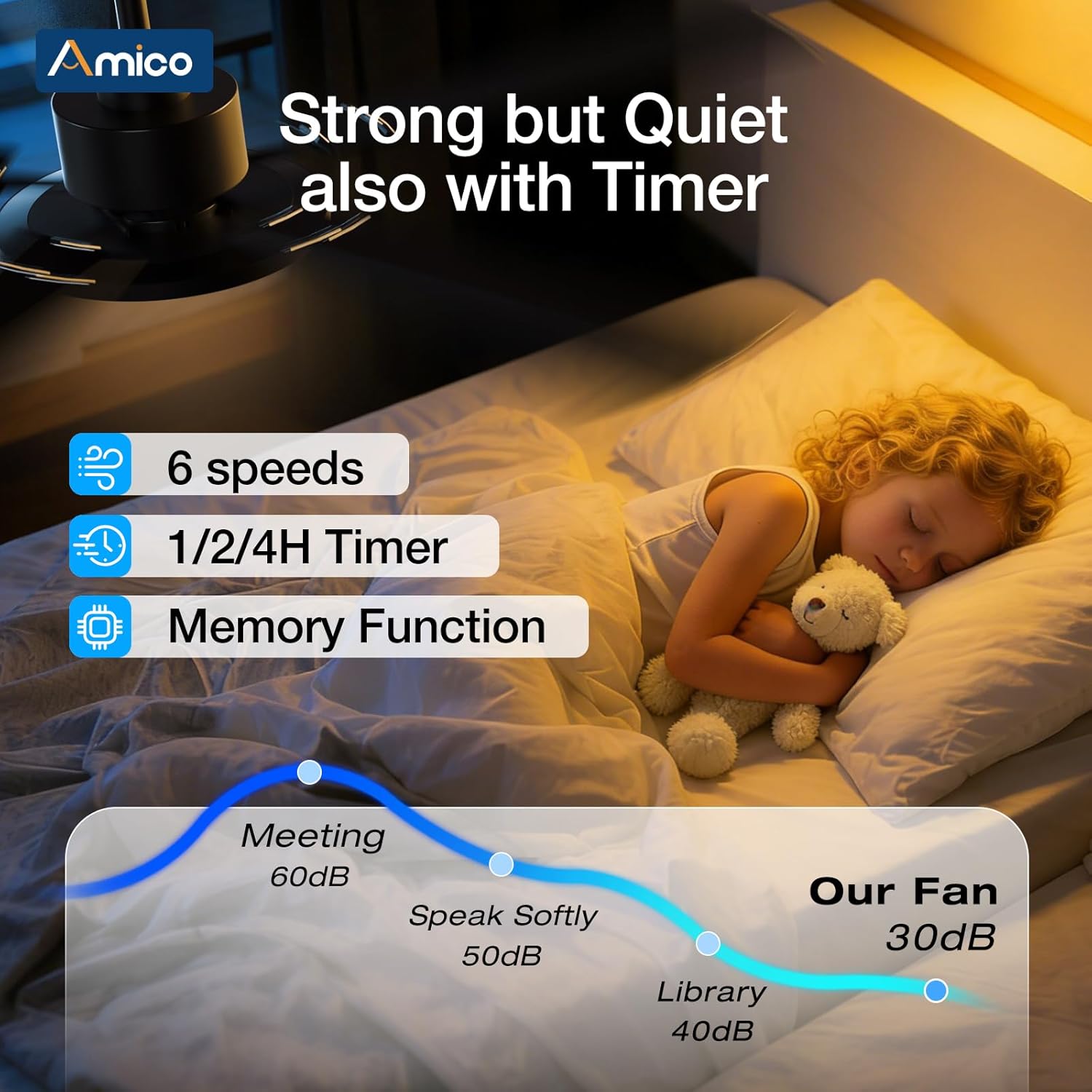
Image: All components of the Amico 52-inch Smart Ceiling Fan, including the lamp panel, DC motor, receiver, mounting hardware, and blades.
- Lamp Panel
- DC Motor
- Receiver
- Mounting Hardware
- 5 Blades
- Remote Control
- User Manual
3. Installation Guide
This ceiling fan features a modular design for simplified assembly. Follow these steps carefully for proper installation:
- Prepare for Installation: Ensure power is disconnected at the circuit breaker.
- Secure Hanger Bracket: Choose appropriate screws for your ceiling type and securely attach the provided Amico hanger bracket to the ceiling junction box.
- Assemble Blades: Each blade has two usable sides (black and wood grain). Select your desired side. Secure each blade to its corresponding blade bracket using 3 screws.
- Attach Blades to Motor: Install each blade assembly to the fan motor using 2 screws per blade. Repeat for all 5 blades.
- Prepare Downrod: Slide the canopy, canopy cover, and decorative yoke cover onto the downrod in sequence.
- Thread Wiring: Carefully thread the electrical cord from the fan motor through the downrod. If you encounter difficulty, you can temporarily remove the connector on the wire and reattach it after threading.
- Secure Downrod: Plug in the screw previously removed from the downrod, insert the pins back, and tighten all screws to secure the downrod to the motor.
- Hang the Fan: Carefully lift the fan assembly and hang it onto the ceiling bracket. Ensure the downrod ball engages the ridge on the hanger bracket for secure placement.
- Insert Receiver: Insert the fan's receiver unit into the bracket for wiring.
- Connect Wiring: Make the electrical connections according to local codes: connect the green wire to the ground, the white wire to the neutral, and the black wire to the live wire. Ensure all connections are tight and secure.
- Connect Wire Pairs: Make sure the black and white wire pairs from the fan are inserted tightly into their respective connectors on the receiver.
- Final Assembly: Slide up the canopy and tighten its screws, then slide the canopy cover upward to conceal the wiring and bracket.
- Align Lampshade: Align the lampshade with the grooves on the fan base and push it in to lock it into place.
For a visual step-by-step guide, please watch the official installation video:
Video: Official installation guide for the Amico 52-inch Smart Ceiling Fan, demonstrating each step from unboxing to final assembly.
4. Operating Instructions
Your Amico Smart Ceiling Fan offers multiple convenient control options:
- Remote Control
- Smart Life APP Control
- Alexa Voice Control
- Wall Switch (for basic on/off functionality)
4.1 Remote Control
The included remote control provides full functionality for your fan and light. (Tip: After fixed, the remote control can be used as a wall switch).

Image: Detailed layout of the Amico ceiling fan remote control, showing buttons for fan speed, light control, and other functions.
- All OFF: Turns off both the fan and light.
- Forward/Reverse (F/R): Changes the fan's direction for summer or winter mode.
- Fan Speed (1-6): Adjusts fan speed from gentle breeze (1) to powerful airflow (6).
- Fan OFF: Turns off the fan only.
- Natural Wind: Activates a fluctuating fan speed to simulate natural breezes.
- Switching Light Color Temperature: Cycles through different light color temperatures (Warm, Natural, Cold).
- Light Dimmer (-/+): Adjusts light brightness from 10% to 100%.
- Light ON/OFF: Turns the light on or off.
- Timer (1H/2H/4H): Sets the fan to automatically turn off after 1, 2, or 4 hours.
4.2 Smart Life App Control
Control your fan from anywhere using the Smart Life app. Download the app by scanning the QR code in the manual or visiting the app store. Ensure your Wi-Fi supports 2.4 GHz and Bluetooth is enabled.

Image: Screenshot of the Smart Life app interface for the Amico ceiling fan, showing controls for brightness, color temperature, fan speed, and direction.
- Light Control: Turn light ON/OFF, adjust brightness (10%-100%), and change color temperature (3000K-6500K).
- Fan Control: Turn fan ON/OFF, adjust 6 fan speeds, and change fan direction (Forward/Reverse).
- Preset Modes: Access Nature, Sleep, and Normal wind modes.
- Countdown Timer: Set auto-off timers for 1/2/4/8 hours.
For detailed app setup instructions, watch the official Smart Life App Setup Guide video:
Video: Official guide for setting up the Amico Smart Ceiling Fan with the Smart Life app, covering pairing and basic controls.
4.3 Alexa Voice Control
Integrate your fan with Amazon Alexa for hands-free voice control. Ensure your Alexa device is connected to the same 2.4 GHz Wi-Fi network as your fan.

Image: Visual representation of controlling the Amico ceiling fan using Alexa voice commands, showing interaction with an Echo device.
Example Voice Commands (replace 'XXX' with your device name, e.g., 'Bedroom Fan' or 'Kitchen Light'):
- "Alexa, turn on/off XXX."
- "Alexa, increase/decrease XXX brightness."
- "Alexa, make XXX warmer/cooler."
- "Alexa, set XXX brightness to 1-100%."
- "Alexa, set XXX color to Soft White/White/Cool White."
- "Alexa, set XXX to 1/2/3/4/5/6." (Note: do not add 'speed' or 'level' after the number)
- "Alexa, increase/decrease XXX speed."
For detailed Alexa connection instructions, watch the official Alexa Connection Guide video:
Video: Official guide for connecting the Amico Smart Ceiling Fan to Amazon Alexa for voice control.
4.4 Fan Modes and Lighting
The fan features a reversible DC motor and adjustable lighting to suit your comfort needs:
- 6-Speed Adjustable: Choose from 6 fan speeds for customized comfort, from a gentle breeze to powerful airflow. Operates at only 25dB, ensuring quiet operation.
- Reversible Airflow: Supports cooling in summer (forward airflow) and air circulation in winter (reverse airflow).
- 3CCT Dimmable Light: Switch between cool white, neutral, and warm light (3000K to 6500K) with stepless brightness control from 10%–100%, delivering up to 2500 lumens.
- Memory Function: Built-in memory function restores your last fan speed and light settings automatically when powered on.

Image: Diagram illustrating the reversible airflow function of the Amico ceiling fan for summer (downward airflow) and winter (upward airflow) modes.
5. Maintenance
Regular maintenance helps ensure the longevity and optimal performance of your ceiling fan:
- Cleaning: Periodically dust the fan blades and light kit with a soft, dry cloth. Avoid using abrasive cleaners or solvents that could damage the finish.
- Tightening: Check all screws and connections periodically to ensure they remain tight and secure. Loose connections can cause noise or malfunction.
- Blade Balance: If the fan wobbles, check that all blades are securely attached and balanced. Balancing kits can be purchased if needed.
6. Troubleshooting
If you encounter issues with your Amico Smart Ceiling Fan, refer to the following common troubleshooting tips:
- Fan Not Turning On: Ensure the power supply is connected and the circuit breaker is not tripped. Check all wiring connections for proper installation.
- Light Not Working: Verify the light is turned on via the remote, app, or wall switch. Check the wiring connections to the light kit. If the LED light board is damaged, contact customer service.
- Remote Not Responding: Ensure the remote has fresh batteries. Point the remote directly at the fan's receiver. If the remote is lost or damaged, contact customer service.
- App Connectivity Issues: Ensure your Wi-Fi network is 2.4 GHz and stable. Confirm Bluetooth is enabled on your device during pairing. Restart the fan and try pairing again if issues persist.
- Fan Wobbling: Check that all blade screws are tight and the hanger bracket is securely mounted. Ensure blades are balanced.
- Unexpected Light Behavior (e.g., light turning on randomly): This may indicate a wiring issue or interference. Double-check all wiring connections, especially live wires, and ensure they are properly insulated. If the problem persists, contact customer support.
For further assistance, please refer to the Warranty and Support section.
7. Specifications
Detailed specifications for the Amico 52-inch Smart Ceiling Fan:
| Feature | Detail |
|---|---|
| Brand | Amico |
| Model Number | KDM52PLY5B01S1-2 |
| Product Dimensions | 52"D x 52"W x 11"H |
| Electric Fan Design | Ceiling Fan |
| Power Source | AC Input, DC Output |
| Room Type | Bedroom, Kitchen, Living Room, Office, Patio |
| Special Features | Alexa Voice Control, App Operable, Cooling, Reversible, Timer |
| Mounting Type | Ceiling Mount |
| Controller Type | Voice Control, Remote |
| Number of Speeds | 6 |
| Noise Level | 25 Decibels |
| Wattage | 50 watts |
| Number of Blades | 5 |
| Air Flow Capacity | 4454 Cubic Meters Per Minute |
| Voltage | 120 Volts |
| Indoor/Outdoor Usage | Indoor (Note: Not to be exposed directly to rain) |
| Material | Engineered Wood, Iron |
| Item Weight | 8.8 Pounds |
8. Warranty and Support
Amico stands behind the quality of its products. Your smart ceiling fan comes with the following warranty and support:
- 2-Year Full Product Warranty: Covers the entire fan unit for 2 years from the date of purchase.
- 10-Year Motor Warranty: The DC motor is covered for 10 years from the date of purchase.
- 24/7 Customer Service: For any questions, issues, or warranty claims, please contact Amico customer service.
