
Introduction
The VOCOlinc Air Card Tag Pro is a slim, rechargeable item tracker designed for seamless integration with both iOS (Apple Find My app) and Android (Google Find Hub) ecosystems. This device assists in locating personal items such as wallets, luggage, and bags, providing peace of mind through its dual-system compatibility and global tracking network.
Key Features:
- Dual-System Compatibility: Works with Apple Find My (iOS) and Google Find Hub (Android). Note: Can only be paired with one system at a time.
- Instant Ring for Nearby Items: Trigger a loud sound (80-100 dB) from the tracker via the app to locate items within Bluetooth range.
- Global Network Tracking: Utilizes the extensive Apple Find My or Google Find Hub networks for tracking items outside Bluetooth range, with no subscription fees.
- Long Battery Life & Wireless Charging: Up to 6 months of battery life on a single charge, rechargeable with any Qi-certified magnetic charger. Features a low battery reminder.
- IP68 Waterproof: Designed for durability with water and dust resistance.
- Privacy Protection: Encrypted, anonymous connections ensure location data privacy.
- Lost Item Alerts & Lost Mode: Receive alerts when items are left behind (iOS only) and enable Lost Mode to get notifications when the tracker is detected by the network.
- Share Item Feature: Share access to your tracker's location with up to 5 participants on iOS 17+ or Android.
Setup Guide
1. Initial Charging
Before first use, ensure your VOCOlinc Air Card Tag Pro is fully charged. The device supports wireless charging using any Qi-certified magnetic charger. A full charge typically takes approximately 1 hour and provides up to 6 months of battery life.
- Blinking green light: Indicates charging in progress.
- Solid green light: Indicates charging is complete.
A low battery reminder will alert you when recharging is necessary.
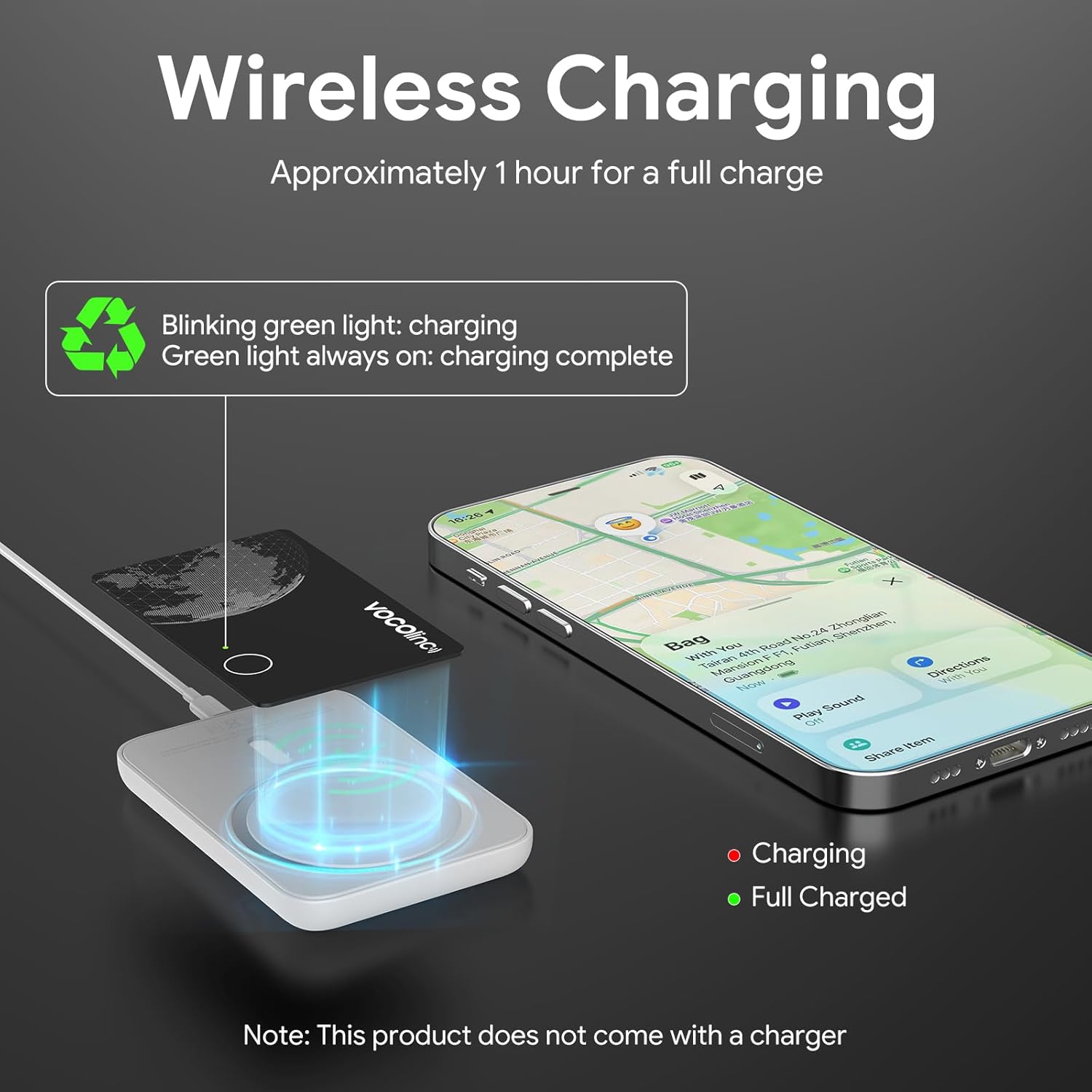
Image: The VOCOlinc Air Card Tag Pro being wirelessly charged. A smartphone nearby shows the device's location on a map. Text indicates blinking green for charging and solid green for full charge.
2. Pairing with Your Device (iOS or Android)
The VOCOlinc Air Card Tag Pro is compatible with both Apple Find My (iOS) and Google Find Hub (Android). However, it can only be paired with one device and one operating system at a time.
- Ensure your tracker is charged.
- Open the Apple Find My app on your iOS device or the Google Find Hub app on your Android device.
- Follow the in-app instructions to add a new item. The tracker should be detected automatically.
- Confirm pairing when prompted.
To switch between iOS and Android: You must first unpair the tracker from the currently connected device. Then, reset the tracker according to the instructions in the Troubleshooting section, and finally, pair it with the new device and operating system.
Note: This tracker is not compatible with Huawei's HarmonyOS.

Image: A visual representation of the VOCOlinc Air Card Tag Pro's compatibility with both Android (Google Find Hub) and iOS (Apple Find My) systems. It emphasizes that only one system can be used at a time.
Operating Instructions
1. Finding Nearby Items (Instant Ring)
When your item is within Bluetooth range, you can use the app to make the tracker emit a sound.
- Open the Apple Find My app (iOS) or Google Find Hub app (Android).
- Select your VOCOlinc Air Card Tag Pro from the list of items.
- Tap the "Play Sound" button. The tracker will emit a loud sound (80-100 dB) to help you locate it.
Note: This tracker does not support UWB ultra-wideband for precise directional finding.

Image: A smartphone screen showing the 'Play Sound' function in the Find My app, with sound waves emanating from a VOCOlinc Air Card Tag Pro hidden under a bed, demonstrating how to find nearby items.
2. Finding Distant Items (Global Network Tracking)
If your item is out of Bluetooth range, the global network of compatible devices will help you locate it.
- Open the Apple Find My app (iOS) or Google Find Hub app (Android).
- Select your VOCOlinc Air Card Tag Pro.
- The app will display the last known location of your tracker on a map, updated by the network of millions of compatible devices.
This feature works without any additional fees or subscriptions.
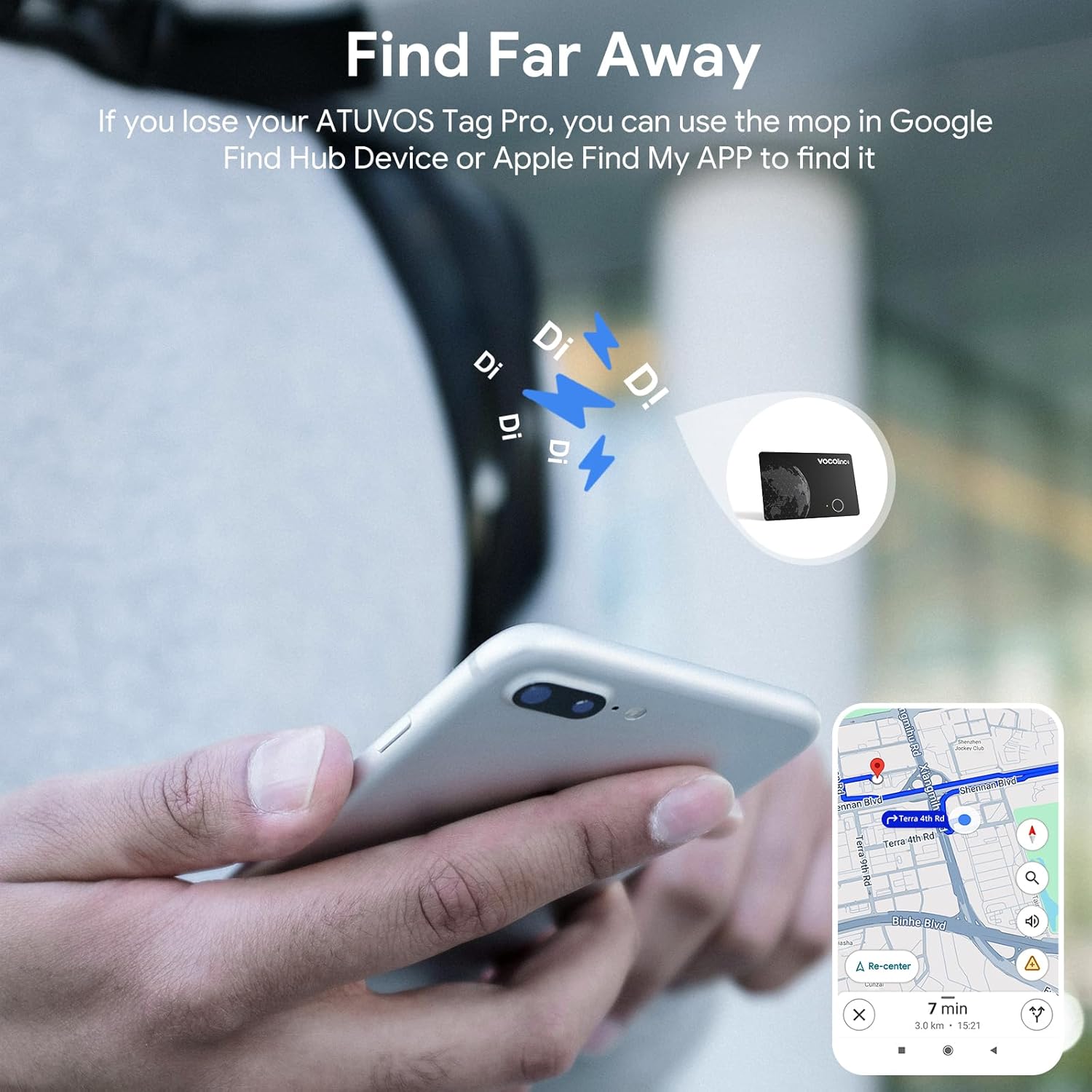
Image: A hand holding a smartphone showing a map with a tracker's location, demonstrating the ability to find items even when they are far away using the global network.
3. Lost Item Alerts (iOS Only)
For iOS users, the Apple Find My app can notify you if you leave an important item behind.
- Enable "Notify When Left Behind" in the Apple Find My app settings for your tracker.
- You will receive an alert on your iOS device if you move away from your tracker.
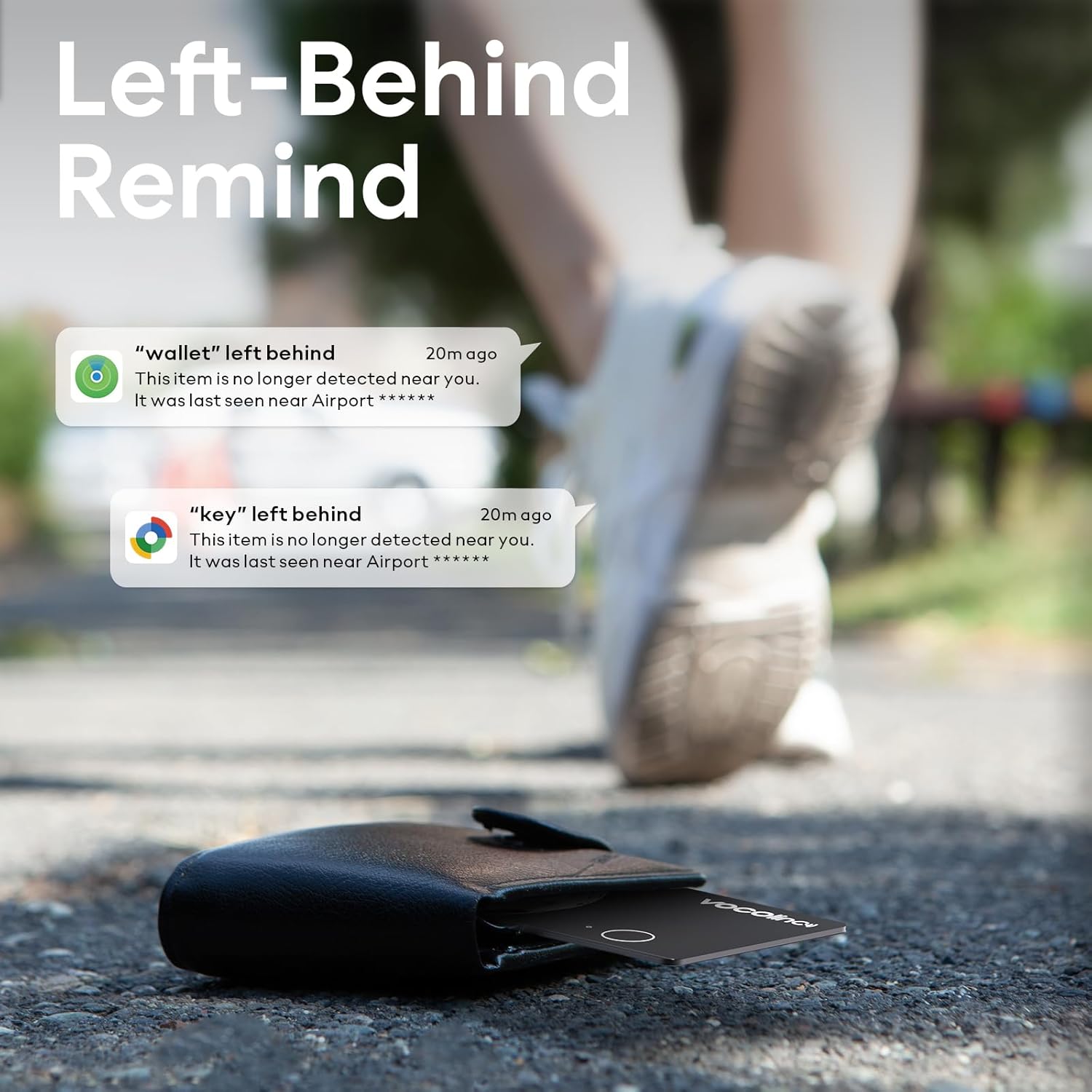
Image: A visual showing a VOCOlinc Air Card Tag Pro and wallet on the ground, with phone notifications indicating 'Left-Behind Remind' alerts for a wallet and keys.
4. Lost Mode
If your tracker is lost, you can enable Lost Mode to increase your chances of recovery.
- In the Apple Find My or Google Find Hub app, select your tracker.
- Enable "Lost Mode." You can also add a contact number or message.
- When any compatible device in the network detects your tracker, you will automatically receive a notification of its location.
5. Sharing Your Item
The sharing feature allows others to help track your items.
- This feature is available on Android devices and iOS devices updated to iOS 17 or later.
- You can share your tracker's location with up to 5 participants through the Google Find Hub or Apple Find My app.
- Shared participants can view the item's location on the map.

Image: Two individuals using their phones to share the location of a VOCOlinc Air Card Tag Pro, illustrating the item sharing feature in the Find My/Find Hub app.
6. Optimal Placement
The slim design of the Air Card Tag Pro makes it ideal for various items:
- Wallets
- Purses
- Luggage
- Backpacks
- Laptop bags
- Badges or ID holders

Image: A collage demonstrating various practical placements for the VOCOlinc Air Card Tag Pro, including a badge holder, passport, laptop bag, and wallet.
Maintenance
Charging
Recharge your Air Card Tag Pro using any Qi-certified magnetic wireless charger when the low battery reminder activates. Regular charging ensures continuous tracking capability.
Cleaning
Wipe the device with a soft, dry cloth. Avoid using harsh chemicals or abrasive materials that could damage the surface or internal components.
Water Resistance
The device has an IP68 rating, meaning it is resistant to dust and can withstand immersion in water up to 1.5 meters for up to 30 minutes. However, it is not recommended for prolonged submersion or use in extreme water conditions.
Troubleshooting
Device Not Pairing
- Check existing pairing: The tracker can only be paired with one device/system at a time. Ensure it is unpaired from any previous device.
- Reset the tracker: To reset, press and hold the button on the tracker for 10 seconds until you hear a confirmation sound or see an indicator light. Then attempt to pair again.
- Bluetooth enabled: Ensure Bluetooth is active on your smartphone.
- App installed: Verify that the Apple Find My or Google Find Hub app is correctly installed and updated.
No Sound from Tracker
- Battery level: Check the battery status in the app. Recharge if the battery is low.
- Within range: Ensure the tracker is within Bluetooth range of your phone for the sound feature to work.
- App volume: Check your phone's media volume and the app's sound settings.
Inaccurate Location or No Location Updates
- Network dependency: Location updates rely on the Apple Find My or Google Find Hub network. Updates may be less frequent in areas with fewer compatible devices.
- Bluetooth range: For real-time, close-proximity tracking, ensure you are within Bluetooth range.
- No UWB: This tracker does not support UWB ultra-wideband, which provides more precise directional finding.
Compatibility Issues
- Huawei HarmonyOS: The VOCOlinc Air Card Tag Pro is not compatible with Huawei's HarmonyOS.
Specifications

Image: A detailed graphic outlining the specifications and features of the VOCOlinc Air Card Tag Pro, including its dimensions (85.5mm x 54mm x 1.6mm), sound level, IP rating, battery type, and Bluetooth range.
| Feature | Detail |
|---|---|
| Brand | VOCOlinc |
| Model | Air Card Tag Pro |
| Dimensions | 85.5mm x 54mm x 1.6mm (approx.) |
| Material | Plastic |
| Battery Type | 1 Lithium Metal battery (included), Rechargeable |
| Battery Life | Up to 6 months (182 days average) |
| Charging | Wireless (Qi-certified magnetic charger) |
| Loudness | 80-100 dB |
| Water Resistance | IP68 rated |
| Connectivity | Bluetooth |
| Control Method | App (Apple Find My / Google Find Hub) |
| Compatible Devices | Smartphones, Tablets (iOS, Android) |
Warranty and Support
Warranty Information
The VOCOlinc Air Card Tag Pro comes with a 2-year warranty from the date of purchase. This warranty covers manufacturing defects and malfunctions under normal use. Please retain your proof of purchase for warranty claims.
Customer Support
For technical assistance, troubleshooting, or warranty inquiries, please contact VOCOlinc customer support through their official website or the contact information provided with your product packaging. You may also refer to the FAQ section on the VOCOlinc website for common questions and solutions.
Official Product Video
Video: An official product video titled "VOCOlinc Air Tag Smart Card for Android & iOS" by EaseLife Tech, demonstrating the features and usage of the VOCOlinc Air Card Tag Pro.
