
1. Introduction
The XikeStor SKN-U310GT is a high-performance 10 Gigabit USB Network Adapter designed to provide ultra-fast and stable wired network connectivity. It features a USB 3.2 Type-C port and a 10GbE RJ45 port, making it suitable for a wide range of devices requiring high-speed data transmission. This manual provides essential information for setting up, operating, and maintaining your network adapter.
2. Package Contents
Please verify that all items listed below are included in your package:
- XikeStor SKN-U310GT 10G USB Network Adapter
- Dual-ended USB Type-C Cable
- Quick Start Guide
- Warranty Card
Video: Unboxing the XikeStor SKN-U310GT 10G USB Network Adapter. This video demonstrates the contents of the product package, including the adapter, USB-C cable, quick start guide, and warranty card.
3. Product Overview and Features
The XikeStor SKN-U310GT adapter is engineered for high performance and durability. Its compact design and robust construction ensure reliable operation.
- High-Speed Connection: Equipped with a USB 3.2 Type-C port and a 10GbE RJ45 port for ultra-fast and stable wired network performance.
- Professional Realtek Chipset: Powered by the high-performance Realtek RTL8159 chipset, ensuring stable and reliable data transmission with low power consumption (typically 1.95W).
- Durable Aluminum Alloy Design: Built with a durable aluminum alloy housing and internal heat dissipation structure for stable performance during long-term high-speed operation.
- Compact and Portable: With dimensions of 99 × 42 × 22 mm, it is designed for portability and ease of use.
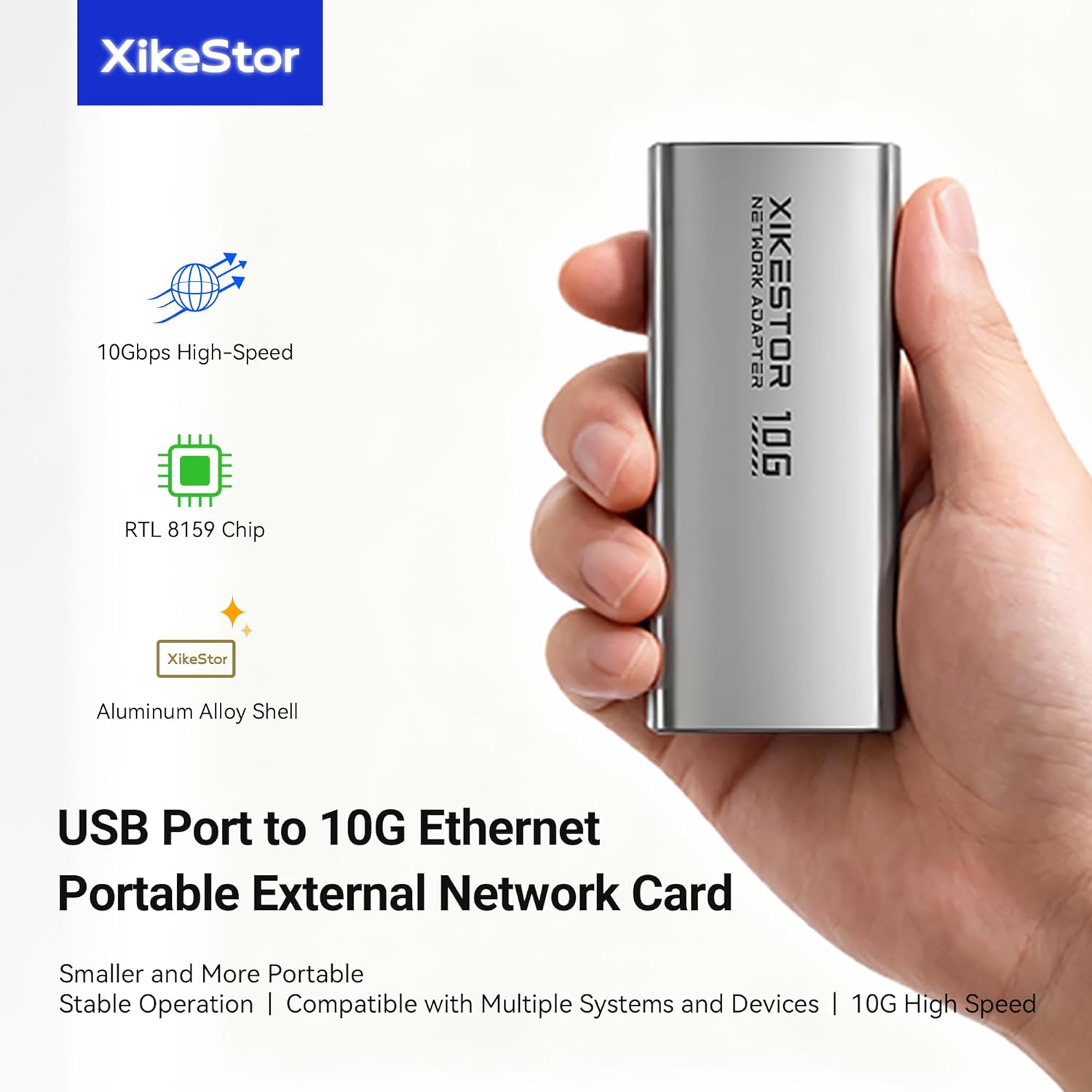
Image: The XikeStor 10G USB Network Adapter shown in hand, illustrating its compact form factor and key features such as 10Gbps high-speed capability, Realtek RTL8159 chip, and durable aluminum alloy shell.

Image: A detailed view of the Realtek RTL8159 professional network chip, emphasizing its high performance, stability, and low power consumption, which are crucial for efficient data transmission.

Image: An internal view of the XikeStor 10G USB Network Adapter, showcasing its integrated aluminum alloy shell. This design provides anti-interference properties, wear resistance, and enhanced durability for long-term use.

Image: A visual comparison demonstrating the compact size of the XikeStor 10G USB Network Adapter relative to a typical smartphone, emphasizing its portability and convenience for travel.
4. Specifications
Detailed technical specifications for the XikeStor SKN-U310GT network adapter:
| Attribute | Value |
|---|---|
| Brand | XikeStor |
| Model Number | SKN-U310GT |
| Hardware Interface | USB Type-C |
| Network Interface | 10GbE RJ45 |
| Chipset | Realtek RTL8159 |
| Color | Grey |
| Data Link Protocol | Ethernet |
| Data Transfer Rate | Up to 9 Gigabits Per Second (actual speed varies by USB port) |
| Dimensions (L×W×H) | 99 × 42 × 22 mm |
| Item Weight | 0.15 Kilograms |
| Manufacturer | Anhui Seeker Electronic Technology Co., LTD. |

Image: A visual summary of the XikeStor 10G USB Network Adapter's key parameters, including its model number (SKN-U310GT), supported ports (USB3.2 & 10GbE RJ45), Realtek RTL8159 chip, driver-free operation, dimensions, and construction materials.
5. Setup and Installation
Follow these steps to set up your XikeStor 10G USB Network Adapter:
- Connect the Adapter: Use the provided dual-ended USB Type-C cable to connect the adapter to an available USB-C port on your computer or compatible device.
- Connect to Network: Connect a Cat6A or higher specification Ethernet cable from your router or network switch to the RJ45 port on the adapter.
- Driver Installation:
- Windows 10/11: The adapter generally supports automatic driver installation via system update for plug-and-play use. If performance is not as expected, manual driver download from the official Realtek website may be required.
- macOS/Linux: The adapter is compatible with macOS and Linux. For optimal performance, ensure your operating system is up-to-date. In some cases, manual driver installation might be necessary.
- Thunderbolt Devices: Compatible with Thunderbolt 3/4/5 devices.
- Verify Connection: Check the indicator lights on the adapter. A solid light typically indicates a successful connection, while blinking lights indicate data activity.

Image: A clear diagram demonstrating the connection process for the XikeStor 10G USB Network Adapter. It shows how to connect the adapter to a host device via USB-C and then to a network infrastructure (switch/hub and router) using an RJ45 Ethernet cable.
6. Operating Instructions and Performance Notes
Once connected and drivers are installed (if necessary), the adapter operates automatically, providing a high-speed network connection.
6.1. Understanding 10G Performance
Actual speeds vary based on your device’s USB specifications. For optimal experience, use a USB 3.2 Gen2x2 or higher bandwidth port:
- USB 3.2 Gen1 (5Gbps): Limited performance, typically below 5Gbps.
- USB 3.2 Gen2 (10Gbps): Up to approximately 7Gbps.
- USB 3.2 Gen2x2 (20Gbps): Up to approximately 9.6Gbps (recommended for best performance).
Due to inherent USB protocol overhead, a full 10 Gbps is rarely achievable with any USB-based 10G network adapter. Enabling Jumbo Frames on your network configuration might yield slightly higher numbers.

Image: A dynamic graphic highlighting the 10GbE High-Speed Transmission capability of the adapter, demonstrating its ability to transfer 1GB of data in just 1 second, and visually comparing its speed to lower bandwidth connections.
6.2. Indicator Lights
The adapter features indicator lights to show its status:
- Power Indicator (PWR): Indicates the power status of the adapter.
- Port Speed Indicator: Indicates the current connection speed of the RJ45 port. Refer to the Quick Start Guide for specific light patterns and their meanings.
7. Compatibility
The XikeStor SKN-U310GT network adapter offers broad compatibility with various operating systems and devices:
- Operating Systems: Windows (Windows 10/11 and newer), Linux, macOS (Mac OS 14 Sonoma and newer).
- Devices: Laptops, desktops, and other compatible devices with USB-C ports, including Thunderbolt 3/4/5 devices, iPhone, iPad, and gaming consoles like PS4/PS5.

Image: A visual representation of the XikeStor 10G USB Network Adapter's extensive compatibility across different devices and operating systems, including Windows, macOS, Android, and iOS, highlighting its user-friendly driver-free and plug-and-play functionality.
8. Troubleshooting
If you encounter issues with your XikeStor 10G USB Network Adapter, consider the following:
- No Connection/Slow Speed:
- Ensure the USB-C cable is securely connected to both the adapter and your device.
- Verify that the Ethernet cable is a Cat6A or higher specification and is properly connected to a working network port.
- Check your device's USB port specification. For optimal 10G performance, a USB 3.2 Gen2x2 (20Gbps) port is recommended. Lower specification USB ports will result in lower actual speeds.
- For Windows users, if performance is not as expected, manually download and install the latest Realtek RTL8159 driver from the official Realtek website.
- Mac Device Speed Misidentification: Due to system and network driver limitations, Thunderbolt ports on Mac devices may currently only display a recognized connection speed of 5 Gbps. However, actual speed tests can exceed 5 Gbps. This is a known limitation and does not necessarily indicate a fault with the adapter.
- Adapter Overheating: The aluminum alloy casing is designed for efficient heat dissipation. If the adapter feels excessively hot, ensure it is in a well-ventilated area and not covered.
9. Maintenance
To ensure the longevity and optimal performance of your XikeStor 10G USB Network Adapter:
- Keep the adapter clean and free from dust. Use a soft, dry cloth for cleaning.
- Avoid exposing the adapter to extreme temperatures, humidity, or direct sunlight.
- Do not drop or subject the adapter to strong impacts.
- Store the adapter in a safe place when not in use to prevent damage to the ports.
10. Warranty and Support
The XikeStor SKN-U310GT 10G USB Network Adapter comes with a 1-year warranty from the date of purchase. This warranty covers manufacturing defects under normal use.
For technical assistance, troubleshooting, or warranty claims, please contact XikeStor customer support. Responses are typically provided within 24 hours.
Please refer to the warranty card included in your package for detailed terms and conditions.


