
1. Introduction
Thank you for choosing the eboboin Electric Razor. This manual provides essential information for the safe and effective use, maintenance, and care of your new electric shaver. Please read it thoroughly before first use and keep it for future reference.
2. Safety Information
- Do not use the shaver while charging.
- Allow the unit to fully dry after cleaning before storage.
- Keep out of reach of children.
- Avoid dropping the unit or exposing it to extreme heat or cold.
- This appliance is not intended for use by persons (including children) with reduced physical, sensory or mental capabilities, or lack of experience and knowledge, unless they have been given supervision or instruction concerning use of the appliance by a person responsible for their safety.
3. Product Overview
The eboboin Electric Razor (Model TXD09 / BS-8012) is designed for efficient and comfortable shaving. Key features include a 3-blade rotary shaving system with 4D floating heads, IPX7 waterproofing for wet and dry use, a digital LED display for battery status, and a convenient travel lock function.
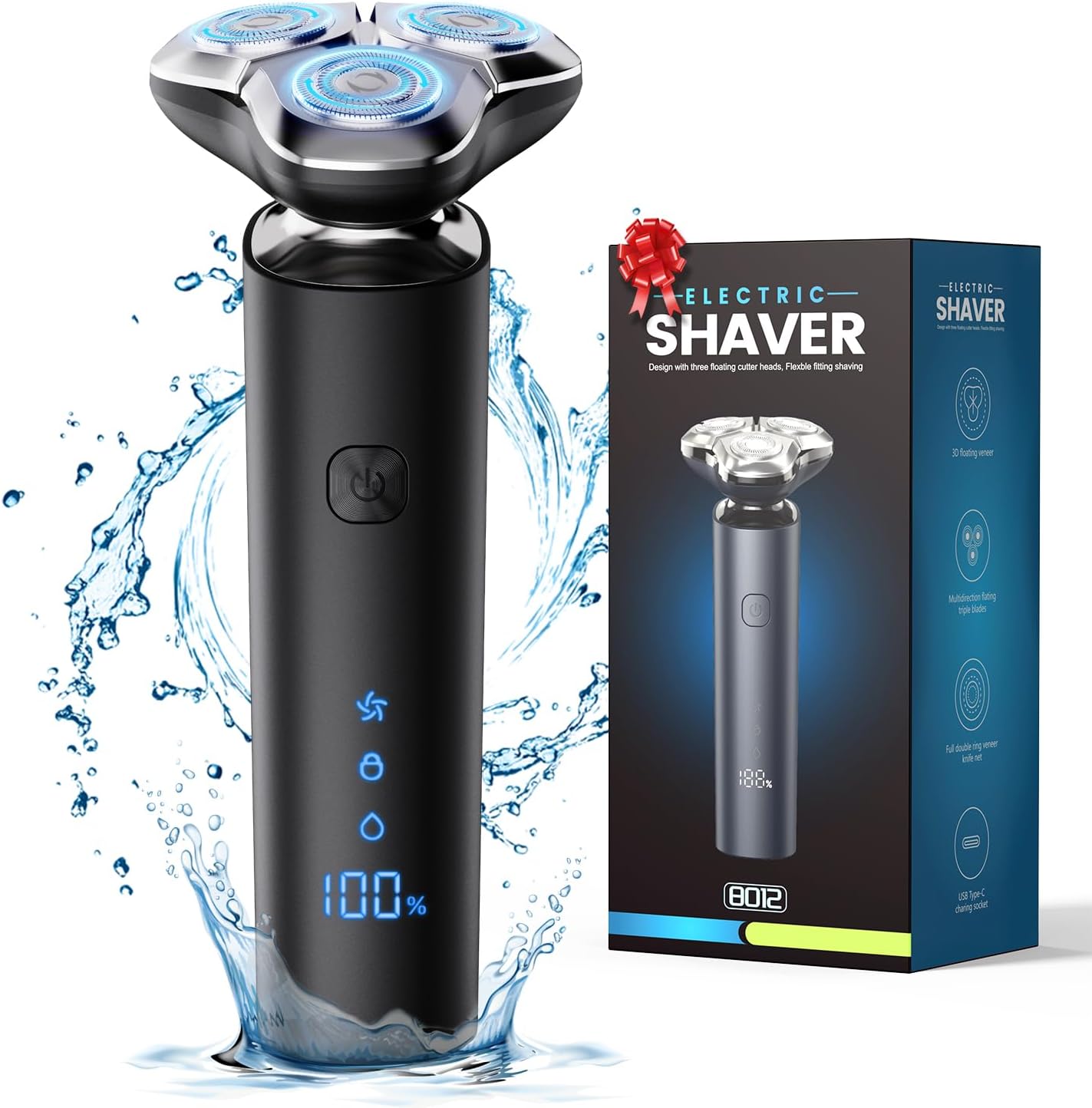
Image: The eboboin Electric Razor with its packaging, highlighting its sleek design and rotary head.
Components:
- 3-Blade Rotary Head: Features 4D floating heads that adapt to facial contours for a close shave.
- Power Button: Activates and deactivates the shaver.
- LED Display: Shows battery percentage, cleaning reminder, and travel lock status.
- USB Type-C Charging Port: Located at the base for convenient charging.
- Magnetic Head: Allows for easy removal and cleaning of the blade unit.

Image: A detailed view of the shaver's 3-blade rotary head, designed for flexible movement.
4. Setup and Charging
Initial Charge:
Before first use, fully charge the electric razor. Connect the included USB Type-C cable to the charging port at the base of the shaver and plug the other end into a compatible USB power source (e.g., wall adapter, computer, power bank, car charger).
Charging Time and Battery Life:
- A full charge takes approximately 1.5 hours.
- A fully charged shaver provides over 90 minutes of continuous shaving time.
- The LED display will show the current battery percentage.

Image: Illustration of the USB Type-C charging port and various compatible charging methods.
5. Operating Instructions
Power On/Off:
Press the power button once to turn the shaver on. Press it again to turn it off.
Shaving (Wet or Dry):
The shaver is IPX7 waterproof, allowing for both wet and dry shaving. For a dry shave, ensure your skin is clean and dry. For a wet shave, you may use shaving foam or gel. Move the shaver in small, circular motions against the direction of hair growth for optimal results. The 4D floating heads will adapt to the contours of your face and neck.
Video: Demonstration of the electric razor's features and shaving performance.

Video: Illustrates the shaver's ability to provide a fast and comfortable shave.

Video: Shows the smooth and effortless glide of the razor during use.
Travel Lock:
To prevent accidental activation during travel, the shaver features a travel lock. Press and hold the power button for 3 seconds to activate or deactivate the travel lock. The LED display will indicate when the lock is engaged.
6. Maintenance and Cleaning
Regular cleaning ensures optimal performance and hygiene. The shaver's IPX7 waterproof design allows for easy cleaning.
Cleaning Procedure:
- Turn off the shaver.
- Remove the magnetic shaving head by gently pulling it upwards.
- Rinse the shaving head and the main body of the shaver under running water.
- Use the included cleaning brush to remove any stubborn hair clippings from the blades and internal components.
- Allow all parts to air dry completely before reattaching the shaving head and storing the shaver.
The shaver also includes a built-in cleaning reminder on the LED display to prompt regular maintenance.

Image: The shaver submerged in water, illustrating its full-body washable and IPX7 waterproof capabilities.
7. Troubleshooting
| Problem | Possible Cause | Solution |
|---|---|---|
| Shaver does not turn on. | Low battery or travel lock engaged. | Charge the shaver fully. Deactivate travel lock by pressing and holding the power button for 3 seconds. |
| Poor shaving performance. | Blades are dirty or worn. | Clean the shaving head thoroughly. Consider replacing the shaving head if performance does not improve. |
| Shaver stops during use. | Low battery. | Recharge the shaver. |
8. Specifications
- Model Name: TXD8012
- Item Model Number: TXD09
- Power Source: Battery Powered
- Special Features: Adjustable Handle, Cordless, Dry Shave, Portable, Waterproof (IPX7)
- Recommended Uses: Beard, Face, Mustache, Nose, Nose Hair
- Charging Time: 1.5 hours
- Run Time: 90+ minutes
- Input: 5V⎓1A
- Rated Power: 5W
- Product Dimensions: 0.39 x 0.39 x 0.39 inches
- Item Weight: 9.14 ounces
- Manufacturer: eboboin
9. Warranty and Support
The eboboin Electric Razor comes with a 12-month guarantee. For any product inquiries, technical support, or warranty claims, please contact eboboin customer service through the retailer where the product was purchased or visit the official eboboin store online.
Legal Disclaimer: Statements regarding dietary supplements have not been evaluated by the FDA and are not intended to diagnose, treat, cure, or prevent any disease or health condition.