
Introduction
This manual provides essential information for the safe and efficient use of your K&F CONCEPT DMW-BLK22 camera battery. Please read these instructions carefully before use to ensure optimal performance and longevity of your product.
Safety Information
Observe the following safety guidelines to prevent damage to the battery or personal injury:
- Do not disassemble, crush, or puncture the battery.
- Avoid exposing the battery to high temperatures (above 60°C / 140°F) or direct sunlight.
- Do not short-circuit the battery terminals.
- Keep the battery away from water and moisture.
- Dispose of used batteries according to local regulations.
- The battery features built-in safeguards including over-charging, over-voltage, over-current, high-temperature, and short-circuit protection.

Image: The K&F CONCEPT DMW-BLK22 battery is designed with multiple safety protections, including temperature, over-voltage, over-discharge, over-current, over-charge, and short-circuit protection, ensuring safe operation.
Package Contents
Verify that all items are present in your package:
- 2 x K&F CONCEPT DMW-BLK22 Batteries
- 2 x USB-A to USB-C Charging Cables
- 1 x Instruction Manual
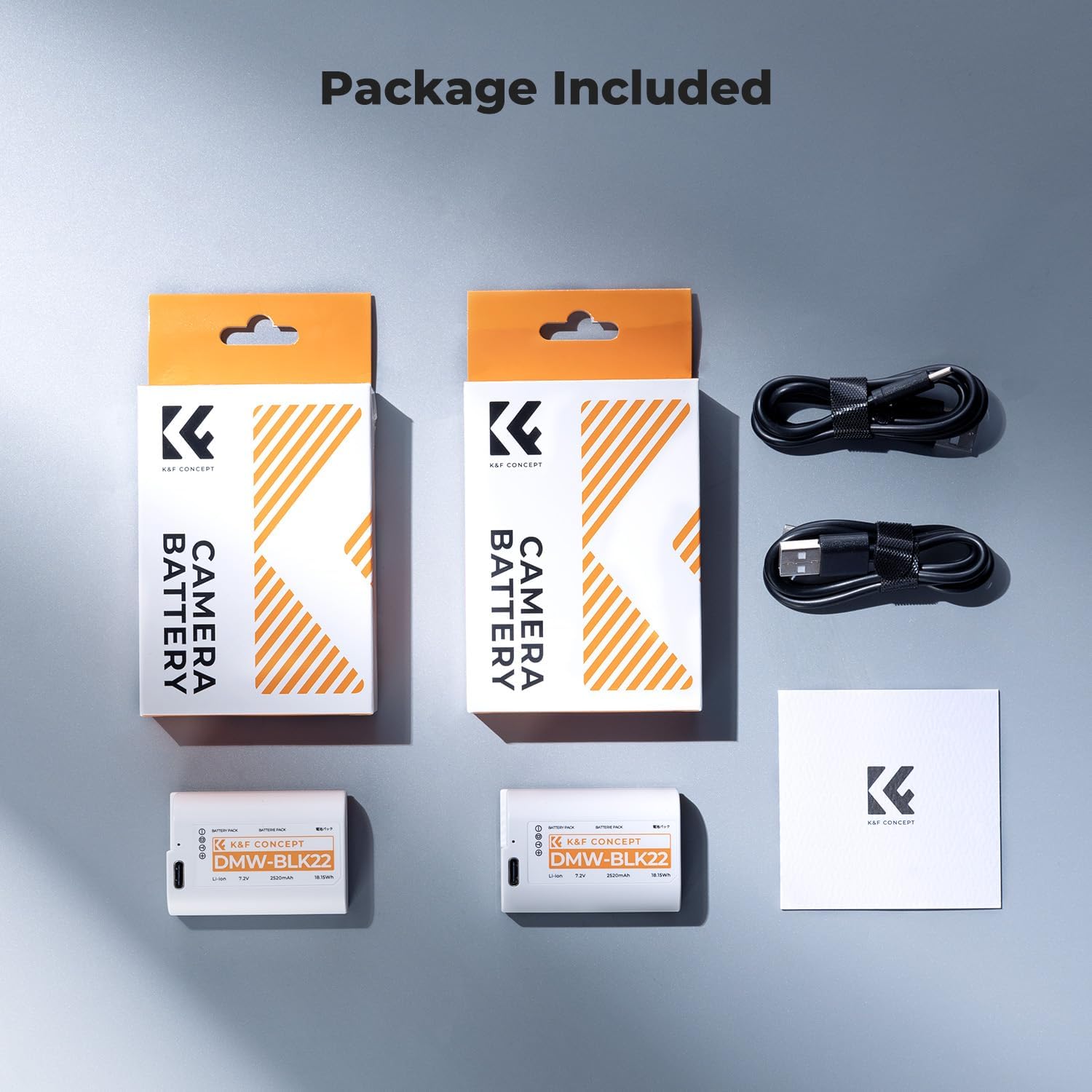
Image: The package includes two DMW-BLK22 batteries, two USB-C charging cables, and a user manual.
Setup
Installing the Battery
Follow these steps to install the battery into your camera:
- Open the battery compartment door on your compatible Panasonic LUMIX camera.
- Insert the K&F CONCEPT DMW-BLK22 battery into the compartment, ensuring the contacts align correctly.
- Close the battery compartment door securely.

Image: A user installing the battery into a compatible Panasonic Lumix camera. The battery is designed to fit seamlessly.
Compatibility
The DMW-BLK22 batteries are compatible with Panasonic Lumix cameras that use the original DMW-BLK22 battery, including models such as DC-S5, S5II, S5IIX, GH5II, GH6, GH7, S9, and G9 II.
Charging
USB-C Direct Charging
Each K&F CONCEPT DMW-BLK22 battery features a built-in USB-C port for convenient direct charging:
- Connect one end of the provided USB-C cable to the USB-C port on the battery.
- Connect the other end of the cable to a compatible USB power source (e.g., USB wall adapter, car charger, power bank, laptop).
- The LED indicator on the battery will illuminate red during charging.
- Once fully charged (approximately 2.5 hours), the LED indicator will turn green.

Image: The battery charging via its integrated USB-C port. The LED changes from red to green when charging is complete.

Image: Illustrates the flexibility of charging the DMW-BLK22 battery using various USB power sources.
Charging with External Charger
These batteries are also compatible with Panasonic and K&F CONCEPT DMW-BLK22 external battery chargers. Follow the instructions provided with your external charger for proper use.
Video: This video demonstrates the features of the K&F CONCEPT DMW-BLK22 batteries, including their compatibility and USB-C direct charging capability.
Operating
Once installed and charged, the battery will power your compatible camera. The camera's battery level indicator will display the remaining charge. These batteries offer a high capacity of 2520mAh, providing extended power for photography and video recording.

Image: Highlighting the 2520mAh capacity of the DMW-BLK22 batteries, suitable for long photo and video shoots.
Maintenance
Proper maintenance ensures optimal battery performance and lifespan:
- Store batteries in a cool, dry place when not in use.
- Avoid storing fully charged or completely depleted batteries for extended periods. A charge level of around 50-70% is ideal for long-term storage.
- Clean battery contacts periodically with a dry, soft cloth to ensure optimal connection.
- The white casing of the battery makes it easier to locate in a camera bag, aiding in efficient workflow.

Image: The lightweight and portable design of the batteries allows for easy transport in a camera bag.
Troubleshooting
Battery Not Charging
- Ensure the USB-C cable is securely connected to both the battery and the power source.
- Verify that the power source is active and providing sufficient power (5V/2A Max recommended).
- Check the USB-C cable for any damage. Try a different cable if available.
- If using an external charger, ensure the battery is correctly seated and the charger is powered.
Camera Not Recognizing Battery
- Remove and re-insert the battery to ensure proper contact.
- Ensure the battery is sufficiently charged.
- Verify that your camera model is listed as compatible with the DMW-BLK22 battery.
Shortened Battery Life
- Battery performance can be affected by extreme temperatures.
- Over time, all rechargeable batteries experience a decrease in capacity.
- Ensure the battery is fully charged before use.
Specifications
| Feature | Detail |
|---|---|
| Model Number | DMW-BLK22 |
| Battery Cell Composition | Lithium Ion |
| Capacity | 2520 mAh |
| Voltage | 7.2 Volts (DC) |
| Energy | 18.15 Wh |
| Charging Input | USB-C (5V/2A Max) |
| Full Charge Time | Approx. 2.5 hours (via USB-C) |
| Reusability | Rechargeable |
| Battery Weight | 199.99 Grams (for 2 batteries) |
| Operating Temperature | 0°C-45°C |
Warranty and Support
K&F CONCEPT products are designed for reliability and performance. For specific warranty information or technical support, please refer to the contact details provided on the product packaging or visit the official K&F CONCEPT website. Keep your purchase receipt for warranty claims.