
BOOTECH PRO 8.0 PANTS
BOOTECH PRO 8.0 Wireless Pressotherapy Pants User Manual
Model: PRO 8.0 PANTS | Brand: BOOTECH
1. Introduction
Thank you for choosing the BOOTECH PRO 8.0 Wireless Pressotherapy Pants. This device is designed to provide deep muscle relaxation, aid in post-training recovery, alleviate tired legs, improve lymphatic drainage and circulation, and assist in cellulite reduction. Please read this manual thoroughly before use to ensure safe and effective operation.
2. Important Safety Information
WARNING: To reduce the risk of electric shock, burns, fire, or injury:
- Do not use the device while sleeping.
- Do not wet the device.
- Keep the device away from heat sources and open flames.
- Do not use the device if you have a pacemaker or any other implanted medical device.
- Consult a physician before using the device if you have any medical condition.
3. Product Overview
The BOOTECH PRO 8.0 Wireless Pressotherapy Pants feature an advanced system with 8 overlapping chambers and a high-performance motor. It offers up to 46 intensity levels and a maximum pressure of 260 mmHg. Designed for comprehensive leg, gluteal, and waist massage, it promotes muscle recovery and overall well-being.
Key Features:
- 8 Overlapping Chambers: Ensures continuous airflow and uniform pressure across the entire leg, including glutes.
- High-Performance Motor: Delivers up to 15 L/min airflow for efficient inflation and consistent pressure.
- Wireless Design: 5000 mAh battery provides up to 4 hours of autonomy.
- Customizable Programs: 6 massage modes and selective chamber deactivation for sensitive areas.
- Adjustable Intensity: Up to 46 pressure levels (max 260 mmHg).
- Intuitive Touch Screen: Easy control and monitoring.
- Ultra-Quiet Operation: Less than 40 dB.
- Durable Construction: Reinforced double zipper and premium materials.
- Portable: Includes a transport bag.

Image: BOOTECH PRO 8.0 Wireless Pressotherapy Pants with the control unit and a 3-year warranty badge.
4. Package Contents
Upon opening your BOOTECH PRO 8.0 package, please ensure all items are present and in good condition:
- 1x BOOTECH PRO 8.0 Pressotherapy Pants
- 1x Control Unit (with integrated battery)
- 1x Power Adapter/Charger
- 1x Transport Bag
- 1x User Manual (this document)

Image: The BOOTECH pressotherapy pants, digital controller, and included backpack for storage and transport.
5. Setup and First Use
- Charge the Device: Before first use, fully charge the control unit using the provided power adapter. The battery indicator on the screen will show charging status. A full charge takes approximately 4 hours.
- Wear the Pants: Lay the pressotherapy pants flat on a comfortable surface. Carefully slide your legs into the pants. Ensure the pants fit snugly but comfortably. Use the double reinforced zippers to secure them. The extensible zipper allows for an adjustment of up to 5 cm for a better fit.
- Connect the Control Unit: Connect the air hose from the pants to the designated port on the control unit. Ensure a secure connection.
- Position Yourself: Sit or lie down in a relaxed position.
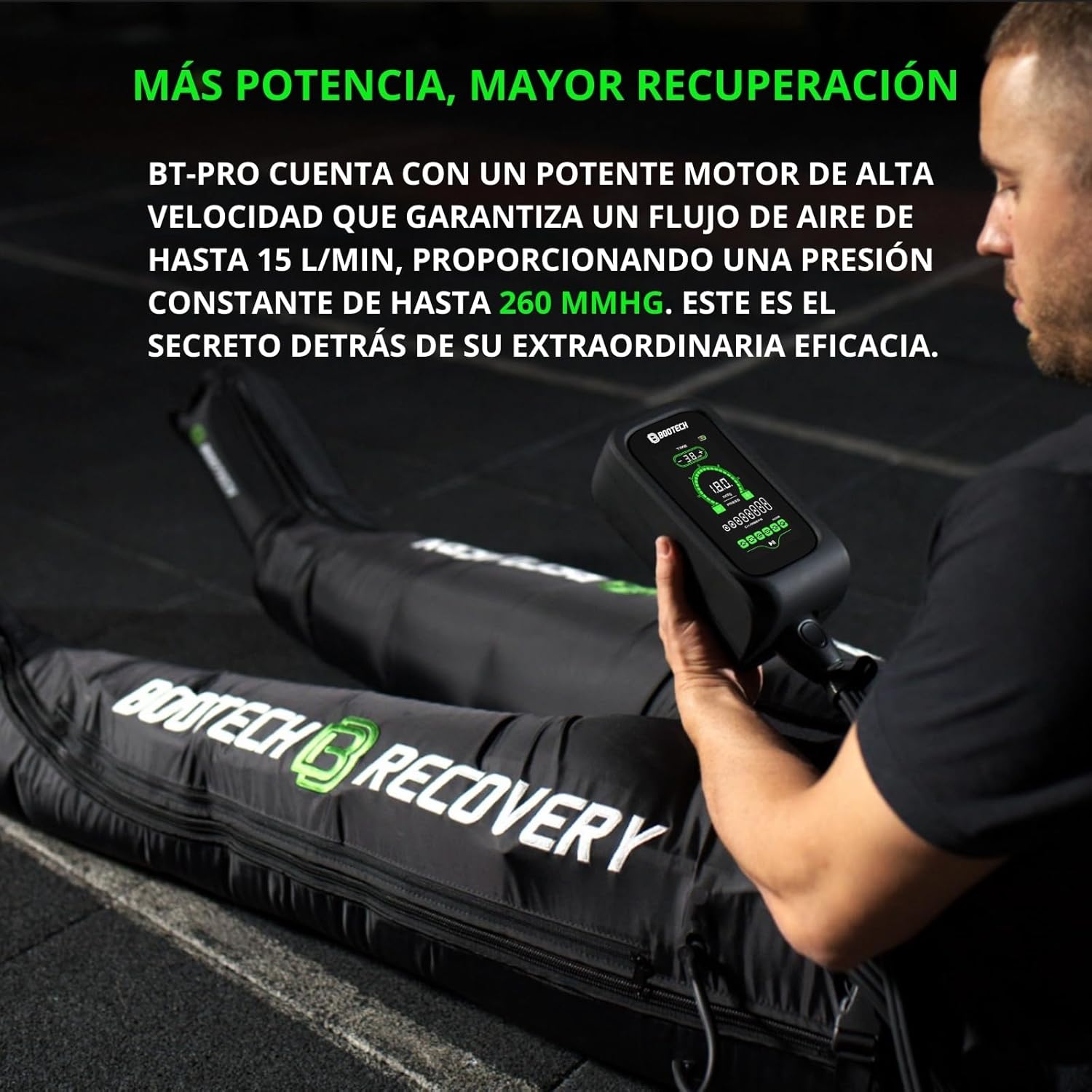
Image: A person wearing the BOOTECH pressotherapy pants and interacting with the control unit.

Image: Close-up view of the extensible zipper feature on the BOOTECH pressotherapy pants, allowing for up to 5 cm adjustment.
6. Operating Instructions
6.1. Control Unit Overview
The control unit features an intuitive touch screen display. It shows time, pressure, battery level, and active chambers. Use the touch controls to navigate settings.

Image: Digital display of the BOOTECH intelligent air compression system, showing pressure, battery level, and mode settings with green illumination on a black background.
6.2. Starting a Session
- Power On: Press and hold the power button on the control unit to turn it on.
- Select Mode: Choose from 6 available massage modes. Each mode offers a different compression sequence. Refer to the mode descriptions below for guidance.
- Adjust Pressure: Use the '+' and '-' buttons to set your desired pressure level (up to 260 mmHg). There are 46 intensity levels. Start with a lower intensity and gradually increase as comfortable.
- Set Timer: Adjust the session duration from 10 to 90 minutes using the timer controls.
- Deactivate Chambers (Optional): For sensitive areas or specific needs, individual chambers can be deactivated. Consult the control unit interface for this option.
- Start: Press the start button to begin the pressotherapy session.
6.3. Massage Modes
The device offers 6 distinct massage modes to cater to various recovery needs:
- Mode A: Sequential compression, ideal for general relaxation and lymphatic drainage.
- Mode B: Pulsating compression, good for muscle recovery after intense exercise.
- Mode C: Full compression, for deep tissue massage.
- Mode D: Combination of modes A and B.
- Mode E: Combination of modes B and C.
- Mode F: All chambers inflate simultaneously, then deflate.

Image: Infographic detailing the features of the BOOTECH PRO 8.0, including battery life, touch screen, quiet operation, and various massage settings.
7. Maintenance
7.1. Cleaning
- Disconnect the device from the power source before cleaning.
- Wipe the exterior of the pants and control unit with a soft, damp cloth.
- Do not use abrasive cleaners or immerse the device in water.
- Ensure the device is completely dry before storage or next use.
7.2. Storage
- Store the device in its transport bag in a cool, dry place, away from direct sunlight and extreme temperatures.
- Avoid placing heavy objects on the device.
8. Troubleshooting
| Problem | Possible Cause | Solution |
|---|---|---|
| Device does not turn on. | Low battery or not charged. | Charge the control unit fully. |
| No pressure or weak pressure. | Hose not securely connected; selected pressure too low; chamber deactivated. | Ensure hose is firmly connected. Increase pressure setting. Check if chambers are accidentally deactivated. |
| Unusual noise during operation. | Normal operation sound (device is ultra-quiet, <40 dB); potential air leak. | Ensure all connections are tight. If noise is excessive or unusual, contact customer support. |
| Control unit screen unresponsive. | Temporary software glitch. | Restart the device. If the problem persists, contact customer support. |
If you encounter any issues not listed here, please contact BOOTECH customer support for assistance.
9. Technical Specifications
| Feature | Detail |
|---|---|
| Model Name | PRO 8.0 |
| Brand | BOOTECH |
| Power Source | Battery (Wireless) |
| Battery Type | 1 Lithium Ion (included) |
| Battery Capacity | 5000 mAh |
| Battery Autonomy | Up to 4 hours |
| Battery Charging Time | 4 hours |
| Product Dimensions (L x W x H) | 40 x 31 x 24 cm (15.7 x 12.2 x 9.4 inches) |
| Product Weight | 5 kg (11 lbs) |
| Material | Plastic |
| Number of Chambers | 8 (overlapping) |
| Max Pressure | 260 mmHg |
| Intensity Levels | 46 |
| Massage Modes | 6 |
| Timer | Adjustable 10-90 minutes |
| Noise Level | <40 dB (Ultra-silent) |
| Intended Body Part | Legs, Glutes, Waist |
| Special Feature | Continuous Airflow |
| Country of Origin | China |
9.1. Sizing Guide
To ensure optimal fit and effectiveness, please refer to the following measurements:
- Waist: Up to 115 cm (45.3 inches)
- Hip: Up to 120 cm (47.2 inches)
- Thigh: Up to 72 cm (28.3 inches)
- Recommended Height: 160 cm - 190 cm (5'3" - 6'3")

Image: Sizing guide diagram illustrating measurement points for waist, hip, and thigh, along with recommended user height for the pressotherapy pants.
10. Warranty and Support
BOOTECH products are manufactured with high-quality materials and undergo rigorous quality control. Your BOOTECH PRO 8.0 Wireless Pressotherapy Pants come with a 3-year European warranty.
For any questions, technical support, or warranty claims, please contact BOOTECH customer service. Our local after-sales support team is available every day of the year to assist you.
Please refer to your purchase documentation for specific contact details or visit the official BOOTECH website.
Ask a question about this manual
Ask about setup, troubleshooting, compatibility, parts, safety, or missing instructions. Manuals+ will review the question and use this page’s manual context to help answer it.