
1. Safety Information
Please read and understand all safety warnings before assembling or using this product. Failure to follow these instructions may result in injury or damage to the product.
- WARNING: Always assemble the chair according to the provided instructions to ensure stability and safety.
- WARNING: Do not exceed the maximum weight limit of 200 pounds to prevent injury or damage to the chair.
- WARNING: Be cautious when using the rocking motion to avoid excessive tilting, which may cause loss of balance.
- Keep small parts away from children during assembly.
- Ensure all screws and fasteners are securely tightened before use.
- Do not stand on the chair.
2. Product Overview
The GTPLAYER Gaming Floor Rocking Chair is designed for comfortable gaming, reading, and lounging. It features a controlled rocking motion and a compact, armless design suitable for various indoor spaces.
- Controlled Rocking Motion: Built with a rear support foot to limit excessive tilt, providing a stable rocking experience.
- Low-Profile Design: Ideal for compact spaces like bedrooms and dorms.
- Sturdy One-Piece Construction: Assembles into a solid, durable structure without wobbly parts.
- Ergonomic Backrest: Supports a natural seating posture for extended comfort.
- Lightweight & Portable: Weighing just 8.6 lbs, it is easy to move between rooms.
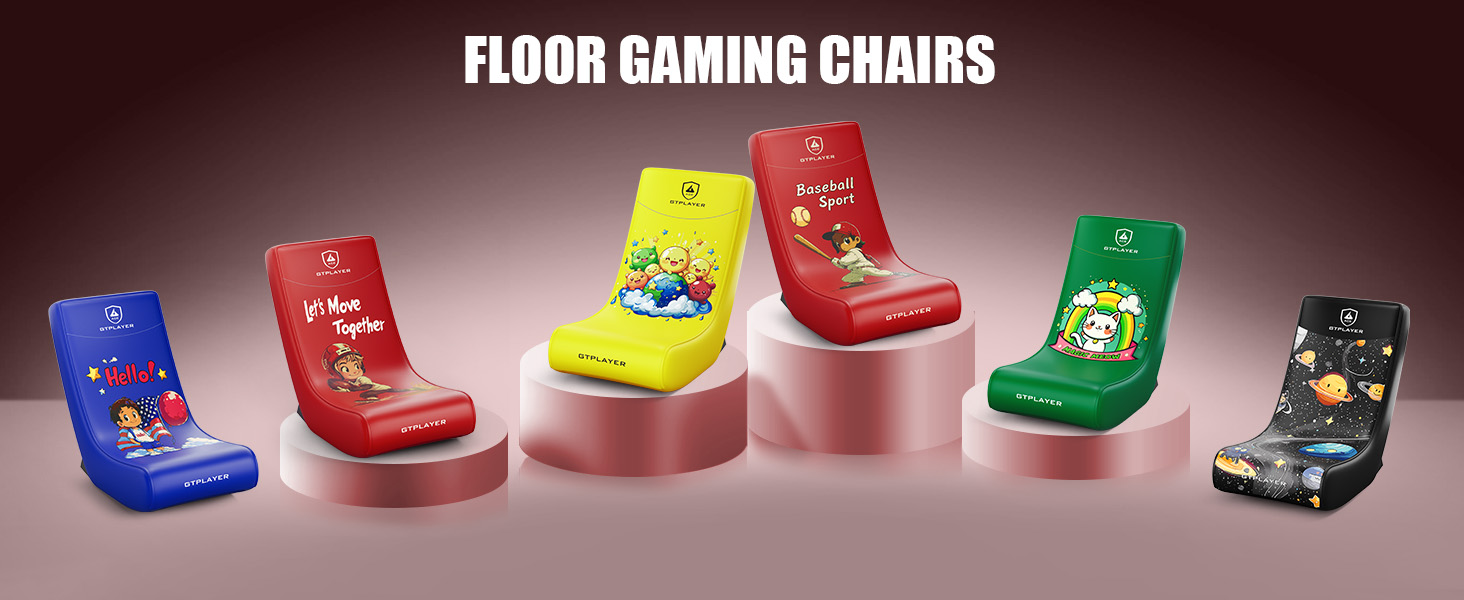
Image: The GTPLAYER Gaming Floor Rocking Chair is suitable for various activities including gaming, reading, and relaxing.
3. Package Contents
Before assembly, ensure all components are present and undamaged. If any parts are missing or damaged, please contact customer support.
- Chair Backrest
- Chair Seat
- Base Frame (Left and Right)
- Connecting Rods
- Hardware Pack (Screws, Allen Wrench)
- Instruction Manual
4. Assembly Instructions
Follow these steps carefully to assemble your GTPLAYER Gaming Floor Rocking Chair. It is recommended to assemble on a soft, clean surface to prevent scratches.
- Attach Connecting Rods to Seat: Align the connecting rods with the designated holes on the underside of the chair seat. Secure them using the provided screws and Allen wrench.
- Attach Base Frames: Connect the left and right base frames to the assembled seat and connecting rods. Ensure the rocking feet are facing downwards. Tighten all screws firmly.
- Attach Backrest: Align the backrest with the rear of the seat and secure it with the remaining screws. Ensure a snug fit for stability.
- Final Check: Verify that all screws are tightened and the chair is stable before use.
Video: Official GTPLAYER Floor Rocking Gaming Chair Installation Steps. This video demonstrates the assembly process for the chair.
Video: GTPLAYER Floor Chair - Quick Setup and Model Showcase. This video provides a brief overview of the chair's quick setup and design.
5. Operating Instructions
The GTPLAYER Gaming Floor Rocking Chair is designed for intuitive use. Simply sit and enjoy the gentle rocking motion.
- Rocking Motion: Lean back gently to initiate the rocking motion. The chair is designed with a built-in angle limiter to prevent excessive tilting and ensure stability.
- Angle Limiter: The rear support foot acts as an angle limiter, providing a safe and controlled rocking experience. Avoid applying excessive force that could override this mechanism.
- Optimal Use: Position the chair on a flat, stable surface for the best rocking experience.

Image: A child demonstrating the gentle rocking motion of the GTPLAYER Gaming Floor Rocking Chair.

Image: Illustration of the angle limiter feature, ensuring steady support during rocking.
Video: Trying the Lightweight Gaming Floor Rocker. This video showcases the chair's lightweight design and rocking functionality.
6. Maintenance
Proper care will extend the life of your gaming chair.
- Cleaning: Wipe clean with a damp cloth. Avoid harsh chemicals or abrasive cleaners that may damage the faux leather material.
- Inspection: Periodically check all screws and connections to ensure they remain tight. Re-tighten if necessary.
- Storage: Store the chair in a dry, cool place away from direct sunlight to prevent material degradation.
7. Troubleshooting
If you encounter any issues with your GTPLAYER Gaming Floor Rocking Chair, refer to the following common solutions:
| Problem | Possible Cause | Solution |
|---|---|---|
| Chair feels wobbly or unstable. | Loose screws or improper assembly. | Check all connection points and tighten any loose screws. Refer to Section 4: Assembly Instructions. |
| Rocking motion is restricted or feels stiff. | Chair is on an uneven surface or excessive weight. | Ensure the chair is on a flat, level surface. Verify that the user's weight does not exceed the maximum limit of 200 lbs. |
| Squeaking noises during rocking. | Friction between components. | Apply a small amount of silicone-based lubricant to the contact points of the rocking mechanism. |
8. Specifications
Detailed specifications for the GTPLAYER Gaming Floor Rocking Chair.
- Brand: GTPLAYER
- Model Name: Floor Rocking Chair, GTP-450R-XX-TU
- Color: Black Galaxy Patterned
- Material: Faux Leather (Seat), Metal (Frame), Foam, Fiber Batting/Fill (Fill Material)
- Product Dimensions (D x W x H): 29.13" x 15.74" x 21.56"
- Item Weight: 8.6 pounds
- Maximum Weight Recommendation: 200 pounds
- Room Type: Bedroom, Game Recreation Room
- Recommended Uses: Gaming, Reading, Relaxing, Video Game
- Care Instructions: Wipe Clean
- ASIN: B0FYQ6KXQP
- GTIN/UPC: 810170309649

Image: Product dimensions and recommended load for the GTPLAYER Gaming Floor Rocking Chair.
9. Warranty and Support
GTPLAYER products are manufactured to high-quality standards. For warranty information, technical support, or to report any issues, please contact GTPLAYER customer service through the retailer where the product was purchased or visit the official GTPLAYER website.
Please retain your proof of purchase for any warranty claims.