1. Introduction
Welcome to the OUKITEL C68 SIM-Free Smartphone user manual. This guide provides essential information for setting up, operating, and maintaining your new device. The OUKITEL C68 is designed to offer a seamless and powerful smartphone experience with its large display, robust performance, and advanced camera capabilities.
This device features a 7.2-inch 120Hz display, an octa-core processor, 24GB RAM (including virtual memory), 256GB internal storage expandable up to 2TB, a 6000mAh battery with 18W fast charging, and a 64MP main camera. It runs on Android 15 and supports global SIM-free connectivity, NFC, GPS, and various security features like face and fingerprint recognition.
2. What's in the Box
Please check the contents of your OUKITEL C68 package. If any items are missing or damaged, please contact your retailer.
- OUKITEL C68 Smartphone Body
- Smartphone Case
- 18W Fast Charger
- Type-C Cable
- SIM Ejector Pin
- Instruction Manual (Japanese Version)
- Quick Start Guide

Image: The OUKITEL C68 retail box contents, showing the smartphone, a protective case, an 18W fast charger, a Type-C cable, a SIM ejector pin, and documentation.
3. Setup
3.1. SIM Card Installation
Your OUKITEL C68 supports dual SIM cards (Nano+Nano) or one Nano SIM and one microSD card for expanded storage. Ensure the device is powered off before inserting or removing SIM/microSD cards.
- Locate the SIM card tray on the side of your device.
- Insert the provided SIM ejector pin into the small hole next to the tray and press firmly until the tray pops out.
- Place your Nano SIM card(s) and/or microSD card into the designated slots on the tray. Ensure they are correctly oriented.
- Carefully push the tray back into the device until it clicks into place.
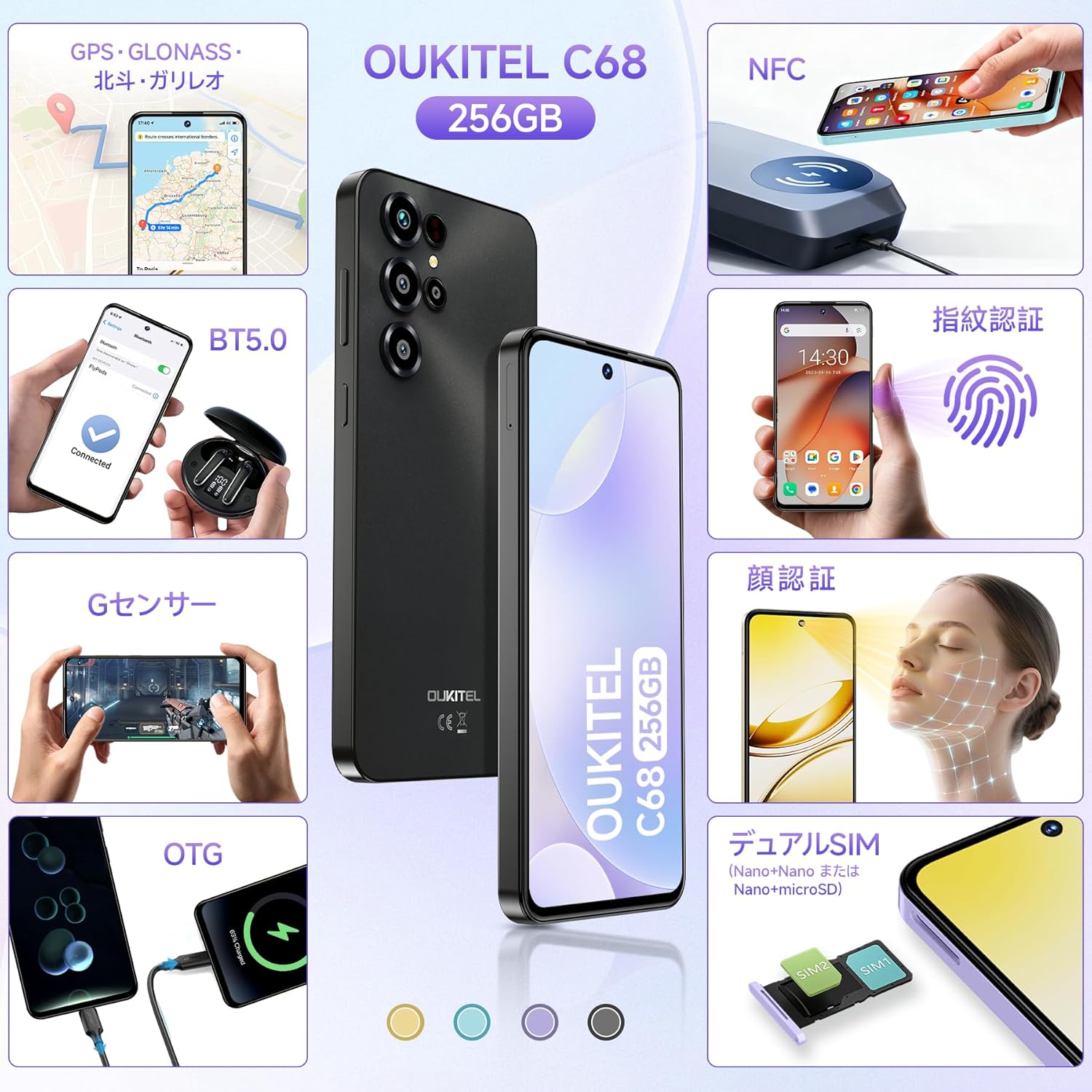
Image: An illustration demonstrating the correct placement of dual Nano SIM cards or a Nano SIM card and a microSD card into the OUKITEL C68's SIM tray.
3.2. Initial Power On and Setup
To power on your device for the first time:
- Press and hold the Power button located on the side of the device until the OUKITEL logo appears.
- Follow the on-screen prompts to complete the initial setup, including selecting your language, connecting to Wi-Fi, setting up your Google account, and configuring security features.

Image: The OUKITEL C68 displaying the Android 15 operating system with various application icons and a map interface, illustrating the user experience.
4. Operating Your Device
4.1. Display
The OUKITEL C68 features a large 7.2-inch display with a 120Hz refresh rate, providing smooth visuals and an immersive viewing experience. It offers 500 nits of brightness and a resolution of 720x1560 pixels, supporting 16.7 million colors.

Image: The OUKITEL C68 smartphone displaying a dynamic racing game, highlighting its 7.2-inch screen and 120Hz refresh rate for smooth visuals.
4.2. Performance
Equipped with a high-performance octa-core processor, the OUKITEL C68 handles daily tasks and demanding applications smoothly. It comes with 24GB of RAM (including 12GB of virtual memory) and 256GB of internal storage. Storage can be expanded up to 2TB using a microSD card, allowing ample space for apps, photos, and videos.

Image: The OUKITEL C68 displaying multiple applications and media content, emphasizing its 24GB RAM and 256GB ROM for efficient multitasking and storage.
4.3. Battery
The device is powered by a large 6000mAh battery, providing extended usage time. Under normal conditions, the battery can last for over 2 days. It supports 18W fast charging for quick power replenishment. Additionally, the OTG function allows the phone to act as a power bank to charge other devices like earphones or smartwatches.
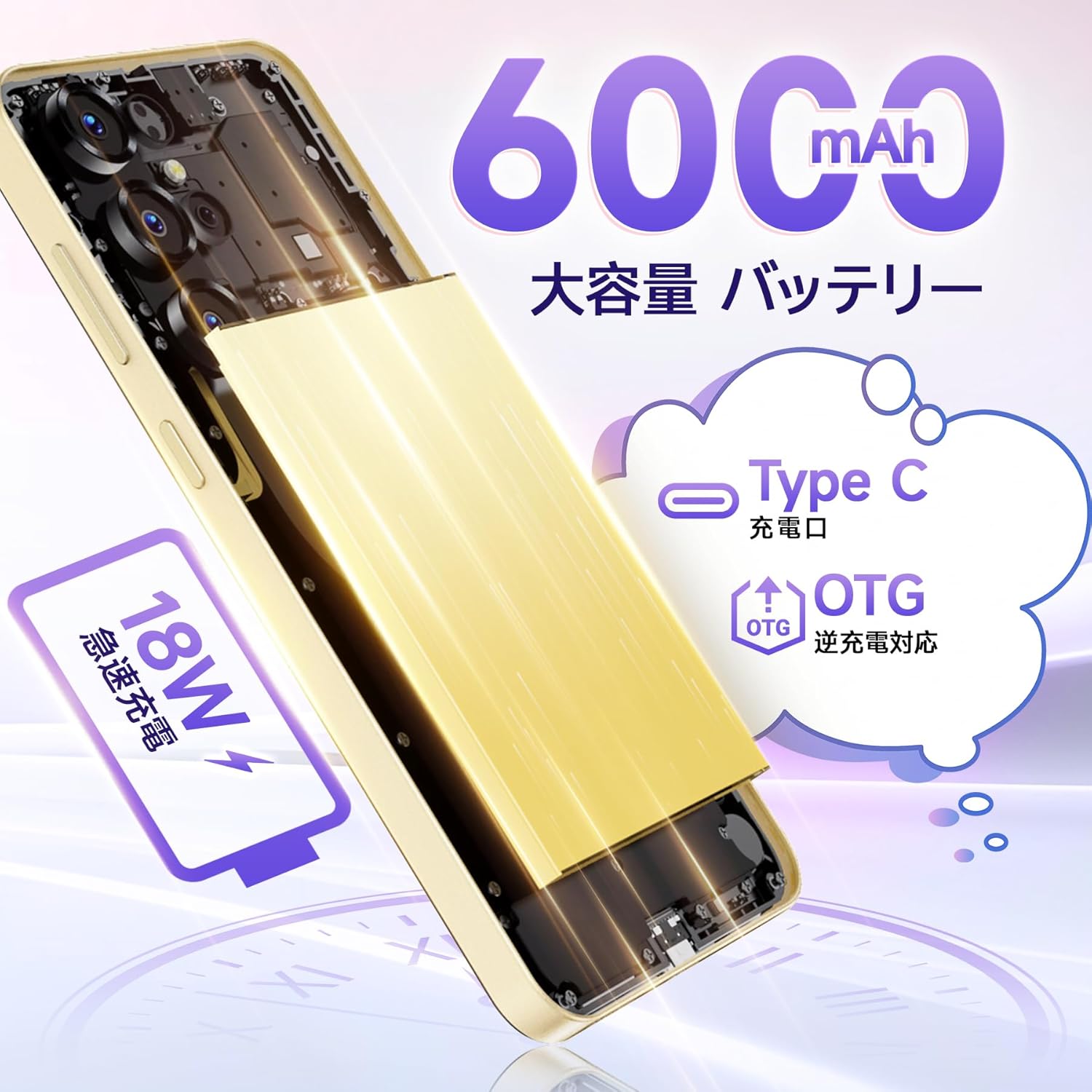
Image: An internal diagram of the OUKITEL C68, illustrating its 6000mAh large capacity battery and support for 18W fast charging and OTG reverse charging via its Type-C port.
4.4. Camera
Capture high-quality photos and videos with the OUKITEL C68's multi-camera system. It features a 64MP main camera and an 8MP front camera. AI image processing ensures faithful reproduction of subjects, while AI beauty mode enhances natural skin tones. Other shooting modes include Night mode for low-light conditions, HDR mode for balanced exposure in challenging lighting, and a Manual mode for fine-tuned settings. The device also supports 1080p video recording.
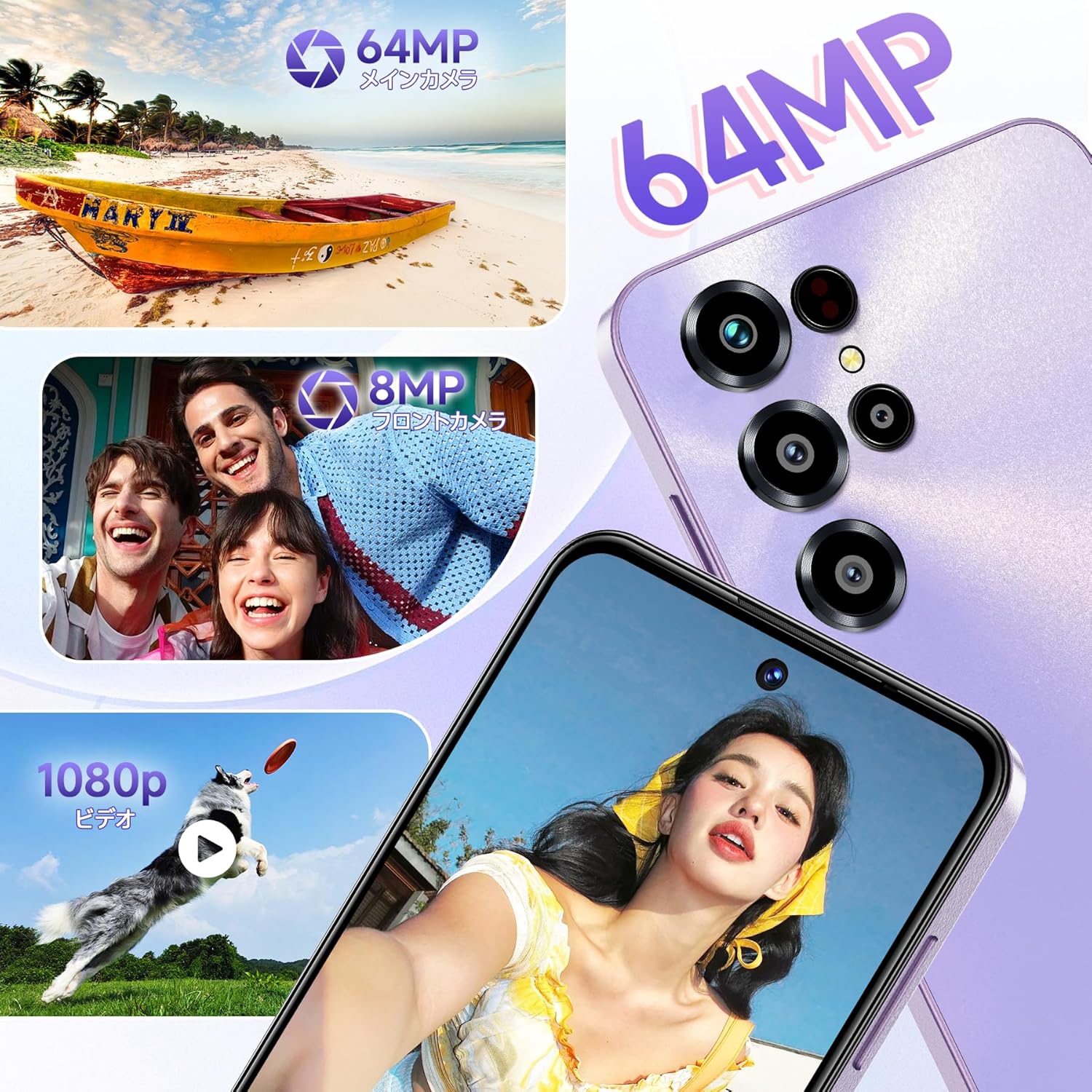
Image: A collage showcasing the OUKITEL C68's camera capabilities, featuring a 64MP main camera, an 8MP front camera capturing smiling faces, and a dog catching a frisbee in a 1080p video frame.
4.5. Connectivity and Security
The OUKITEL C68 is a global SIM-free model, compatible with major carriers. It supports Wi-Fi 5GHz for high-speed internet, NFC for electronic payments and transit cards (note: Felica is not supported), and high-precision GPS (GPS, GLONASS, BeiDou, Galileo) for accurate location tracking. For security, the device incorporates a side-mounted fingerprint sensor and face recognition technology, balancing convenience and safety.

Image: A visual representation of the OUKITEL C68's features, including GPS navigation, G-sensor for gaming, dual SIM card slots, NFC for contactless payments, face recognition, and fingerprint recognition.
5. Maintenance
To ensure the longevity and optimal performance of your OUKITEL C68, follow these maintenance guidelines:
- Cleaning: Use a soft, lint-free cloth to clean the screen and body of the device. Avoid using harsh chemicals or abrasive materials.
- Software Updates: Regularly check for and install system updates to benefit from the latest features, security patches, and performance improvements. Go to Settings > System > System update.
- Battery Care: Avoid exposing the device to extreme temperatures. Do not let the battery completely drain frequently. For long-term storage, charge the battery to around 50%.
- Storage Management: Periodically clear unnecessary files and apps to free up storage space and maintain device speed.
6. Troubleshooting
If you encounter issues with your OUKITEL C68, try the following solutions:
- Device Not Responding: Press and hold the Power button for about 10-15 seconds to force a restart.
- Battery Draining Quickly: Check background app usage in Settings > Battery. Reduce screen brightness and disable unnecessary features like Wi-Fi, Bluetooth, or GPS when not in use.
- Network Connectivity Issues: Ensure your SIM card is correctly inserted. Try toggling Airplane mode on and off. Check your network settings or contact your service provider.
- Apps Crashing/Freezing: Clear the cache and data of the problematic app in Settings > Apps. If the issue persists, uninstall and reinstall the app.
- Slow Performance: Close unused apps, clear cache, and ensure sufficient storage space. Consider a factory reset as a last resort (backup your data first).
7. Specifications
Below are the detailed specifications for the OUKITEL C68 smartphone:
| Feature | Specification |
|---|---|
| Screen Size | 7.2 inches |
| Battery Capacity | 6000 mAh |
| Continuous Usage Time | 2 days |
| Compatible Carriers | Docomo, Au, SoftBank, Rakuten Mobile, etc. |
| Color | Blue (variant specific) |
| Battery Included | Yes |
| Battery Usage | Yes |
| Brand Name | OUKITEL |
| Manufacturer | OUKITEL |
| Product Model Number | C68 |
| Release Year | 2025 |
| Included Accessories | Smartphone body |
| Compatible OS | Android 15 |
| Other Functions | Fingerprint recognition |
| Connectivity Technology | 4G |
| Size | 24GB+256GB |
| Display Type | HD+ |
| Product Dimensions | 0.9 x 8.5 x 5 cm; 450 g |
| Installed RAM Size | 24 GB |
| Memory Storage Capacity | 256 GB |
8. Official Product Video
Watch this video for a visual overview of the OUKITEL C68 smartphone's design and features in action.
Video: A short promotional video showcasing the OUKITEL C68 smartphone's design, camera capabilities, and user interface in various urban settings.
9. Warranty and Support
Your OUKITEL C68 smartphone comes with a one-year quality guarantee. The product has obtained the technical compliance mark for wireless devices, PSE, and GMS certifications.
Contacting Support:
- You can contact the seller directly through your Amazon account: Go to 'Order History', select the relevant order, and click 'Contact Seller'.
- Alternatively, visit the OUKITEL JP store page on Amazon and click 'Ask a question' in the upper right corner to send an email.
Customer support aims to respond within 24 hours on weekdays and within 48-72 hours on weekends and manufacturer-specified holidays.


