1. Introduction
This manual provides essential information for setting up, operating, and maintaining your OUKITEL C68 Plus smartphone. Please read it thoroughly to ensure proper use and to maximize the device's features. The OUKITEL C68 Plus is a SIM-free smartphone running on Android 15, designed for a seamless user experience with enhanced AI features and robust performance.
2. Package Contents
Verify that all items listed below are included in your product package:
- OUKITEL C68 Plus Smartphone
- Charging Cable
- SIM Ejector Pin
- Type-C 18W Fast Charger
- Instruction Manual (Japanese)
- Protective Case
- After-Sales Service Card

Figure 2.1: OUKITEL C68 Plus Package Contents
3. Device Layout
The OUKITEL C68 Plus features a sleek design with a 7.2-inch main display and a 1.81-inch sub-display on the rear. It measures 9.5mm in thickness and weighs 249g.
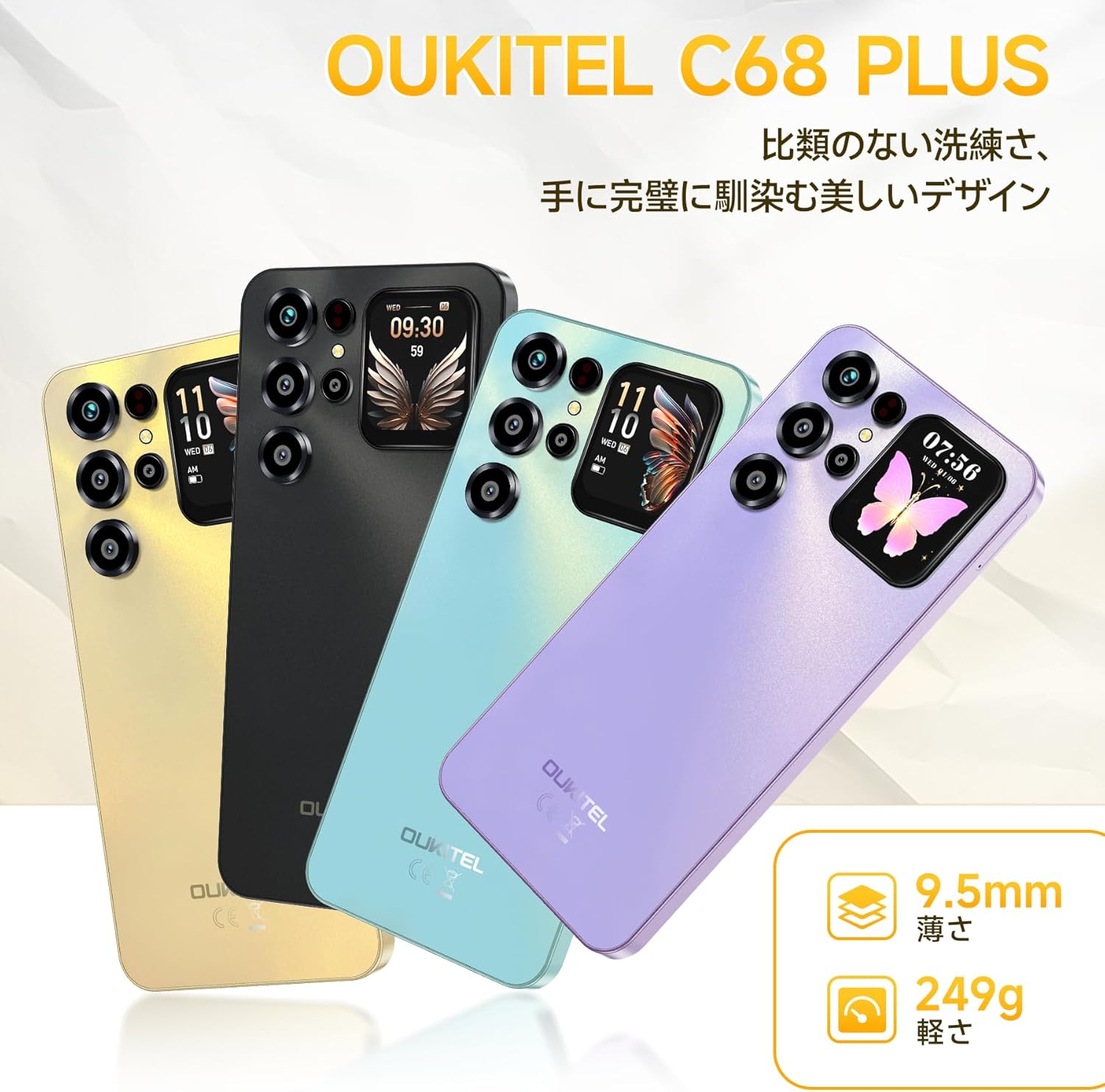
Figure 3.1: OUKITEL C68 Plus Design and Color Options
3.1. Front View
The front of the device features the large 7.2-inch HD+ display, ideal for media consumption and daily tasks. The front camera is discreetly placed at the top of the display.

Figure 3.2: Main 7.2-inch HD+ Display
3.2. Rear View
The rear panel houses the multi-camera system and a unique 1.81-inch sub-display. This sub-display provides quick access to information like time, weather, and selfie previews without activating the main screen.

Figure 3.3: Rear Sub-Display and Camera Module
4. Setup
4.1. Inserting SIM Card and MicroSD Card
- Locate the SIM card tray on the side of your device.
- Insert the SIM ejector pin into the small hole next to the tray and press gently until the tray pops out.
- Place your Nano-SIM card(s) and/or microSD card into the designated slots on the tray. Ensure the gold contacts face downwards. The device supports Dual SIM (Nano+Nano) or one Nano-SIM and one microSD card for storage expansion up to 1TB.
- Carefully push the tray back into the device until it clicks into place.
4.2. Initial Power On and Basic Setup
- Press and hold the Power button (usually on the side) until the OUKITEL logo appears.
- Follow the on-screen prompts to select your language, connect to a Wi-Fi network, and set up your Google account.
- You will be guided through setting up security features such as a PIN, pattern, or password.
4.3. Fingerprint and Face Unlock Setup
For enhanced security and convenience, set up fingerprint and face recognition:
- Go to Settings > Security & privacy > Device unlock.
- Select Fingerprint Unlock and follow the instructions to register your fingerprint on the side-mounted sensor.
- Select Face Unlock and follow the instructions to register your face using the front camera.
5. Operating Your Device
5.1. Basic Navigation
Your OUKITEL C68 Plus runs on Android 15, offering an intuitive interface. Use touch gestures like tap, swipe, pinch-to-zoom, and long-press to navigate applications and menus.

Figure 5.1: Android 15 Operating System Interface
5.2. Calls and Messaging
- Making Calls: Open the Phone app, enter the number, and tap the call icon.
- Sending Messages: Open the Messages app, tap 'Start chat', enter the recipient's number or select from contacts, type your message, and tap send.
5.3. Internet Connectivity
- Wi-Fi: Go to Settings > Network & internet > Wi-Fi. Turn Wi-Fi on and select your desired network. The device supports 2.4GHz/5GHz dual-band Wi-Fi.
- Mobile Data (4G): Ensure your SIM card is active and mobile data is enabled in Settings > Network & internet > Mobile network.
5.4. Camera Usage
The OUKITEL C68 Plus features a 64MP main camera and an 8MP front camera, enhanced with AI shooting functions.
- Open the Camera app.
- Select from various modes: AI Beauty, Portrait, Night Mode, HDR, Manual, and Panorama.
- Tap the shutter button to take a photo or record a video.

Figure 5.2: High-Resolution Camera System
5.5. Battery Management
The device is equipped with a 6000mAh battery for extended use and supports 18W fast charging.
- Charging: Connect the Type-C charging cable to the phone's port and the 18W fast charger to a power outlet.
- OTG Reverse Charging: Use an OTG cable (not included) to connect your C68 Plus to another device to charge it, effectively using your smartphone as a power bank.
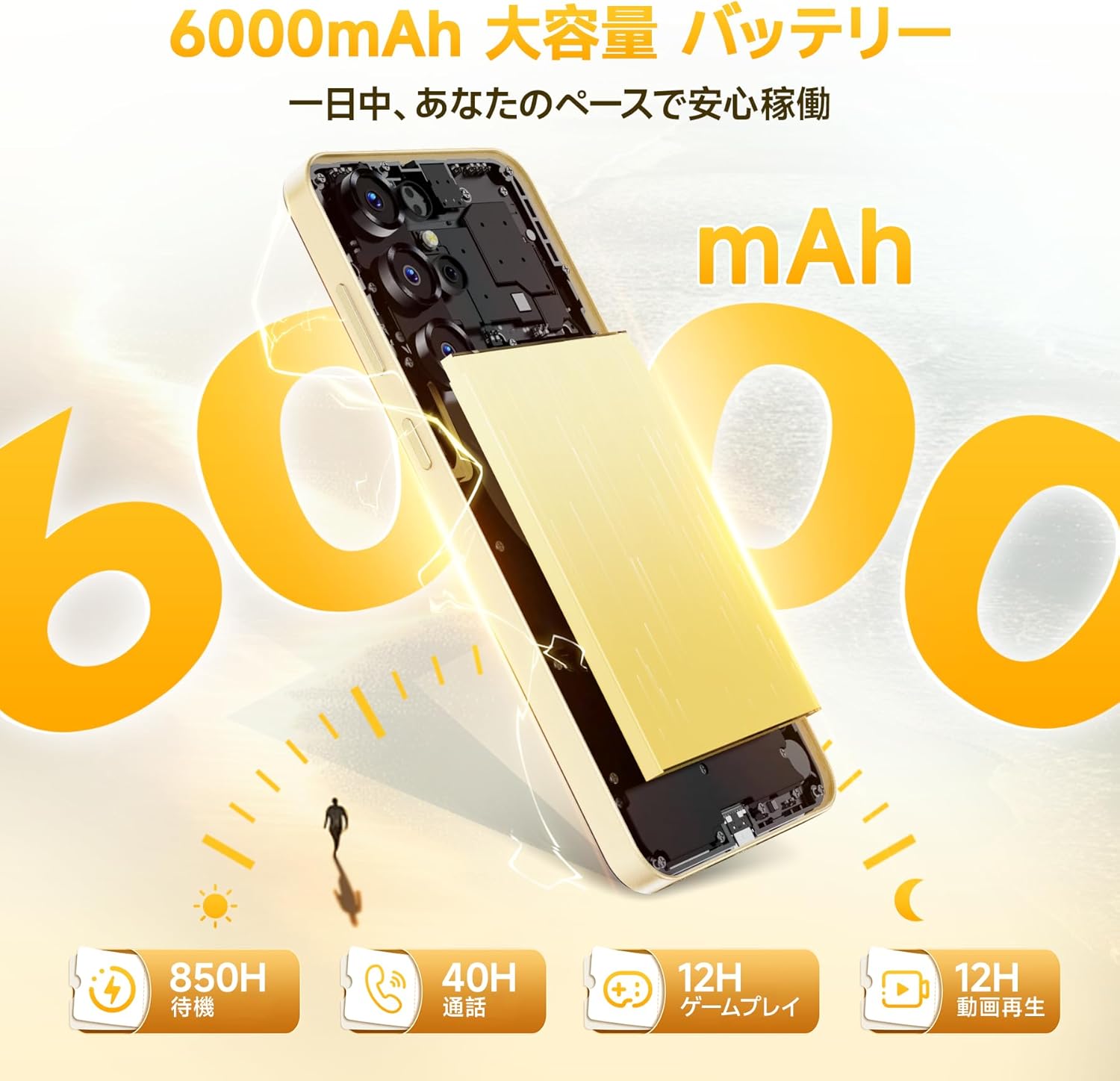
Figure 5.3: 6000mAh Battery Capacity
5.6. Storage Management
The OUKITEL C68 Plus comes with 16GB RAM (including 12GB virtual memory) and 128GB internal storage, expandable up to 1TB via microSD card.
- To check storage: Go to Settings > Storage.
- To manage files: Use the built-in File Manager app or connect the device to a computer.

Figure 5.4: Memory and Storage Configuration
5.7. GPS and Navigation
The device supports high-precision GPS for accurate location services and navigation. Ensure location services are enabled in Settings > Location for optimal performance with navigation apps.
6. Maintenance
6.1. Cleaning Your Device
Use a soft, lint-free cloth to clean the screen and body of your smartphone. Avoid using harsh chemicals or abrasive materials that could damage the device.
6.2. Software Updates
Regularly check for software updates to ensure your device has the latest features and security patches. Go to Settings > System > System update to check for and install updates.
6.3. Battery Care
To prolong battery life, avoid exposing the device to extreme temperatures. It is recommended to keep the battery charge between 20% and 80% for optimal long-term health.
7. Troubleshooting
This section addresses common issues you might encounter with your OUKITEL C68 Plus.
| Issue | Possible Solution |
|---|---|
| Device does not power on | Ensure the battery is charged. Connect the charger and wait a few minutes before attempting to power on again. If unresponsive, press and hold the Power button for 10-15 seconds to force a restart. |
| Cannot connect to Wi-Fi | Check if Wi-Fi is enabled in Settings. Restart your router and the phone. Ensure you are entering the correct password. |
| Poor network signal | Ensure your SIM card is properly inserted. Move to an area with better network coverage. Check with your carrier for any service outages. |
| Apps are crashing or freezing | Clear the cache and data for the problematic app (Settings > Apps > [App Name] > Storage). Update the app to its latest version. If the issue persists, uninstall and reinstall the app. |
| Battery drains quickly | Reduce screen brightness. Close unused apps running in the background. Disable unnecessary features like GPS, Bluetooth, or Wi-Fi when not in use. Check battery usage in Settings to identify power-hungry apps. |
8. Specifications
Key technical specifications for the OUKITEL C68 Plus smartphone:
| Feature | Specification |
|---|---|
| Model | C68 Plus |
| Operating System | Android 15 |
| Main Display Size | 7.2 inches |
| Main Display Type | HD+ |
| Main Display Resolution | 720 x 1560 |
| Refresh Rate | 120Hz |
| Sub-Display Size | 1.81 inches |
| RAM | 16 GB (4GB physical + 12GB virtual) |
| Internal Storage | 128 GB |
| Expandable Storage | Up to 1 TB via microSD card |
| Processor | High-performance Octa-core |
| Battery Capacity | 6000 mAh |
| Charging | 18W Fast Charging, OTG Reverse Charging |
| Main Camera | 64 MP |
| Front Camera | 8 MP |
| Connectivity | 4G, Wi-Fi 2.4GHz/5GHz, Bluetooth, GPS |
| SIM Support | Dual Nano-SIM or Nano-SIM + MicroSD |
| Security | Side Fingerprint Sensor, Face Recognition |
| Dimensions | 0.9 x 8.5 x 5 cm |
| Weight | 450 g |
9. Warranty and Support
9.1. Warranty Information
The OUKITEL C68 Plus smartphone comes with a one-year quality assurance warranty. Please retain your proof of purchase for warranty claims.
9.2. Contacting Support
For any inquiries or support needs, please use the following methods:
- Via Amazon: Go to your Amazon account > Order History > Select the relevant order > Contact Seller.
- Directly: Click on "OUKITEL JP" (store name) below the "Add to Cart" button on the product page, then contact our store by email via the "Ask a Question" option in the upper right corner.
Reception Hours: 10:00 AM - 6:30 PM (excluding weekends and manufacturer holidays).
We aim to reply as soon as possible, typically within 24 hours on weekdays and 48-72 hours on holidays.