1. Introduction
This manual provides essential information for the safe and efficient use of your OUKITEL C68 Plus SIM-Free Smartphone. Please read it carefully before using the device and keep it for future reference. The OUKITEL C68 Plus is an Android 15 smartphone designed for a seamless user experience, featuring a large display, powerful performance, and advanced camera capabilities.
2. Package Contents
Verify that all items are present in your product package:
- OUKITEL C68 Plus Smartphone
- Charging Cable
- SIM Ejector Pin
- Type-C Fast Charger (18W)
- User Manual (Japanese version)
- Protective Case
- After-sales Service Card

Image: Contents of the OUKITEL C68 Plus retail package.
3. Device Overview
3.1 Physical Components
Familiarize yourself with the key physical features of your OUKITEL C68 Plus smartphone.

Image: Rear view of the OUKITEL C68 Plus, highlighting the camera array and the 1.81-inch sub-display.
- Main Display: 7.2-inch HD+ screen with 120Hz refresh rate and 500nit brightness.
- Sub-Display: 1.81-inch rear display for quick access to time, notifications, and music.
- Camera Module: Includes a 64MP main camera and an 8MP front camera.
- Side Fingerprint Sensor: Integrated for convenient and secure unlocking.
- USB Type-C Port: For charging and data transfer.
- SIM Card Slot: Supports Dual SIM (Nano+Nano or Nano+TF card).
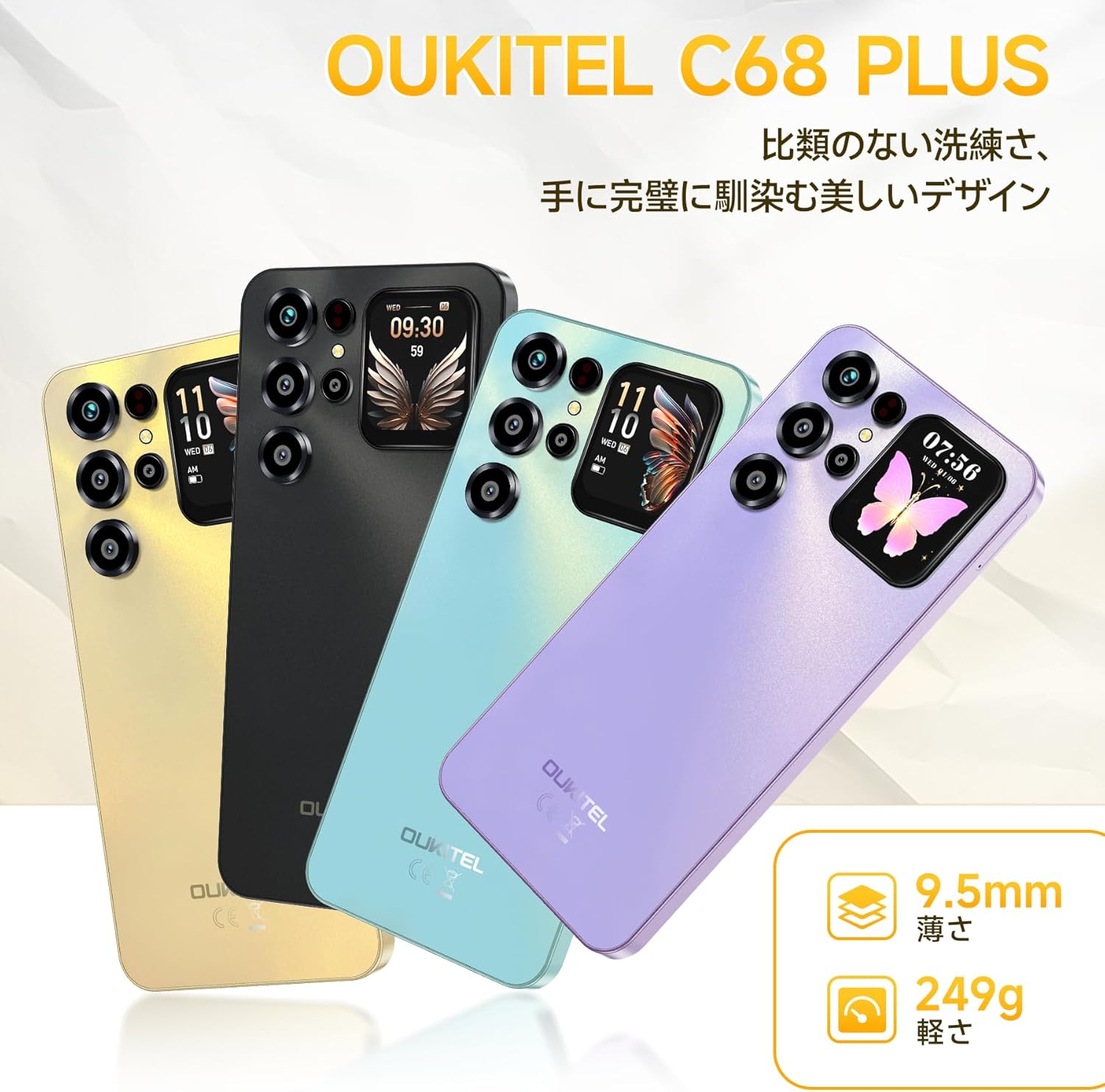
Image: The OUKITEL C68 Plus showcasing its slim 9.5mm body and various color options.
4. Setup
4.1 Inserting SIM Card and MicroSD Card
- Locate the SIM card tray on the side of the device.
- Insert the SIM ejector pin into the small hole next to the tray to open it.
- Place your Nano-SIM card(s) and/or microSD card into the tray according to the diagram. Ensure the gold contacts face downwards.
- Carefully push the tray back into the slot until it is flush with the device.

Image: Illustration of the dual SIM and microSD card slot.
4.2 Initial Power On and Basic Settings
- Press and hold the Power button until the OUKITEL logo appears.
- Follow the on-screen prompts to select your language, connect to Wi-Fi, and set up your Google account.
- Configure security features such as fingerprint authentication and face recognition for enhanced device security.
5. Operating Instructions
5.1 Display Features
The OUKITEL C68 Plus features a 7.2-inch main display and a 1.81-inch sub-display.
- Main Display: Enjoy immersive viewing with a 120Hz refresh rate and 500nit brightness, ideal for videos and games.
- Sub-Display: Quickly check time, notifications, and music playback without activating the main screen. Customize its appearance through settings.

Image: The 7.2-inch main display of the OUKITEL C68 Plus in action.
5.2 Camera Usage
Capture high-quality photos and videos with the 64MP main camera and 8MP front camera.
- Main Camera (64MP): Ideal for detailed photos in various conditions.
- Front Camera (8MP): Perfect for selfies and video calls.
- AI Photography Features: Utilize AI beauty mode for natural skin texture correction, portrait mode to highlight subjects, and night mode for clear images in low light.
- Modes: Explore HDR, Manual, and Panorama modes for diverse shooting scenarios.

Image: Overview of the OUKITEL C68 Plus camera system and its capabilities.
5.3 Battery Management
The 6000mAh battery provides extended usage. Optimize battery life and utilize charging features.
- Charging: Use the included 18W fast charger for efficient power replenishment.
- OTG Reverse Charging: Your smartphone can act as a power bank to charge other devices in emergencies.
- Battery Optimization: Access battery settings in Android 15 to monitor usage and enable power-saving modes.
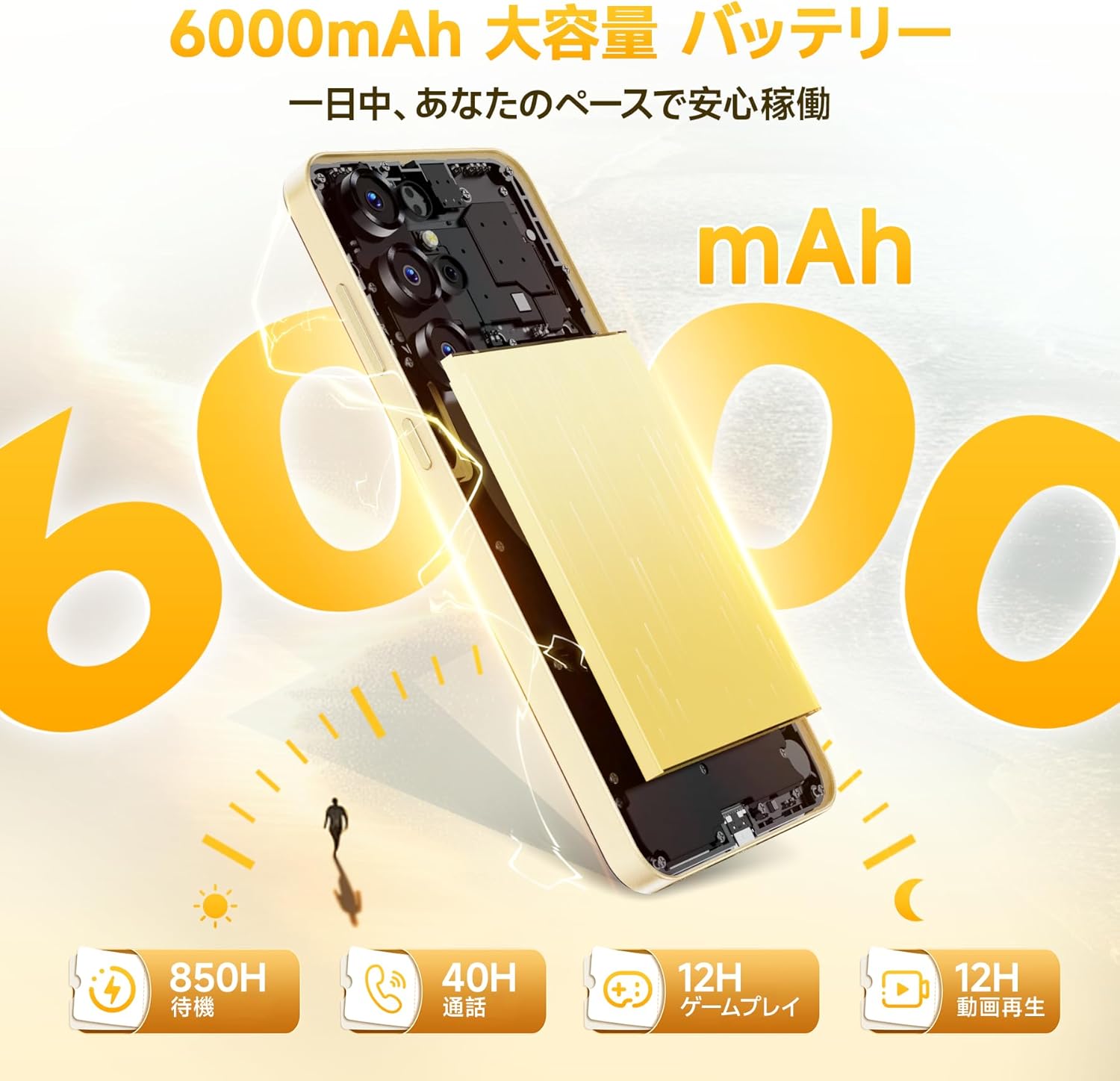
Image: The 6000mAh battery capacity of the OUKITEL C68 Plus.
5.4 Performance and Storage
The device is powered by an octa-core processor with 16GB RAM (including 12GB virtual memory) and 128GB internal storage, expandable up to 1TB via microSD.
- Multitasking: The generous RAM ensures smooth app switching and background processes.
- Storage Expansion: Use a microSD card to expand storage up to 1TB for photos, videos, and apps.

Image: Visual representation of the OUKITEL C68 Plus's memory and storage capabilities.
5.5 Android 15 Features
Your OUKITEL C68 Plus runs on Android 15, offering enhanced features and security.
- Gemini AI Integration: Benefit from AI-powered features for improved usability.
- Security: Enhanced privacy controls and robust security measures are built into Android 15.
- Connectivity: Supports Wi-Fi 2.4GHz/5GHz dual band and high-precision GPS.

Image: The OUKITEL C68 Plus running on the Android 15 operating system.
6. Maintenance
Proper maintenance ensures the longevity and optimal performance of your smartphone.
- Cleaning: Use a soft, lint-free cloth to clean the screen and body. Avoid harsh chemicals.
- Software Updates: Regularly check for and install system updates to ensure your device has the latest features and security patches.
- Battery Care: Avoid extreme temperatures. Do not fully discharge the battery frequently.
- Storage Management: Periodically clear unnecessary files and app caches to maintain performance.
- Physical Protection: Use the provided protective case to guard against drops and scratches.
7. Troubleshooting
This section addresses common issues you might encounter with your OUKITEL C68 Plus.
| Issue | Possible Cause | Solution |
|---|---|---|
| Device won't turn on | Low battery; System crash | Charge the device for at least 30 minutes. Press and hold the Power button for 10-15 seconds to force restart. |
| Apps are slow or freezing | Too many apps running; Low storage; Software glitch | Close background apps. Clear app cache. Restart the device. Check for system updates. |
| Cannot connect to Wi-Fi | Wi-Fi is off; Incorrect password; Router issue | Ensure Wi-Fi is enabled. Re-enter password. Restart your router. |
| SIM card not detected | SIM card improperly inserted; Damaged SIM card | Re-insert the SIM card correctly. Try another SIM card to check if the issue is with the card. |
| Battery drains quickly | High screen brightness; Background apps; Old battery | Reduce screen brightness. Close unnecessary background apps. Check battery usage in settings. |
8. Specifications
Detailed technical specifications for the OUKITEL C68 Plus smartphone.
- Model: C68 Plus
- Operating System: Android 15
- Main Display: 7.2 inches HD+ (720*1560 resolution), 120Hz refresh rate, 500nit brightness
- Sub-Display: 1.81 inches
- Processor: Octa-core
- RAM: 16GB (including 12GB virtual memory)
- Internal Storage: 128GB
- Expandable Storage: Up to 1TB via microSD card
- Main Camera: 64MP
- Front Camera: 8MP
- Battery Capacity: 6000mAh
- Charging: 18W Fast Charging
- Connectivity: 4G, Wi-Fi 2.4GHz/5GHz Dual Band, Bluetooth, GPS (GPS, GLONASS, BeiDou, Galileo)
- Security: Side Fingerprint Sensor, Face Recognition
- Dimensions: 0.9 x 8.5 x 17 cm
- Weight: 450 g
- Compatible Carriers (Japan): Docomo, Au, SoftBank, Rakuten Mobile, etc.
9. Warranty and Support
OUKITEL provides a quality assurance warranty for this product. For any inquiries or support, please refer to the following methods:
9.1 Contacting Support
- Via Amazon Account: Go to your Amazon account → Order History → Select the relevant order → Contact Seller.
- Via Product Page: Click on the store name located below the "Add to Cart" button on the product page. Then, click "Ask a question" in the upper right corner to send an email to the store.
Support Hours: Weekdays 10:00 AM - 6:30 PM (excluding weekends and manufacturer holidays).
We aim to respond as quickly as possible: within 24 hours on weekdays, and within 48-72 hours on holidays.
9.2 Compliance
This product has obtained technical compliance certification for wireless equipment radio wave laws, PSE, and GMS certification.