
Introduction
This manual provides essential information for the safe and effective use of your UMAY 3-in-1 Folding Treadmill. Please read it thoroughly before assembly, operation, or maintenance. Keep this manual for future reference.

Important Safety Information
Always consult with a healthcare professional before starting any new exercise program. Ensure the treadmill is placed on a flat, stable surface. Keep children and pets away from the treadmill during operation. Do not operate the treadmill if it is damaged or malfunctioning. Always wear appropriate athletic footwear.
Setup and Assembly
Your UMAY treadmill is designed for easy setup and storage. Follow these steps for initial assembly and placement:
- Unpacking: Carefully remove all components from the packaging. Retain packaging materials for potential future transport or storage.
- Unfolding: The treadmill arrives in a folded configuration. Gently lift the handle and unfold the running deck until it locks into place. Ensure all locking mechanisms are secure before use.
- Placement: Position the treadmill on a firm, level surface. Ensure there is adequate clear space around the treadmill for safe operation.
- Leveling: The treadmill features rotating screws underneath the running deck. Adjust these screws as needed to ensure the treadmill is perfectly level and stable on your floor, preventing wobbling during use.
- Power Connection: Connect the power cord to the treadmill and then to a grounded electrical outlet. The power cord is designed to be short for safety; ensure the treadmill is positioned near an outlet.

Operating Instructions
The UMAY 3-in-1 Treadmill offers various modes and speed adjustments for a customized workout experience.
Powering On and Off
The treadmill is primarily controlled by the included remote control. Ensure the remote has working batteries. There is no manual power button on the unit itself; all operations, including power on/off and speed adjustments, are managed via the remote.
Speed Adjustment and Modes
The treadmill supports speeds up to 12 km/h, accommodating different activity levels:
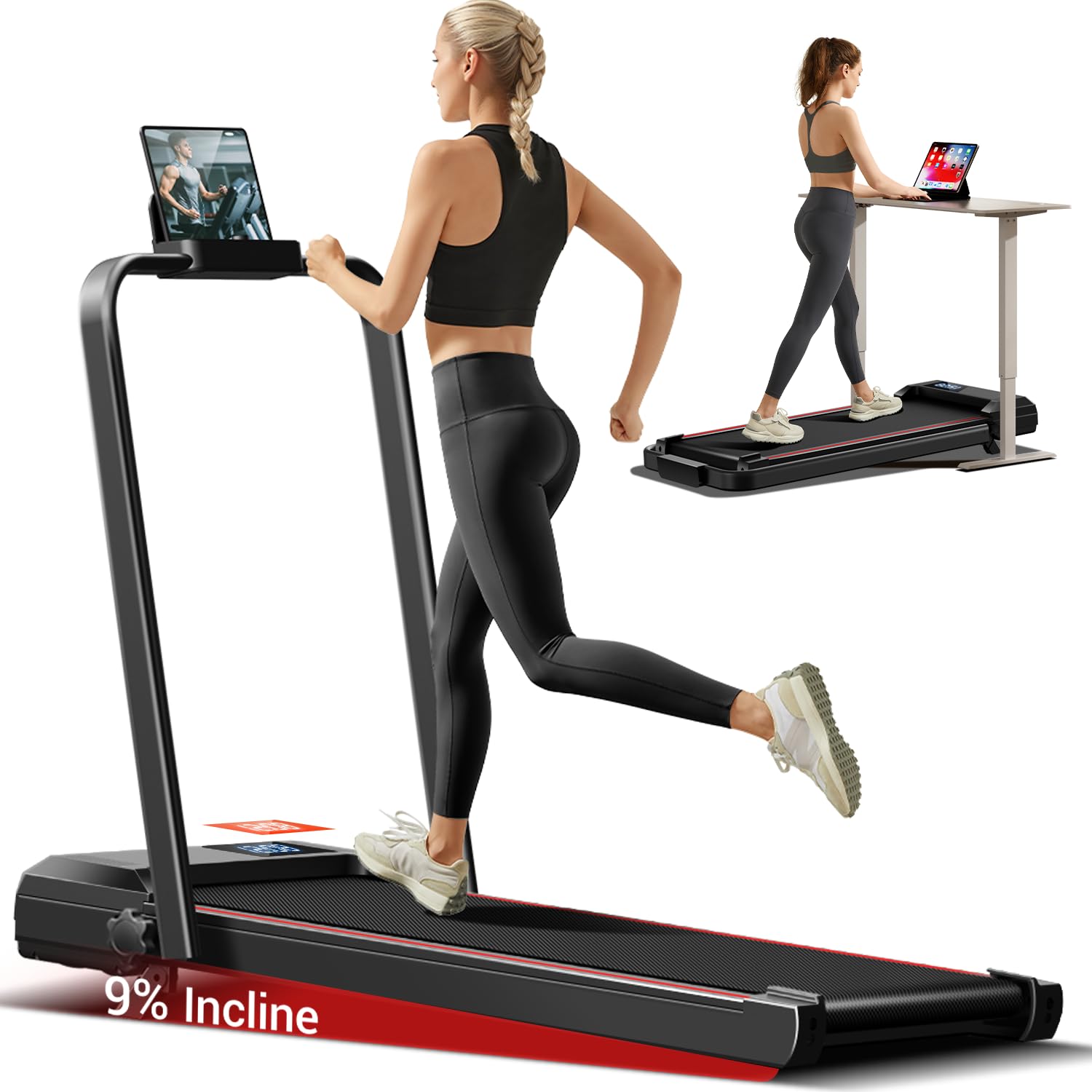
- Working Mode (1-3 km/h): Ideal for light activity while standing or working at a desk.
- Walking Mode (4-6 km/h): Suitable for brisk walking and moderate cardiovascular exercise.
- Running Mode (7-12 km/h): For more intense running workouts.
Using the Remote Control and Console
The remote control allows you to start, stop, and adjust the speed. The integrated console displays key workout metrics such as Distance, Time, Speed, and Calories burned.

Incline Function
The treadmill features an adjustable incline function to simulate uphill training. Increasing the incline can enhance calorie burn and strengthen leg muscles. The incline can be adjusted to approximately 6% to increase workout intensity.

Maintenance
Regular maintenance ensures the longevity and optimal performance of your treadmill.
- Lubrication: Apply silicone oil to the running belt occasionally. This reduces friction, minimizes noise, and keeps the motor running smoothly. Refer to the specific instructions provided with your silicone oil for application frequency and method.
- Cleaning: Wipe down the treadmill surfaces with a damp cloth after each use to remove sweat and dust. Avoid using abrasive cleaners.
- Belt Adjustment: Periodically check the running belt for proper tension and alignment. If the belt slips or drifts to one side, consult the troubleshooting section or contact customer support for adjustment instructions.
Troubleshooting
If you encounter any issues with your UMAY treadmill, refer to the following common solutions:
- Treadmill Wobbles During Use: A slight movement is normal. Use the rotating screws located underneath the running deck to adjust the balance and ensure the treadmill is level on your floor.
- Treadmill Does Not Turn On:
- Ensure the power cord is securely plugged into both the treadmill and a functional electrical outlet.
- Check the remote control batteries. The treadmill relies solely on the remote for power control.
- Unusual Noise:
- Ensure the running belt is properly lubricated. Lack of lubrication can cause increased friction and noise.
- Check for any loose parts or foreign objects on or under the running belt.
- Belt Slipping or Sticking: This may indicate the belt needs lubrication or adjustment. Refer to the maintenance section for lubrication instructions. If the issue persists, contact customer support.
Specifications
| Feature | Detail |
|---|---|
| Model Name | CW2F |
| Brand | UMAY |
| Product Dimensions (Unfolded, L x W x H) | 124D x 50W x 58H Centimeters |
| Material | Alloy Steel |
| Maximum Speed | 12 Kilometers per Hour |
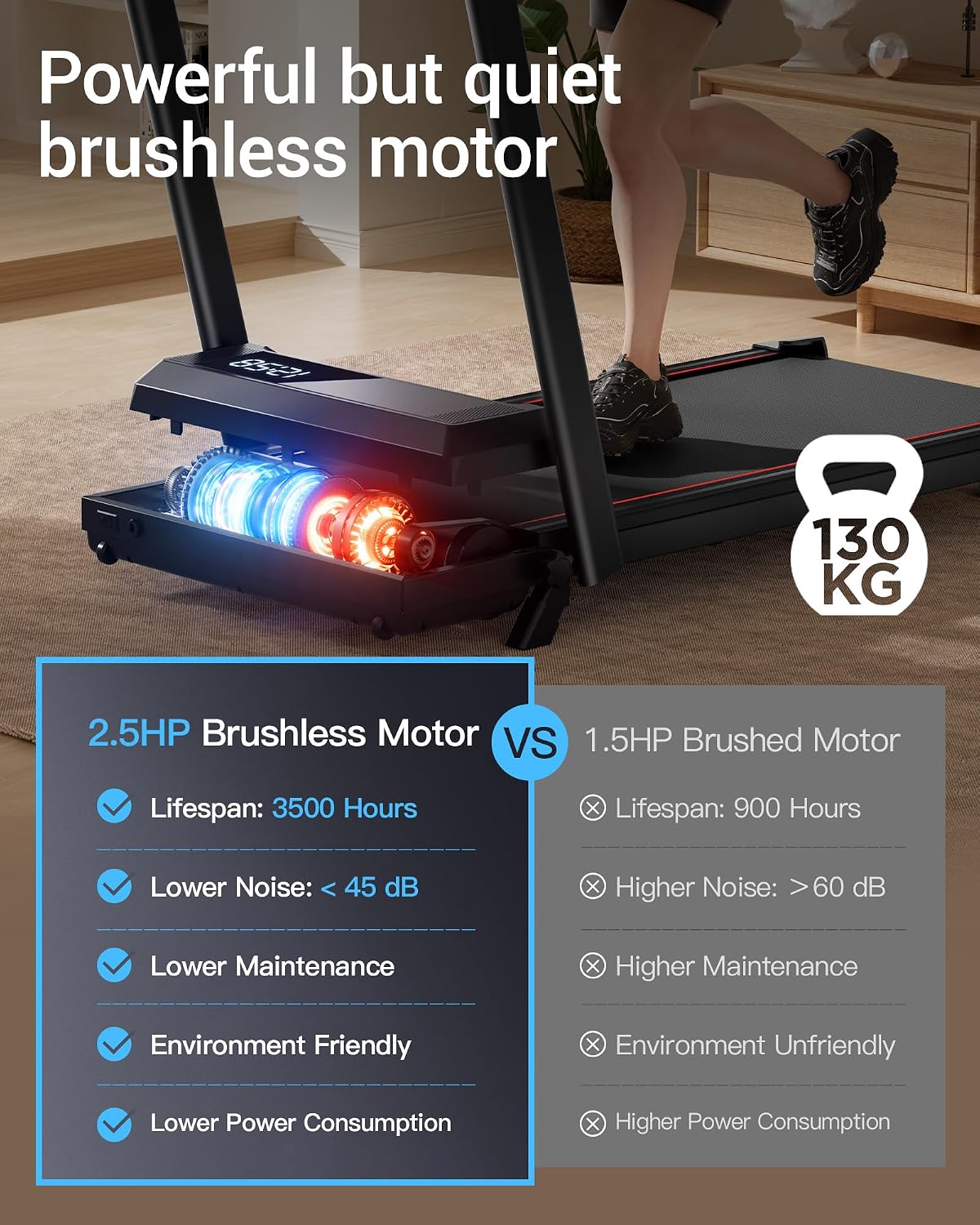
| Maximum Horsepower | 2.5 Horsepower (Brushless Motor) |
| Maximum Weight Recommendation | 140 Kilograms |
| Item Weight | 23 kg 500 g |
| Special Features | Adjustable Speed, Foldable, Manual Incline, Portable, Shock Absorbent |
| Noise Level | Below 60 decibels (typically < 45 dB for brushless motor) |
| Running Belt | Precision diamond-textured, 7-layer shock-absorbing mat |
| Shock Absorption | 8-layer shock-absorbing mat, 6 shock pads |

Warranty and Customer Support
For detailed warranty information, please refer to the warranty card included with your product packaging or visit the official UMAY website. For technical support, spare parts, or any other inquiries, please contact UMAY customer service through the contact information provided on your purchase receipt or the official product page.