
Introduction
This manual provides detailed instructions for the LILYGO T-Echo Plus LoRa 915Mhz TTGO Development Board. It covers essential information regarding product features, setup, operation, maintenance, and troubleshooting to ensure optimal performance and longevity of your device.
Key Features
- LoRa 915Mhz Connectivity: Long-range, low-power communication.
- Multi-System Positioning: Supports GPS, GLONASS, BeiDou, and QzSS.
- 1.54 inch SPI E-Paper Display: Grey level 2, 200x200 resolution with 2s full refresh time.
- Integrated Sensors: BHl260AP IMU (Inertial Measurement Unit).
- Haptic Feedback: Vibration Motor.
- Audio Feedback: Buzzer.
- Power: 2400mAh Battery for extended operation.
- Microcontroller: NRF52840 (2MB Flash, 256KB RAM).
- Connectivity Interfaces: UART, SPI, TWI, PDM, I2S, QSPI.
- Wireless Connectivity: Bluetooth 5, Thread, Bluetooth Mesh, ANT, 802.15.4, Zigbee.
Package Contents
Verify that all items are present in your package:
- LILYGO T-Echo Plus LoRa 915Mhz Development Board
- User Manual (this document)
Setup Guide
1. Initial Inspection
Carefully unbox the LILYGO T-Echo Plus. Inspect the device for any visible damage. Ensure all components listed in the package contents are present.
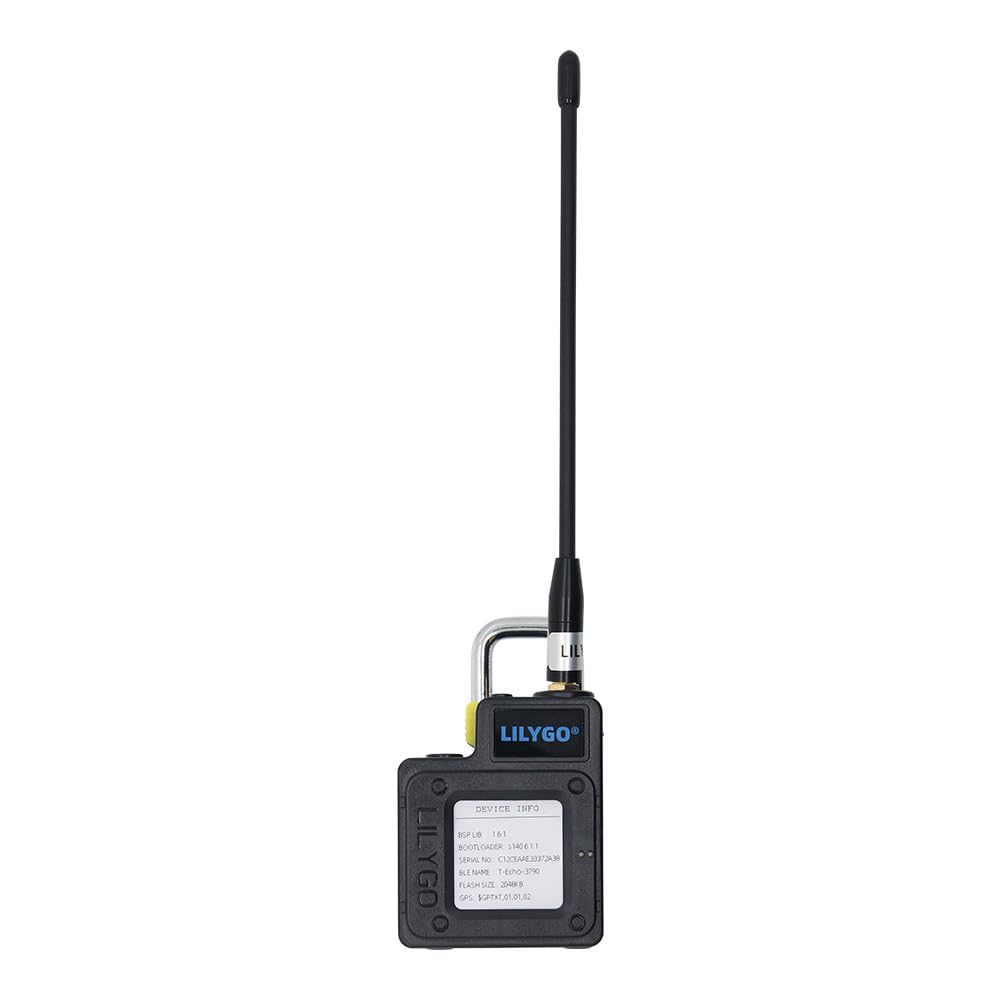
Image: Front view of the LILYGO T-Echo Plus development board with antenna attached.
2. Antenna Connection
Attach the provided LoRa antenna to the SMA connector on the device. Ensure it is securely fastened but do not overtighten.
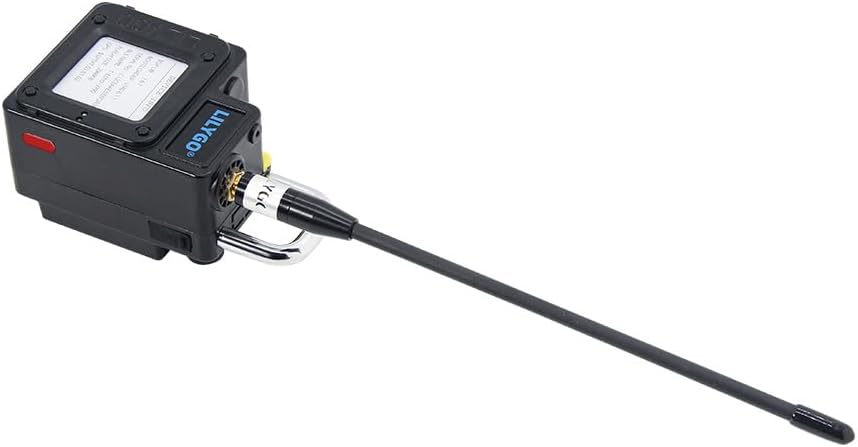
Image: Side view of the LILYGO T-Echo Plus showing the antenna connected to the device.
3. Powering On
The device includes a built-in 2400mAh battery. To power on, locate the power button or switch (if present) on the device. For initial use or if the battery is depleted, connect the device to a 5V USB power source using a compatible USB cable (not included).

Image: Back view of the LILYGO T-Echo Plus displaying device information on its e-paper screen.
4. Software and Firmware
For development and advanced configuration, refer to the official LILYGO Wiki and GitHub repositories. These resources provide detailed guides for firmware flashing, software development, and example code.
- Official Wiki: wiki.lilygo.cc/
- GitHub Repository: github.com/Xinyuan-LilyGO/T-Echo
Operating Instructions
1. E-Paper Display Usage
The 1.54 inch SPI E-Paper display shows device status, sensor readings, and other relevant information. The display has a grey level 2 and a resolution of 200x200 pixels. A full refresh takes approximately 2 seconds.

Image: Detailed diagram showing the pinmap, components, and features of the T-Echo Plus, including the e-paper display.
2. LoRa Communication
The integrated SX1262 LoRa transceiver supports long-range, low-power wireless communication on the 915Mhz frequency band. Refer to the GitHub repository for examples on how to implement LoRa send and receive functionalities.
3. GNSS Positioning
The L76K Multi-System Positioning GNSS module provides location data by supporting GPS, GLONASS, BeiDou, and QzSS satellite systems. Ensure the device has a clear view of the sky for optimal signal reception.
4. Bluetooth and Other Wireless Connectivity
The NRF52840 microcontroller enables various wireless protocols including Bluetooth 5, Thread, Bluetooth Mesh, ANT, 802.15.4, and Zigbee. These can be utilized for short-range communication and network integration based on your application requirements.
Maintenance
- Cleaning: Use a soft, dry cloth to clean the device. Avoid using liquids or abrasive cleaners.
- Storage: Store the device in a cool, dry place away from direct sunlight and extreme temperatures.
- Battery Care: For long-term storage, ensure the battery is charged to approximately 50%. Avoid fully discharging the battery for extended periods.
- Firmware Updates: Regularly check the official LILYGO GitHub repository for firmware updates to ensure optimal performance and access to new features.
Troubleshooting
Device Not Powering On
- Ensure the battery is charged. Connect the device to a 5V USB power source.
- Verify the power button/switch is correctly engaged.
No LoRa Communication
- Check if the LoRa antenna is securely connected.
- Verify your LoRa code and configuration against the examples provided on the GitHub repository.
- Ensure both transmitting and receiving devices are within range and operating on the same frequency.
Inaccurate GPS Readings
- Ensure the device has a clear, unobstructed view of the sky.
- Allow sufficient time for the GNSS module to acquire satellite signals (cold start may take longer).
Display Issues
- If the e-paper display is not updating, check the software controlling the display.
- Ensure proper power supply to the device.
For further troubleshooting or specific technical issues, please refer to the official LILYGO Wiki and GitHub resources, or contact LILYGO support.
Specifications
| Feature | Detail |
|---|---|
| Brand | LILYGO |
| Model Name | LILYGO T-Echo Plus |
| Model Number | Black without BME280 sensor |
| Microcontroller (MCU) | NRF52840 |
| Flash Memory | 2MB |
| RAM | 256KB |
| LoRa Transceiver | SX1262 (915Mhz frequency coverage) |
| Display | 1.54 inch SPI E-Paper (200x200, Grey level 2) |
| GNSS Module | L76K Multi-System Positioning (GPS, GLONASS, BeiDou, QzSS) |
| IMU | BHl260AP |
| Battery | 2400mAh |
| Additional Features | Vibration Motor, Buzzer |
| Connectivity Technology | LoRa 915Mhz, GPS, GLONASS, BeiDou, QzSS, Bluetooth 5, Thread, Bluetooth Mesh, ANT, 802.15.4, Zigbee |
| Dimensions (approx.) | L: 89mm, W: 53mm, H: 45mm (excluding antenna) |

Image: Diagram illustrating the core specifications and new features of the T-Echo Plus.

Image: Comparison table highlighting the differences and new features in the T-Echo Plus model.

Image: Diagram showing the physical dimensions (length, width, height) of the LILYGO T-Echo Plus.
Warranty and Support
Warranty Information
This product is typically covered by a standard manufacturer's warranty. For specific details regarding warranty duration and terms, please refer to the purchase documentation or contact your retailer. The standard return policy allows for returns within 30 days of purchase.
Technical Support
For technical assistance, questions, or suggestions regarding the LILYGO T-Echo Plus, please utilize the following resources:
- Official Wiki: wiki.lilygo.cc/ - Provides comprehensive documentation and guides.
- GitHub Repository: github.com/Xinyuan-LilyGO/T-Echo - Access to source code, examples, and community discussions.
- Direct Support: If you have any questions or suggestions about the product, please feel free to contact LILYGO directly. Contact information can usually be found on the official LILYGO website or through your purchase platform.