
Introduction
Welcome to the user manual for your OUKITEL WP62 Rugged Phone. This guide provides essential information on setting up, operating, maintaining, and troubleshooting your device. Please read this manual carefully to ensure optimal performance and longevity of your smartphone.
1. Setup
1.1 Package Contents
Upon opening the package, verify that all items are present:
- OUKITEL WP62 Smartphone
- 33W Charger
- Type-C Cable
- Protective Case
- User Manual (this document)
- Quick Start Guide

Image: Contents of the OUKITEL WP62 retail package, including the phone, charger, cable, case, and documentation.
1.2 SIM Card and TF Card Installation
The OUKITEL WP62 supports dual SIM cards (Nano+Nano) or one Nano SIM card and one TF (microSD) card for expandable storage.
- Locate the SIM card tray on the side of the device.
- Use the provided SIM ejector tool to open the tray.
- Carefully place your Nano SIM card(s) and/or TF card into the designated slots. Ensure the gold contacts are facing down.
- Gently push the tray back into the phone until it clicks into place.
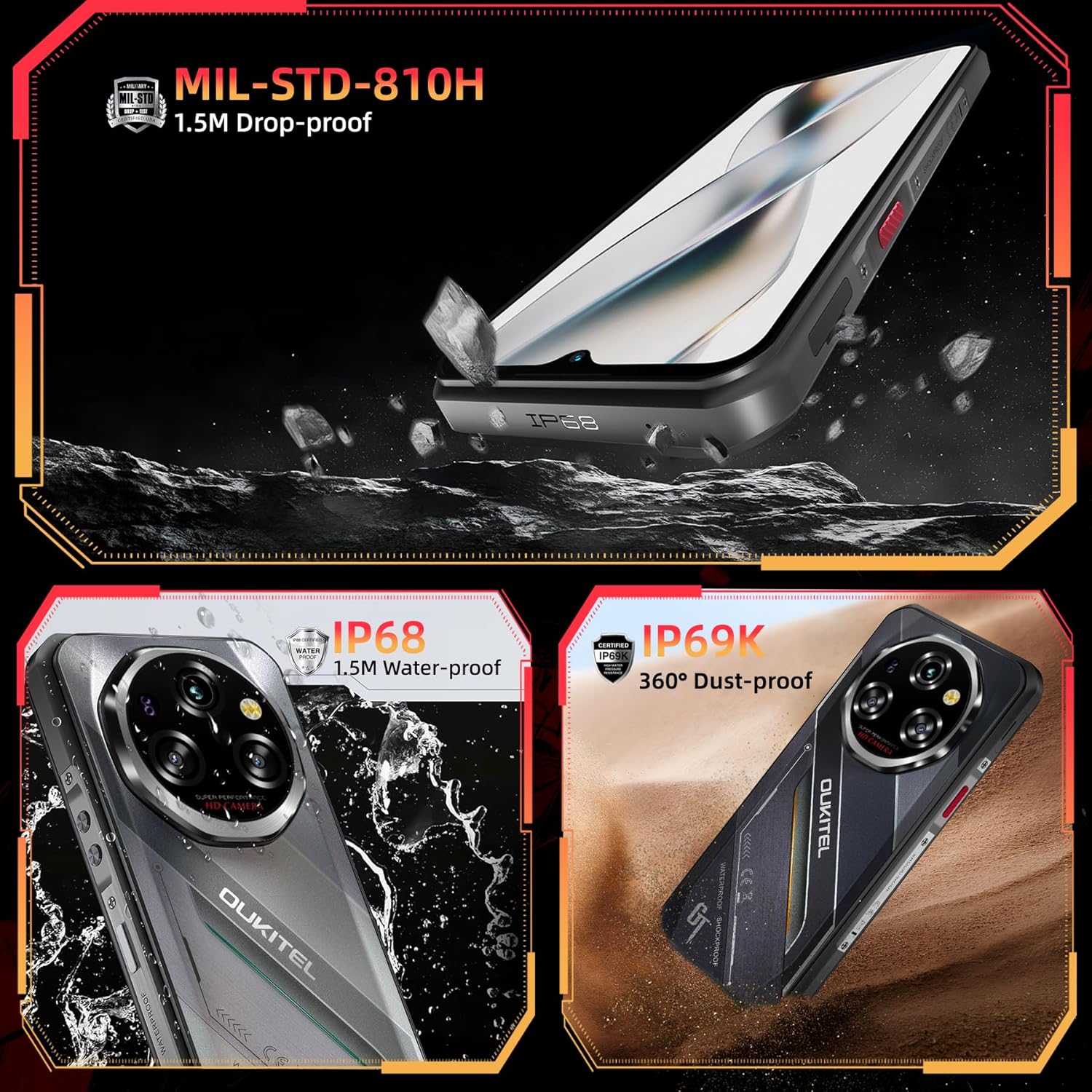
Image: Close-up view of the OUKITEL WP62's SIM card tray, showing slots for two Nano SIM cards or one Nano SIM and one TF card.
1.3 Initial Power On and Setup
- Press and hold the Power button (located on the side) until the OUKITEL logo appears.
- Follow the on-screen prompts to select your language, connect to Wi-Fi, and set up your Google account.
- Configure security features such as Face ID or fingerprint unlock during the initial setup for enhanced device protection.
1.4 Charging the Device
The OUKITEL WP62 is equipped with an 11000mAh battery and supports 33W fast charging.
- Connect the Type-C cable to the charging port at the bottom of the phone.
- Connect the other end of the cable to the 33W charger, then plug the charger into a power outlet.
- The charging indicator will appear on the screen.
The phone also supports 7.5W reverse charging, allowing you to use it as a power bank for other devices via an OTG cable (sold separately).

Image: Illustration of the OUKITEL WP62's 11000mAh battery, highlighting 33W fast charging and 7.5W reverse charging capabilities.
2. Operating Your Device
2.1 Display and User Interface
The OUKITEL WP62 features a 6.6-inch FHD+ display with a 120Hz refresh rate, offering a resolution of 1080x2408 pixels. It runs on Android 15, providing a secure and user-friendly experience.
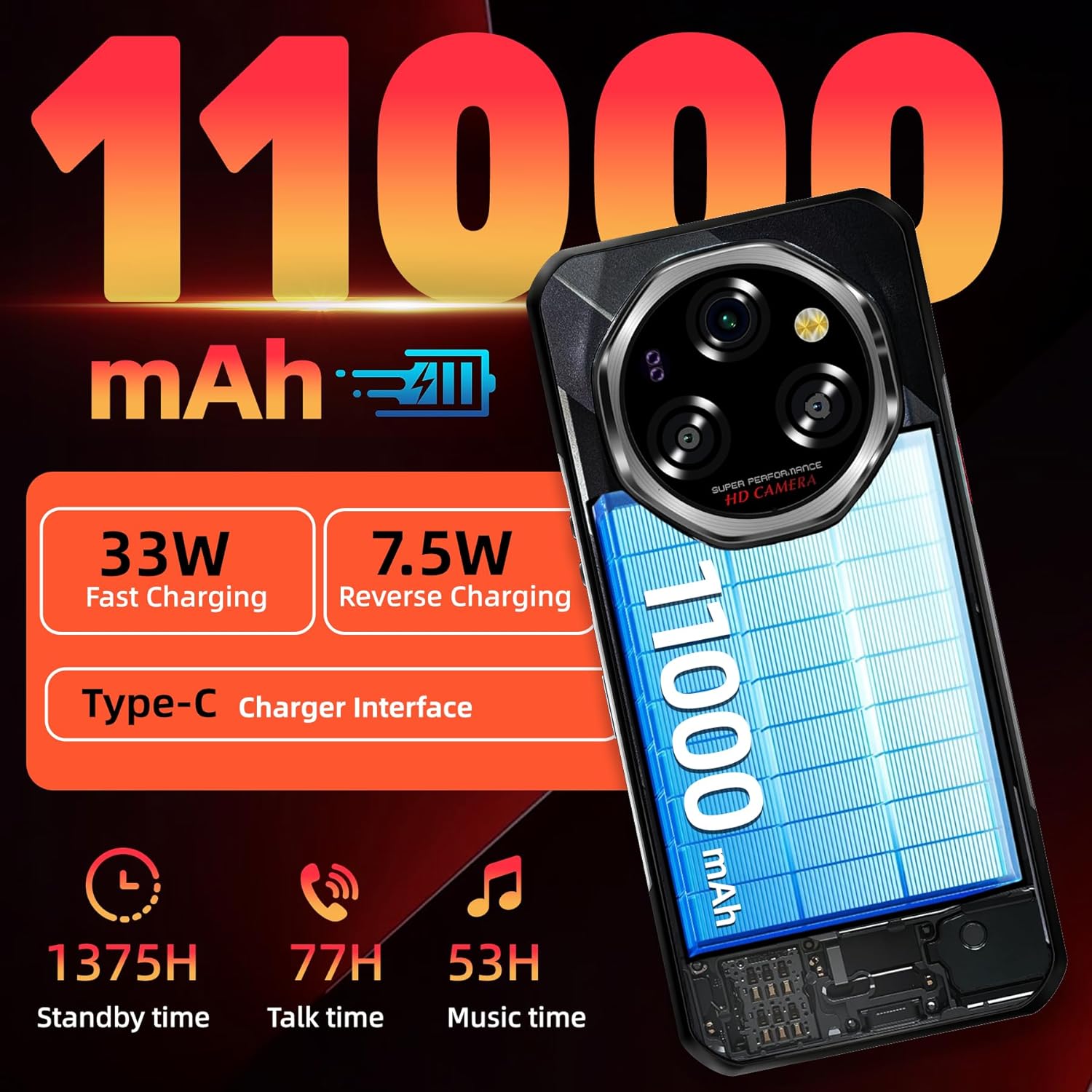
Image: The OUKITEL WP62's 6.6-inch FHD+ display showcasing vibrant visuals with a 120Hz refresh rate.

Image: A collage showing various features including Android 15, NFC, GPS, Face ID, 5G, and side fingerprint sensor.
2.2 Performance and Storage
Powered by the MTK Dimensity 7025 octa-core processor, the WP62 offers smooth performance. It comes with 36GB RAM (12GB physical + 24GB virtual) and 512GB internal storage, expandable up to 2TB via a TF card.
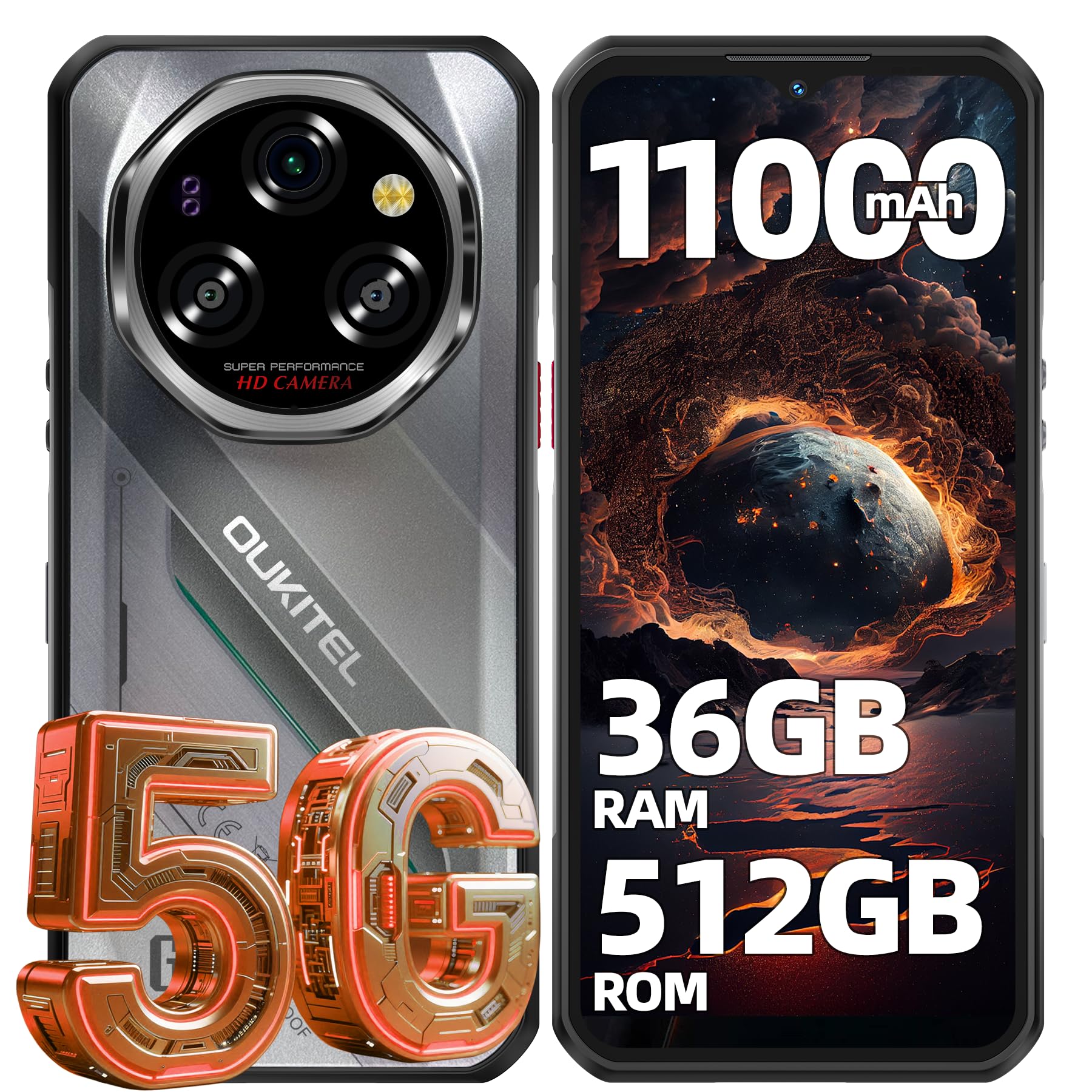
Image: Visual representation of the OUKITEL WP62's 36GB RAM and 512GB ROM, highlighting 5G capability and MTK Dimensity 7025 processor.
2.3 Camera Features
Capture high-quality photos and videos with the versatile camera system:
- Rear Camera: 108MP main camera, 8MP night vision lens, 2MP macro lens.
- Front Camera: 32MP for selfies and video calls.
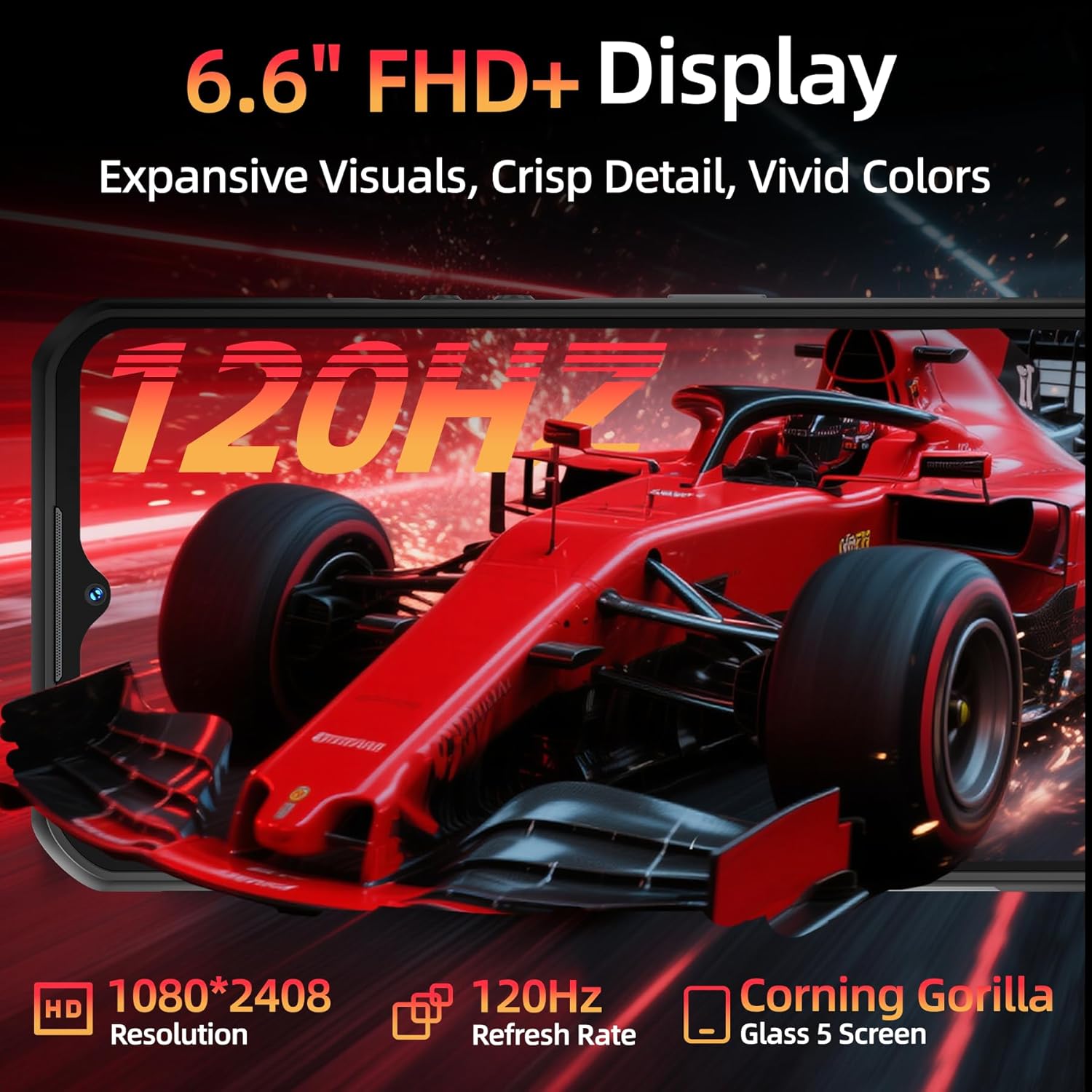
Image: A visual breakdown of the OUKITEL WP62's camera setup, featuring the 108MP main, 8MP night vision, 2MP macro, and 32MP front cameras.
2.4 Security Features
Your OUKITEL WP62 offers multiple ways to secure your device:
- Face ID: Unlock your phone using facial recognition.
- Side Fingerprint Sensor: A fast and convenient fingerprint scanner integrated into the side button.
2.5 Connectivity and Navigation
- 5G Dual SIM: Supports two 5G Nano SIM cards or one Nano SIM and one TF card. Note: This phone is compatible only with T-Mobile.
- NFC: For contactless payments and quick pairing with other NFC-enabled devices.
- GPS: Utilizes a quad-GPS system (GPS+GLONASS+Beidou+Galileo) for accurate positioning and navigation.
2.6 Outdoor Toolkit
The WP62 includes a suite of tools for outdoor activities:
- Compass
- Gyroscope
- Barometric Pressure/Temperature/Humidity Sensor
- Battery Meter
3. Maintenance
3.1 Ruggedness and Durability
The OUKITEL WP62 is built to withstand harsh environments, certified with:
- IP68: Water resistance, allowing submersion in 1.5 meters of water for up to 30 minutes.
- IP69K: Dust resistance, providing comprehensive protection against dust ingress.
- MIL-STD-810H: Military-grade standard for drop resistance, withstanding drops from 1.5 meters.
The device operates reliably in temperatures ranging from -20°C to 55°C.

Image: Visual demonstration of the OUKITEL WP62's IP68 water resistance, IP69K dust resistance, and MIL-STD-810H drop protection.
3.2 General Care
- Clean the screen and body with a soft, damp cloth. Avoid harsh chemicals.
- Ensure all port covers are securely closed to maintain water and dust resistance.
- Avoid exposing the phone to extreme temperatures outside its operating range.
- Do not attempt to disassemble the device, as this will void the warranty and may cause damage.
4. Troubleshooting
4.1 Common Issues and Solutions
| Issue | Solution |
|---|---|
| Phone does not power on | Ensure the battery is charged. Connect to the charger and wait a few minutes before attempting to power on again. |
| No network signal / Cannot make calls |
|
| Slow performance |
|
| Charging issues |
|
If you encounter issues not listed here or if the suggested solutions do not resolve the problem, please contact OUKITEL customer support.
5. Specifications
| Feature | Detail |
|---|---|
| Model | OUKITEL WP62 |
| Operating System | Android 15 |
| Processor | MTK Dimensity 7025 Octa-core |
| RAM | 36GB (12GB Physical + 24GB Virtual) |
| Internal Storage | 512GB |
| Expandable Storage | Up to 2TB via TF card |
| Display | 6.6-inch FHD+ (1080x2408), 120Hz Refresh Rate, 450 nits brightness |
| Rear Camera | 108MP Main + 8MP Night Vision + 2MP Macro |
| Front Camera | 32MP |
| Battery Capacity | 11000mAh |
| Charging | 33W Fast Charging, 7.5W Reverse Charging |
| Durability Ratings | IP68, IP69K, MIL-STD-810H |
| Operating Temperature | -20°C to 55°C |
| Connectivity | 5G Dual SIM (Nano+Nano/Nano+TF), NFC, Bluetooth, Wi-Fi |
| Navigation | GPS, GLONASS, Beidou, Galileo |
| Wireless Carrier Compatibility | T-Mobile only (Incompatible with Mint Mobile, AT&T, Verizon, etc.) |
| Supported Network Bands |
|
6. Warranty and Support
For detailed warranty information, please refer to the warranty card included in your product packaging or visit the official OUKITEL website.
If you require technical assistance or have questions regarding your OUKITEL WP62, please contact OUKITEL customer support through their official channels.
- Official Website: www.oukitel.com (Please check for the most current contact information)