
Introduction
Welcome to the Ninja Foodi PossibleCooker PRO Plus experience. This appliance is designed to simplify your cooking process with its versatile 11-in-1 smart cook system. Please read this manual thoroughly before first use to ensure safe and optimal operation.
Important Safeguards
When using electrical appliances, basic safety precautions should always be followed:
- Read all instructions before use.
- Do not immerse the main cooker base in water or other liquids. Unplug before cleaning and when not in use.
- Close supervision is necessary when any appliance is used by or near children.
- Always operate the appliance on a stable, level, heat-resistant surface.
- Do not operate any appliance with a damaged cord or plug, or after the appliance malfunctions or has been damaged in any manner.
- Caution: The cooking pot handles and lid handles may become hot during and after cooking. Always use oven mitts or heat-resistant gloves when handling hot parts.
- Ensure the cooking pot is properly seated in the base before starting any function.
Product Overview
The Ninja Foodi PossibleCooker PRO Plus is an 11-in-1 smart cook system designed for versatility and convenience in your kitchen. It features a powerful 1400-watt heating base and a non-stick cooking pot.
Key Features:
- 11-in-1 Functionality: Slow Cook, Sear/Sauté, Bake, Braise, Proof, Sous Vide, Steam, Rice, Pasta, Oats, and Keep Warm.
- Custom Temperature Control: Dial into precise temperatures up to 400°F.
- Powerful 1400-Watt Base: Ensures efficient heating for searing and sautéing directly in the pot.
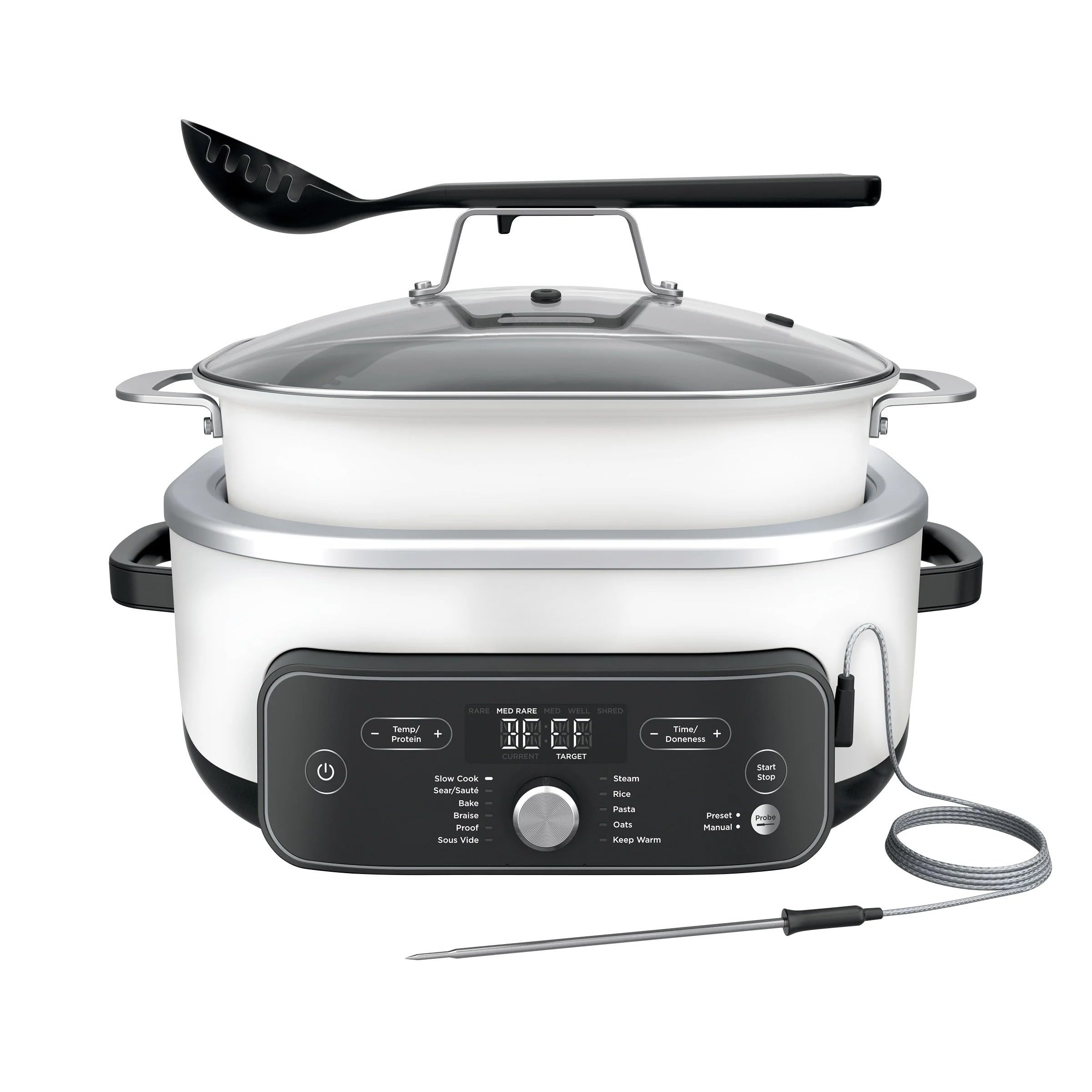
Image: The Ninja Foodi PossibleCooker PRO Plus, showcasing the main unit, removable cooking pot with glass lid, integrated spoon, temperature probe, and roasting rack.
Components
Your Ninja Foodi PossibleCooker PRO Plus includes the following components:
- Cooker Base: The main unit housing the heating elements and control panel.
- Removable Cooking Pot: An 8.5-quart non-stick pot, oven-safe, and dishwasher safe.
- Glass Lid: With a handle that can hold the integrated spoon.
- Integrated Spoon: Designed to rest on the lid handle.
- Temperature Probe: For precise temperature monitoring during cooking.
- Steam & Roasting Rack: For steaming or elevating food within the cooking pot.

Image: The Ninja Foodi PossibleCooker PRO Plus with its various components laid out, including the main unit, cooking pot, glass lid, integrated spoon, and temperature probe.
Setup
Unpacking and Initial Cleaning:
- Remove all packaging materials, stickers, and labels from the unit.
- Wash the cooking pot, glass lid, integrated spoon, and steam/roasting rack in warm, soapy water. Rinse thoroughly and dry completely.
- Wipe the cooker base with a clean, damp cloth. Do not immerse the base in water.
Placement:
Place the cooker base on a dry, level, heat-resistant countertop, away from the edge.
Operating Instructions
Control Panel:
The control panel features a digital display, a central dial for function selection, and buttons for temperature, time, and start/stop.
Cooking Functions:
Rotate the central dial to select your desired cooking function. Use the TEMP and TIME buttons to adjust settings as needed. Press START/STOP to begin or end cooking.
- Slow Cook: Select HIGH or LOW temperature. Adjust cooking time using the TIME buttons.
- Sear/Sauté: Adjust temperature up to 400°F. This function does not have a time setting.
- Steam: Adjust cooking time. This function does not have a temperature setting.
- Keep Warm: Automatically activates after some cooking functions. Displays a count-up timer. Temperature and time are not adjustable.
- Sous Vide: Adjust temperature and time for precise cooking.
- Braise: Adjust cooking time. Temperature is not adjustable.
- Bake: Adjust temperature and time.
- Proof: Adjust temperature and time for dough proofing.
- Rice, Pasta, Oats: These functions are available for specific cooking tasks. Refer to the included recipe book for detailed instructions.
Using the Temperature Probe:
The integrated temperature probe allows for precise temperature control for meats and other dishes. Insert the probe into the thickest part of the food, avoiding bone or fat. Plug the probe into the port on the control panel. The display will show the current internal temperature of your food.
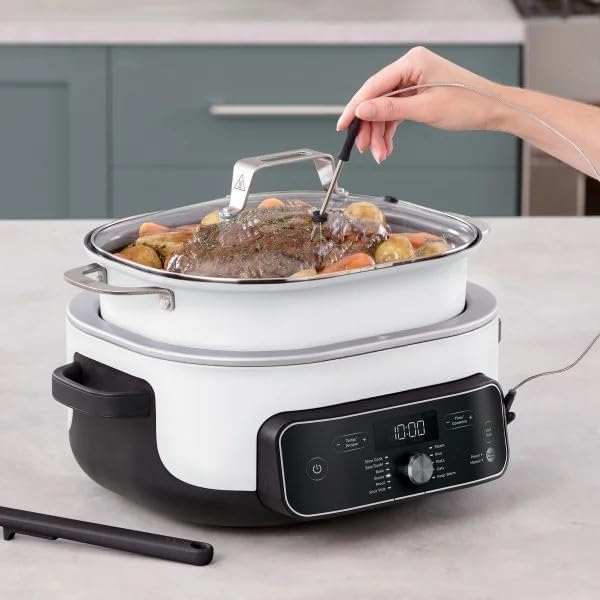
Image: A hand inserting the temperature probe into a roast cooking in the Ninja Foodi PossibleCooker PRO Plus, demonstrating its use for precise temperature monitoring.
Cleaning and Maintenance
Proper cleaning and maintenance will extend the life of your appliance.
Cleaning:
- Always unplug the unit and allow it to cool completely before cleaning.
- Dishwasher Safe Parts: The removable cooking pot, glass lid, integrated spoon, and steam/roasting rack are dishwasher safe.
- Hand Washing: For best results and to prolong the life of the non-stick coating, hand wash the cooking pot and accessories with warm, soapy water and a non-abrasive sponge.
- Cooker Base: Wipe the exterior of the cooker base with a clean, damp cloth. Do not use abrasive cleaners or scouring pads. Never immerse the cooker base in water or any other liquid.
Troubleshooting
If you encounter any issues with your Ninja Foodi PossibleCooker PRO Plus, refer to the following common problems and solutions:
- Appliance does not turn on: Ensure the power cord is securely plugged into a working electrical outlet. Press the Power button on the control panel.
- "Add Pot" error message: This indicates that the cooking pot is not properly seated in the cooker base. Ensure the pot is correctly placed and fully inserted.
- Food not cooking evenly: Ensure the correct cooking function and temperature/time settings are selected. Stir food periodically if recommended by the recipe.
- Steam escaping excessively from lid: Ensure the lid is properly seated on the cooking pot.
For further assistance, please contact Ninja Customer Support.
Specifications
| Brand | Ninja |
| Model Number | MC2052CO |
| Capacity | 8.5 Quarts |
| Wattage | 1400 kWh |
| Voltage | 127 Volts |
| Product Dimensions | 12"D x 14"W x 16"H |
| Material | Aluminum |
| Dishwasher Safe | Yes (for removable parts) |
| Control Method | Touch |
| Number of Settings | 11 |
Warranty and Support
For detailed warranty information, please refer to the warranty card included with your product or visit the official Ninja website. If you require customer support, have questions about your product, or need to register your appliance, please visit ninjakitchen.com or contact their customer service line.


