
Introduction
Congratulations on your purchase of the Peg Perego Barbie 12V Electric Sports Car. This premium ride-on vehicle is designed to provide an exciting and safe driving experience for children. It features two driving modes: a secure parental remote control mode for younger children (18 months and older) and an independent manual driving mode for older children (3 years and older). The car includes dedicated seats for Barbie dolls (not included), working LED headlights, an interactive dashboard with music, and a USB port for custom audio.
Please read this instruction manual carefully before assembly and use to ensure proper operation and safety.

Image Description: This image shows a young child happily seated in the pink Barbie Electric Sports Car. The image also indicates the recommended age of 18+ months for the product, highlighting its suitability for toddlers under adult supervision.
Safety Warnings
- Age Requirement: This motorized vehicle requires a child to be at least 18 months old for the necessary coordination and maturity to operate it safely.
- Adult Supervision: Always ensure adult supervision when the vehicle is in use.
- Operating Environment: Use the vehicle on flat, dry surfaces away from traffic, swimming pools, or other hazards.
- Seat Belt: Ensure the child is securely fastened with the provided seat belt.
- Weight Limit: Do not exceed the maximum weight capacity of the vehicle.
- Battery Safety: Handle the battery and charger according to instructions. Do not short-circuit the battery terminals.
What's in the Box
Upon opening the package, please verify that all components are present:
- Barbie RC Car
- Battery Charger
- Remote Control
- 12V Rechargeable Battery
Setup
1. Unpacking and Initial Inspection
Carefully remove all components from the packaging. Inspect the vehicle and all parts for any signs of damage.
2. Battery Installation and Initial Charging
- Locate the battery compartment, typically under the seat or hood.
- Insert the 12V rechargeable battery into its designated slot. Ensure it is securely connected.
- Connect the battery charger to a standard power outlet.
- Plug the charger into the charging port on the car. The charging port is usually located on the dashboard or near the battery compartment.
- Allow the battery to charge for the recommended initial period (refer to the separate battery charging instructions if provided, or typically 18 hours for the first charge).
- The battery indicator on the dashboard will show the charging status.

Image Description: This image displays the front and side views of the pink Barbie Electric Sports Car. Key dimensions are overlaid: the car is 105 cm long, 66 cm wide (front view), and 43 cm high. The image helps visualize the physical size of the product.
Operating Instructions
1. Parental Remote Control Mode (18 months +)
For younger children, the parental remote control allows an adult to safely operate the vehicle.
- Ensure the car's power button (usually on the dashboard) is in the OFF position.
- Turn on the remote control by pressing its ON button.
- Turn on the car by pressing the ON button on the dashboard. The car should now be paired with the remote control.
- Use the joystick or directional buttons on the remote control to steer the car (forward, backward, left, right).
- Adjust the speed using the speed selector on the remote control (typically 3 settings).
- To stop the car, release the controls or press the brake button on the remote. The car features automatic electric braking.

Image Description: This image shows a young child sitting in the pink Barbie Electric Sports Car. In the background, an adult is visible, holding a remote control, illustrating the parental remote control mode feature.
2. Manual Driving Mode (3 years +)
When the child is ready for independent driving, they can operate the car directly.
- Ensure the car's power button on the dashboard is in the ON position.
- Press the accelerator pedal to move forward.
- Use the steering wheel to control direction.
- To change speed, use the speed selector switch on the dashboard (two forward speeds and reverse).
- To stop the car, release the accelerator pedal or press the brake pedal.
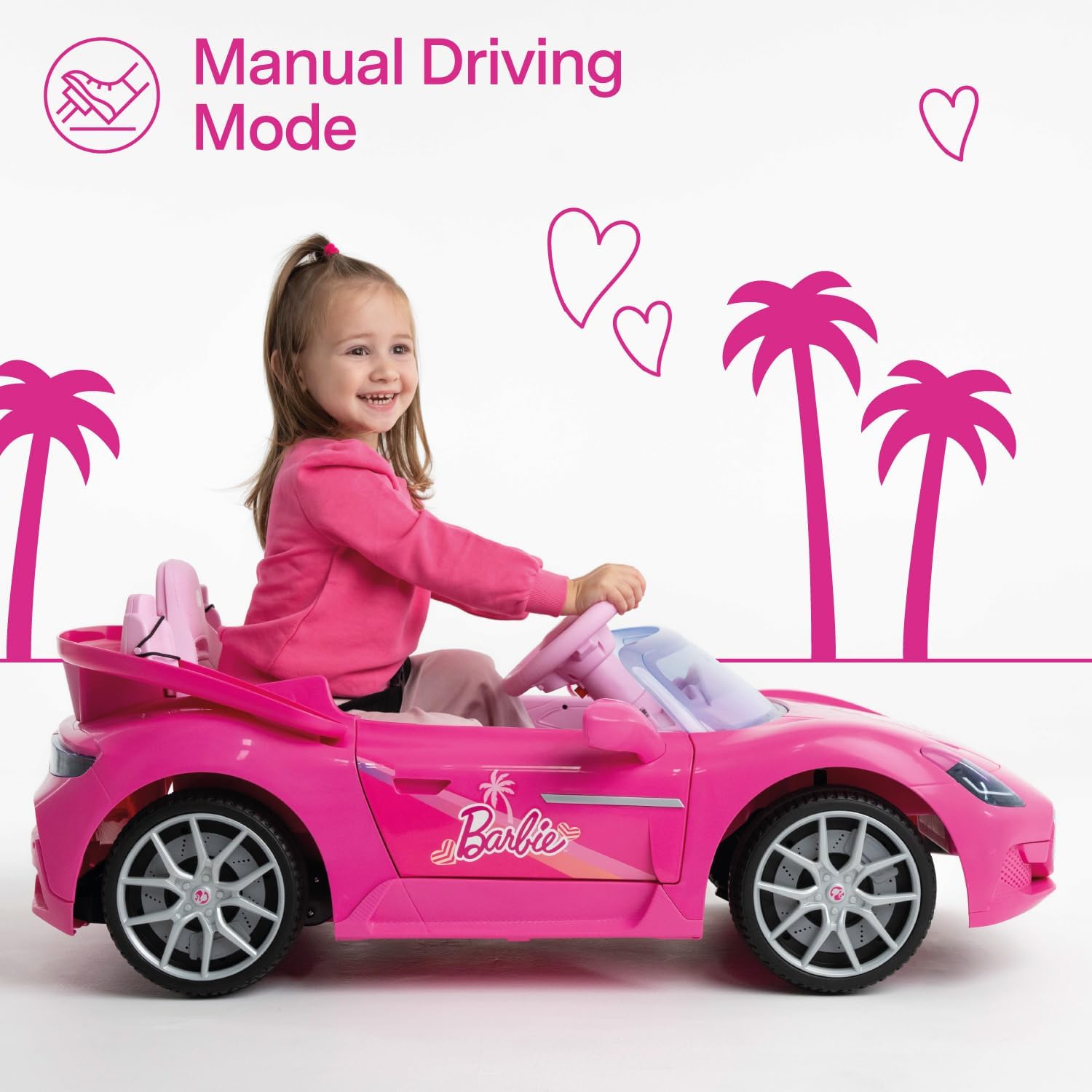
Image Description: This image features a young child smiling and actively steering the pink Barbie Electric Sports Car, demonstrating the manual driving mode.
3. Interactive Dashboard and Media Playback
The car is equipped with an interactive dashboard for entertainment.
- Pre-set Music and Stories: Use the dedicated buttons on the dashboard to play pre-installed songs and stories.
- USB Port: Insert a USB drive into the USB port on the dashboard to play your own music or audio files.
- LED Headlights: The colored LED headlights illuminate when the car is in operation, adding to the realistic driving experience.
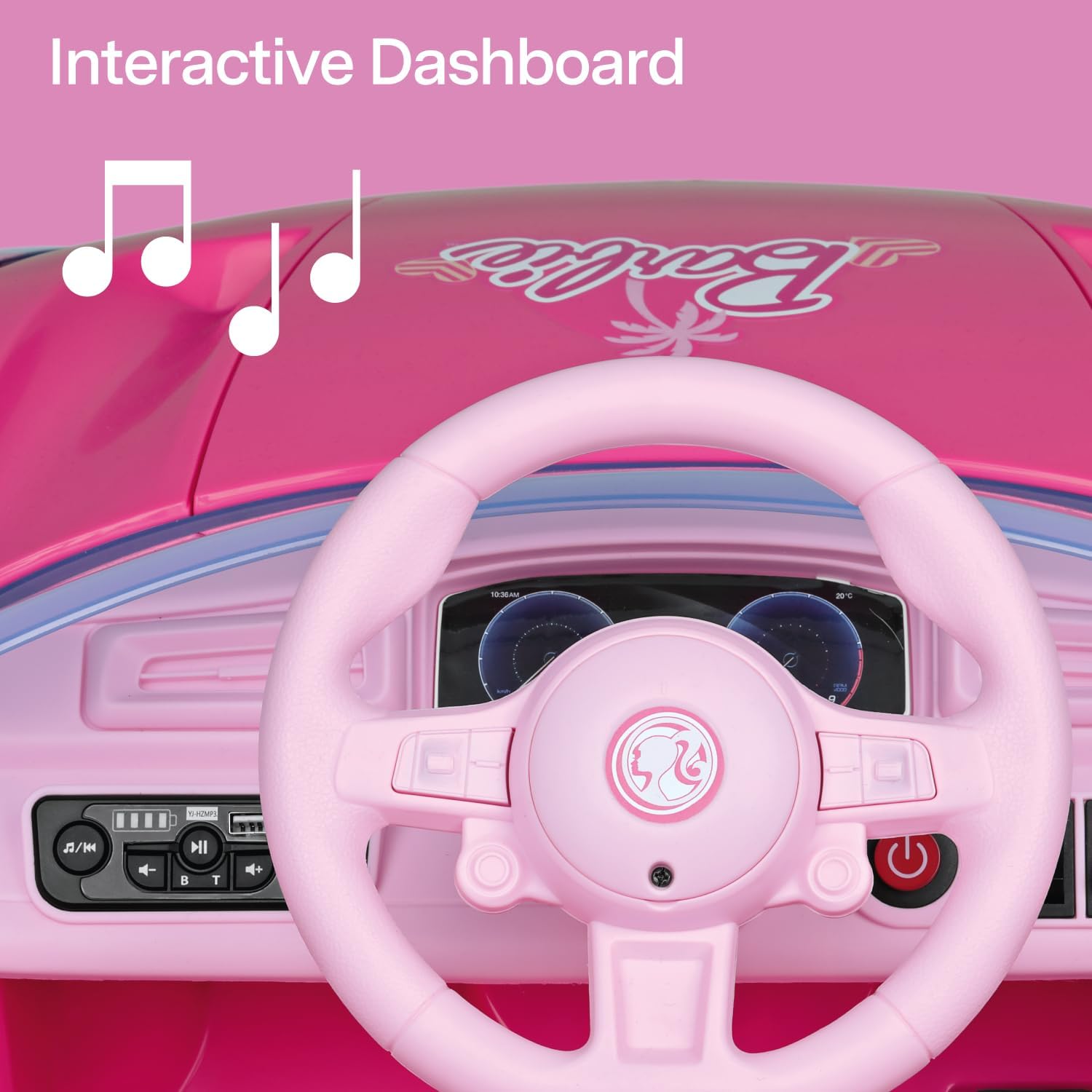
Image Description: A close-up view of the Barbie Electric Sports Car's dashboard, showing the steering wheel, various control buttons, and a visible USB port for media playback. Musical notes are graphically overlaid, indicating audio features.

Image Description: This image captures the front section of the Barbie Electric Sports Car, highlighting its illuminated LED headlights and slightly open doors, showcasing the realistic design elements.
4. Special Features
- Opening Doors: The car features realistic opening doors for easy entry and exit.
- Barbie Doll Seats: Two dedicated seats are provided behind the main driver's seat for Barbie dolls (dolls not included).
- Rear Storage Compartment: A convenient rear storage drawer is available for carrying Barbie accessories or other small items.

Image Description: A detailed view of the two small, dedicated seats located in the rear of the Barbie Electric Sports Car, designed specifically for Barbie dolls. The text "*Barbie dolls not included" is visible.
Maintenance
- Cleaning: Wipe the car with a damp cloth. Do not use abrasive cleaners or solvents. Avoid spraying water directly onto electrical components.
- Battery Care:
- Charge the battery fully after each use.
- If storing the car for an extended period, charge the battery at least once a month to prolong its lifespan.
- Do not overcharge the battery. Disconnect the charger once the battery is fully charged.
- Replace the battery when it no longer holds a charge effectively. Use only genuine Peg Perego replacement batteries.
- Storage: Store the car in a dry, cool place away from direct sunlight and moisture.
- Inspection: Regularly check all screws, nuts, and connections to ensure they are tight. Inspect tires for wear and tear.
Troubleshooting
| Problem | Possible Cause | Solution |
|---|---|---|
| Car does not move |
|
|
| Remote control not working |
|
|
| Car moves slowly |
|
|
| Music/USB not playing |
|
|
Specifications
| Feature | Detail |
|---|---|
| Model Number | IGOR0122 |
| Brand | Peg Perego |
| Power Supply | 12V Rechargeable Battery |
| Recommended Age (Parental Control) | 18 months + |
| Recommended Age (Manual Driving) | 3 years + |
| Product Dimensions (L x W x H) | 105 cm x 66 cm x 43 cm |
| Product Weight | 12.5 kg |
| Material | Aluminum, Polypropylene (PP) |
| Color | Pink |
| Number of Players | 1 (with 2 Barbie doll seats) |
| Assembly Required | No |
| Special Features | LED Headlights, USB Port, Pre-set Music/Stories, Opening Doors, Remote Control, Automatic Electric Braking, Rear Storage |
Warranty and Support
Peg Perego products are manufactured to high-quality standards.
- Spare Parts Availability: Spare parts for this product are available in the EU for a period of 2 years from the date of purchase.
- Customer Support: For any questions, technical assistance, or warranty claims, please contact Peg Perego customer service. Refer to the contact information provided in your product packaging or visit the official Peg Perego website.
- Online Resources: Additional support and product information may be available on the Peg Perego Store on Amazon or the official Peg Perego website.


