
Noorio SD400
Noorio 2K Solar Security Camera SD400 User Manual
Model: SD400
1. Introduction
This manual provides detailed instructions for the installation, operation, and maintenance of your Noorio 2K Solar Security Camera SD400. This wireless outdoor camera features 2K 4MP resolution, 360° pan/tilt functionality, WiFi 6 dual-band connectivity (2.4/5GHz), full-color night vision, AI human detection, IP65 weatherproofing, and two-way audio. Please read this manual thoroughly before use to ensure proper functionality and safety.
2. What's in the Box
Verify that all components are present in your package:
- PTZ Camera with Integrated Solar Panel
- Mounting Bracket
- Mounting Screws and Wall Anchors
- USB Charging Cable
- Quick Start Guide

Image: Contents of the Noorio SD400 package, including the camera, solar panel, mounting hardware, and cables.
3. Product Overview
Familiarize yourself with the main components of your Noorio SD400 camera.

Image: Front view of the Noorio SD400 camera, highlighting the lens, spotlights, and integrated solar panel.
- Camera Lens: Captures 2K 4MP video.
- Infrared LEDs/Spotlights: Provide illumination for night vision.
- Microphone: For two-way audio communication.
- Speaker: For two-way audio communication and siren.
- PIR Sensor: Passive Infrared sensor for motion detection.
- Solar Panel: Integrated panel for continuous battery charging.
- Antennas: For WiFi 6 dual-band connectivity.
- MicroSD Card Slot: Supports up to 128GB for local storage (card not included).
- Reset Button: Used for resetting the camera to factory settings.
- USB Charging Port: For initial charging or supplemental power.
4. Setup
4.1 Initial Charging
Before installation, fully charge the camera using the provided USB cable. Connect the cable to the camera's USB port and a standard 5V/2A USB power adapter (not included). The indicator light will show charging status.
4.2 App Download and Account Creation
Download the "Noorio App" from the App Store (iOS) or Google Play Store (Android). Follow the on-screen instructions to create an account and log in.
4.3 Network Setup
- Open the Noorio App and tap the "+" icon to add a new device.
- Select your camera model (SD400).
- Follow the in-app instructions to power on the camera and press the reset button if prompted.
- Connect the camera to your WiFi network. The camera supports both 2.4GHz and 5GHz bands. Ensure your phone is connected to the same network during setup.
- Scan the QR code displayed on your phone screen with the camera lens.
- Once connected, name your camera and complete the setup process.
Video: A detailed guide on how to set up the Noorio camera with your network using the mobile application.
4.4 Mounting the Camera
Choose a mounting location that receives direct sunlight for optimal solar charging. The camera should be positioned to cover the desired surveillance area. The IP65 rating ensures weather resistance.
- Mark the drill holes using the mounting bracket as a template.
- Drill holes and insert wall anchors if mounting on masonry or concrete.
- Secure the mounting bracket to the wall with screws.
- Attach the camera to the mounting bracket.
- Adjust the camera angle to ensure the solar panel receives maximum sunlight and the camera covers the desired area.

Image: A person installing the Noorio SD400 camera on an exterior wall, demonstrating the hassle-free installation process.

Image: The Noorio SD400 camera mounted outdoors, illustrating the solar panel's position for optimal sun exposure.
5. Operating Instructions
5.1 Live View and Playback
Access the Noorio App to view live footage from your camera. You can also review recorded events stored on the microSD card or cloud storage.
5.2 Pan and Tilt Control
Use the pan and tilt controls within the app to remotely adjust the camera's viewing angle, providing 360° coverage.

Image: Visual representation of the camera's 360° pan and tilt range, eliminating blind spots.
5.3 Night Vision
The camera offers advanced full-color night vision, providing vivid images even in low light. It can also switch to infrared mode for extended range in complete darkness.

Image: A comparison showing the clarity of color night vision versus standard night vision without LED light.
5.4 AI Human Detection and Alerts
The camera uses PIR and AI dual-detection to accurately identify human figures, reducing false alarms from vehicles or animals. You will receive instant notifications on your phone when a person is detected.
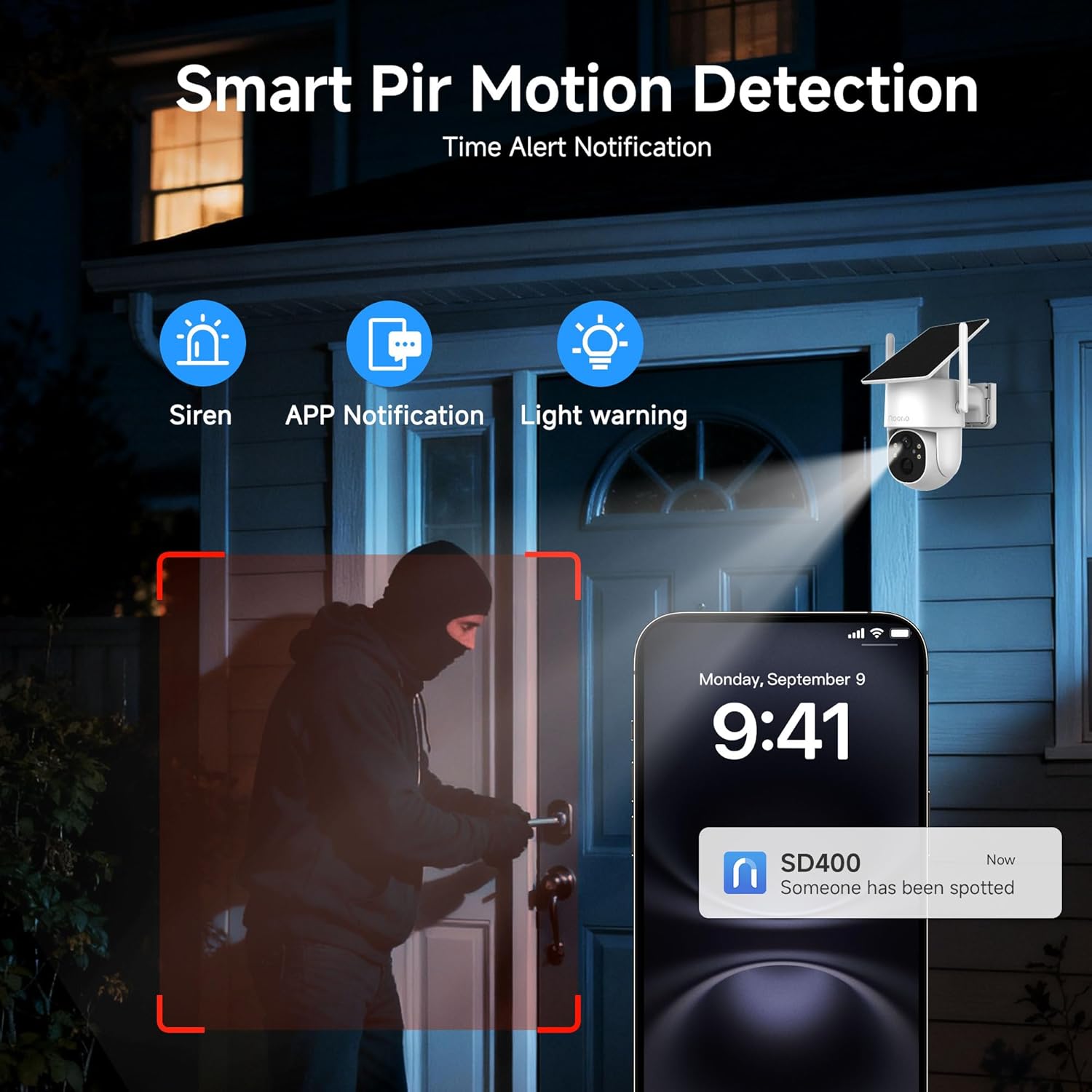
Image: A smartphone showing an alert from the Noorio app indicating human detection, with the camera's view of a person at a door.
Video: Demonstrates the Noorio 2K Solar Wireless Outdoor Security Camera's features, including AI detection and night vision.
5.5 Two-Way Audio
Utilize the built-in microphone and speaker to communicate with visitors or deter intruders remotely through the Noorio App.

Image: An illustration of the two-way audio function, allowing communication between a person on their phone and someone at the camera's location.
5.6 Storage Options
The camera supports local storage via a microSD card (up to 128GB, Class 10/U3 recommended, not included) and optional cloud storage with a 3-day free trial.

Image: Depiction of the two available storage methods: local microSD card and cloud storage.
6. Maintenance
6.1 Solar Panel Care
To ensure continuous power, regularly clean the solar panel to remove dust, dirt, or debris that may obstruct sunlight. Use a soft, damp cloth for cleaning.
6.2 Firmware Updates
Noorio provides free regular firmware updates to optimize camera functions and introduce new features. Check the Noorio App periodically for available updates and install them to ensure optimal performance. If experiencing charging reminder problems, update to firmware V3.0.31 or higher.

Image: The Noorio SD400 camera mounted outdoors, highlighting the integrated solar panel for continuous power.
7. Troubleshooting
- Camera not connecting to WiFi:
- Ensure your router supports WiFi 6 or is compatible with dual-band 2.4/5GHz networks.
- Verify the WiFi password is correct.
- Place the camera closer to the router during initial setup.
- Reset the camera using the reset button and try setup again.
- Solar panel not charging:
- Ensure the solar panel is positioned in direct sunlight for several hours daily.
- Clean the solar panel surface to remove any obstructions.
- Check the camera's firmware version and update to V3.0.31 or higher if experiencing charging reminder issues.
- If light is poor, charging will be slower.
- Frequent false alarms:
- Adjust the sensitivity of the AI human detection in the Noorio App.
- Ensure the camera is not pointed at areas with constant motion from trees or traffic if not desired.
- Poor video quality:
- Check your WiFi signal strength at the camera's location.
- Ensure the camera lens is clean.
- Verify the camera is connected to a stable network.
8. Specifications
| Feature | Detail |
|---|---|
| Model Name | Noorio Solar Camera SD400 |
| Video Capture Resolution | 2K (4MP), 1440p |
| Connectivity Technology | Wireless (Wi-Fi 6 Dual-Band 2.4GHz & 5GHz) |
| Special Features | 2K QHD Resolution, 5G/2.4G Dual Band Wi-Fi, Night Vision (Full Color), PTZ Technology (360° Pan/Tilt), Weather Proof (IP65), AI Human Detection, 2-Way Audio |
| Indoor/Outdoor Usage | Outdoor |
| Compatible Devices | Android, iPhone (via Noorio App) |
| Power Source | Solar Powered, Battery Powered |
| Water Resistance Level | Waterproof (IP65) |
| Storage Options | MicroSD Card (up to 128GB), Cloud Storage (optional) |
| Item Dimensions | 8.3 x 6.1 x 4.1 inches |
9. Warranty & Support
Noorio offers 24/7 customer support to assist with installation, connectivity, app usage, and device performance issues. For assistance, please contact Noorio customer service through the Noorio App or visit the official Noorio website.
Regular firmware updates are provided free of charge to enhance camera functionality and performance.

Image: A visual representation of available support channels, including app support, call center, and email.
Related documentsSD400


Ask a question about this manual
Ask about setup, troubleshooting, compatibility, parts, safety, or missing instructions. Manuals+ will review the question and use this page’s manual context to help answer it.