
1. Important Safety Information
Please read all instructions carefully before using the CyberChill Nugget Ice Maker. Keep this manual for future reference.
- Ensure the ice maker is placed on a stable, level surface away from direct sunlight and heat sources.
- Do not immerse the appliance, power cord, or plug in water or other liquids.
- Use only potable water.
- Keep children and pets away from the appliance during operation.
- Unplug the ice maker before cleaning or when not in use for extended periods.
2. Product Overview
The CyberChill Nugget Ice Maker produces soft, chewable nugget ice, ideal for various beverages and uses. It features a compact design suitable for countertops.
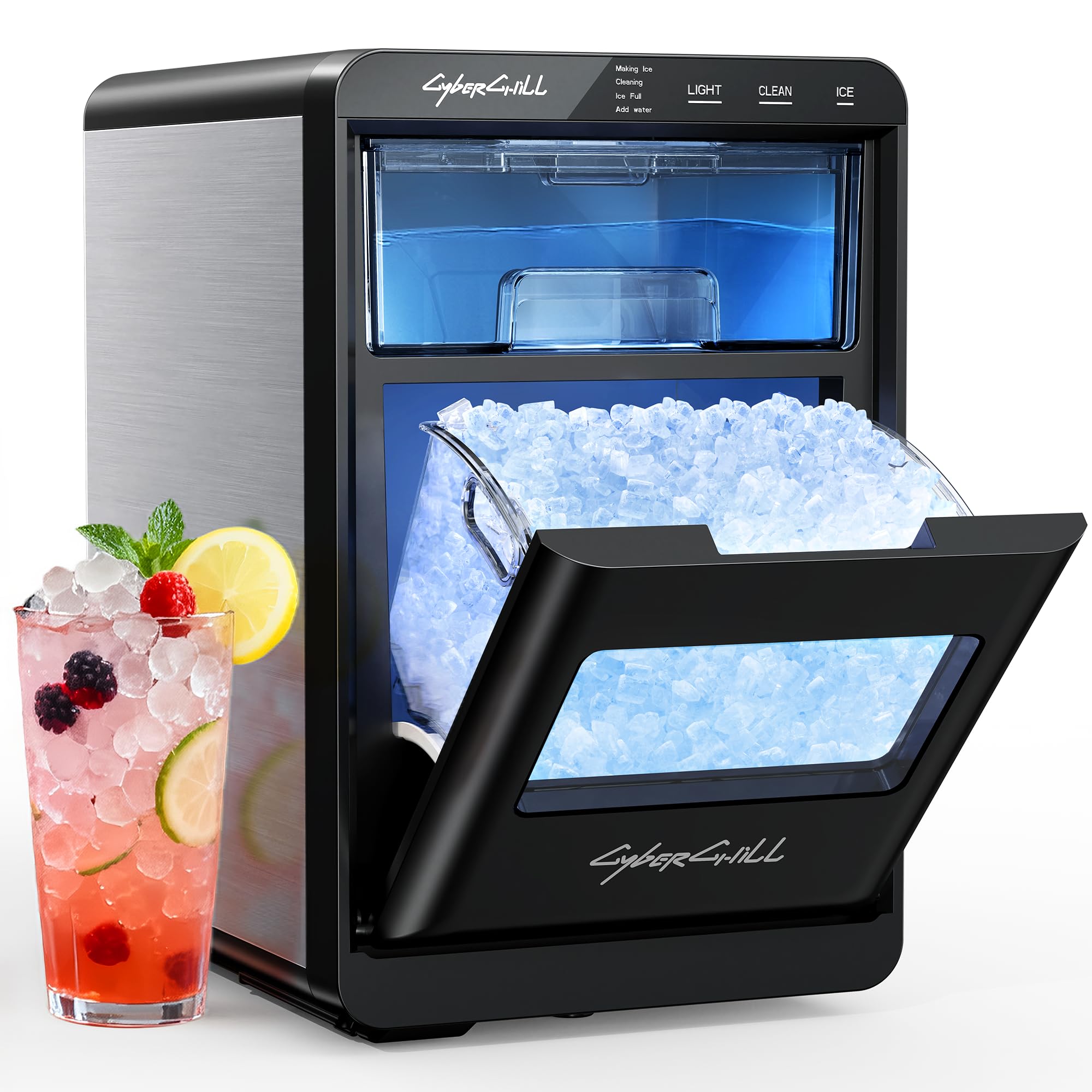
Image: The CyberChill Nugget Ice Maker in a modern kitchen setting.

Image: Overview of the ice maker's main features, including soft chewable ice, fast production, and user-friendly design.
Key Features:
- Chewable Nugget Ice: Produces soft, chewable ice that cools drinks quickly and melts slowly.
- Fast Ice Making: Generates nugget ice in approximately 10 minutes, with a daily output of up to 44 pounds.
- Efficient & Convenient Design: Features a removable water tank for easy refilling and cleaning, a transparent viewing window, and a simplified one-click control panel.
- Self-cleaning System: Automatically flushes ice-making and water pathways to maintain hygiene and prevent scale buildup.
- TDS Meter Included: For monitoring water quality to ensure optimal ice production.
3. Setup and Installation
Unpacking:
- Remove all packaging materials and tape.
- Inspect the ice maker for any damage. If damaged, do not operate and contact customer support.
- Clean the interior of the ice maker and the water tank before first use (refer to Maintenance section).
Placement:
Place the ice maker on a flat, stable countertop. Ensure adequate ventilation around the unit. The product dimensions are 13.39"D x 9.37"W x 14.8"H.

Image: Dimensions of the ice maker and a list of included accessories.
Water Filling:
The ice maker features a removable water tank for easy filling. For best results, use water with a TDS (Total Dissolved Solids) value below 100. A TDS meter is included to help you check your water quality.

Image: Demonstrates the removable water tank being filled, highlighting effortless filling and cleaning.
Video: Part 1 of 'How to use the ice maker correctly' demonstrates how to check water TDS for optimal ice quality. It shows a TDS meter being used to test water, indicating that a TDS value of 1 is good, while 254 is not recommended.
4. Operation
Powering On and Ice Production:
- After filling the water tank, ensure it is properly seated.
- Plug the ice maker into a grounded electrical outlet.
- Press the power button on the control panel to start the ice-making cycle. The unit will begin producing nugget ice in approximately 10 minutes.
- The transparent viewing window allows you to monitor the ice production process.

Image: Illustrates the rapid ice production capability, making ice in 10 minutes with a 44lbs daily output.

Image: A close-up of the see-through window, allowing observation of the ice-making process.
Nugget Ice Benefits:
Nugget ice, also known as pebble or sonic ice, is soft and chewable. It cools beverages quickly without diluting the flavor excessively and is also suitable for keeping food fresh or for cold therapy.

Image: Highlights the benefits of nugget ice, including its chewable texture, rapid cooling, and slow melting properties.
Video: 'CyberChill Nugget Ice Maker' provides a general overview of the product's features and operation, including the ice-making process and the removable water tank.
5. Maintenance and Cleaning
Self-Cleaning Function:
The ice maker is equipped with a self-cleaning system to ensure hygiene and prolong the appliance's lifespan. This function automatically flushes the internal water pathways.

Image: Visual representation of the self-cleaning mode in action, showing water flow within the unit.
Manual Cleaning Steps:
- Step 1: Mix vinegar and water in a 1:3 ratio. Add the solution to the water tank and run one self-cleaning cycle.
- Step 2: Drain all the water from the unit and plug the drain tightly. Fill the water tank with a fresh 1:3 vinegar-water solution again and allow it to soak for 4 hours.
- Step 3: Scrub the inside of the water tank and ice basket with a soft brush. Rinse thoroughly with clean water.
Video: Part 3 of 'How to use the ice maker correctly' provides a step-by-step guide on how to clean the ice maker using a vinegar-water solution and a soft brush.
TDS Meter Usage:
Use the included TDS meter to regularly check your water quality. For optimal ice production and machine longevity, it is recommended to use water with a TDS value below 100.

Image: The included TDS Tester, emphasizing the recommendation to use water with a TDS value below 200 for optimal ice quality.
6. Troubleshooting
Common Issue: Leaking
If your ice maker is leaking, a common cause can be a stuck float mechanism. To address this:
- Open the second tank lid.
- Check the float and manually adjust it if needed to ensure it moves freely.
Video: Part 2 of 'How to use the ice maker correctly' addresses potential leaking issues, specifically demonstrating how to check and adjust a stuck float mechanism.
For other issues, please refer to the comprehensive troubleshooting guide in the full product manual or contact customer support.
7. Specifications
| Specification | Detail |
|---|---|
| Brand | CyberChill |
| Model Name | IM-NS452C |
| Product Dimensions | 13.39"D x 9.37"W x 14.8"H |
| Capacity | 44 Pounds (daily output) |
| Wattage | 192 watts |
| UPC | 860013643546 |
| Included Components | Ice maker, ice bags, ice scoop, TDS meter |
| Voltage | 115 Volts |
| Refrigerant | R600a |
8. Warranty and Support
For warranty information, technical support, or any questions regarding your CyberChill Nugget Ice Maker, please refer to the contact information provided with your purchase or visit the official CyberChill website.