
1. Important Safety Information
Please read all instructions carefully before using the appliance and retain them for future reference. This manual provides important safety warnings and operational guidelines.
1.1 General Safety
- This appliance is intended for household use only.
- Do not allow children to play with the appliance. Close supervision is necessary when the appliance is used near children.
- Do not install or store this appliance where it will be exposed to the weather.
- Do not dry unwashed items in the tumble dryer.
- Items that have been soiled with substances such as cooking oil, acetone, alcohol, petrol, kerosene, spot removers, turpentine, waxes and wax removers should be washed in hot water with an extra amount of detergent before being dried in the tumble dryer.
- Items such as foam rubber (latex foam), shower caps, waterproof textiles, rubber backed articles and clothes or pillows fitted with foam rubber pads should not be dried in the tumble dryer.
- Fabric softeners, or similar products, should be used as specified by the fabric softener instructions.
- Remove all objects from pockets such as lighters and matches.
- The final part of a tumble dryer cycle occurs without heat (cool down cycle) to ensure that the items are left at a temperature that will not damage them.
- Never stop a tumble dryer before the end of the drying cycle unless all items are quickly removed and spread out so that the heat is dissipated.
1.2 Electrical Safety
- Ensure the power supply matches the voltage specified on the rating plate of the appliance.
- Do not operate the appliance with a damaged power cord or plug.
- Do not pull the power cord to disconnect the plug from the socket. Always grasp the plug firmly and pull it out directly.
- Do not overload the electrical outlet.
- If the supply cord is damaged, it must be replaced by the manufacturer, its service agent or similarly qualified persons in order to avoid a hazard.
2. Product Overview
The Comfee CD08EHP05W is an 8kg heat pump tumble dryer designed for efficient and gentle drying of your laundry. It features UV light technology for hygienic cleaning, a double-layer lint filter for pet hair removal, and an intuitive LED display.

Image: Overview of the Comfee CD08EHP05W 8kg Tumble Dryer, highlighting features like quick drying, energy efficiency class D, pet hair removal, versatile design, and UV light.
2.1 Key Features
- Heat Pump Technology: Energy-efficient drying at lower temperatures, protecting fabrics.
- UV Light for Hygiene: Integrated UV light helps eliminate bacteria and allergens from laundry.
- 8kg Capacity: Large drum suitable for family-sized loads.
- Pet Hair Removal: Double-layer lint filter effectively captures pet hair.
- Refreshing Program: Helps remove odors and refresh clothes.
- LED Display: Intuitive control panel for easy program selection and monitoring.
- Adjustable Drying Levels: Multiple drying options for various fabric types.
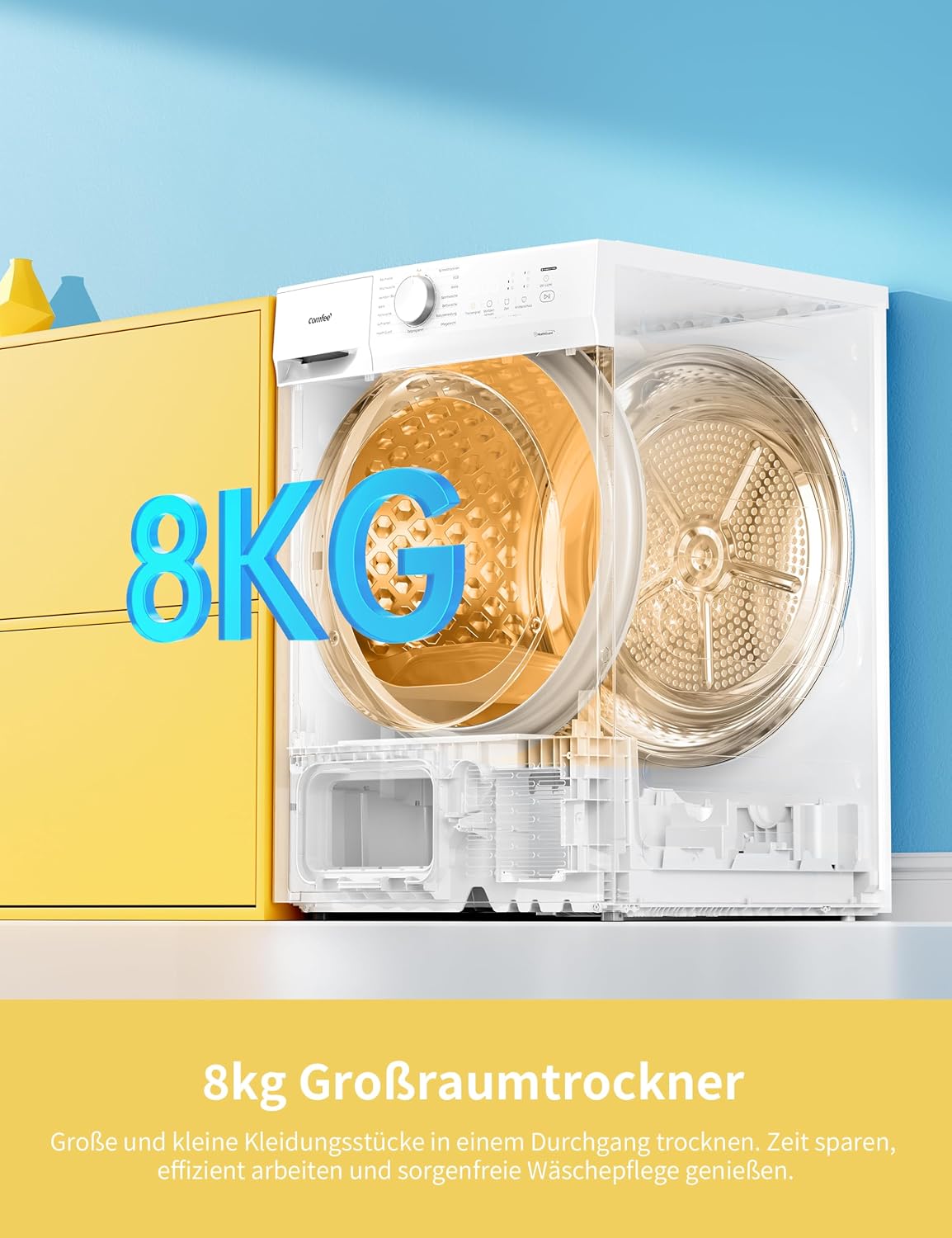
Image: A transparent view of the Comfee tumble dryer showcasing its 8kg large capacity drum, designed to dry large and small items efficiently.

Image: An illustration highlighting the dryer's energy efficiency, showing it is rated Energy Class D with an estimated annual electricity consumption of 119 kWh.

Image: The Comfee tumble dryer shown in different home environments, illustrating its versatile and modern design that blends seamlessly with various interior styles.
3. Setup and Installation
Proper installation is crucial for the safe and efficient operation of your tumble dryer.
3.1 Unpacking
- Remove all packaging materials, including any protective films and foam inserts.
- Check the appliance for any transport damage. If damaged, do not install or operate it, and contact your retailer.
3.2 Location
- Place the dryer on a solid, level floor.
- Ensure there is adequate ventilation around the appliance. Do not block the ventilation openings.
- Avoid placing the dryer in areas where the temperature may drop below 5°C (41°F), as this can affect performance.
- Do not install the appliance behind a lockable door, a sliding door or a door with a hinge on the opposite side to that of the tumble dryer, in such a way that a full opening of the tumble dryer door is restricted.
3.3 Leveling
- Adjust the adjustable feet at the bottom of the dryer to ensure it is perfectly level. Use a spirit level to check.
- A level appliance reduces vibration and noise during operation.
3.4 Electrical Connection
- Plug the appliance into a grounded electrical outlet.
- Ensure the outlet meets the power requirements specified in the specifications section.
- Do not use extension cords or adapters.
4. Operating Instructions
This section guides you through the daily use of your Comfee tumble dryer.
4.1 Control Panel Overview
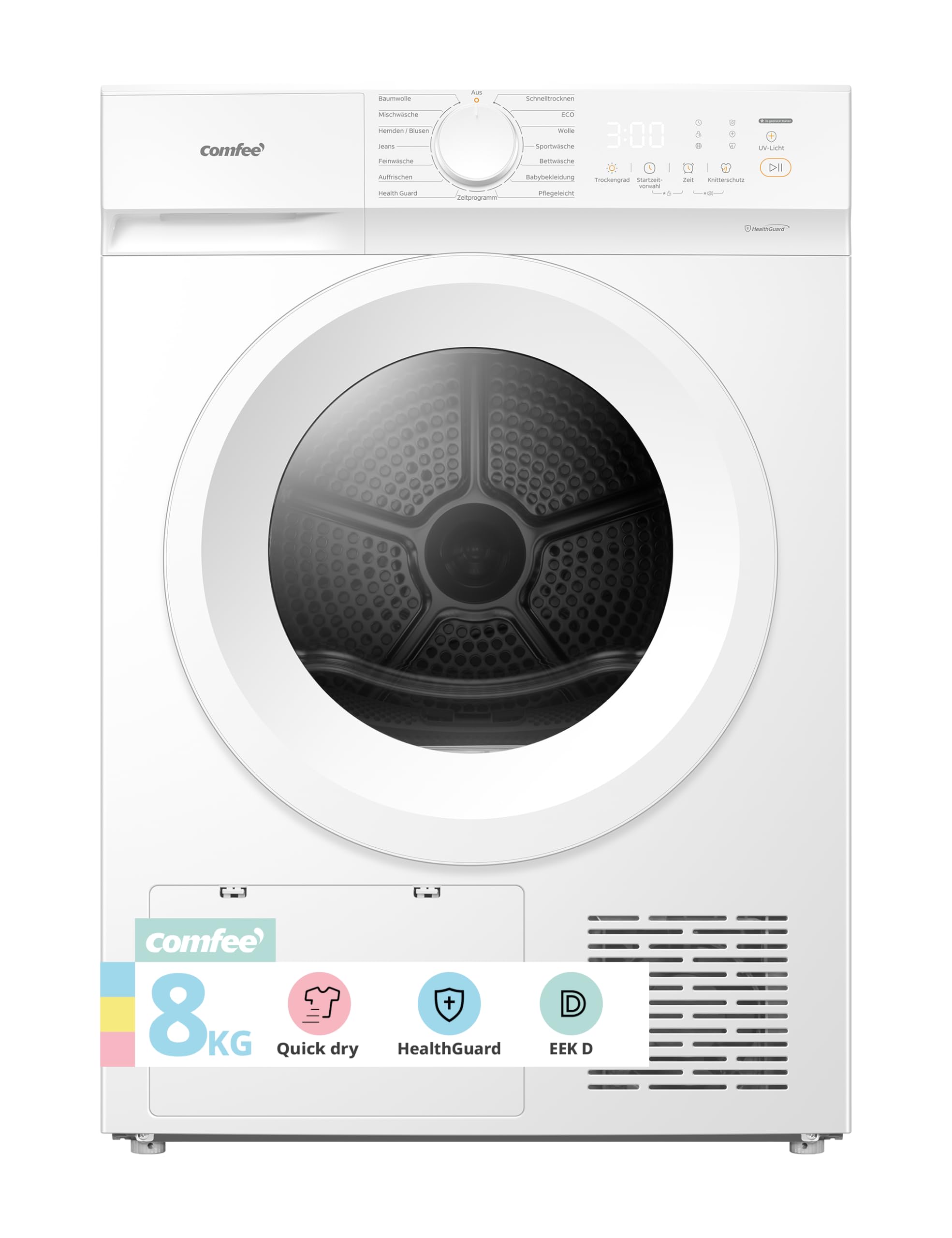
Image: The main control panel of the Comfee CD08EHP05W tumble dryer, showing the program selection dial, LED display, and function buttons.
The control panel consists of a program selection dial, an LED display, and various function buttons (e.g., Start/Pause, Drying Level, UV Light, Refresh).
4.2 Preparing Laundry
- Sort laundry by fabric type and desired drying level.
- Check garment care labels for drying instructions.
- Close zippers, hooks, and fastenings to prevent damage.
- Remove any foreign objects from pockets.
4.3 Loading the Dryer
- Open the dryer door and load items loosely into the drum.
- Do not overload the dryer; ensure there is enough space for items to tumble freely.
- Close the door firmly.
4.4 Program Selection
Turn the program selection dial to choose the appropriate drying program for your laundry. Common programs include:
- Cotton: For cotton items like towels, sheets, and underwear.
- Synthetics: For synthetic fabrics like polyester and nylon.
- Delicates: For delicate items requiring gentle drying.
- Sportswear: Specifically designed for sportswear fabrics.
- Quick Dry: For small loads or items needing fast drying (e.g., 30 minutes).
- Refresh: To air out clothes and remove odors without full drying.
- Health Guard (UV): Incorporates UV light for enhanced hygiene.

Image: An internal view of the dryer drum showing clothes being dried, with an emphasis on the 30-minute quick dry function for efficient moisture removal.
4.5 Drying Level Adjustment
Select the desired drying level using the corresponding button. Options typically include:
- Iron Dry: Leaves items slightly damp for easier ironing.
- Cupboard Dry: Items are dry enough to be put away.
- Extra Dry: For very thick items or when maximum dryness is required.

Image: Visual representation of adjustable drying levels, from slightly damp for easy ironing, to ready-to-wear directly after drying, and fully dry for simple storage. This image also highlights the pet hair removal feature.
4.6 Special Functions
- UV Light (Health Guard): Activate this function for enhanced sanitization during the drying cycle.
- Pet Hair Removal: The double-layer lint filter is designed to effectively remove pet hair. For heavily soiled items, consider using a specific pet hair program if available.
- Fragrance & Care: Some programs may include an option for adding fragrance or providing extra fabric care.

Image: Details on UV light and hot air sterilization for hygiene, along with an illustration of the sportswear drying program.

Image: A visual comparison showing how difficult pet hair is to clean versus how easily it can be removed with the dryer's pet hair program.

Image: An illustration of the "Fragrance & Care" function, suggesting laundry comes out fresh and well-maintained.
4.7 Starting and Ending a Cycle
- Press the Start/Pause button to begin the drying cycle. The LED display will show the remaining time.
- Once the cycle is complete, the dryer will beep, and the display will indicate "End".
- Remove laundry promptly to minimize wrinkles.
- Always clean the lint filter and empty the water tank after each cycle.
5. Maintenance and Cleaning
Regular maintenance ensures optimal performance and extends the lifespan of your dryer.
5.1 Cleaning the Lint Filter
- The lint filter should be cleaned after every drying cycle.
- Open the dryer door and pull out the lint filter, usually located in the door opening.
- Separate the two layers of the filter (if applicable) and remove all accumulated lint by hand or with a soft brush.
- Rinse the filter under running water if necessary, and ensure it is completely dry before reinserting.
5.2 Emptying the Condenser Water Tank
- The water tank collects condensed water and must be emptied after each cycle.
- Pull out the water tank, typically located at the top left or bottom of the appliance.
- Pour the collected water into a sink.
- Push the water tank back into its position until it clicks.
5.3 Cleaning the Condenser
- The condenser should be cleaned periodically (e.g., every few months) to maintain efficiency.
- Refer to your dryer's specific instructions for accessing and cleaning the condenser unit. This usually involves opening a lower panel and rinsing the condenser under water.
- Ensure the condenser is dry before reinserting it.
5.4 Cleaning the Exterior
- Wipe the exterior surfaces of the dryer with a soft, damp cloth.
- Do not use abrasive cleaners, solvents, or harsh chemicals.
6. Troubleshooting
Before contacting customer service, please check the following common issues and solutions.
| Problem | Possible Cause | Solution |
|---|---|---|
| Dryer does not start |
|
|
| Laundry not drying properly |
|
|
| Excessive noise or vibration |
|
|
| Error code displayed | Specific fault | Refer to the specific error code in the full user manual or contact customer support. |
7. Specifications
Technical details of the Comfee CD08EHP05W Tumble Dryer.

Image: Technical diagram displaying the dimensions (595mm width, 850mm height, 600mm depth) and key specifications of the Comfee CD08EHP05W model.
| Feature | Detail |
|---|---|
| Model Name | CD08EHP05W |
| Brand | Comfee |
| Capacity | 8 Kilograms |
| Dimensions (W x D x H) | 60 cm x 60 cm x 85 cm |
| Form Factor | Front Loading |
| Color | White |
| Material | Plastic |
| Power Supply | 220-240 V~, 50 Hz |
| Rated Power Consumption | 800W |
| Refrigerant | R290 |
| Energy Efficiency Class | D (EU new classification) |
8. Warranty and Customer Support
For warranty information, please refer to the warranty card included with your appliance or contact your retailer. If you experience any issues that cannot be resolved using the troubleshooting guide, please contact Comfee customer support for assistance.
Keep your purchase receipt as proof of purchase for warranty claims.
For further assistance, please visit the Comfee Brand Store or contact your local service center.