
Introduction
This manual provides essential information for the setup, operation, and maintenance of your XIAOMI Redmi Pad 2 Pro. Please read this guide thoroughly to ensure proper use and to maximize your device's performance and longevity.
What's in the Box
- XIAOMI Redmi Pad 2 Pro Tablet
- USB Cable
- Manuals (including this instruction manual)
- Pin Ejector for Micro SD Slot
Product Overview
The XIAOMI Redmi Pad 2 Pro features a sleek design with a large display and powerful components. Below are key visual references and descriptions of its main features.
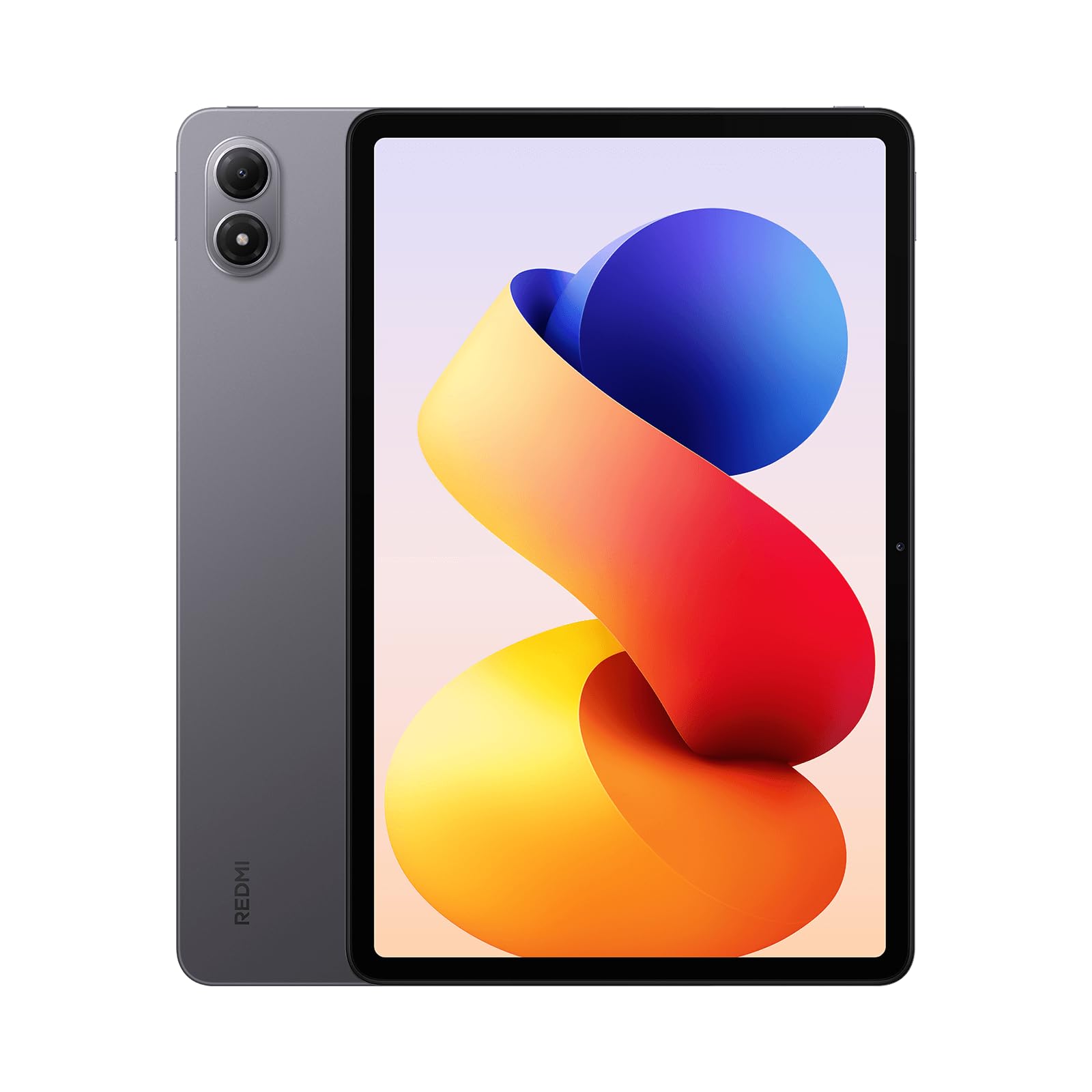
Figure 1: Front view of the XIAOMI Redmi Pad 2 Pro, highlighting its 12.1-inch display.

Figure 2: Rear view of the Redmi Pad 2 Pro, showcasing the dual camera module.

Figure 3: Side view of the Redmi Pad 2 Pro, illustrating its slim design and button placement.
Key Features:
- Display: 12.1-inch 2.5K crystal-clear display (2560 x 1600 pixels, 249 ppi) with up to 120Hz adaptive refresh rate. Features TÜV Rheinland Low Blue Light, Flicker Free, and Circadian Friendly certifications for eye comfort. Supports Dolby Vision and Reading mode.
- Processor: Powered by the Snapdragon® 7s Gen 4 Mobile Platform (4nm manufacturing process, Octa Core up to 2.7 GHz) for smooth performance.
- Memory & Storage: Available with 6GB or 8GB RAM and 128GB or 256GB internal storage. Supports Micro SD cards up to 2TB for expandable storage.
- Cameras: 8MP rear camera (1080P video at 30fps) and 8MP front camera (1080P video at 30fps).
- Audio: Quad speakers with Dolby Atmos® support, offering immersive stereo sound and up to 300% volume boost. Includes a 3.5mm headphone jack.
- Battery: Massive 12000mAh (typ) battery with support for up to 27W wired reverse charging.
- Connectivity: Wi-Fi 6 and Bluetooth 5.4.
- Operating System: Android 15 with Xiaomi HyperOS.
Setup
- Power On: Press and hold the power button located on the side of the tablet until the XIAOMI logo appears.
- Initial Setup: Follow the on-screen prompts to select your language, region, and connect to a Wi-Fi network.
- Google Account: Sign in with your Google account or create a new one to access the Google Play Store and other Google services.
- Security Setup: Set up your preferred screen lock method, which may include Face Unlock, Pattern, PIN, or Password.
- Data Transfer (Optional): If you are upgrading from another device, you may be prompted to transfer your data. Follow the instructions to complete this process.
- Complete Setup: Once all steps are completed, your Redmi Pad 2 Pro is ready for use.
Operating Instructions
Display Settings
- Brightness: Adjust screen brightness manually or enable 'Automatic brightness' for adaptive illumination. 'Sunlight mode' can be activated to prevent the screen from appearing too dark in bright outdoor conditions.
- Refresh Rate: Navigate to Display & Brightness settings to choose between 60Hz, 90Hz, or 120Hz refresh rates. A higher refresh rate provides smoother visuals but consumes more power. The 'Default' setting dynamically adjusts the refresh rate based on content.
- Reading Mode: Activate Reading mode to adjust colors and textures on your screen, reducing eye strain during prolonged reading.
Audio
- The quad speaker setup, enhanced with Dolby Atmos®, delivers a rich audio experience. Adjust volume using the physical buttons on the device or through the software controls.
- A 3.5mm headphone jack is available for private listening.
Cameras
- The tablet features an 8MP rear camera and an 8MP front camera.
- Access the Camera app to capture photos, videos (up to 1080P at 30fps), portraits, and documents.
Connectivity
- Wi-Fi: Connect to available Wi-Fi 6 networks for high-speed internet access.
- Bluetooth: Pair Bluetooth-enabled devices such as headphones, speakers, or controllers using Bluetooth 5.4.
Software Features
- Xiaomi HyperOS: Experience the optimized user interface of Xiaomi HyperOS, built on Android 15.
- Multitasking: Utilize split-screen mode or floating windows for enhanced productivity, allowing you to run multiple applications simultaneously.
- AI Features: The device integrates AI capabilities, including Gemini as the assistant and features like Circle to Search for quick information retrieval.
- Widevine L1: Supports Widevine L1 for high-definition streaming content on platforms like Netflix.
Battery Management
- The 12000mAh battery provides extended usage time.
- Supports 27W wired reverse charging, allowing you to charge other compatible devices using your tablet.
Specifications
| Feature | Description |
|---|---|
| Brand | XIAOMI |
| Model Name | Redmi Pad 2 Pro |
| Item Model Number | 25099RP13G |
| Operating System | Android 15 (with Xiaomi HyperOS) |
| Screen Size | 12.1 Inches |
| Screen Resolution | 2560 x 1600 Pixels (2.5K) |
| Refresh Rate | Up to 120Hz Adaptive |
| Processor | Snapdragon® 7s Gen 4 Mobile Platform (2.7 GHz Octa Core) |
| Graphics Coprocessor | Adreno 810 |
| RAM | 6GB / 8GB (variant dependent) |
| Storage | 128GB / 256GB (variant dependent) |
| Expandable Storage | Micro SD Card up to 2TB |
| Rear Camera | 8MP |
| Front Camera | 8MP |
| Battery | 12000mAh (typ) |
| Charging | 33W Fast Charging, 27W Wired Reverse Charging |
| Wireless Type | 802.11ax (Wi-Fi 6) |
| Bluetooth | Bluetooth 5.4 |
| Dimensions (LxWxH) | 12.01 x 0.3 x 7.15 inches |
| Item Weight | 1.12 pounds |
| Color | Graphite Gray (variant dependent) |
Maintenance
- Cleaning: Use a soft, lint-free cloth to clean the screen and body of the tablet. Avoid abrasive materials or harsh chemicals.
- Software Updates: Regularly check for and install system updates to ensure your device has the latest features, security patches, and performance improvements. Navigate to Settings > About tablet > System updates.
- Storage Management: Periodically review and delete unnecessary files, apps, and media to free up storage space and maintain optimal performance.
- Battery Care: To prolong battery life, avoid exposing the tablet to extreme temperatures. It is recommended to keep the battery charge between 20% and 80% for daily use.
Troubleshooting
If you encounter issues with your Redmi Pad 2 Pro, try the following steps:
- Device Not Responding: Press and hold the power button for about 10-15 seconds to force a restart.
- Wi-Fi Connectivity Issues: Ensure Wi-Fi is enabled and you are within range of a known network. Try restarting your router and the tablet.
- App Crashing: Clear the cache and data for the problematic app (Settings > Apps > Manage apps > [App Name] > Clear data). If the issue persists, uninstall and reinstall the app.
- Slow Performance: Close unused apps, clear cache, and ensure sufficient storage space. Consider performing a factory reset as a last resort (Settings > About tablet > Factory reset - Note: This will erase all data).
- Screen Issues: If the screen is too dark or bright, adjust the brightness settings. If colors appear incorrect, check the 'Color scheme' settings under Display & Brightness.
Warranty and Support
Your XIAOMI Redmi Pad 2 Pro is covered by a manufacturer's warranty. For detailed warranty terms and conditions, please refer to the warranty card included in your product packaging or visit the official XIAOMI support website. For technical assistance, product registration, or service inquiries, please contact XIAOMI customer support through their official channels.


