
Gosvor PRX1S
Gosvor PRX1S Cordless Robotic Pool Cleaner User Manual
Model: PRX1S (X1S-V1-GS)
1. Introduction
The Gosvor PRX1S Cordless Robotic Pool Cleaner is designed to provide efficient and autonomous cleaning for your swimming pool. This device features an optimized suction system with a 180-micron filter, ensuring thorough removal of dirt and debris from the pool bottom. With 90 minutes of continuous operation and a quick 3-hour recharge time, it offers a convenient solution for maintaining a clean pool environment.
This manual provides essential information for the safe and effective use of your Gosvor PRX1S pool cleaner. Please read it thoroughly before operation and retain it for future reference.
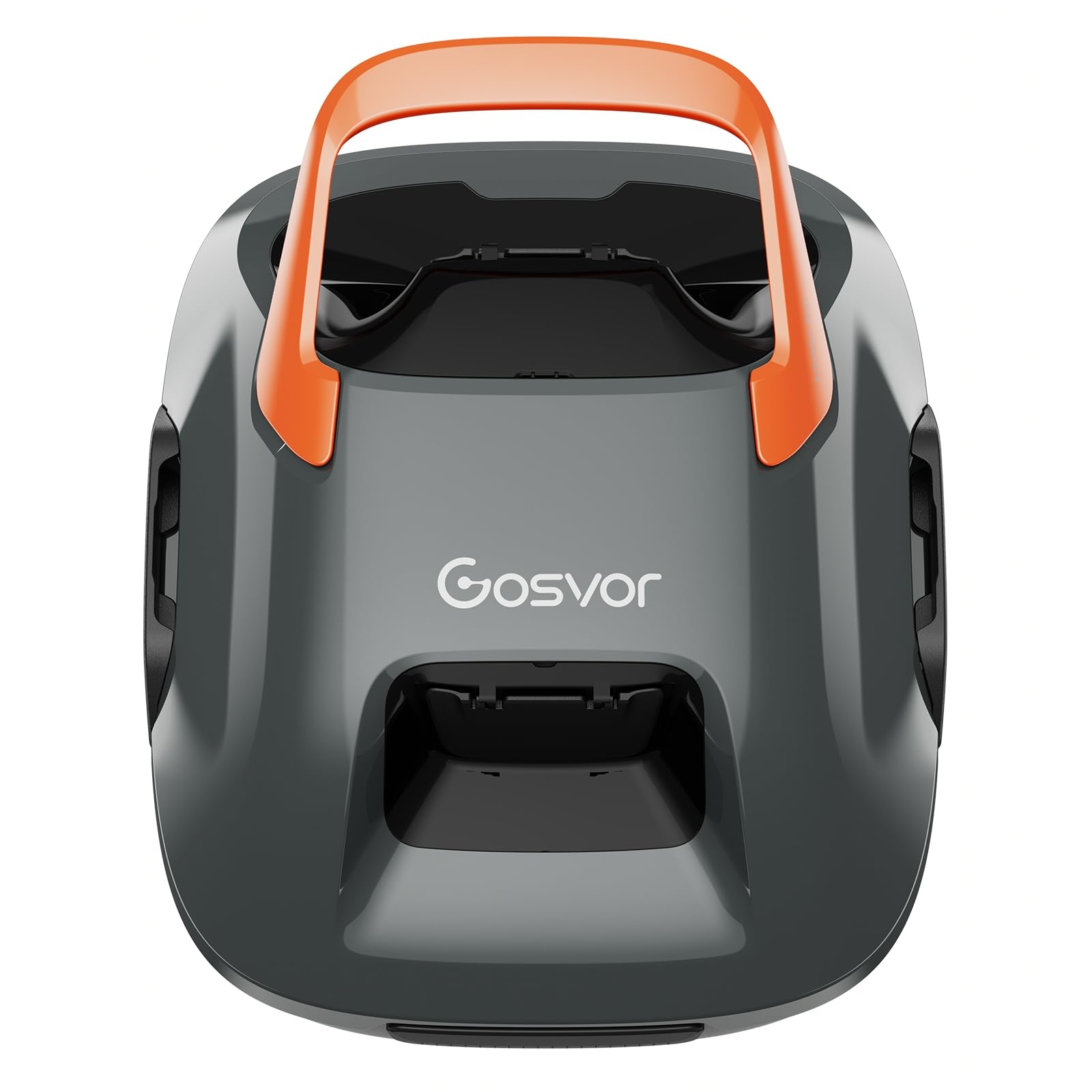
Image 1.1: The Gosvor PRX1S Cordless Robotic Pool Cleaner, a compact grey and orange device designed for autonomous pool cleaning.
2. Safety Instructions
WARNING: To reduce the risk of injury, do not permit children to use this product.
- Read all instructions carefully before operating the appliance.
- Ensure the charging port is dry before connecting the charger.
- Only use the charger supplied by the manufacturer.
- Do not operate the cleaner if the power cord or plug is damaged.
- Keep the cleaner away from heat sources and direct sunlight during charging.
- Do not use the cleaner to pick up large debris, sharp objects, or corrosive liquids.
- Always remove the cleaner from the pool before adding chemicals or performing maintenance.
- Store the cleaner in a cool, dry place when not in use.
- This cleaner is designed for pool bottom cleaning only and is not suitable for large leaves or surface algae.
3. Package Contents
Verify that all components are present in the package:
- 1x Gosvor PRX1S Robotic Pool Cleaner
- 1x Charger
- 1x User Manual
- 1x Recovery Hook
- 2x Brushes

Image 3.1: The Gosvor PRX1S cleaner along with its charger, recovery hook, and brushes, laid out on a pool deck.
4. Setup
4.1. Charging the Cleaner
- Ensure the cleaner is completely dry before charging.
- Connect the charger to the charging port on the cleaner.
- Plug the charger into a power outlet. The indicator light on the cleaner will show charging status.
- A full charge takes approximately 3 hours.

Image 4.1: The Gosvor PRX1S cleaner connected to its charger, indicating the fast charging capability.

Image 4.2: The black power adapter with a coiled cable and AC connector used for charging the device.
4.2. Preparing for First Use
Before placing the cleaner in the pool, ensure it is fully charged and the filter basket is clean and properly installed.
5. Operating Instructions
5.1. Placing the Cleaner in the Pool
- Hold the cleaner by its handle and slowly submerge it into the pool.
- Allow any trapped air to escape until the cleaner sinks to the bottom.

Image 5.1: A visual representation of the three simple steps to clean your pool using the robotic cleaner.
5.2. Starting the Cleaning Cycle
- Once submerged, press the power button on the cleaner to start the cleaning cycle.
- The cleaner will begin its autonomous navigation, covering the entire pool bottom.
- The cleaner operates for approximately 90 minutes on a full charge.

Image 5.2: A person pressing the start button on the pool cleaner, demonstrating easy one-button operation.

Image 5.3: An aerial view of a rectangular pool, illustrating the cleaner's coverage area of up to 80m² and its 90-minute battery duration.
5.3. Auto-Parking and Retrieval
The cleaner features an auto-parking function. When the battery is low or the cleaning cycle is complete, it will automatically move to the edge of the pool for easy retrieval. Use the provided recovery hook to safely lift the cleaner out of the water.

Image 5.4: The recovery hook accessory for the Gosvor PRX1S Robotic Pool Cleaner.
6. Maintenance
6.1. Cleaning the Filter Basket
- After each cleaning cycle, remove the cleaner from the pool.
- Open the cleaner to access the filter basket.
- Remove the filter basket and empty any collected debris.
- Rinse the filter basket thoroughly with a hose to remove fine particles.
- Ensure the filter basket is clean before re-installing it.

Image 6.1: The circular filter design with a light grey color and white central opening, part of the cleaner's filtration system.

Image 6.2: A person cleaning the filter basket with a hose, showing the removal of debris.
6.2. Storing the Cleaner
When not in use for extended periods, ensure the cleaner is fully charged, cleaned, and stored in a cool, dry place away from direct sunlight.
7. Troubleshooting
| Problem | Possible Cause | Solution |
|---|---|---|
| Cleaner does not start | Low battery; Power button not pressed; Obstruction | Charge the cleaner fully; Press the power button firmly; Check for and remove any obstructions. |
| Poor cleaning performance | Full filter basket; Worn brushes; Large debris | Clean the filter basket; Replace brushes if worn; Manually remove large debris before operating. |
| Cleaner stops mid-cycle | Low battery; Overload protection activated | Recharge the cleaner; Check for obstructions or excessive load. |
| Cleaner does not auto-park | Sensor obstruction; Malfunction | Ensure sensors are clean; Contact customer support if issue persists. |
8. Specifications
| Feature | Detail |
|---|---|
| Brand | Gosvor |
| Model Name | X1S-V1-GS |
| Product Model Number | PRX1S |
| Color | Grey-Orange |
| Power Source | Battery |
| Special Features | Cordless, 90 Min Autonomy |
| Battery Type | 1 Non-standard battery (included) |
| Battery Weight | 190 Grams |
| Lithium Battery Energy Content | 28.08 Watt-hours |
| Charging Time | 3 Hours |
| Package Dimensions | 41 x 33.2 x 19.7 cm |
| Package Weight | 4.84 kg |
9. Warranty and Support
The Gosvor PRX1S Cordless Robotic Pool Cleaner is backed by a 3-year extended warranty. For any questions, technical assistance, or warranty claims, please contact Gosvor customer support. Our dedicated support team is available 24/7 to assist you.
Please refer to the contact information provided on the product packaging or the official Gosvor website for the most up-to-date support details.
Related documentsPRX1S


Ask a question about this manual
Ask about setup, troubleshooting, compatibility, parts, safety, or missing instructions. Manuals+ will review the question and use this page’s manual context to help answer it.