
1. Setup
What's in the Box
- Chessnut Move Electronic Chessboard
- Plastic Chess Pieces (34 pieces including 2 extra queens)
- Type-C Charging Cable
- User Manual
Initial Setup
- Unpack the Chessboard: Carefully remove the Chessnut Move chessboard and all components from the packaging.
- Place the Chessboard: Position the chessboard on a flat, stable surface.
- Charge the Device: Connect the provided Type-C charging cable to the chessboard and a power source. Ensure the device is fully charged before first use. The board has a Lithium Polymer battery included.
- Place Chess Pieces: Arrange the plastic chess pieces in their standard starting positions on the board. Ensure each piece is centered within its square for optimal recognition.
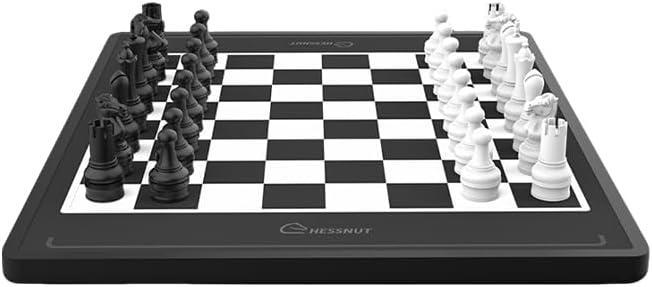
The Chessnut Move Robotic Chessboard with its plastic chess pieces.
A detailed view of the plastic chess pieces included with the Chessnut Move.
2. Operating the Chessnut Move
The Chessnut Move offers an interactive chess experience with automated piece movement, advanced recognition, and AI integration. Below are its core functionalities:
Advanced Piece Recognition
The chessboard features precise millimeter-level recognition of each chess piece and its position on the board. This ensures error-free gameplay and accurate piece placement, enhancing the overall chess experience.

Illustration of the Chessnut Move's advanced piece recognition system, showing precise positional accuracy.
Automated Chess Piece Movement
The Chessnut Move can effortlessly move multiple chess pieces simultaneously. This feature is useful for fast game resets, customizable setups for training, practice, or studying specific positions, and generally speeds up gameplay.
Voice Control
Control the chessboard hands-free using simple voice commands. This allows for easy adjustment of settings or moving pieces, enhancing your interactive chess experience and providing greater convenience during gameplay.
Seamless Online Play
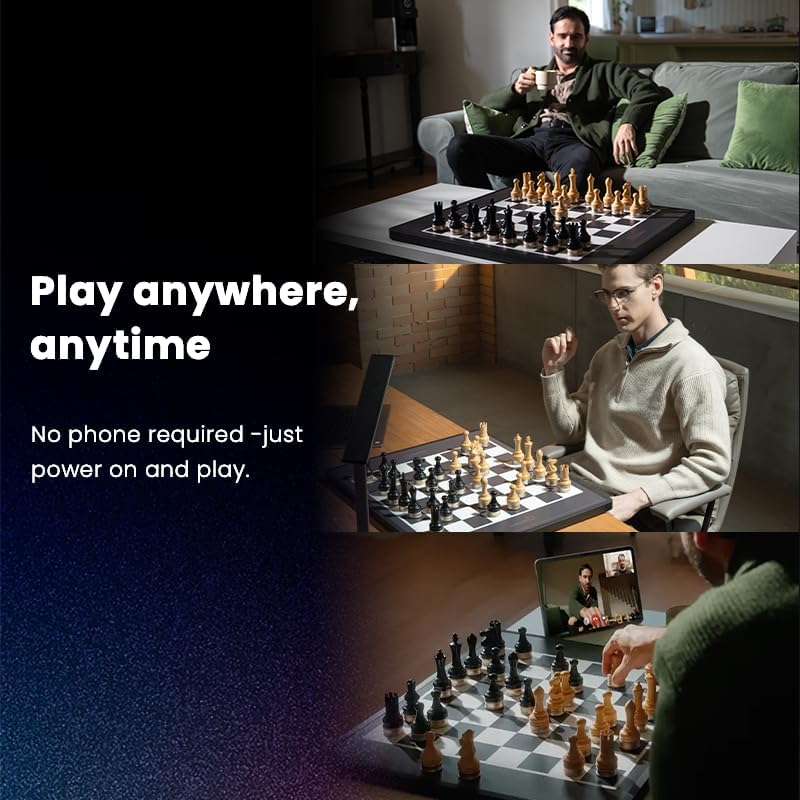
Connect the Chessnut Move to the ChessnutApp to link with Chess.com, Lichess, and other major platforms. This enables smooth, automatic gameplay against online opponents, creating a seamless chess-playing experience.

The Chessnut Move connects to popular online chess platforms for integrated gameplay.
Built-in Chess Engines
Play against powerful AI-driven chess engines like Stockfish. This allows for solo play without needing external software or devices and provides advanced chess engine analysis for deeper game insights.
Real-time Video Integration
Import endgame positions or replicate moves from chess videos directly onto the board. This feature brings a live tournament-like experience and allows you to practice specific game scenarios and strategies with ease.
Low Latency & Fast Movement
With a 10Hz refresh rate and a 0.1-second response time, the Chessnut Move delivers lightning-fast, seamless gameplay. This is ideal for fast-paced chess games such as blitz chess, ensuring smooth and uninterrupted action.

The Chessnut Move features 10Hz positioning and 0.1s response time for rapid gameplay.
Video Tutorial: Chessnut System Overview
This video provides a comprehensive tutorial on using the Chessnut system, including playing against AI bots, online matches, feature introductions, chessboard editing, and system settings. While titled for the Chessnut EVO, many functionalities are applicable to the Chessnut Move.
3. Maintenance
Battery and Charging
- The Chessnut Move board is powered by a Lithium Polymer battery, offering up to 8 hours of use depending on movement frequency.
- Charge the board using the provided Type-C cable.
- The chess pieces are charged via a dedicated charging pad.
Cleaning Instructions
- Gently wipe the chessboard surface and chess pieces with a soft, dry, lint-free cloth.
- Avoid using abrasive cleaners, solvents, or excessive moisture, as these can damage the device.
Storage
Store the Chessnut Move chessboard and its pieces in a dry, cool place away from direct sunlight and extreme temperatures to ensure longevity.
4. Troubleshooting
Piece Recognition Issues
- Incorrect Placement: Ensure each chess piece is centered within its square. Millimeter-level precision is required for accurate recognition.
- Wrong Piece Set: Verify that you are using the plastic chess pieces provided with the Chessnut Move. The board is calibrated for these specific pieces.
- Obstructions: Check for any debris, dust, or foreign objects on the board surface that might interfere with the sensors.
Connectivity Problems
- Bluetooth Not Connecting: Ensure Bluetooth is enabled on your smartphone or tablet and that the Chessnut Move is in pairing mode. Restart both devices if necessary.
- App Issues: Make sure the ChessnutApp is updated to the latest version. Clear the app's cache or reinstall if persistent issues occur.
Automated Movement Issues
- Obstructions: Ensure there are no physical barriers preventing the internal robotic mechanism from moving pieces freely.
- Low Battery: Check the battery level of the board and pieces. Low power can affect automated movement performance.
Latency/Response Time
While the Chessnut Move is designed for low latency, external factors can affect performance:
- Internet Connection: For online play, ensure you have a stable and strong internet connection.
- Device Performance: The performance of your connected smartphone or tablet can impact response times.
5. Specifications
| Feature | Detail |
|---|---|
| Model Number | CM100-P |
| Manufacturer | Chessnut |
| Dimensions (L*D*H) | 632 x 520 x 22 mm |
| Board Weight | 4.9 kg |
| Piece Material | Plastic |
| King Height | 100 mm |
| Batteries | 1 Lithium Polymer (included) |
| Battery Life (Board) | Up to 8 hours (fluctuates based on continuous movement) |
| Battery Life (Pieces) | Up to 8 hours (fluctuates based on continuous movement) |
| Charging Method (Board) | Type-C |
| Charging Method (Pieces) | Charging Pad |
| Processor | Quad-Core Cortex-A53 |
| Connectivity | Wifi 5, Bluetooth 5.0 |
| Refresh Rate | 10Hz |
| Response Time | 0.1 seconds |
| Microphone | Built-in Omnidirectional |
| Speaker | Mono (5W) |
| Automated Piece Movement | Yes |
| Advanced Piece Recognition | Yes |
| Voice Command | Yes |
| One-click Reset Positions | Yes |
6. Warranty and Support
Manufacturer's Warranty
The Chessnut Move Robotic Chessboard is covered by a standard manufacturer's warranty. For detailed information regarding warranty terms, coverage, and duration, please refer to the official Chessnut website or the warranty card included with your product.
Customer Support
For technical assistance, troubleshooting guidance, or any product-related inquiries, please contact Chessnut customer support. You can typically find support resources, FAQs, and contact information on the official Chessnut website.


