
Bettdow IDW26
Bettdow Smartwatch GPS FB041 User Manual
Model: IDW26
Introduction
This manual provides detailed instructions for the setup, operation, and maintenance of your Bettdow Smartwatch GPS FB041. Please read this manual thoroughly before using your device to ensure proper functionality and to maximize your user experience.
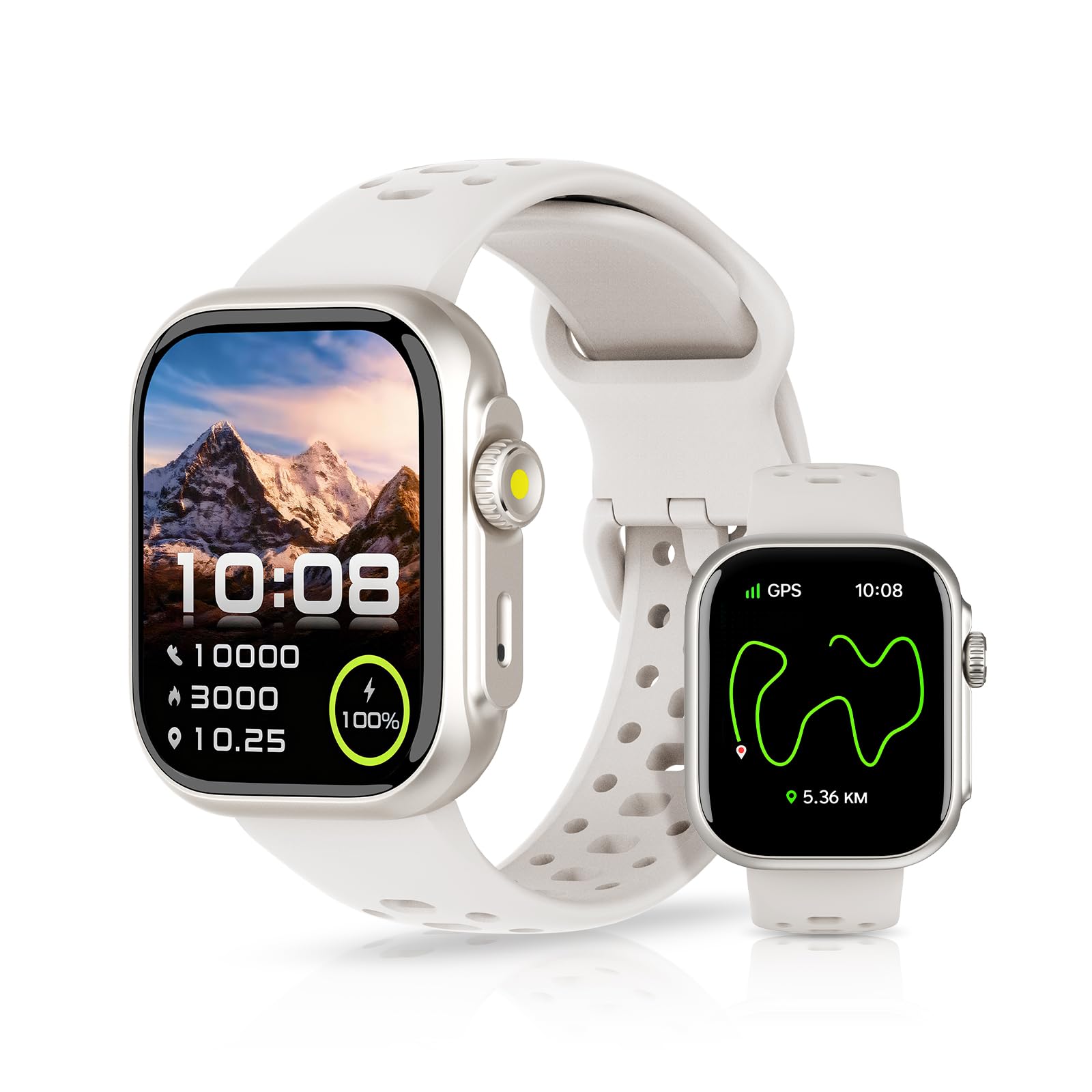
Image: Bettdow Smartwatch GPS FB041 in silver, showcasing its water-resistant design.
1. Setup
1.1 What's in the Box
Verify that all components are present in the package:
- Bettdow Smartwatch FB041
- Watch Strap
- Charging Cable
- User Guide

Image: Contents of the Bettdow Smartwatch package.
1.2 Initial Charging
Before first use, fully charge your smartwatch. Connect the charging cable to the watch's charging port and a USB power source. A full charge typically takes approximately 1.5 hours.

Image: Smartwatch displaying battery status and charging times.
1.3 Pairing with Your Smartphone
To unlock all features, pair your smartwatch with the "Fitbeing" application on your smartphone.
- Enable Bluetooth on your smartphone.
- Scan the QR code provided in the manual or search for "Fitbeing" in your phone's app store (Google Play Store for Android, Apple App Store for iOS).
- Download and install the "Fitbeing" application.
- Open the app and follow the on-screen instructions to search for your watch (FB041).
- Click to agree to the pairing request on your phone.
- Allow message notifications when prompted.
- Confirm that your FB041 is connected in the app.
- Once connected, you can make and receive calls via Bluetooth.
For direct access to the Fitbeing app, visit: Fitbeing App

Image: Visual guide for connecting the smartwatch to the Fitbeing app.
2. Operating Your Smartwatch
2.1 Basic Navigation
The smartwatch features a 1.85-inch TFT-LCD touchscreen with 240*280 resolution for clear visuals and smooth interaction. Swipe across the screen to navigate menus and tap to select options. Use the physical buttons for quick access to functions or to return to the home screen.
2.2 Alexa Voice Assistant
Your smartwatch includes an integrated Alexa voice assistant. Once connected to your smartphone, you can use voice commands for various tasks:
- Check weather forecasts.
- Set timers and alarms.
- Create reminders.
Simply activate Alexa on your watch and speak your command.

Image: Using the Alexa voice assistant on the smartwatch.
2.3 Bluetooth Calling and Notifications
After successful Bluetooth pairing, your smartwatch allows you to make and receive calls directly from your wrist. It features a built-in microphone and high-performance speaker for clear call quality. You can also view your call history.
Receive real-time message notifications from various applications such as SMS, Facebook, WhatsApp, Instagram, TikTok, Twitter, and Snapchat. Note: It is not possible to reply to messages directly from the smartwatch.

Image: Bluetooth calling feature on the smartwatch.
Image: Real-time message notifications on the smartwatch.
2.4 Sport Modes and GPS Tracking
The smartwatch offers over 100 sport modes, including running, cycling, badminton, and fitness. You can set exercise goals and record data without needing your phone. The integrated GPS provides precise positioning, recording your outdoor walking and running routes, distance, speed, and other metrics.
The "Fitbeing" app's KRIKI AI module analyzes your sleep and sport data, providing insights and improvement suggestions. It also offers Bluetooth connectivity with Strava.

Image: Smartwatch tracking sport activities and displaying metrics.

Image: GPS tracking functionality for outdoor activities.
2.5 Customizable Watch Faces
Choose from over 200 watch faces or create your own personalized design using your favorite photos. This allows you to customize the watch's appearance to match your style or mood.

Image: Examples of customizable watch faces.
3. Maintenance
3.1 Water Resistance
The Bettdow Smartwatch has a 3ATM water resistance rating, meaning it can withstand pressures equivalent to a depth of 30 meters. This allows for swimming in the sea or pool. However, it is not suitable for diving or high-pressure water activities.
- Avoid exposing the watch to hot water, steam, or strong detergents.
- Do not press buttons underwater.
- Ensure the watch is dry before charging.

Image: Smartwatch being used during swimming, highlighting its water resistance.
3.2 Cleaning and Care
To maintain your smartwatch, regularly clean the screen and strap with a soft, dry cloth. If necessary, use a slightly damp cloth for the strap, then dry thoroughly. Avoid using abrasive cleaners or solvents.
3.3 Battery Care
The smartwatch is designed for long battery life, offering up to 48 hours of continuous use, 7 days of daily use, and over 30 days in standby mode on a single charge. To prolong battery lifespan:
- Avoid extreme temperatures.
- Do not leave the battery fully discharged for extended periods.
- Charge the device using the provided cable.
4. Troubleshooting
If you encounter issues with your Bettdow Smartwatch, refer to the following common solutions:
- Device not turning on: Ensure the watch is fully charged. Connect it to the charger for at least 30 minutes.
- Cannot pair with phone:
- Ensure Bluetooth is enabled on your phone and the watch is within range.
- Restart both your phone and the smartwatch.
- Clear the Bluetooth cache on your phone and try pairing again.
- Ensure the "Fitbeing" app has all necessary permissions.
- Inaccurate activity tracking:
- Ensure the watch is worn snugly on your wrist.
- Calibrate GPS if outdoor tracking is inconsistent.
- Notifications not received:
- Check app permissions for notifications on your phone.
- Ensure the "Fitbeing" app is running in the background.
- Verify that notifications are enabled in the smartwatch settings.
- Alexa not responding:
- Ensure the watch is connected to your phone and has an active internet connection.
- Check Alexa settings within the "Fitbeing" app.
If problems persist, contact customer support for further assistance.
5. Specifications
| Feature | Detail |
|---|---|
| Brand | Bettdow |
| Model Name | IDW26 |
| Special Features | GPS, E-mail (notifications), Alexa Voice Assistant, Bluetooth Calling, 100+ Sport Modes |
| Connectivity Technology | Bluetooth |
| Screen Size | 1.85 Inches (TFT-LCD, 240*280 resolution) |
| Water Resistance Level | 3ATM (Waterproof) |
| Water Resistance Depth | 30 Meters |
| Target Audience | Unisex Adults |
| Included Components | Watch Strap |
| Country of Origin | China |
6. Warranty and Support
6.1 Warranty Information
This Bettdow Smartwatch comes with a 3-month warranty from the date of purchase, covering manufacturing defects. Please retain your proof of purchase for warranty claims. The warranty does not cover damage caused by misuse, accidents, unauthorized repairs, or normal wear and tear.
6.2 Customer Support
For any questions, technical assistance, or warranty claims, please contact Bettdow customer support through the retailer where you purchased the product or visit the official Bettdow website for contact information.
Ask a question about this manual
Ask about setup, troubleshooting, compatibility, parts, safety, or missing instructions. Manuals+ will review the question and use this page’s manual context to help answer it.