Introduction
The Pawfly 2.75 Gallon Aquarium Starter Kit (Model: CW4006-TP) provides a comprehensive solution for establishing a small aquatic environment. This kit is suitable for bettas, shrimp, or other small fish, and includes all necessary components to begin your aquatic hobby. Please read this manual thoroughly before setup and operation to ensure proper use and the well-being of your aquatic life.
Components Included
Your Pawfly 2.75 Gallon Aquarium Starter Kit includes the following items:
- 2.75-Gallon AS Plastic Fish Tank: An ultra-clear, shatterproof, and corrosion-resistant tank.
- 6W LED Aquarium Light: Features full-spectrum lighting with day/night modes and a customizable timer.
- 65 GPH Hang-on-Back Filter: Provides 2-stage mechanical and biological filtration.
- Manual Siphon Vacuum Water Changer: For easy water changes and substrate cleaning.
- Removable Partial Lid: Allows for easy feeding and access.
- Hydroponic Basket: Integrated for planting aquatic or semi-aquatic plants.

Image: All components of the Pawfly 2.75 Gallon Aquarium Starter Kit, including the tank, LED light, filter, hydroponic basket, and manual water changer.
Setup Instructions
- Unpack and Inspect: Carefully remove all components from the packaging. Inspect for any damage.
- Placement: Choose a stable, level surface away from direct sunlight, heat sources, and drafts. Ensure the surface can support the weight of the filled aquarium (approximately 25 lbs when full).
- Tank Preparation: Rinse the tank and all accessories with clean water. Do not use soap or detergents.
- Filter Installation:
- Remove the bio sponge from the filter before filling the tank.
- Attach the filter to the back of the aquarium, ensuring the intake tube extends into the tank.
- Add water to the tank until it reaches the filter's outlet level.
- Plug in the filter and wait for water to flow smoothly.
- Once water is flowing, reinsert the bio sponge into the filter.

Image: Step-by-step guide for installing the hang-on-back filter, including removing the sponge, adding water, plugging in, and reinserting the sponge.
- Add Substrate and Decor (Optional): Rinse any gravel, sand, or decorations thoroughly before placing them in the tank.
- Fill with Water: Fill the tank with dechlorinated water. Use a water conditioner to remove chlorine and chloramines.
- LED Light Attachment: Secure the LED light to the tank rim. Position it to provide optimal illumination.
- Hydroponic Basket: Place the hydroponic basket in its designated slot. You can add suitable plants (not included) to this basket.
- Aquarium Cycling: Before adding fish, it is crucial to cycle your aquarium to establish beneficial bacteria. This process can take several weeks. Research "aquarium nitrogen cycle" for detailed instructions.
Operating Instructions
LED Aquarium Light
The 6W LED light offers versatile lighting options for your aquarium:
- Day Mode: Provides full-spectrum light to simulate natural daylight, promoting plant growth and enhancing fish colors.
- Night Mode: Emits a gentle blue light to simulate moonlight, ideal for viewing nocturnal activity and providing a calming environment.
- Adjustable Brightness: Cycle through 6 levels of brightness to suit your preferences and the needs of your aquatic inhabitants.
- Timer Function: Set the light to automatically turn on for 8, 10, or 12 hours daily. This ensures a consistent light cycle for your fish and plants.

Image: Visual representation of the LED light's day (full spectrum) and night (moonlight) modes.

Image: Illustration of the 8-hour, 10-hour, and 12-hour daily timer settings for the LED light.
Hang-on-Back Filter
The 65 GPH hang-on-back filter provides continuous water circulation and filtration. It features a 2-stage system:
- Mechanical Filtration: The bio sponge traps visible debris, uneaten food, and fish waste, keeping the water clear.
- Biological Filtration: The porous surface of the sponge provides an ideal environment for beneficial bacteria to colonize, which helps absorb and eliminate harmful substances like ammonia and nitrites.
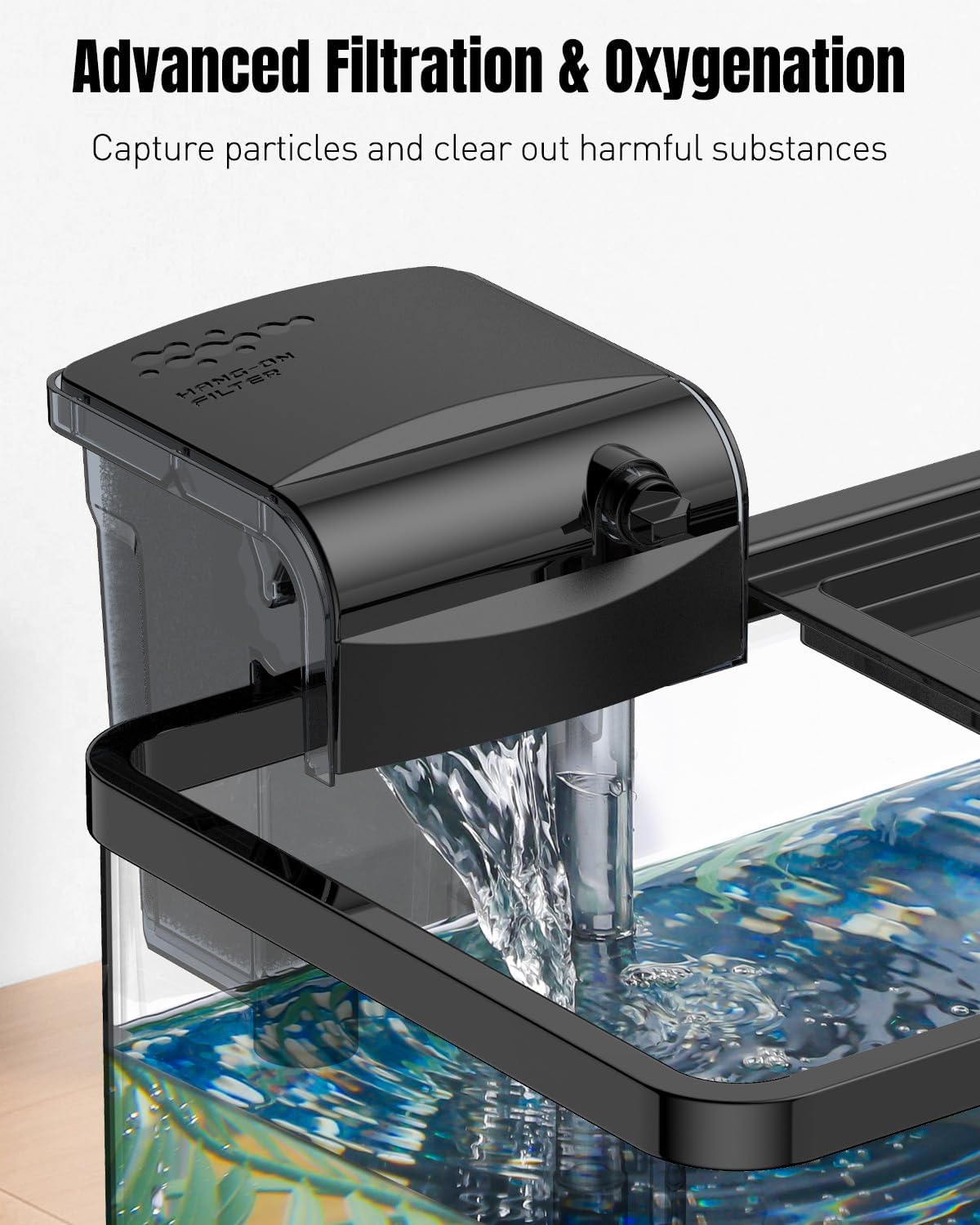
Image: The hang-on-back filter in operation, demonstrating water flow and oxygenation.
Maintenance
Water Changes
Regular water changes are essential for maintaining a healthy aquatic environment. Use the included manual siphon vacuum water changer:
- Place the bucket lower than the aquarium.
- Submerge the wide end of the siphon into the tank and the hose end into the bucket.
- Pump the siphon bulb to initiate water flow.
- Move the wide end through the substrate to vacuum debris.
- Remove 25-50% of the tank water weekly or bi-weekly, depending on your tank's inhabitants and bioload.
- Refill with dechlorinated water of the appropriate temperature.

Image: The manual siphon water changer being used to clean the aquarium substrate and remove water.
Filter Cleaning
Clean the filter's bio sponge every 2-4 weeks, or when you notice reduced flow. Rinse the sponge gently in old aquarium water (removed during a water change) to preserve beneficial bacteria. Do not rinse with tap water, as chlorine can kill these bacteria.
General Tank Cleaning
Wipe down the inside and outside of the tank as needed to remove algae or water spots. Use an aquarium-safe cleaner for the exterior if necessary.
Troubleshooting
- Filter is noisy or has reduced flow:
- Ensure the water level in the tank is sufficient for the filter to operate correctly.
- Check that the bio sponge is not blocking the pump outlet. Remove and reinsert it carefully.
- Clean the filter impeller if it appears clogged with debris.
- LED Light is flashing or unstable:
- Ensure you are using a 5V/2A power adapter for stable lighting. A 5V/1A adapter may cause flashing at higher brightness settings.

Image: Power adapter recommendations for the LED light, advising a 5V/2A adapter for stable operation.
Specifications
| Feature | Detail |
|---|---|
| Tank Volume | 2.75 Gallons |
| Product Dimensions (L x W x H) | 11.5" x 7" x 7.2" |
| Tank Material | AS Plastic |
| LED Light Power | 6W |
| Filter Flow Rate | 65 GPH (246 L/h) |
| Item Model Number | CW4006-TP |
| Manufacturer | Pawfly |

Image: The Pawfly 2.75 Gallon Fish Tank with its length, width, and height dimensions clearly indicated.
Warranty and Support
For detailed warranty information, product registration, or technical support, please refer to the official Pawfly website or contact Pawfly customer service directly. Keep your purchase receipt as proof of purchase.


