
1. Important Safety Instructions
Before operating the UMAY Umay Sf10 treadmill, please read all instructions carefully. Keep this manual for future reference.
- Always place the treadmill on a flat, stable surface.
- Ensure adequate clearance around the treadmill (at least 2 meters behind and 0.6 meters on each side).
- Keep children and pets away from the treadmill during operation.
- Use the safety key at all times. Attach the clip to your clothing before starting.
- Consult a physician before beginning any exercise program.
- Do not operate the treadmill if it has a damaged cord or plug, or if it is not working properly.
- Maximum user weight capacity is 180 kg (396 lbs).
2. Product Overview
The UMAY Umay Sf10 is a foldable treadmill designed for home use, featuring adjustable incline, a powerful motor, and a cushioned running surface.
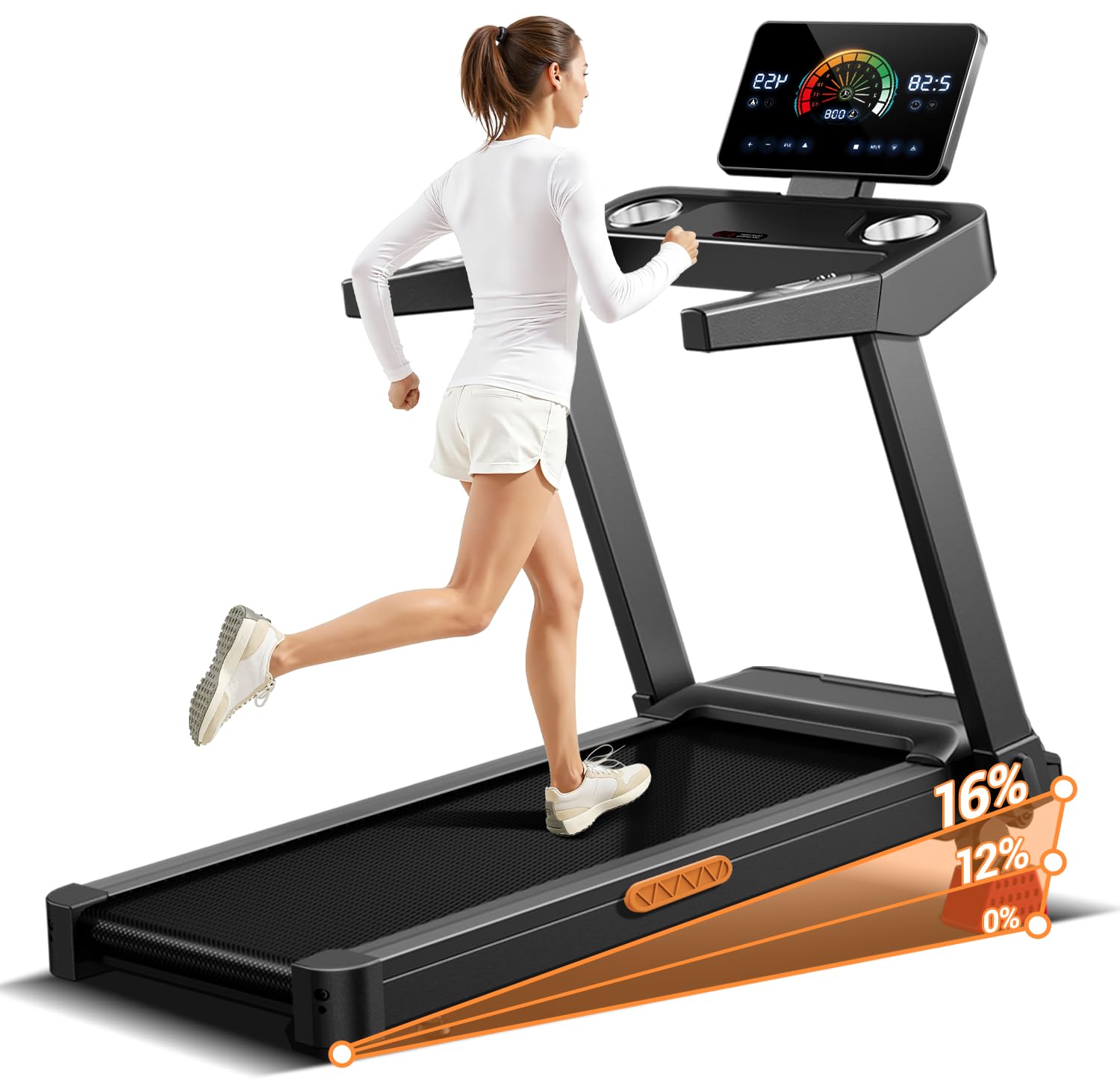
Image: The UMAY Umay Sf10 treadmill, showcasing its compact design and integrated display.
3. Setup and Assembly
The UMAY Umay Sf10 treadmill comes largely pre-assembled. Minor setup is required before first use.
3.1 Unpacking
- Carefully remove all packaging materials.
- Check for any damage during transit. Contact customer service if any issues are found.
- Ensure all included components are present: Safety Key, Tool Kit, User Manual.
3.2 Unfolding the Treadmill
The treadmill is designed for easy folding and unfolding to save space.
- Place the treadmill on a level surface.
- Gently lift the running deck until it locks into the upright position.
- Lower the running deck slowly until it rests flat on the floor.
- Adjust the display screen to your preferred viewing angle. The screen can be tilted by 90 degrees.

Image: The treadmill demonstrating its fully foldable design and screen tilt capability.
3.3 Power Connection
- Connect the power cord to a grounded electrical outlet.
- Ensure the power switch is in the 'ON' position.
4. Operating Instructions
Familiarize yourself with the control panel and features before starting your workout.
4.1 Control Panel Overview

Image: Detailed view of the control panel, showing the touch screen, cup holders, safety key slot, and control buttons.
- Touch Screen Display: Shows time, distance, calories burned, speed, and heart rate.
- START Button: Initiates the treadmill belt movement.
- STOP Button: Halts the treadmill belt movement.
- Speed + / - Buttons: Adjust the running speed.
- Heart Rate Monitor: Integrated sensors on the handlebars measure your pulse.
- Cup Holders: Conveniently located for beverages.
- Safety Key Slot: The treadmill will not operate without the safety key inserted.
4.2 Starting a Workout
- Stand on the side rails of the treadmill.
- Attach the safety key clip to your clothing and insert the safety key into its slot on the console.
- Press the START button. The belt will begin to move at a low speed.
- Carefully step onto the moving belt and begin walking.
- Use the Speed + / - buttons to adjust your desired speed.
4.3 Adjusting Incline
The treadmill features a 3-stage manual incline system, allowing for up to 15% slope to simulate varied terrain.

Image: The treadmill illustrating the 0%, 12%, and 16% manual incline settings.
- To adjust the incline, you must manually lift or lower the rear of the running deck to select one of the three available positions.
- Always adjust the incline while the treadmill is stopped and you are not on the belt.
4.4 Stopping a Workout
- Press the STOP button. The belt will gradually slow down and stop.
- Alternatively, pull the safety key from its slot for an emergency stop. The treadmill will immediately cease operation.
- Once the belt has stopped, step off the treadmill.
5. Maintenance
Regular maintenance ensures the longevity and optimal performance of your treadmill.
5.1 Cleaning
- Disconnect the power cord before cleaning.
- Wipe down the console and exterior surfaces with a damp cloth. Avoid using abrasive cleaners or solvents.
- Periodically vacuum underneath the treadmill to prevent dust buildup.
5.2 Running Belt Lubrication
The running belt requires periodic lubrication to reduce friction and extend its lifespan. Refer to the included tool kit for lubricant and specific instructions.
5.3 Running Belt Adjustment
If the running belt becomes off-center or slips, it may require adjustment. Use the provided tool kit and follow the specific instructions in the full user manual for proper alignment and tensioning.
6. Troubleshooting
If you encounter issues with your treadmill, refer to the following common solutions:
| Problem | Possible Cause | Solution |
|---|---|---|
| Treadmill does not power on | Power cord not plugged in; power switch off; safety key not inserted. | Check power connection; ensure power switch is ON; insert safety key. |
| Belt does not move | Safety key not inserted; STOP button pressed; motor issue. | Insert safety key; press START; if issue persists, contact support. |
| Unusual noise during operation | Loose components; belt friction; motor issue. | Inspect for loose parts; lubricate belt if needed; contact support if noise persists. |
| Belt slips or is off-center | Belt tension or alignment issue. | Adjust running belt according to maintenance instructions. |
For problems not listed here or if solutions do not resolve the issue, please contact UMAY customer support.
7. Specifications
Detailed technical specifications for the UMAY Umay Sf10 treadmill.
- Model: Umay Sf10
- Brand: UMAY
- Motor: 3.0 HP (Max Horsepower), Brushless, Low-noise (<45 dB)
- Speed Range: 1 - 12 km/h
- Incline: 3-stage Manual, up to 15%
- Running Belt Dimensions: 107 cm (Length) x 40 cm (Width)
- Cushioning System: Triple Cushioning (7-layer composite belt, 8 internal dampers, 2 external mats)
- Unfolded Dimensions (D x W x H): 115 x 59 x 100 cm
- Folded Dimensions: 115 x 59 x 12 cm
- Item Weight: 29.3 kg
- Maximum User Weight: 180 kg
- Material: Alloy Steel
- Power Source: Corded Electric
- Metrics Measured: Calories Burned, Distance, Heart Rate, Speed, Time
- Special Features: Compact Design, Heart Rate Monitor, Manual Incline, Shock Absorbent, Wheeled for portability

Image: Illustration of the treadmill's 3.5 HP brushless motor, low noise operation, and 180 kg weight capacity.

Image: Close-up of the wide running belt (107cm x 40cm) and the multi-layer shock-absorbing system.
8. Warranty and Support
UMAY provides comprehensive support for your treadmill.
8.1 Warranty Information
The UMAY Umay Sf10 treadmill comes with a 2-year warranty from the date of purchase.
8.2 Customer Service
For any questions, technical assistance, or warranty claims, please contact UMAY customer service. We offer 24 hours * 7 days customer service and 730 days return/replacement service.
Please refer to your purchase documentation for specific contact details.


