
1. Introduction
The NAVEE K100 Electric Scooter is designed for children aged 5-11, offering a safe, smart, and enjoyable riding experience. This manual provides essential information for the proper assembly, operation, maintenance, and safety of your scooter. Please read this manual thoroughly before use to ensure optimal performance and rider safety.

Image 1.1: Front-side view of the NAVEE K100 Electric Scooter.
2. Safety Information
Your safety is paramount. The NAVEE K100 Electric Scooter is ANSI/CAN/UL-2272 certified by TUV Rheinland, meeting top-tier safety standards. Always adhere to the following safety guidelines:
- Always wear a helmet and appropriate protective gear (knee pads, elbow pads) while riding.
- Ensure the scooter is fully assembled and all components are securely fastened before each ride.
- Ride in designated safe areas, away from traffic and pedestrians.
- Do not exceed the maximum weight limit of 110 lbs (50 kg).
- Maintain a safe speed and be aware of your surroundings.
- Avoid riding in wet conditions or on uneven surfaces. The scooter has IPX4 water resistance for the body and IPX7 for the battery pack, but it is not designed for submersion or heavy rain.
- Children should be supervised by an adult during operation.

Image 2.1: The NAVEE K100 Series is UL2272 certified, ensuring high safety standards.
3. Package Contents
Upon opening the package, please verify that all items are present and in good condition. If any items are missing or damaged, contact customer support immediately.
- NAVEE K100 Electric Scooter (Main Unit)
- Power Adapter/Charger
- User Manual (this document)
- Assembly Tools (if required)
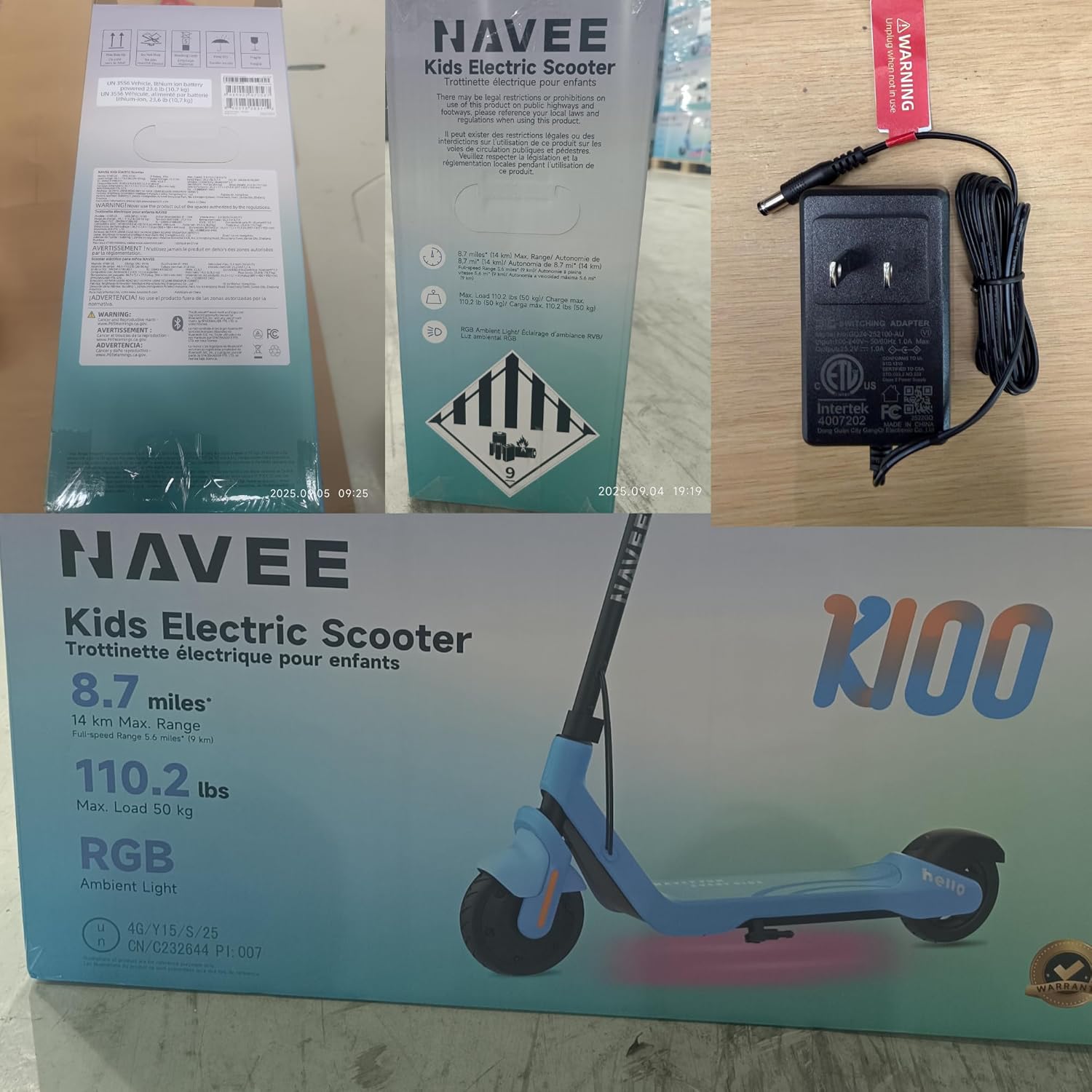
Image 3.1: Packaging and included power adapter for the NAVEE K100 Electric Scooter.
4. Setup and Assembly
The NAVEE K100 Electric Scooter requires minimal assembly. Follow these steps to prepare your scooter for its first ride:
- Unfold the Scooter: Carefully unfold the main body of the scooter until it locks into place. Ensure the folding mechanism is secure.
- Attach the Handlebar: Insert the handlebar stem into the main shaft. Align the holes and secure it with the provided screws and tools. Ensure the handlebar is firmly attached and does not wobble.
- Initial Charge: Before the first use, fully charge the scooter's battery. Connect the charger to the charging port on the scooter and then to a power outlet. The indicator light on the charger will change when charging is complete.

Image 4.1: Side view of the NAVEE K100 Electric Scooter, illustrating its compact design.
5. Operating Instructions
5.1 Power On/Off
Press and hold the power button on the LED display to turn the scooter on or off.
5.2 Riding Modes
The NAVEE K100 offers three speed modes to suit different skill levels and preferences:
- E Mode (Eco): Up to 7.5 mph (12 km/h) - Ideal for beginners and safe daily riding.
- D Mode (Drive): Up to 9.9 mph (16 km/h) - Suitable for experienced riders.
- S Mode (Sport): Up to 9.9 mph (16 km/h) - Provides a more responsive ride for experienced users.
Switch between modes by pressing the power button once while the scooter is on.

Image 5.1: Illustration of children riding the NAVEE K100 in various speed modes.
5.3 Braking
The scooter is equipped with a responsive rear drum brake. To brake, gently squeeze the brake lever on the handlebar. The lever is designed for smaller hands, allowing for easy and confident stopping.

Image 5.2: Close-up of the child-friendly brake lever on the NAVEE K100.
5.4 LED Display
The 4-inch interactive LED display shows important information such as battery level, current speed, and selected riding mode.
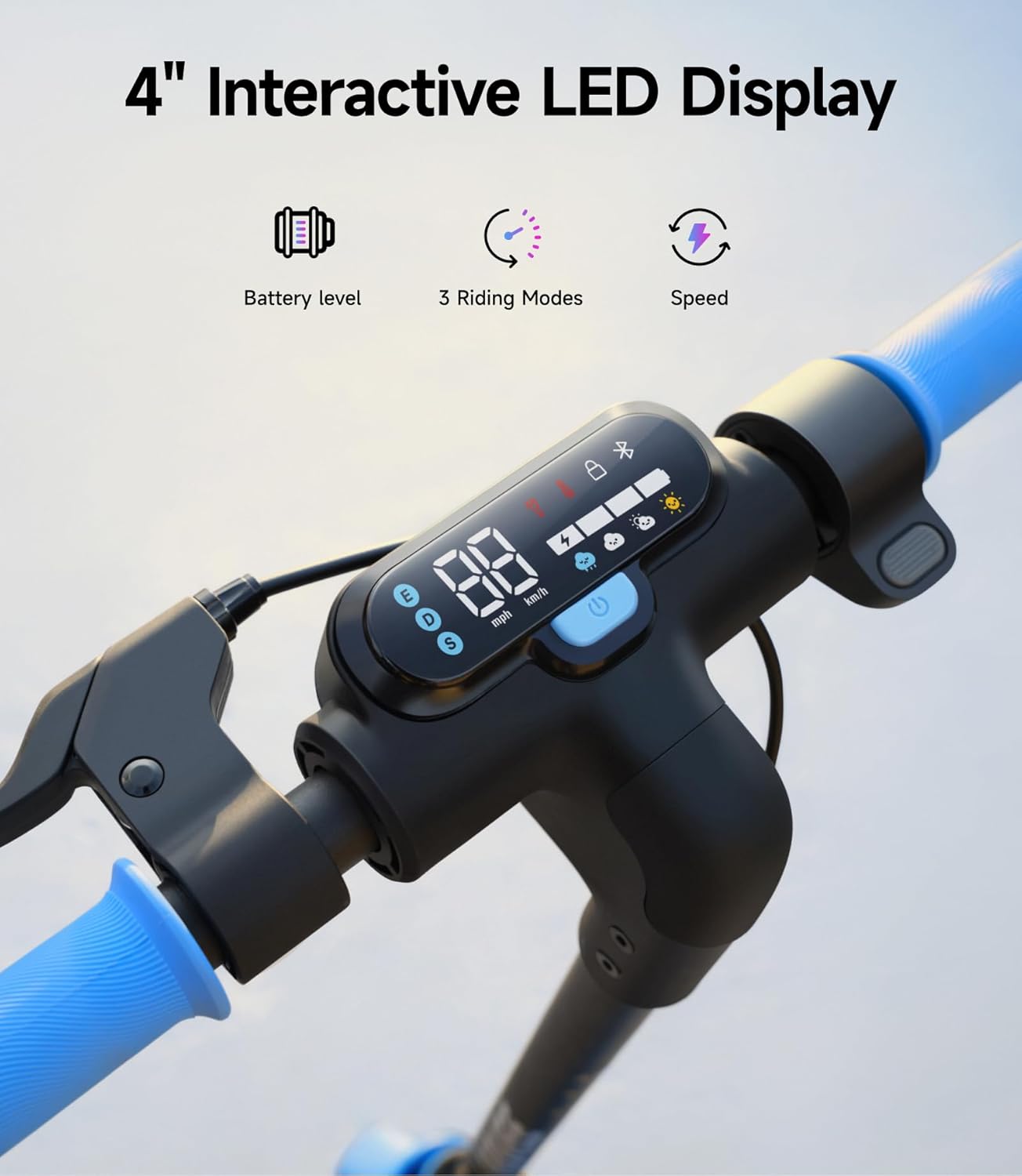
Image 5.3: The LED display showing battery level, riding mode, and speed.
5.5 RGB Ambient Lights
The scooter features RGB ambient lights that automatically change colors and patterns with movement, enhancing visibility and fun during rides, especially in low-light conditions.

Image 5.4: The RGB ambient lights in action, providing enhanced visibility and a dynamic look.
6. NAVEE App Features
Enhance your riding experience by connecting your NAVEE K100 to the official NAVEE App.
6.1 Digital Pet Companion
The NAVEE App includes a Digital Pet Companion that celebrates each ride, encouraging outdoor play and tracking progress. This feature adds an interactive element to riding.

Image 6.1: The Digital Pet Companion feature within the NAVEE App.
6.2 Speed Limit Setting
Parents can set and adjust the maximum speed of the scooter via the NAVEE App, tailoring it to the child's age and skill level for added safety and control.

Image 6.2: Adjusting the speed limit through the NAVEE App.
6.3 Apple Find My Integration (K100 Max only)
For the K100 Max model, Apple Find My integration allows users to track the scooter's location. This feature is not available on the standard K100 model.
7. Maintenance
Regular maintenance ensures the longevity and safe operation of your NAVEE K100 Electric Scooter.
- Cleaning: Wipe the scooter with a damp cloth after each use. Avoid using harsh chemicals or abrasive materials. Do not use high-pressure water jets.
- Tires: The scooter is equipped with 7-inch inner hollow tires, which are puncture-proof and maintenance-free. Regularly inspect them for wear and tear.
- Brakes: Periodically check the brake lever and cable for proper function and adjustment. Ensure the brake responds smoothly and effectively.
- Battery Care: Charge the battery fully before long periods of storage. If storing for more than 30 days, charge the battery to 50-70% every 30 days to prevent deep discharge.
- General Inspection: Regularly check all screws, bolts, and connections to ensure they are tight and secure.

Image 7.1: The NAVEE K100 features solid, maintenance-free tires and is designed with IPX4 (scooter body) and IPX7 (battery pack) water resistance.
8. Troubleshooting
If you encounter issues with your NAVEE K100, refer to the following common problems and solutions:
| Problem | Possible Cause | Solution |
|---|---|---|
| Scooter does not power on | Low battery; Loose connection | Charge the battery; Check all connections. |
| Reduced range or speed | Low tire pressure (not applicable for hollow tires); Overload; Battery degradation | Ensure rider weight is within limits; Contact support if battery performance significantly drops. |
| Brake not effective | Brake cable loose; Worn brake pads | Adjust brake cable tension; Contact support for brake pad replacement. |
| App connectivity issues | Bluetooth off; App outdated | Ensure Bluetooth is enabled on your device; Update the NAVEE App to the latest version. |
For issues not listed here or if solutions do not resolve the problem, please contact NAVEE customer support.
9. Specifications
| Feature | Detail |
|---|---|
| Brand | NAVEE |
| Model Name | K100 US |
| Age Range (Description) | Little Kid (Recommended Ages 5-10) |
| Special Features | Digital Display, Foldable, RGB Lights, Lightweight, Non-Slip Deck |
| Weight Limit | 110 Pounds (50 kg) |
| Product Dimensions (LxWxH) | 35.3" x 17.1" x 37.4" (89.7 cm x 43.5 cm x 95 cm) |
| Item Weight | 19 Pounds (8.6 kg) |
| Number of Wheels | 2 |
| Wheel Material | Rubber (7-inch Inner Hollow Tires) |
| Frame Material | Aluminum |
| Handlebar Type | Fixed |
| Handle Height | 37.6 Inches (95.5 cm) |
| Brake Style | Rear Drum Braking |
| Motor Power | 160W |
| Maximum Speed | 9.9 mph (16 km/h) |
| Maximum Distance Range | 8.7 Miles (14 km) |
| Charging Time | 3.5 Hours |
| Water Resistance | IPX4 (Scooter Body), IPX7 (Battery Pack) |
| Certifications | ANSI/CAN/UL-2272 |
10. Warranty and Support
10.1 Warranty Information
The NAVEE K100 Electric Scooter comes with a 2-Year Warranty from the date of purchase. This warranty covers manufacturing defects under normal use. Please retain your proof of purchase for warranty claims. The warranty does not cover damage caused by misuse, accidents, unauthorized modifications, or normal wear and tear.
10.2 Customer Support
For technical assistance, warranty claims, or any questions regarding your NAVEE K100 Electric Scooter, please contact NAVEE customer support. Refer to the product packaging or the official NAVEE website for the most current contact information.
11. Product Video
Watch the official product video for a visual guide on the NAVEE K100 Electric Scooter's features and operation.
Video 11.1: Official product video showcasing the NAVEE K100 MAX Electric Scooter features, including adjustable handlebar, smart voice assistant, Bluetooth speaker, speed limit via app, LED display, foldable design, RGB ambient lights, and Apple Find My integration. Note: Some features like adjustable handlebar and Apple Find My are specific to the K100 Max model.


