
Introduction
This manual provides comprehensive instructions for the setup, operation, and maintenance of your CallToU Wi-Fi Wireless Caregiver Pager system, Model TY01WH-06W. This system is designed to provide reliable emergency alerts for seniors, patients, and individuals with disabilities, ensuring timely assistance.
The system consists of a plug-in receiver and a wireless call button. It utilizes 433MHz wireless technology for local alerts and connects to your home Wi-Fi for mobile application notifications, offering global monitoring capabilities without monthly fees for app alerts.
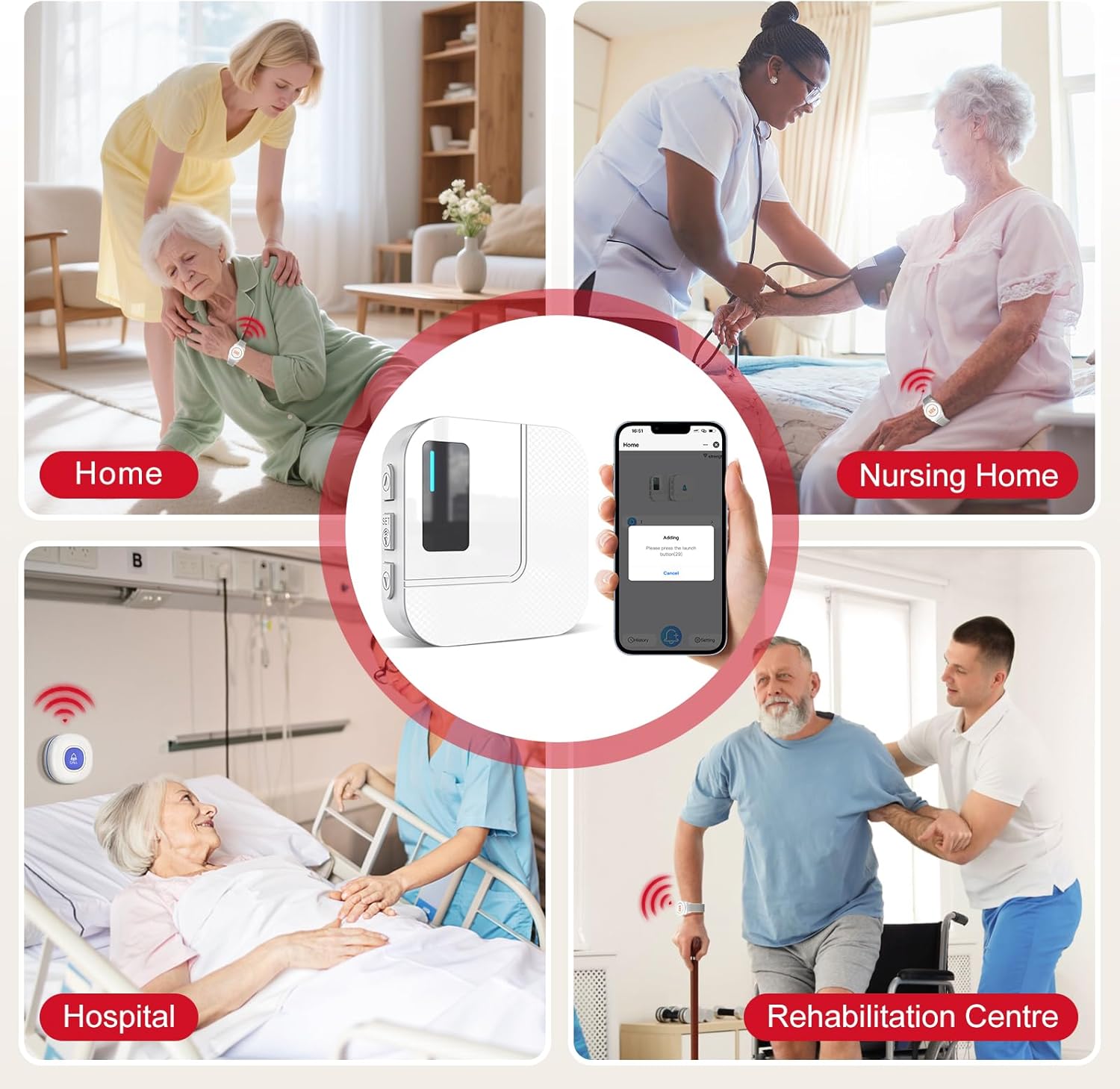
This image collage illustrates the versatility of the CallToU caregiver pager, suitable for use in diverse environments such as private homes, nursing homes, hospitals, and rehabilitation centers, providing assistance wherever needed.
Product Overview
The CallToU Wi-Fi Wireless Caregiver Pager system offers a robust solution for emergency communication. Key components include:
- Wireless Receiver: A plug-in unit that connects to your 2.4GHz Wi-Fi network and emits an audible alarm with flashing lights upon activation.
- Wireless Call Button: A wearable device, typically worn on the wrist, designed for easy activation in an emergency.
- Mobile Application: A smartphone application (Tuya Smart app recommended) that provides instant notifications globally when the call button is pressed.

This diagram highlights the system's remote monitoring feature. The receiver connects to a 2.4GHz Wi-Fi network, allowing the mobile app to receive alerts globally, provided the receiver remains connected to Wi-Fi.
Setup Instructions
- Receiver Placement and Power:
Plug the wireless receiver into a standard electrical outlet. For optimal performance and consistent mobile app notifications, place the receiver close to your 2.4GHz Wi-Fi router.

This diagram demonstrates the effective working range of the system, up to 100 meters (328 feet). It emphasizes placing the receiver close to the Wi-Fi router for optimal signal reception and consistent mobile app notifications.
- Wi-Fi Connection (2.4GHz Only):
Ensure your home Wi-Fi network is 2.4GHz. The receiver does not support 5G Wi-Fi. Follow the instructions provided with the receiver to connect it to your Wi-Fi network. This typically involves a pairing mode on the receiver and configuration through the mobile app.
- Mobile App Installation:
Download the recommended mobile application (e.g., Tuya Smart app) from your smartphone's app store. Create an account or log in if you already have one.
- Pairing Call Button with Receiver and App:
Follow the app's instructions to add the receiver as a new device. Once the receiver is connected to the app, you can pair the wireless call button(s) to the receiver through the app interface. This process ensures that pressing the call button triggers both the receiver's alarm and an app notification.
Operating Instructions
- Activating an Alert:
To request assistance, simply press the button on the wireless call button. The receiver will emit a loud alarm and flash its lights. Simultaneously, an instant notification will be sent to your smartphone via the mobile application.

This image illustrates the complete alert process. Step 1: A user presses the wireless call button. Step 2: The receiver, connected to Wi-Fi, activates an alarm. Step 3: The mobile application on a smartphone receives an instant notification.
- Receiving Notifications:
App notifications are free and provide immediate alerts to your smartphone. For additional notification methods, such as SMS or phone calls, a separate subscription service is available. Refer to the "Free & Subscription" section for details.
- Customizing Ringtones and Button Names:
Within the mobile application, you can customize the name of each paired call button (e.g., "Bedroom Call," "Bathroom Alert") and assign different ringtones to them. This helps in quickly identifying the location or individual requesting help.

This image displays the mobile app's customization features. Users can rename individual call buttons (e.g., Bathroom, Bedroom, Hall) and assign unique ringtones, allowing for quick identification of the alert's origin.
- Sharing Notifications:
The mobile application allows you to share the alert function with family members or other caregivers. When the panic button is pressed, all designated contacts will receive the alert message.
Maintenance
- Call Button Battery: The wireless call button is equipped with a low battery reminder feature. When the battery is low, the system will alert you. Replace the battery promptly to ensure continuous operation. Refer to the product packaging or app for specific battery type and replacement instructions.
- Cleaning: Clean the receiver and call button with a soft, dry cloth. Do not use abrasive cleaners or immerse the receiver in water.
- Water Resistance: The call button is rated IP66 waterproof, meaning it is protected against powerful water jets. It can withstand splashes and brief exposure to water, but it is not designed for prolonged submersion.
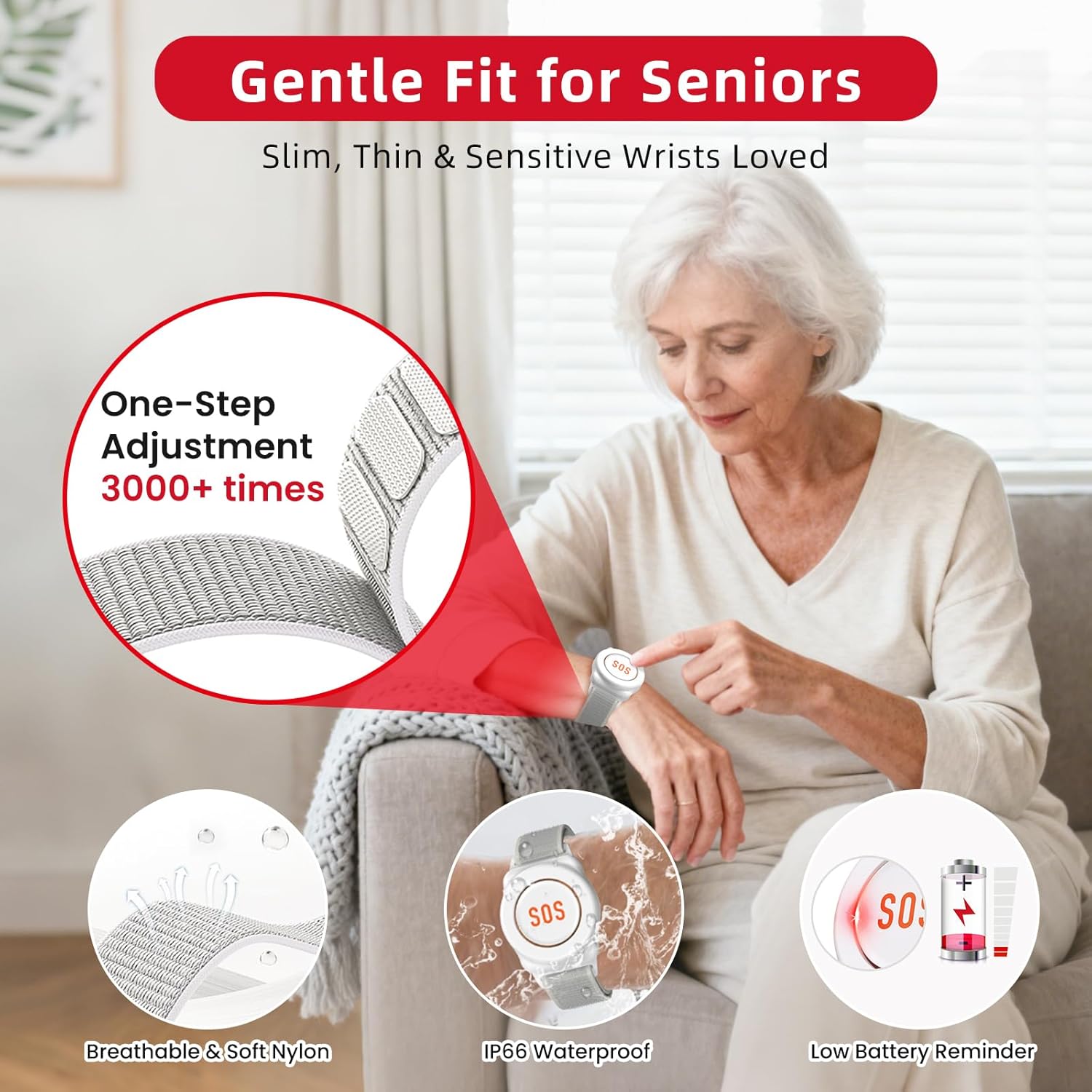
This image focuses on the design and durability of the call button. It features a comfortable, breathable nylon strap with one-step adjustment, is IP66 waterproof for daily use, and includes a low battery reminder to ensure continuous functionality.
Troubleshooting
| Problem | Possible Cause | Solution |
|---|---|---|
| No app notifications received. |
|
|
| Call button not triggering alarm/notification. |
|
|
| Receiver not ringing. |
|
|
Specifications
- Model: TY01WH-06W
- Wireless Technology: 433MHz
- Wireless Range: Up to 100 meters (328 feet) in open areas. Actual range may vary with environmental factors.
- Wi-Fi Compatibility: 2.4GHz only (does not support 5G Wi-Fi).
- Receiver Power: Plug-in (standard electrical outlet).
- Call Button Water Resistance: IP66 (Protected against powerful water jets).
- Ringtones: 20 selectable ringtones.
- Volume Levels: 5 adjustable volume levels.
- App Notifications: Free mobile application notifications.
- Optional Notifications: SMS and Phone Call notifications available via subscription.

This table details the notification options. App notifications and receiver ringtones are free. SMS and phone call notifications are available through a subscription plan, with varying costs based on the number of notifications.
Warranty and Support
CallToU offers a lifetime warranty for this caregiver pager system. For any questions, technical assistance, or warranty claims regarding your CallToU caregiver pager, please contact CallToU Direct via Amazon's messaging system. Ensure you provide your product model number (TY01WH-06W) and purchase details for efficient support.
For further assistance, please refer to the official CallToU store on Amazon: CallToU Store