
Roinvou A4429EU31D
Roinvou Wireless Reversing Camera Kit User Manual
Model: A4429EU31D
1. Introduction
Thank you for choosing the Roinvou Wireless Reversing Camera Kit. This manual provides detailed instructions for the installation, operation, and maintenance of your new system. This kit is designed to enhance driving safety by providing a clear view of your vehicle's rear and blind spots, suitable for various vehicles including trucks, utility vehicles, RVs, trailers, and cars operating on 12V-24V power systems.
The system features a 7-inch HD 1080P IPS monitor, an IP68 waterproof camera with 170-degree wide-angle view and night vision, and Blind Spot Detection (BSD) functionality. Its digital wireless transmission ensures a stable and clear signal up to 320 feet.
2. Package Contents
Please check the box contents carefully. If any items are missing or damaged, please contact customer support.
- 7-inch IPS Monitor
- Wireless Reversing Camera
- Antenna (for camera)
- Power Cable (350m)
- Extension Cable (100m)
- Mounting Bracket
- Screws
- Adhesive Stickers
- User Manual
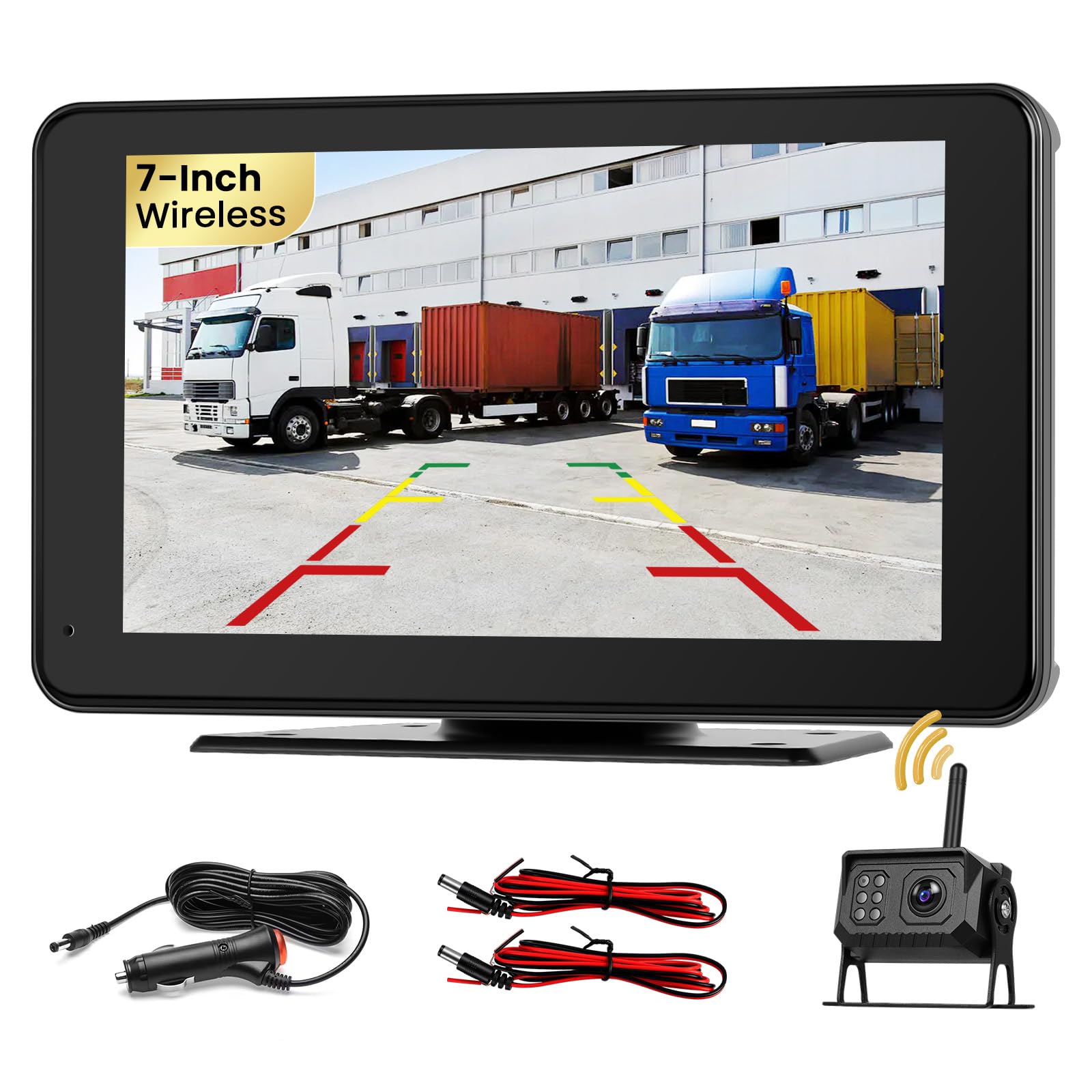
Image: Overview of the Roinvou Wireless Reversing Camera Kit components and their dimensions. It shows the 7-inch monitor, camera, and various accessories like brackets, cables, screws, antenna, and user manual.
3. Safety Information
Please read all safety warnings and instructions before installing and using this product. Failure to follow these instructions may result in electric shock, fire, and/or serious injury.
- Always ensure your vehicle is turned off and the ignition key is removed before beginning installation.
- Disconnect the vehicle's battery to prevent electrical shorts during installation.
- Ensure all wiring connections are secure and properly insulated to prevent short circuits.
- Do not obstruct the driver's view or interfere with vehicle controls during monitor placement.
- This system is an aid to safe driving and should not replace careful driving and proper use of mirrors.
- Do not attempt to disassemble or modify the product. This will void the warranty and may cause damage.
- Keep the product away from extreme temperatures, direct sunlight, and corrosive materials.
4. Setup and Installation
The Roinvou Wireless Reversing Camera Kit is designed for simple installation without complex wiring, thanks to its digital wireless transmission technology.
4.1 Camera Installation
- Choose a Mounting Location: Select a suitable location at the rear of your vehicle, typically above the license plate or on the bumper, ensuring a clear, unobstructed view. The camera has a 170-degree wide-angle lens.
- Secure the Camera: Use the provided screws and bracket to securely mount the camera. Ensure it is firmly attached to withstand vehicle movement and vibrations.
- Connect Power: Connect the camera's power cable to your vehicle's reverse light power supply (12V-24V). This allows the camera to power on automatically when the vehicle is put into reverse. For continuous monitoring, connect to a constant power source.
- Attach Antenna: Screw the antenna onto the camera's designated port. Ensure it is tightened for optimal signal transmission.
4.2 Monitor Installation
- Choose a Mounting Location: Select a position on your dashboard or windshield that provides a clear view for the driver without obstructing the road or vehicle controls.
- Secure the Monitor: Use the provided mounting bracket and adhesive stickers to firmly attach the monitor.
- Connect Power: Plug the monitor's power cable into your vehicle's cigarette lighter socket or a suitable 12V-24V power outlet.
- Pairing (if necessary): The system is typically pre-paired. If the monitor does not display an image, refer to the troubleshooting section for manual pairing instructions.

Image: Illustration showing the Roinvou system's capability to support up to 4 cameras, with one camera included in the standard kit. This highlights potential expansion for larger vehicles.
5. Operating Instructions
5.1 Basic Operation
- Power On/Off: The monitor will automatically power on when the vehicle is started or when the camera receives power (e.g., when reversing). Press the power button on the monitor to manually turn it on or off.
- Image Display: When the camera is active, the monitor will display a clear 1080p image from the camera.
- Night Vision: The camera features night vision capabilities, ensuring optimal visibility even in low-light conditions or complete darkness.

Image: Demonstrates the camera's full-color day vision and clear night vision capabilities, showing a truck on a road during the day and an RV in a desert at night.
5.2 Monitor Settings
The 7-inch IPS touchscreen monitor allows for various adjustments:
- Brightness/Contrast: Adjust screen brightness and contrast for optimal viewing in different lighting conditions.
- Image Mirroring: The system supports image mirroring, ensuring a correct display regardless of the camera's mounting direction.
- Split-Screen Modes: Multiple split-screen modes are available if additional cameras are connected, allowing you to view multiple camera feeds simultaneously.
- Reverse Lines: Toggle parking guide lines on or off for assistance during reversing.
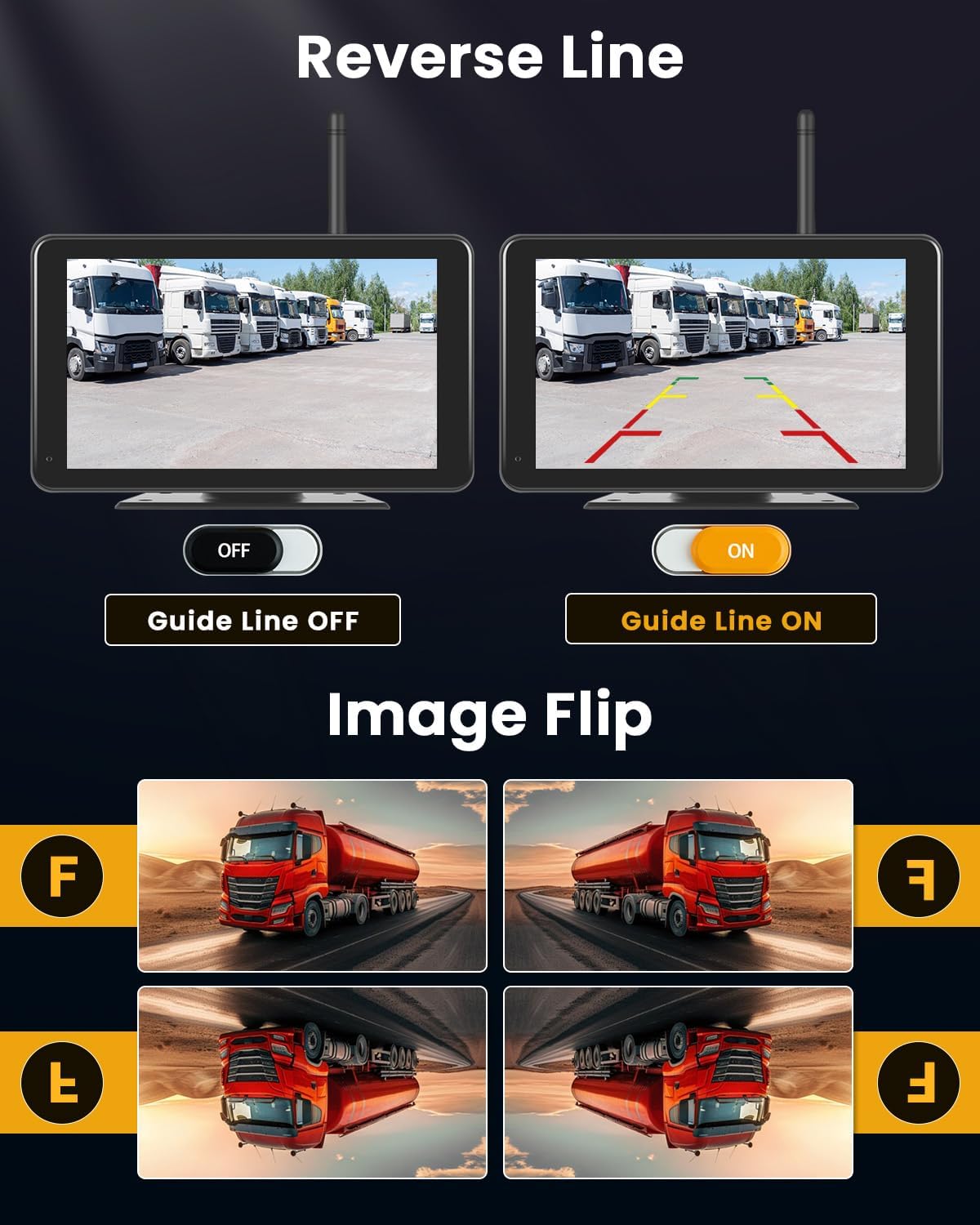
Image: Illustrates the IPS Split Touchscreen monitor, showing its display quality, the ability to adjust the camera view, and various split-screen layout options.

Image: Shows how to toggle the reverse guide lines on and off, and demonstrates the image flip function, allowing the display to be rotated horizontally and vertically.
5.3 Blind Spot Detection (BSD)
The wireless reversing camera kit supports a Blind Spot Detection function. This feature analyzes image data from the camera using precise algorithms to monitor the vehicle's blind spot area in real-time. It effectively warns of potential risks, improving overall road safety.
5.4 Video Recording (Loop Recording)
The monitor includes an integrated memory card slot (memory card not included). When a compatible memory card is inserted, the system can record video footage. The loop recording feature allows continuous recording, overwriting the oldest files when the memory card is full. You can playback recorded videos to review incidents or emergencies.

Image: Illustrates the loop recording function, showing the monitor displaying a reversing vehicle and a memory card slot. It also depicts a filmstrip of recorded events, indicating the ability to playback videos.
6. Maintenance
- Cleaning the Camera: Regularly clean the camera lens with a soft, damp cloth to ensure a clear image. Avoid abrasive cleaners or solvents.
- Cleaning the Monitor: Use a soft, dry cloth to clean the monitor screen. For stubborn smudges, a screen cleaner designed for electronics can be used.
- Cable Inspection: Periodically check all cables and connections for signs of wear, damage, or loose connections. Secure or replace as needed.
- Firmware Updates: Check the Roinvou official website for any available firmware updates for your system.
7. Troubleshooting
If you encounter issues with your Roinvou Wireless Reversing Camera Kit, please refer to the following common problems and solutions:
| Problem | Possible Cause | Solution |
|---|---|---|
| No image on monitor | No power to monitor or camera; Loose connection; Unpaired devices; Signal interference. | Check power connections for both monitor and camera. Ensure all cables are securely plugged in. Try re-pairing the camera and monitor (refer to pairing instructions in the full manual if available). Reduce distance or obstacles between camera and monitor. |
| Flickering or distorted image | Weak signal; Electromagnetic interference; Damaged antenna. | Ensure antennas are securely attached and unobstructed. Move away from strong electromagnetic sources. Check antenna for damage. |
| Camera not turning on | No power from vehicle; Faulty wiring. | Verify the camera's power connection to the vehicle's power source (e.g., reverse light). Check fuses. |
| BSD not functioning | Sensor obstruction; Software issue. | Ensure the camera lens is clean and unobstructed. If the issue persists, contact customer support. |
| Cannot record video | No memory card; Incompatible memory card; Full memory card. | Insert a compatible memory card (not included). Format the memory card if it's new or full. |
8. Specifications
- Model Number: A4429EU31D
- Brand: Roinvou
- Monitor Size: 7 inches IPS
- Monitor Resolution: 1024x600
- Camera Resolution: 1080P HD
- Camera Angle: 170 degrees wide-angle
- Waterproof Rating: IP68 (Camera)
- Connectivity: Digital Wireless
- Transmission Range: Up to 320 feet (approx. 100 meters)
- Special Features: Night Vision, Blind Spot Detection (BSD), Loop Recording, Split-Screen Modes, Image Mirroring
- Power Input: 12V-24V DC
- Wattage: 45 Watts
- Country of Origin: China
9. Warranty and Support
9.1 Warranty Information
This Roinvou product comes with a 24-month warranty from the date of purchase. The warranty covers manufacturing defects and malfunctions under normal use. It does not cover damage caused by misuse, accidents, unauthorized modifications, or improper installation.
9.2 Customer Support
For any inquiries, technical assistance, or warranty claims, please contact Roinvou customer support. We offer lifetime online support and aim to respond to all inquiries within 24 hours.
Please have your model number (A4429EU31D) and purchase details ready when contacting support.
Ask a question about this manual
Ask about setup, troubleshooting, compatibility, parts, safety, or missing instructions. Manuals+ will review the question and use this page’s manual context to help answer it.