
Introduction
Thank you for choosing the Candy Bila Active Noise Cancelling Headphones for Kids, Model JH20. These headphones are designed to provide a comfortable and immersive audio experience for children, featuring advanced noise cancellation, long battery life, and versatile connectivity options. Please read this manual carefully to ensure proper use and maintenance of your headphones.
What's in the Box
Verify that all items are present in your package:
- 1 x Active Noise Cancelling Headphone (Model JH20)
- 1 x USB-C to USB-C Cable (for charging and audio)
- 1 x USB-C to 3.5mm Audio Cable
- 1 x User Manual

Image: Contents of the product packaging, including the headphones, USB-C to USB-C cable, USB-C to 3.5mm audio cable, and user manual.
Product Overview
Headphone Controls

Image: Detailed view of the headphone controls. The right earcup features Volume+/Next Track, Multi-Function Button (MFB) for Power On/Off, and Volume-/Previous Track. The left earcup features the ANC (Active Noise Cancellation) button.
- Volume+/Next Track Button: Press briefly to increase volume. Press and hold to skip to the next track.
- MFB (Multi-Function Button): Press and hold to power on/off. Press briefly to play/pause audio or answer/end calls.
- Volume-/Previous Track Button: Press briefly to decrease volume. Press and hold to go to the previous track.
- ANC Button: Press briefly to cycle through Active Noise Cancellation modes (ANC On, Transparency Mode, ANC Off).
Key Features
- Active Noise Cancellation (ANC): Up to 35dB noise reduction with two modes (low/high) and a transparency mode.
- Long Battery Life: Up to 60 hours of playtime with ANC off, or 35 hours with ANC on.
- Bluetooth 6.0: Stable and efficient wireless connection.
- Wired Connectivity: Supports USB-C and 3.5mm audio cable connections.
- Comfortable Fit: Pressure-relieving, breathable mesh headband and oversized soft ear cushions.
- Well-Balanced Audio: Built-in 40mm drivers for clear stereo sound.
- Kid-Tough Design: Durable construction to withstand daily use.
- Safe Volume: Designed to protect hearing with an 85dB safe volume limit.
- Foldable Design: Compact for easy storage and travel.
Setup
Charging the Headphones
- Connect the provided USB-C to USB-C cable to the charging port on the headphones.
- Connect the other end of the cable to a compatible USB power source (e.g., wall adapter, computer USB port).
- The LED indicator on the headphones will show charging status. It will typically turn off or change color when fully charged.
A full charge provides up to 60 hours of playtime with ANC off, or 35 hours with ANC on.
Powering On/Off
- To Power On: Press and hold the MFB button for approximately 3 seconds until the LED indicator lights up.
- To Power Off: Press and hold the MFB button for approximately 3 seconds until the LED indicator turns off.
Bluetooth Pairing
- Ensure the headphones are powered off.
- Press and hold the MFB button for approximately 5-7 seconds until the LED indicator flashes blue and red alternately, indicating pairing mode.
- On your device (smartphone, tablet, laptop), enable Bluetooth and search for available devices.
- Select "Candy Bila JH20" from the list of devices.
- Once paired, the LED indicator on the headphones will flash blue slowly.
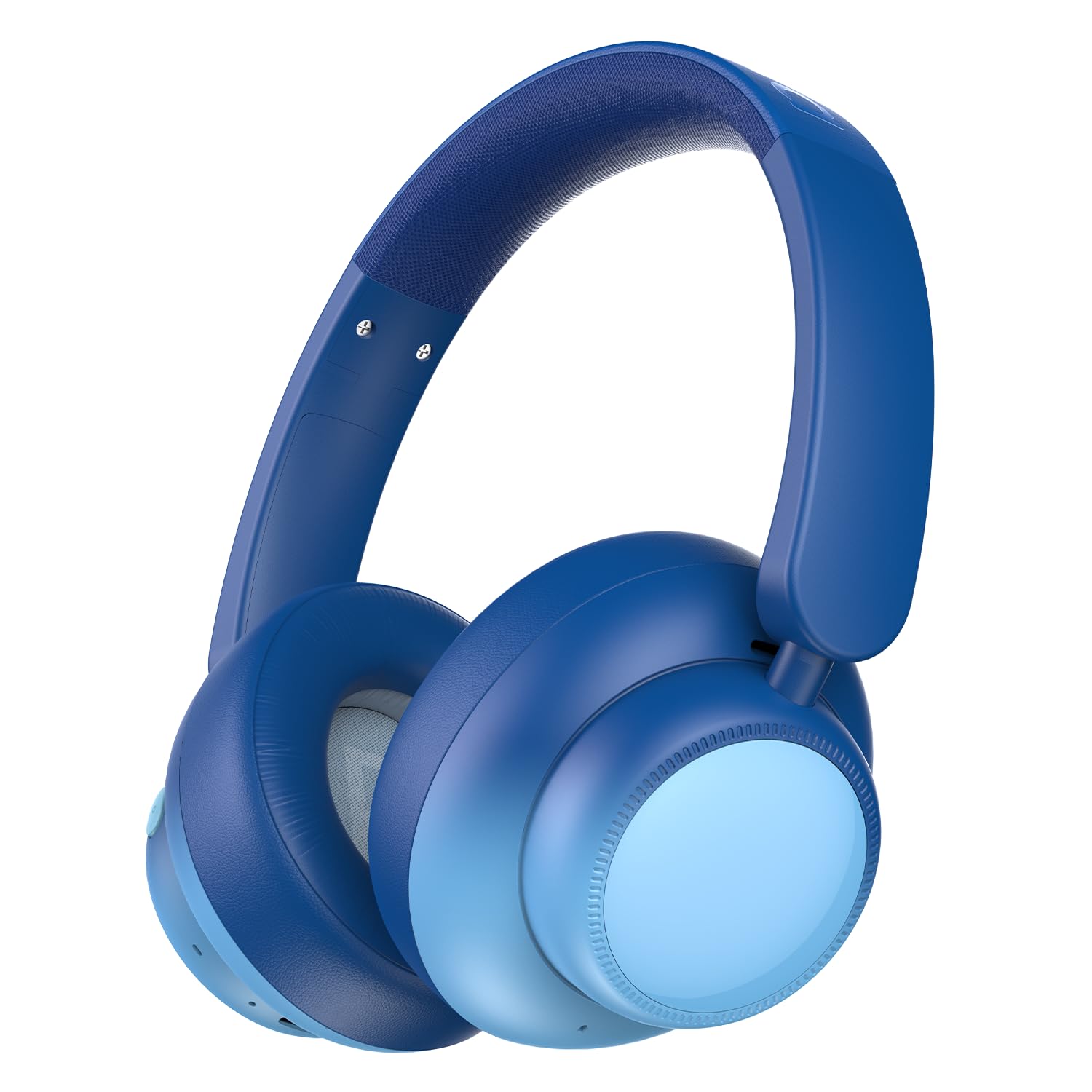
Image: The Candy Bila JH20 headphones wirelessly connected to various devices, including a tablet, a Nintendo Switch, and a laptop, illustrating seamless wireless connectivity.
Operating Instructions
Active Noise Cancellation (ANC) and Transparency Mode
The headphones feature two noise reduction modes and a transparency mode. Press the ANC Button on the left earcup to cycle through these modes:
- ANC On (High Mode): Provides up to 35dB noise reduction, ideal for blocking engine and mechanical sounds for an immersive experience.
- ANC On (Low Mode): Offers gentle ear pressure while still reducing ambient noise.
- Transparency Mode: Allows you to hear your surroundings clearly without removing the headphones.
- ANC Off: Disables noise cancellation.

Image: A child wearing the headphones on an airplane, demonstrating the noise reduction capability of up to 35dB for a quiet travel experience.
Wired Mode
The headphones can be used in wired mode even when the battery is depleted.
- Connect the provided USB-C to 3.5mm audio cable to the headphone's USB-C port.
- Connect the 3.5mm end to your audio device's 3.5mm jack.
Note: Active Noise Cancellation (ANC) and Transparency Mode are not available when using the 3.5mm audio cable.

Image: The headphones with the included USB-C to USB-C and USB-C to 3.5mm cables, highlighting the wired backup option. A note indicates that ANC and Transparency Mode are not available when using the 3.5mm cable.
Maintenance
- Clean the headphones with a soft, dry cloth. Do not use abrasive cleaners or solvents.
- Avoid exposing the headphones to extreme temperatures, humidity, or direct sunlight.
- Store the headphones in a cool, dry place when not in use. The foldable design allows for compact storage.
- Keep the charging port and audio jacks free of dust and debris.
Troubleshooting
| Problem | Solution |
|---|---|
| Headphones won't power on. | Ensure the headphones are charged. Connect to a power source using the USB-C cable. |
| Cannot pair via Bluetooth. | Make sure the headphones are in pairing mode (flashing blue/red). Ensure Bluetooth is enabled on your device and it's within range. Forget previous pairings on your device and try again. |
| No sound in wireless mode. | Check if the headphones are paired and connected. Adjust volume on both headphones and your device. Ensure the audio source is playing. |
| No sound in wired mode. | Ensure the 3.5mm cable is fully inserted into both the headphones and the audio device. Check volume levels. Try a different audio cable if available. |
| ANC is not working. | Ensure ANC is enabled by pressing the ANC button. Note that ANC is not available when using the 3.5mm wired connection. |
Specifications
- Model Name: JH20
- Noise Control: Active Noise Cancellation
- Connectivity Technology: Wired, Wireless (Bluetooth 6.0)
- Audio Driver Size: 40 Millimeters
- Impedance: 32 Ohms
- Battery Life (ANC Off): Up to 60 hours
- Battery Life (ANC On): Up to 35 hours
- Compatible Devices: Cellphones, Desktops, Laptops, Tablets
- Material: Acrylonitrile Butadiene Styrene (ABS), Leather
- Item Weight: 12 ounces
- Special Features: Adjustable Headband, Detachable Cable, Foldable, Microphone Included, Noise Cancellation

Image: Product dimensions of the headphones, indicating a length of 6.70 inches, width of 3.45 inches, and height of 7.30 inches.
Official Product Video
Video: An official product video demonstrating the features of the Candy Bila Active Noise Cancelling Headphones for Kids, including noise cancellation, comfort, durability, and connectivity.
Warranty and Support
This product comes with a standard return policy. For specific warranty details and support, please refer to the purchase platform or contact Candy Bila customer service directly. Keep your proof of purchase for any warranty claims.
Return Policy: 30-day refund/replacement duration.