1. Introduction
This manual provides detailed instructions for the setup, operation, and troubleshooting of the PROZOR 192KHz HDMI ARC to 3.5mm L/R Audio Adapter, model LNKPRR086. This device extracts stereo audio from your TV's HDMI ARC port, converting it to a 3.5mm analog output for connection to headphones, amplifiers, or powered speakers.
2. Package Contents
Please verify that all items are present in the package:
- PROZOR ARC Audio Extractor
- 3.5mm to RCA Audio Cable
- HDMI Cable
- USB Type-C Power Cable
- User Manual

Figure 2.1: Included components of the PROZOR ARC Audio Extractor.
3. Product Features
- ARC to 3.5mm Audio Output: Extracts stereo audio from your TV's HDMI ARC port for 3.5mm output.
- Integrated Cables: Combines HDMI and 3.5mm to RCA audio cables into one design (3.3ft/1m total length).
- CEC Volume Control: Allows adjustment of connected device volume using your TV remote (on compatible CEC-enabled TVs).
- High-Resolution Audio: Supports sampling rates up to 192kHz (32, 44.1, 48, 96, 192kHz).
- PCM Digital Audio Support: Supports uncompressed 2-channel LPCM or PCM digital audio signal output.
- Compact & Durable Design: Features a metal casing for durability and a space-saving form factor.
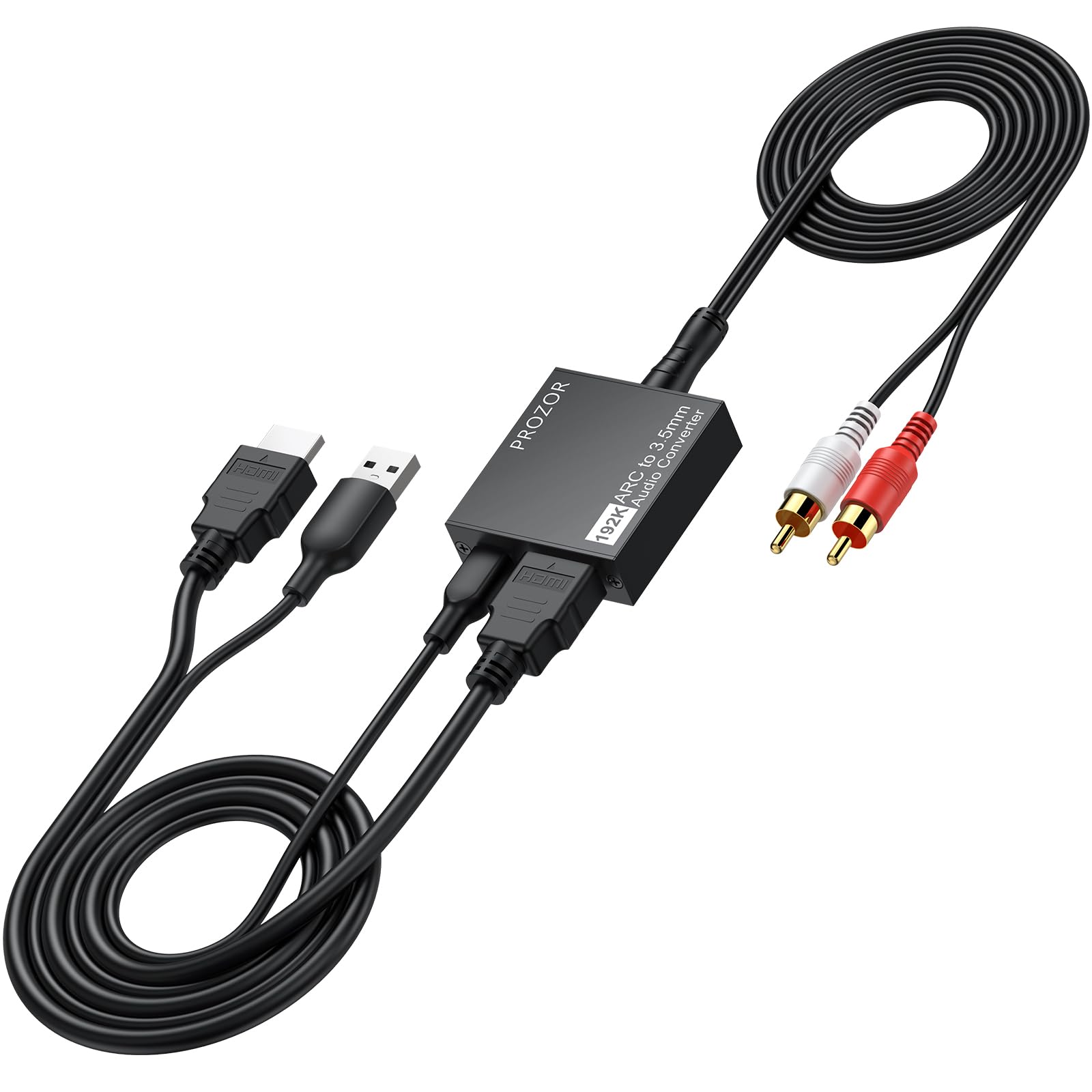
Figure 3.1: Connection diagram for the PROZOR ARC Audio Extractor.

Figure 3.2: The compact and durable design of the PROZOR ARC Audio Extractor.
4. Setup Instructions
Follow these steps to set up your PROZOR ARC Audio Extractor:
- Identify TV ARC Port: Locate the HDMI port on your TV labeled "ARC" or "HDMI (ARC)". This adapter is designed specifically for these ports. It is not compatible with standard HDMI or HDMI-eARC ports for audio extraction.

Figure 4.1: Identifying the correct HDMI ARC port on your television.
- Connect to TV: Plug the HDMI connector of the PROZOR adapter into your TV's HDMI ARC port.
- Connect Audio Output: Connect the 3.5mm output of the adapter to your desired audio device (headphones, amplifier, or powered speakers). If your audio device uses RCA inputs, use the included 3.5mm to RCA cable.
- Power Connection: Connect the USB Type-C power cable to the adapter and plug the USB-A end into a USB port on your TV or a 5V 1A USB power adapter (not included). For stable power, a dedicated USB power adapter is recommended over a TV's USB port.
- Enable CEC (Consumer Electronics Control): Access your TV's settings menu and enable the CEC function. This feature allows your TV remote to control the volume of the connected audio device. (Note: CEC functionality may vary between TV brands and models.)
- Set TV Audio Output to PCM: In your TV's audio settings, set the digital audio output format to "PCM" (Pulse Code Modulation) or "LPCM" (Linear Pulse Code Modulation). This converter does not decode 5.1 channel audio formats like Dolby Digital or DTS.

Figure 4.2: Quick setup guide for the PROZOR ARC Audio Extractor.

Figure 4.3: Configuring TV audio output to PCM for optimal compatibility.
5. Operating Instructions
Once properly set up, the PROZOR ARC Audio Extractor operates automatically:
- Audio Playback: Audio from your TV will be automatically extracted and output through the 3.5mm port to your connected audio device.
- Volume Control: If CEC is enabled on your TV and supported by your audio device, you can use your TV's remote control to adjust the volume of the audio output from the adapter.

Figure 5.1: Using TV remote for volume control via CEC function.
- High-Fidelity Audio: The adapter supports 192kHz sampling rate for clear, uncompressed 2-channel stereo audio.
6. Troubleshooting
| Problem | Possible Cause | Solution |
|---|---|---|
| No audio output. |
|
|
| Humming or buzzing sound. |
|
|
| TV remote volume control (CEC) not working. |
|
|
| Distorted or low-quality audio. |
|
|
7. Specifications
| Feature | Detail |
|---|---|
| Brand | PROZOR |
| Model Number | LNKPRR086 |
| Interface Type | HDMI (ARC Input), 3.5mm (Audio Output), RCA (via included cable) |
| Audio Channels | 2-channel stereo |
| Sampling Rate Support | 32, 44.1, 48, 96, 192kHz |
| Audio Format Support | Uncompressed 2-channel LPCM/PCM |
| Power Supply | DC 5V (via USB Type-C) |
| Material | Aluminum Alloy |
| Item Weight | 7.4 ounces |
| Package Dimensions | 9.45 x 6.34 x 0.67 inches |
8. Maintenance
To ensure the longevity and optimal performance of your PROZOR ARC Audio Extractor, follow these maintenance guidelines:
- Cleaning: Use a soft, dry cloth to clean the device. Avoid using liquid cleaners or aerosols.
- Storage: Store the device in a cool, dry place away from direct sunlight and extreme temperatures.
- Handling: Avoid dropping the device or subjecting it to strong impacts.
- Ventilation: Ensure the device has adequate ventilation and is not covered during operation.
9. Warranty and Support
PROZOR products are designed for reliability and performance. For warranty information or technical support, please refer to the warranty card included with your product or visit the official PROZOR website. You can also contact PROZOR customer service through the retailer where you purchased the product.
For additional information and support, visit the PROZOR Store on Amazon.


