
PUPKIDS GPS Wireless Dog Fence System
Contents
PUPKIDS GPS Wireless Dog Fence System
Instruction Manual
Introduction
The PUPKIDS GPS Wireless Dog Fence System provides a safe and effective way to contain your dog within a defined outdoor area without the need for physical fences or buried wires. Utilizing advanced GPS and Galileo satellite technology, this system allows you to establish a circular boundary for your pet. The collar delivers an audible warning, vibration, or static stimulation if your dog approaches or crosses the set boundary, guiding them to stay within the safe zone. This system is ideal for large yards, farms, and open areas, offering flexibility and peace of mind.
Package Contents
Verify that all items listed below are included in your package:
- Wireless Fence Collar Unit
- Adjustable Collar Strap
- Silicone Prong Set (short and long)
- Silicone Protective Covers for Prongs
- Boundary Flags
- USB Charging Cable
- Test Light
- User Manual
- Training Guide
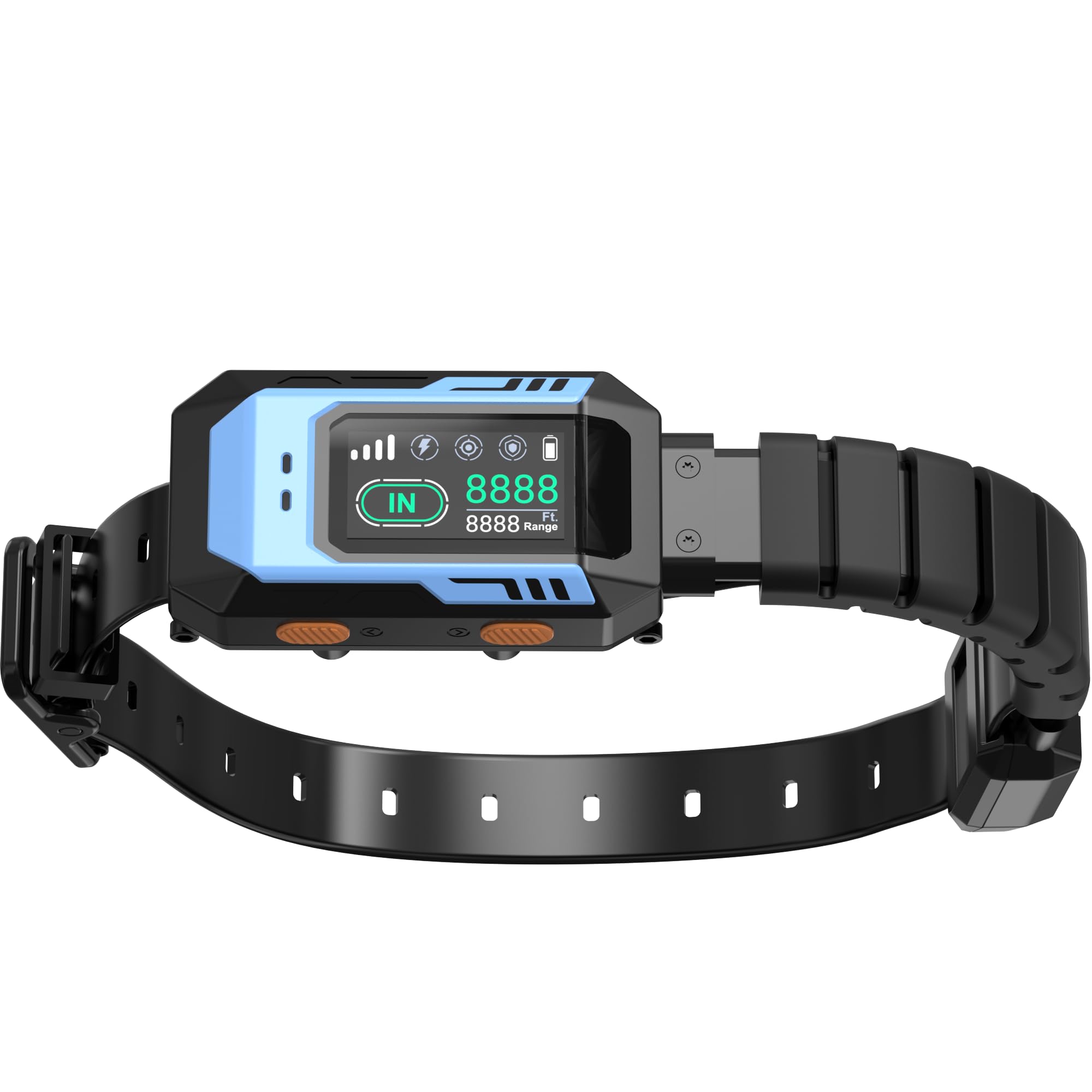
Image: All components of the PUPKIDS GPS Wireless Dog Fence System, including the collar unit, strap, prongs, charging cable, and manual.
Setup Guide
1. Charge the Collar Unit
Before first use, fully charge the collar unit. Connect the provided USB charging cable to the collar and a power source. The display will show charging progress, with all lights lit and the battery symbol blinking until fully charged.
Video: Demonstrates how to charge the PUPKIDS GPS Wireless Dog Fence System collar unit (0:31-0:43).
2. Attach the Prongs and Protective Covers
Select the appropriate prong length (short or long) based on your dog's coat thickness. Screw the chosen prongs onto the back of the collar unit. For added comfort and to prevent chafing, place the silicone protective covers over the prongs. If you only intend to use the vibrate mode, you can use the black plastic plugs to cover the shock sensors entirely.

Image: A close-up view of the PUPKIDS training collar, highlighting the prongs and the application of protective silicone covers.
3. Assemble the Collar Strap
Thread the adjustable collar strap through the designated slots on the collar unit. Ensure the buckle is securely fastened and the strap is adjusted to fit snugly but comfortably around your dog's neck. There should be enough space to slide two fingers under the strap.
4. Establish the GPS Boundary
Take the collar unit to the desired center point of your containment area outdoors. Turn on the device and allow it to acquire a GPS signal. Wait until at least three, preferably four, signal bars are displayed for accurate boundary setting. Once the signal is strong, hold the location button to initiate the "Center Reset" process. You can then adjust the radius of the circular boundary from 100 to 9999 feet according to your yard size. Use the provided boundary flags to visually mark the perimeter for your dog during initial training.
Video: Illustrates the process of acquiring a GPS signal, performing a center reset, and adjusting the boundary radius on the collar unit (1:40-2:19).
Operating Instructions
1. Adjust Correction Modes
The PUPKIDS GPS Wireless Dog Fence System offers multiple correction modes: audible warning, vibration, and static stimulation. You can customize these settings to suit your dog's temperament and training needs. Navigate through the collar's menu to select your preferred mode(s) and adjust the intensity levels (low, medium, high) for vibration and static stimulation. It is recommended to start with audible warnings and vibration before introducing static correction, if necessary.
Video: Shows how to navigate the collar's menu to select and adjust the vibration and static correction levels (2:28-2:45).
2. Training Your Dog
Initial training is crucial for your dog to understand the boundaries. Begin by walking your dog on a leash around the marked perimeter, allowing them to experience the audible warning and vibration when they approach the boundary. Praise and reward your dog when they retreat from the boundary. Gradually transition to off-leash training, reinforcing positive behavior. The included training guide provides detailed steps and tips for effective training.
Video: Demonstrates a dog wearing the collar and undergoing boundary training in a yard (2:46-3:27).
Maintenance
- Regular Cleaning: Periodically clean the collar unit and prongs with a damp cloth to remove dirt and debris. Ensure the charging port is free of moisture before charging.
- Prong Inspection: Regularly check the prongs for wear or damage. Replace them if necessary to ensure proper contact with your dog's skin.
- Battery Life: A single charge typically lasts nearly a week with daily use. Recharge the collar promptly when the battery indicator shows low power.
- Storage: When not in use for extended periods, store the collar in a cool, dry place.
Troubleshooting
- No GPS Signal: Ensure the collar is outdoors in an open area with a clear view of the sky. Wait for at least 3-4 signal bars to appear on the display before setting the boundary.
- Collar Not Delivering Correction:
- Check battery level and recharge if low.
- Ensure prongs are making proper contact with your dog's skin. Adjust collar fit or use longer prongs if needed.
- Verify that the desired correction mode (vibration/static) is enabled and set to an appropriate level in the collar's menu.
- Use the included test light to confirm static stimulation functionality.
- Inconsistent Boundary: Ensure the "Center Reset" was performed at the exact desired center point. Avoid setting boundaries near tall buildings or dense tree cover that might interfere with GPS signals.
- Dog Not Responding to Corrections: Review the training guide and ensure consistent training methods. Increase the intensity level of vibration or static stimulation gradually if your dog is not responding.
Specifications
| Brand | PUPKIDS |
| Model Name | GPS Wireless Dog Fence System |
| Item Weight | 12 ounces |
| Batteries | 1 Lithium Ion battery required (included) |
| Package Dimensions | 9.61 x 5.94 x 1.3 inches |
| Color | Black Blue |
| Specific Uses | Behavior Training, Outdoor Use Only |
| Recommended Dog Weight | 20-140 Lbs |
Warranty Information
This PUPKIDS GPS Wireless Dog Fence System comes with a 12-month warranty from the date of purchase. This warranty covers manufacturing defects and malfunctions under normal use. Please retain your proof of purchase for warranty claims.
Customer Support
For any questions, technical assistance, or support regarding your PUPKIDS GPS Wireless Dog Fence System, please contact our customer support team:
- Email: support@pupkids.net
- Availability: 24 hours / 7 days a week
Documents and downloads
Ask a question about this manual
Ask about setup, troubleshooting, compatibility, parts, safety, or missing instructions. Manuals+ will review the question and use this page’s manual context to help answer it.