
1. Introduction
Thank you for choosing the CINMOORE BC22U Wireless Home Security Camera. This manual provides essential information for setting up, operating, and maintaining your security camera. Please read it carefully before use to ensure proper functionality and safety. This camera is designed for both indoor and outdoor use, offering 2.5K resolution, AI person detection, and full-color night vision for enhanced surveillance.
2. Package Contents
Verify that all items listed below are included in your package:
- CINMOORE BC22U Camera x1
- Mounting Screws x1 set
- Quick Guide x1
- Power Cable x1
3. Product Overview
The CINMOORE BC22U camera is a compact, battery-powered device designed for versatile placement. It features a 4MP lens for 2.5K Quad HD video, integrated spotlights for color night vision, and a microphone/speaker for two-way audio. The magnetic base allows for flexible installation.

Image: The CINMOORE BC22U camera, a compact white unit, shown alongside a smartphone displaying a live feed of a delivery person. This illustrates the camera's design and remote viewing capability.

Image: A diagram highlighting key features of the CINMOORE BC22U camera, including 2.5K QHD, wire-free installation, free person detection, sound & light siren, color night vision, built-in 5200mAh battery, and full duplex two-way audio.
4. Setup Guide
4.1 Charging the Camera
Before initial use, fully charge the camera's built-in 5200mAh rechargeable battery using the provided power cable. A full charge ensures optimal performance and battery life.
4.2 App Installation
Download the dedicated mobile application from your smartphone's app store (iOS or Android). Search for 'CINMOORE' or refer to the Quick Guide for specific app details. Create an account and log in.
4.3 Connecting to Wi-Fi
- Open the app and select 'Add Device'.
- Follow the on-screen instructions to power on the camera and enter pairing mode.
- Connect the camera to your 2.4GHz Wi-Fi network. Ensure your smartphone is also connected to the same 2.4GHz network during setup.
- Scan the QR code displayed on your phone with the camera lens when prompted.
- Once connected, name your camera and complete the setup process.
4.4 Mounting the Camera
The camera features a magnetic base for flexible installation. Choose a location that provides the desired viewing angle and strong Wi-Fi signal. Use the included mounting screws to secure the base to a wall or ceiling, then attach the camera magnetically. Ensure the camera is positioned to cover the area of interest without obstructions.
5. Operating Instructions
5.1 Live View
Open the CINMOORE app and select your camera from the device list to access the live video feed. You can view real-time footage from anywhere with an internet connection.
5.2 Two-Way Audio
While in live view, tap the microphone icon in the app to enable two-way audio. You can speak through your phone, and your voice will be projected through the camera's speaker. Similarly, you can hear audio from the camera's surroundings.
5.3 Recording and Playback
The camera automatically records when motion is detected. Recordings are stored on the installed microSD card (if applicable) or in the cloud. Access recorded events through the app's playback feature, typically found in the event history or video library section.
5.4 Alerts and Notifications
The camera utilizes AI person detection to minimize false alarms. When a person is detected, you will receive real-time push notifications on your smartphone. The camera can also activate a built-in siren and spotlight as an alert mechanism.

Image: A night scene showing the CINMOORE BC22U camera mounted above a door, with a person approaching. The image illustrates the camera's AI person detection feature, spotlight activation, and a smartphone notification indicating 'Someone is at the door'.
5.5 Storage Management
The camera supports local storage via a microSD card (up to 256GB, not included) and optional cloud storage. Manage storage settings and view recorded footage within the app. Cloud storage offers encrypted, bank-level security.

Image: The CINMOORE BC22U camera mounted on a wall, with an inset showing the DC-5V power port and the microSD card slot. Icons for 'SD Local Storage' (up to 256GB) and 'AWS Cloud Storage' (30 Days Free Trail, Bank Level Encrypted) are displayed, emphasizing flexible and secure storage options.
6. Key Features Explained
6.1 2.5K 1440P Quad HD Resolution
The camera captures video in 2.5K (2560x1440) resolution, providing clear and detailed images. This higher resolution allows for better identification of objects and faces compared to standard 1080P or 2K cameras.

Image: A split image comparing video quality. The top half shows a car in a driveway with '2.5K QHD' overlay, demonstrating superior clarity. The bottom half shows the same scene with '2K FHD' overlay, appearing less detailed, highlighting the benefit of 2.5K resolution.
6.2 Full-Color Night Vision
Equipped with integrated spotlights, the camera can record in full color even in low-light conditions, providing more informative footage than traditional black-and-white infrared night vision.
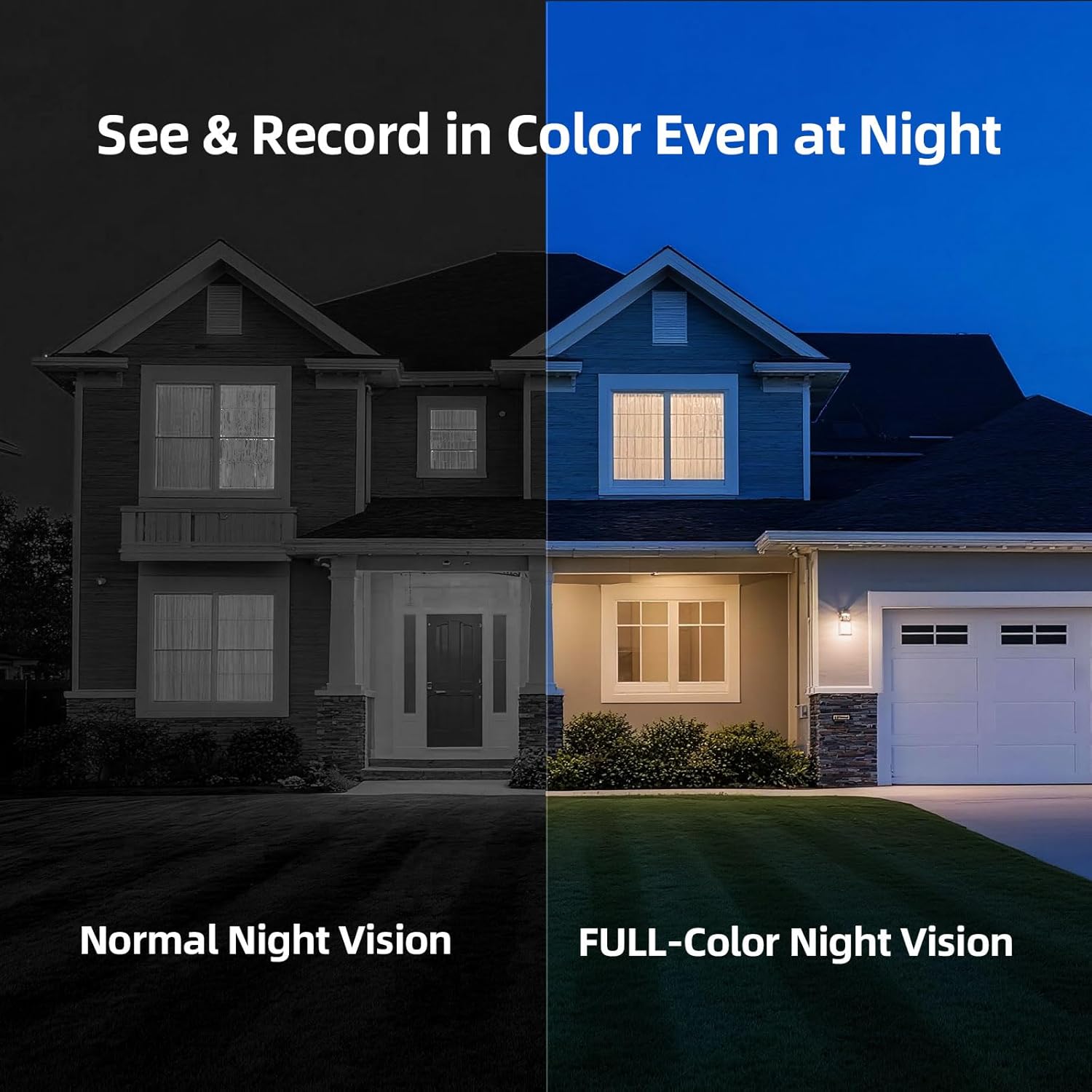
Image: A split image comparing night vision modes. The left side shows a house at night with 'Normal Night Vision' (monochrome). The right side shows the same house with 'FULL-Color Night Vision', revealing colors and more detail, demonstrating the camera's advanced night vision capability.
6.3 AI Person Detection
The camera's advanced AI algorithm can distinguish human shapes from other moving objects (like pets or vehicles), significantly reducing false alarms and ensuring you only receive relevant alerts.
6.4 IP66 Weatherproof Rating
With an IP66 rating, the camera is protected against dust and powerful water jets, making it suitable for outdoor installation and reliable operation in various weather conditions.
7. Maintenance
7.1 Battery Charging
Monitor the battery level via the app. Recharge the camera promptly when the battery is low to ensure continuous operation. Charging time may vary.
7.2 Cleaning
Periodically clean the camera lens with a soft, dry cloth to ensure clear image quality. Do not use harsh chemicals or abrasive materials.
8. Troubleshooting
- Camera not connecting to Wi-Fi: Ensure your Wi-Fi network is 2.4GHz. Check Wi-Fi signal strength at the camera's location. Restart your router and the camera, then attempt pairing again.
- Poor image quality: Clean the camera lens. Ensure there are no obstructions in the camera's field of view. Check your Wi-Fi connection speed.
- No motion alerts: Verify that motion detection and notification settings are enabled in the app. Check the camera's battery level. Ensure the camera is positioned correctly to detect movement in the desired area.
- Battery draining quickly: Frequent motion detection events, continuous live viewing, or poor Wi-Fi signal can increase battery consumption. Adjust motion sensitivity and recording duration in the app.
- Two-way audio issues: Ensure your phone's microphone and speaker are enabled for the app. Check the camera's microphone and speaker for any physical obstructions.
9. Specifications
| Model Name | Cinmoore BC22U Security Camera |
| Video Capture Resolution | 2.5K (1440P) |
| Connectivity Technology | Wi-Fi (2.4GHz) |
| Power Source | Battery Powered (5200mAh) |
| Indoor/Outdoor Usage | Indoor/Outdoor (IP66 Weatherproof) |
| Special Feature | Waterproof, AI Person Detection, Color Night Vision, Two-Way Audio |
| Storage Options | MicroSD Card (up to 256GB), Cloud Storage |
| Dimensions (L x W x H) | 3 x 2 x 2 inches |
| Item Weight | 13.4 ounces |
10. Warranty and Support
The CINMOORE BC22U Wireless Home Security Camera comes with a 2-year warranty. For any product issues, technical assistance, or support, please contact our customer service hotline during weekdays. Refer to the Quick Guide or our official website for contact details.


