
EZVALO EZL2437A
Contents
EZVALO 17-inch LED Motion Sensor Closet Light User Manual
Model: EZL2437A
Introduction
Thank you for choosing the EZVALO 17-inch LED Motion Sensor Closet Light. This manual provides detailed instructions for the proper installation, operation, and maintenance of your new light. Please read this manual thoroughly before use and retain it for future reference.
Package Contents
- 17in Motion Sensor Closet Light ×1
- Magnetic Adhesive Pad ×2
- USB-C Charge Cable ×1
- Instruction Manual ×1
Key Features
- Precision Motion Sensor: 60° rotatable sensor with 120° detection angle, covering up to 13 ft.
- Three Operating Modes: Always On, All-Day Motion (any light), and Night Motion (darkness only).
- Glare-Free Curved Design: Inward beam provides soft, even lighting, eliminating harsh glare.
- Long-lasting Battery: Upgraded 3600mAh rechargeable battery, offering up to 2500 uses or 10.5 hours continuous use.
- Customizable Lighting: Stepless dimming (10% to 100%) and three color temperatures (3000K Warm White, 4500K Natural White, 6500K Cool White).
- High Color Rendering Index (CRI): 90+ CRI ensures vibrant, true-to-life color rendering.
- Effortless Installation: Tool-free magnetic mounting for easy attachment and detachment.
Setup and Installation
The EZVALO LED Motion Sensor Closet Light is designed for quick and easy installation without the need for tools or drilling.
Installation Steps:
- Prepare the Surface: Ensure the desired installation surface (e.g., ceramic tile, metal, wood, glass) is clean and dry. Avoid rough or porous surfaces like cement walls or wallpaper.
- Attach Magnetic Pads: Peel off the protective film from the adhesive side of the magnetic pads. Place the iron sheet onto the adhesive spot on the light.
- Mount the Light: Firmly press the magnetic pads onto the chosen surface. Once the pads are secured, simply snap the light onto the magnetic pads. The light can be easily detached for charging.
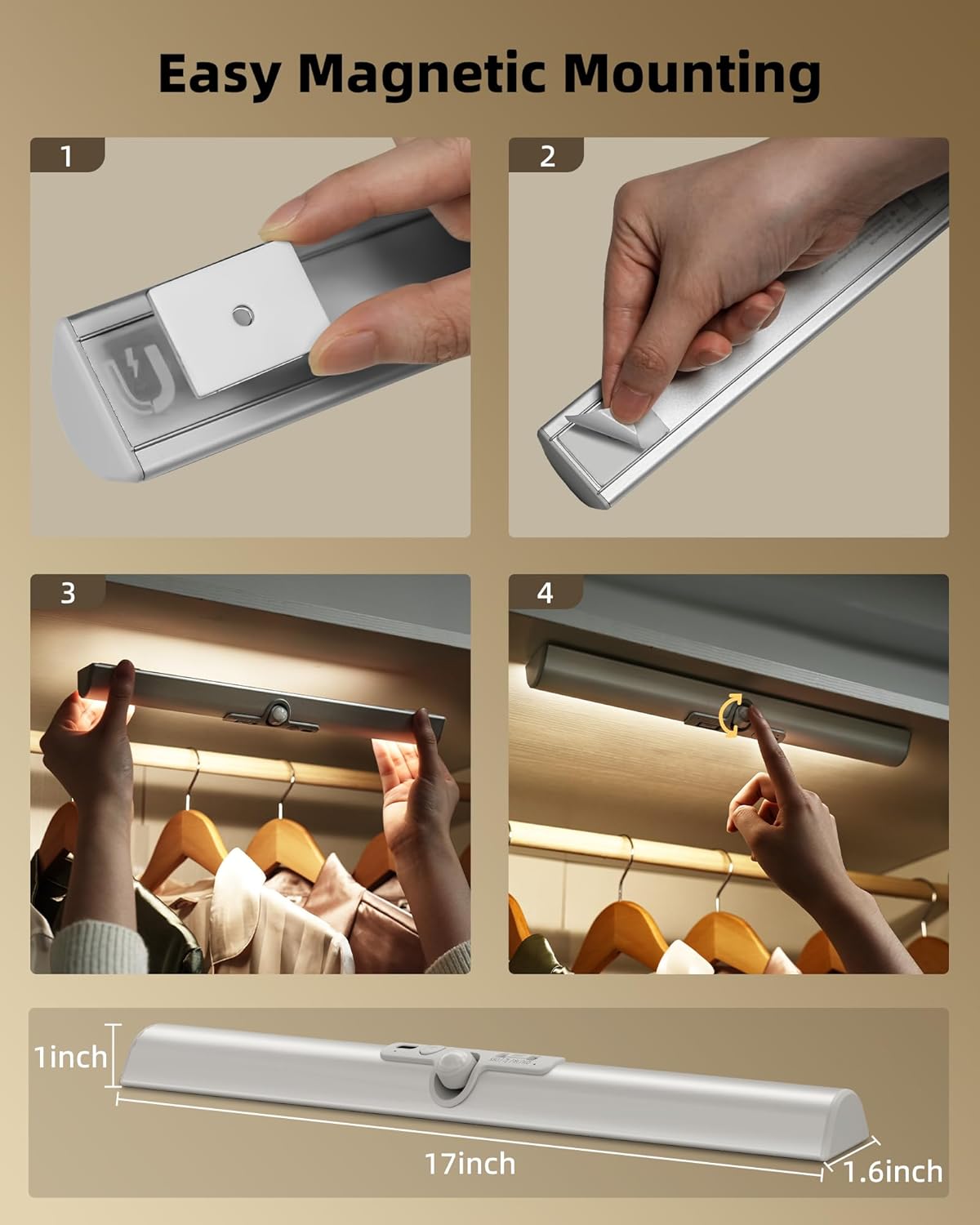
Figure 1: Easy magnetic mounting of the EZVALO closet light.

Figure 2: Installation methods and compatible surfaces. Green check indicates suitable surfaces (Ceramic Tile, Metal, Wood, Glass). Red cross indicates unsuitable surfaces (Drywall, Cement Wall, Painted Wall, Wallpaper).
Video 1: A short preview demonstrating the easy magnetic installation of the light.
Operating Instructions
1. Power On/Off and Mode Selection
The light features a control panel with buttons for power and mode selection.
- Always On Mode: The light remains continuously on. Ideal for tasks requiring constant illumination.
- All-Day Motion Mode: The light activates upon motion detection regardless of ambient light conditions. It turns off automatically after 20 seconds of no motion.
- Night Motion Mode: The light activates upon motion detection only in dark environments. It turns off automatically after 20 seconds of no motion.

Figure 3: Control panel for power and mode selection.
Video 2: Demonstration of the motion sensor light in various settings, highlighting its functionality.
2. Adjusting Motion Sensor Direction
The motion sensor head can be rotated 60° to customize the detection range and direction.
- Top Position: Approximately 10 ft detection range.
- Middle Position: Approximately 13 ft detection range.
- Bottom Position: Approximately 6 ft detection range.

Figure 4: Rotatable sensor head for adjustable motion detection range.
3. Color Temperature and Dimming
The light offers three color temperatures and stepless dimming to suit various needs and preferences.
- Warm White (3000K): Provides a soft, cozy light, suitable for ambiance or as a night light.
- Natural White (4500K): Offers balanced illumination, ideal for general tasks and choosing outfits.
- Cool White (6500K): Delivers bright, clear visibility for detailed tasks.
- Stepless Dimming: Adjust brightness from 10% to 100% by pressing and holding the button.
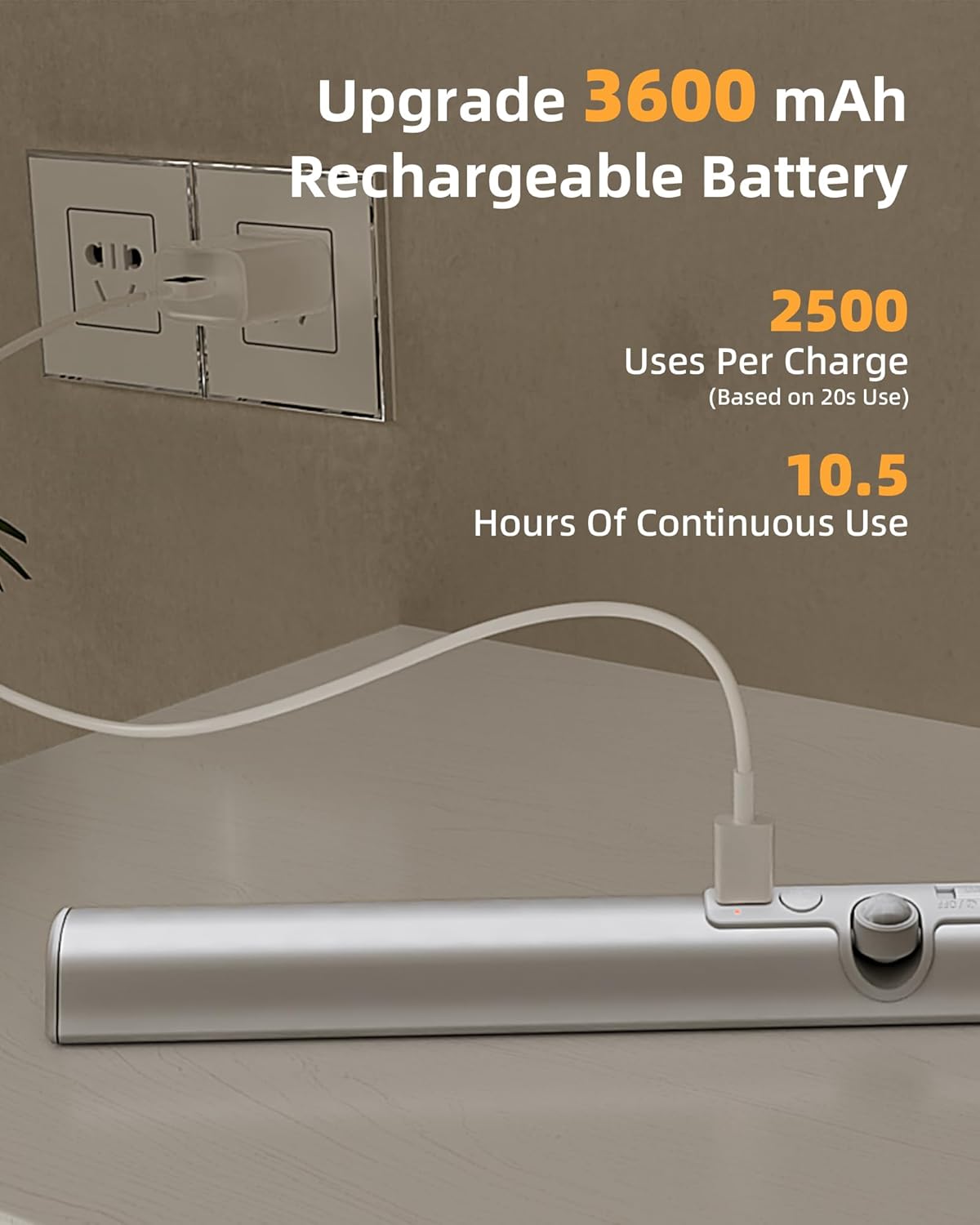
Figure 5: Three color temperatures and dimming functionality.
Video 3: A demonstration of the light's soft, glare-free illumination in a closet setting.
4. Charging the Battery
The light is equipped with a 3600mAh rechargeable battery. Use the included USB-C cable to charge the device.
- Connect the USB-C cable to the charging port on the light.
- Connect the other end of the cable to a standard USB power adapter (not included).
- The indicator light will show charging status (e.g., red for charging, green for fully charged).

Figure 6: Charging the 3600mAh rechargeable battery.
Maintenance
- Cleaning: Wipe the light with a soft, dry cloth. Do not use abrasive cleaners or solvents.
- Battery Care: To prolong battery life, avoid fully discharging the battery frequently. Recharge when the light dims or indicates low power.
- Storage: If storing for an extended period, charge the battery to about 50% and store in a cool, dry place. Recharge every 3-6 months to prevent deep discharge.
- Environment: This product is designed for indoor use only and is not water-resistant. Avoid exposure to moisture or extreme temperatures.
Troubleshooting
| Problem | Possible Cause | Solution |
|---|---|---|
| Light does not turn on. | Battery is depleted. Incorrect mode selected. Sensor is blocked. | Charge the light using the USB-C cable. Check the mode setting (Always On, All-Day Motion, Night Motion). Ensure the sensor is clear of obstructions. |
| Motion sensor is not working. | Incorrect mode selected (e.g., Always On). Ambient light is too bright (in Night Motion mode). Sensor direction is incorrect. | Switch to All-Day Motion or Night Motion mode. Ensure the environment is dark enough for Night Motion mode. Adjust the rotatable sensor head towards the detection area. |
| Light is too dim or too bright. | Brightness level needs adjustment. | Use the dimming function to adjust the brightness (press and hold the button). |
| Light falls off the surface. | Magnetic pads not properly adhered. Unsuitable surface. | Ensure the surface is clean and dry before applying pads. Re-apply new magnetic pads if necessary. Ensure installation on a suitable surface (see Setup section). |
Specifications
| Feature | Detail |
|---|---|
| Brand | EZVALO |
| Model Number | EZL2437A |
| Dimensions (L x W x H) | 17"L x 1.6"W x 1"H |
| Material | Acrylonitrile Butadiene Styrene, Aluminum |
| Power Source | Battery Powered |
| Battery Capacity | 3600mAh |
| Light Source | LED (70 light sources) |
| Brightness | 180 lumens (max) |
| Color Temperatures | 3000K Warm White, 4500K Natural White, 6500K Cool White |
| Wattage | 1.75 watts |
| Voltage | 5 volts |
| Motion Sensor Range | Up to 13 ft, 120° detection angle |
| Sensor Rotatability | 60° |
| CRI | 90+ |
| Indoor/Outdoor Usage | Indoor only |
| Water Resistance Level | Not Water Resistant |
| Mounting Type | Under Cabinet Mount, Removable |
Warranty and Support
Warranty: This EZVALO product comes with a 2-year limited warranty from the date of purchase. This warranty covers manufacturing defects and workmanship under normal use.
Support: For technical assistance, troubleshooting, or warranty claims, please contact EZVALO customer support through the retailer where the product was purchased or visit the official EZVALO website for contact information.
Ask a question about this manual
Ask about setup, troubleshooting, compatibility, parts, safety, or missing instructions. Manuals+ will review the question and use this page’s manual context to help answer it.