
1. Introduction
This manual provides detailed instructions for the assembly, operation, and maintenance of your Rfiver Rolling TV Stand with Shelf (Model: TF1405-U). This mobile TV stand is designed to accommodate flat or curved televisions ranging from 32 to 60 inches, with a maximum weight capacity of 88 lbs (40 kgs). It supports VESA patterns from 100 x 100 mm to 400 x 400 mm. The stand features a height-adjustable mount, a 70-degree swivel function, and a sturdy wooden base with lockable wheels for easy mobility and secure positioning. An adjustable shelf is included for media devices.
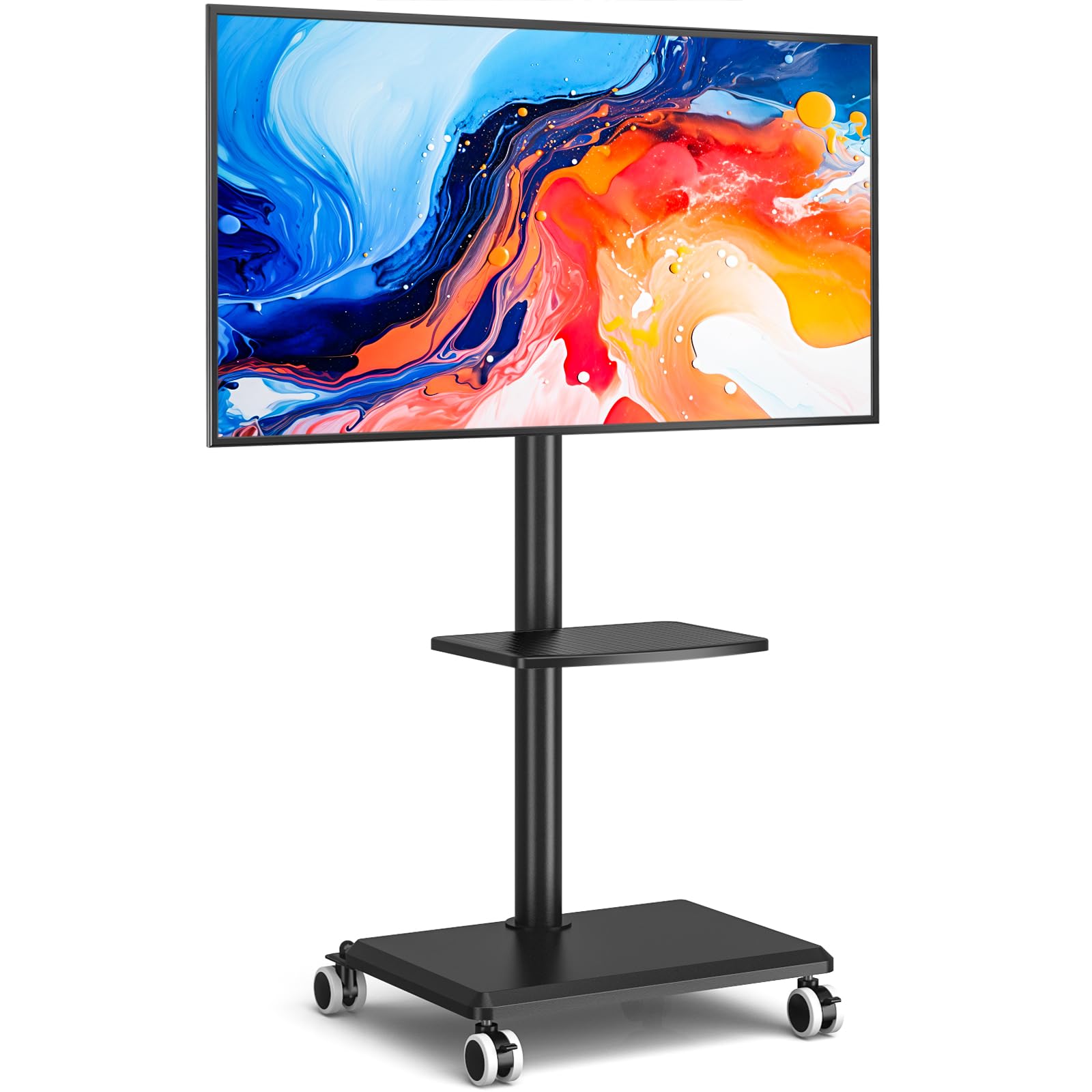
This is the main product image of the Rfiver Rolling TV Stand with Shelf, showcasing its design and functionality.
2. Product Features
- Wide TV Compatibility: Supports 32"-60" flat/curved TVs with a maximum weight of 88 lbs (40 kgs) and VESA patterns from 100x100mm to 400x400mm.
- Adjustable Media Shelf: Includes an 11 lbs capacity adjustable shelf for soundbars, game consoles, or streaming devices.
- 70° Swivel Function: Allows for a 35° left or right swivel (total 70°) to achieve optimal viewing angles and reduce glare.
- Flexible Height Adjustment: Offers multiple height settings for the TV mount to suit various viewing scenarios and user preferences.
- Space-Saving Design: Features a compact 16.7 x 12.8 x 1-inch wooden base, designed to fit in smaller spaces and corners.
- Shatterproof Wooden Base: Provides superior stability and safety compared to glass bases, ideal for households with children or pets.
- Upgraded 360° Rotating Lockable Wheels: Equipped with four silent wheels for smooth movement across various floor types (wood, tile, carpet) and locking mechanisms for secure stationary placement.
3. Safety Information
Please read and understand all instructions before assembly and use. Failure to follow these instructions may result in property damage, serious injury, or death. If you have any questions, contact customer support.
- Do not exceed the maximum weight capacity of 88 lbs (40 kgs) for the TV or 11 lbs for the shelf.
- Ensure your TV's VESA pattern is compatible (100x100mm to 400x400mm) before installation.
- Always use the safety lock mechanisms on the wheels when the stand is in a stationary position to prevent accidental movement.
- Assemble the stand on a soft, clean surface to prevent scratches and damage.
- Keep children and pets away during assembly. Small parts can be a choking hazard.
- Periodically check all screws and connections to ensure they remain tight and secure.
4. Setup and Assembly
The Rfiver Rolling TV Stand is designed for simple and quick assembly, typically within 15 minutes. Follow the included hardware and step-by-step instructions carefully.
4.1. Checking TV Compatibility
Before beginning assembly, verify that your television meets the stand's compatibility requirements:
- TV Size: 32 to 60 inches
- TV Weight: Up to 88 lbs (40 kgs)
- VESA Pattern: From 100x100mm to 400x400mm

This image highlights the stand's compatibility with various TV sizes and VESA mounting standards, along with its maximum weight capacity.
4.2. Assembling the Base and Wheels
Attach the 360° rotating lockable wheels to the sturdy wooden base. Ensure all connections are secure. The wooden base provides a stable foundation and is designed to be shatterproof, offering enhanced safety.

This image details the robust wooden base, emphasizing its stability, integrated cable management, and safety lock mechanism for secure placement.

This image showcases the smooth-rolling, 360-degree rotating wheels with locking mechanisms, designed for easy movement and secure positioning on any surface.
4.3. Mounting the TV
Attach the TV mounting brackets to the back of your television, aligning with the appropriate VESA holes. Then, securely hang the TV onto the stand's main column. The stand features a tipping-proof design with a solid structure and safety lock to prevent accidental falls.

This image compares the Rfiver stand's stable and secure design, featuring a solid structure and heavy-duty base, against a less secure alternative, emphasizing its safety features.
4.4. Cable Management
Utilize the integrated cable management features to route and secure TV and device cables along the stand's column, ensuring a tidy and organized appearance.
5. Operating Instructions
5.1. Adjusting TV Height
The TV mount offers flexible height adjustment. To change the TV's height, carefully loosen the securing mechanisms on the main column, adjust the TV to your desired viewing level, and then firmly re-tighten the mechanisms. This allows for comfortable viewing whether you are sitting, standing, or engaging in activities like fitness or gaming.

This image demonstrates the adjustable height feature, allowing users to set the TV at their preferred viewing level for comfort.
5.2. Utilizing the Swivel Function
The TV mount can swivel 35 degrees to the left or right, providing a total of 70 degrees of rotation. Gently push the TV to the desired angle to optimize your viewing experience from various positions in the room, such as a living room, bedroom, or kitchen. This feature helps in addressing screen glare effectively.

This image illustrates the stand's swivel function, enabling the TV to be angled for the best viewing experience from different positions in a room.
5.3. Moving the TV Stand
To move the TV stand, unlock all four 360° rotating wheels. The silent wheels allow for smooth and stable gliding across various floor surfaces. Once the stand is in the desired location, engage the locking mechanisms on all wheels to secure it in place. This mobility makes the stand suitable for flexible usage in different rooms or even for presentations.

This image demonstrates the stand's space-saving design, allowing it to be positioned close to walls or in corners, and highlights the detachable wheels for flexible setup.
6. Maintenance
Regular maintenance ensures the longevity and safe operation of your TV stand.
- Cleaning: Wipe the stand with a soft, damp cloth. Avoid abrasive cleaners or solvents that may damage the finish.
- Inspection: Periodically inspect all bolts, screws, and connections to ensure they are tight. Re-tighten if necessary.
- Wheel Care: Keep the wheels free of debris to ensure smooth movement.
7. Troubleshooting
If you encounter any issues with your TV stand, refer to the following common solutions:
- Stand is wobbly: Ensure all screws and bolts are securely tightened. Verify that the stand is on a level surface.
- Difficulty moving the stand: Check that all wheel locks are disengaged. Clean any debris from the wheels.
- TV not level: Adjust the height of the TV mount as described in Section 5.1. Ensure the TV is properly seated on the mounting brackets.
- Cables are messy: Re-route cables using the integrated cable management system and secure them with ties if needed.
For issues not covered here, please contact Rfiver customer support.
8. Specifications
| Brand | Rfiver |
| Model Number | TF1405-U |
| Compatible TV Size | 32" - 60" |
| Maximum TV Weight Capacity | 88 lbs (40 kgs) |
| VESA Compatibility | 100x100mm to 400x400mm |
| Shelf Weight Capacity | 11 lbs |
| Swivel Angle | ±35° (70° total) |
| Base Dimensions | 16.7 x 12.8 x 1 inches |
| Color | Black |
| Item Weight | 16.7 pounds |
| Package Dimensions | 17.3 x 13 x 6.3 inches |
9. Warranty and Support
Specific warranty information and detailed customer support contacts are typically provided with your product packaging or on the manufacturer's official website. Please refer to those resources for the most accurate and up-to-date information regarding product warranty, returns, and technical assistance.
For general inquiries or assistance, you may visit the Rfiver Store on Amazon.