
1. Introduction
This manual provides essential information for setting up, operating, and maintaining your Samsung Galaxy A17 5G Smart Phone. Please read this guide thoroughly to ensure optimal performance and longevity of your device.

Figure 1: Front view of the Samsung Galaxy A17 5G Smart Phone in Blue.
Product Overview
The Samsung Galaxy A17 5G is a feature-rich smartphone designed for everyday use. It boasts a large 6.7-inch Super AMOLED display, a versatile triple-lens camera system, and a durable design with IP54 water and dust resistance. Powered by Android 15 with One UI 8.0, it offers a smooth user experience and includes advanced AI features like Circle to Search and Google Gemini integration. The device supports 5G connectivity and features Super Fast Charging for its 5000 mAh battery.
Video 1: An overview of the Samsung Galaxy A17 5G, highlighting its key features and design.
2. What's in the Box
Upon opening your Samsung Galaxy A17 5G package, verify that all the following items are included:
- Samsung Galaxy A17 5G Unlocked Phone
- USB Type-C to Type-C Cable
- SIM Tray Ejector
- Quick Start Guide
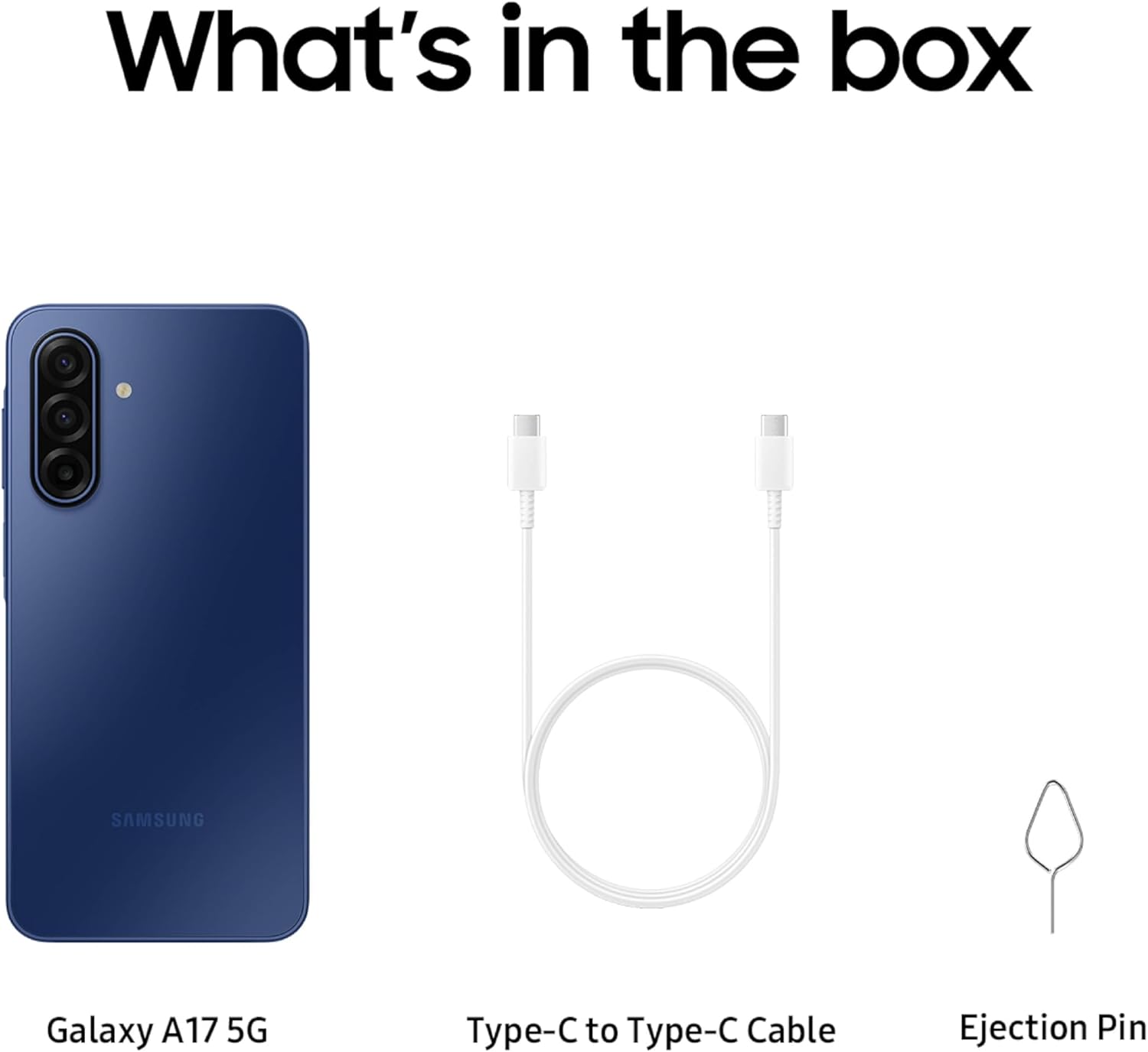
Figure 2: Contents of the retail box for the Samsung Galaxy A17 5G, including the phone, USB-C cable, and SIM tray ejector.
Note: A 25W Super Fast Charger is sold separately and is not included in the box.
3. Setup
3.1. SIM Card Installation
Your Galaxy A17 5G supports Dual SIM Nano cards. To install your SIM card(s):
- Locate the SIM tray on the side of your device.
- Insert the SIM tray ejector tool into the small hole next to the tray and press firmly until the tray pops out.
- Place your Nano SIM card(s) into the tray with the gold contacts facing down. Ensure they are correctly seated.
- Carefully reinsert the SIM tray into the device until it clicks into place.
Video 2: A 360-degree view of the Samsung Galaxy A17 5G, showcasing the SIM card tray location and other physical features.
3.2. Initial Power On and Setup
To power on your device for the first time:
- Press and hold the Power button (located on the side) until the Samsung logo appears.
- Follow the on-screen prompts to select your language, connect to a Wi-Fi network, and set up your Google account.
- You will be guided through setting up biometric security (Face Recognition) and other initial preferences.
3.3. Data Transfer with Smart Switch
To transfer data from your old device to your new Galaxy A17 5G:
- Wired Transfer: Requires Android™ 4.3 or later on the sending device.
- Wireless Transfer: Requires Android™ 4.0 or later on the sending device, or iOS 5 or later for iPhones. Download the Smart Switch app from the Galaxy Store or Play Store.
Open Smart Switch on both devices and follow the instructions to transfer contacts, gallery, videos, calendars, and more.
4. Operating Your Device
4.1. Display Features
The Galaxy A17 5G features a 6.7-inch FHD+ Super AMOLED display with a 90Hz refresh rate, providing smooth scrolling and vibrant visuals. The display offers up to 800 nits of peak brightness for clear visibility even outdoors.

Figure 3: The 6.7-inch Super AMOLED display of the Galaxy A17 5G, highlighting its 90Hz refresh rate for smooth visuals.
Video 3: A quick overview of the Samsung Galaxy A17 5G, demonstrating the screen quality and smooth performance during app usage and gaming.
4.2. Camera Usage
The Galaxy A17 5G is equipped with a triple-lens rear camera (50MP main, 5MP, 2MP) and a 13MP front camera. It supports Optical Image Stabilization for clearer photos and 4K video recording at 30 frames per second.

Figure 4: Illustrates capturing crisp and clear photos using the Galaxy A17 5G's camera with Optical Image Stabilization.
Video 4: Demonstrates the video quality captured by the rear camera of the Samsung Galaxy A17 5G in an indoor setting.
Video 5: Shows the quality of photos and video captured using the 13MP front camera of the Samsung Galaxy A17 5G.
4.3. Charging and Battery Life
The device is powered by a 5000 mAh battery, offering an average battery life of 47 hours and talk time of 47 hours. It supports 25W Super Fast Charging (charger sold separately).

Figure 5: The Galaxy A17 5G displaying its Super Fast Charging capability with a 5000 mAh battery.
4.4. Storage Management
The Galaxy A17 5G comes with 128 GB of internal storage, expandable up to 2 TB via a MicroSD card (sold separately). This allows ample space for photos, videos, and applications.

Figure 6: The Galaxy A17 5G showcasing its expandable storage capacity, ideal for storing numerous photos and videos.
4.5. AI Features
The device integrates advanced AI functionalities:
- Circle to Search with Google: Simply circle an object on your screen to instantly search for information about it online.
- Google Gemini Integration: Utilize voice commands for tasks like organizing events, searching for ideas, and managing your calendar across various applications.

Figure 7: The Circle to Search feature on the Galaxy A17 5G, allowing users to quickly find information by circling items on the screen.

Figure 8: The Google Gemini interface on the Galaxy A17 5G, providing real-time assistance and information.
4.6. Samsung Wallet
Samsung Wallet allows you to securely store compatible payment cards, memberships, and digital assets for convenient mobile payments and access. Tap to Pay functionality is supported with NFC-enabled credit cards from participating banks.

Figure 9: The Samsung Wallet application on the Galaxy A17 5G, showing various digital cards and passes.
4.7. Connectivity
The Galaxy A17 5G supports 5G cellular technology, Wi-Fi, Bluetooth, and NFC for seamless connectivity. The device features a USB Type-C connector for charging and data transfer.
5. Maintenance and Durability
5.1. Water and Dust Resistance
The Galaxy A17 5G has an IP54 rating for water and dust resistance. This means it offers limited protection against dust ingress and is resistant to splashes of fresh water. It is not advised for beach or pool use.

Figure 10: Visual representation of the Galaxy A17 5G's IP54 rating, indicating its resistance to splashes and dust.
5.2. Software Updates and Security
Samsung provides 6 OS upgrades and 6 years of security updates from the date of global manufacture, ensuring your device remains protected, efficient, and up-to-date for an extended period.

Figure 11: The Galaxy A17 5G screen illustrating the commitment to 6 OS upgrades and 6 years of security updates.
5.3. Screen Protection
The display is protected by Gorilla Glass Victus, offering enhanced durability and scratch resistance.
6. Troubleshooting
If you encounter issues with your device, try the following common troubleshooting steps:
- Device Unresponsive: Press and hold the Power button and Volume Down button simultaneously for about 7-10 seconds to force restart the device.
- Battery Drain: Check background app usage, reduce screen brightness, and disable unnecessary features like Wi-Fi, Bluetooth, or GPS when not in use.
- Connectivity Issues: Toggle Wi-Fi or Bluetooth off and on. For cellular issues, restart your device or check with your carrier.
- App Malfunction: Clear the app's cache and data in Settings > Apps, or uninstall and reinstall the app.
- Slow Performance: Close unused apps, clear cache, and ensure sufficient storage space. Regular software updates can also improve performance.
For more detailed troubleshooting, refer to the online support resources on the Samsung website.
7. Specifications
| Feature | Detail |
|---|---|
| Brand | Samsung |
| Model Name | Galaxy A17 |
| Operating System | Android 15, One UI 8.0 |
| CPU Speed | 2.4 GHz |
| RAM | 4 GB |
| Internal Storage | 128 GB |
| Expandable Storage | Up to 2 TB (MicroSD) |
| Screen Size | 6.7 Inches |
| Display Type | AMOLED |
| Resolution | 3840 x 2160 (Max Display), 1880 x 2340 Pixels (Display Max) |
| Refresh Rate | 90 Hz (as per feature bullets) |
| Rear Camera | 50.0 MP, 5.0 MP, 2.0 MP (Triple-lens) |
| Front Camera | 13 MP |
| Video Capture Resolution | 4K at 30 fps |
| Battery Capacity | 5000 mAh (Lithium-Ion) |
| Average Battery Life | 47 Hours |
| Water Resistance Level | IP54 (Water Resistant) |
| Biometric Security | Face Recognition |
| Connectivity | 5G, Bluetooth, NFC, USB Type C, Wi-Fi |
| SIM Card Slot Count | Dual SIM (Nano) |
| Item Dimensions | 6.47 x 3.07 x 0.3 inches |
| Item Weight | 192 Grams |
| Model Year | 2026 |
| UPC | 198957272592 |
8. Warranty and Support
Your Samsung Galaxy A17 5G Smart Phone comes with a 1 Year Manufacturer Warranty. For warranty claims, technical support, or service inquiries, please contact Samsung customer service or visit the official Samsung support website.
Online Resources:


