
Introduction
This manual provides detailed instructions for the assembly, operation, and maintenance of your AODK 63-inch Gaming Desk. Please read all instructions carefully before beginning assembly and retain this manual for future reference. This desk is designed to enhance your gaming setup with features such as an elevated PC display stand, integrated RGB lighting, and ample storage.
Safety Information
Always assemble the desk according to the instructions provided. Ensure the desk is properly anchored to the floor to prevent tipping, especially when heavy equipment is placed on it. Be cautious when using the elevated stand to avoid injury.
Setup and Assembly
Follow these steps for proper assembly of your AODK Gaming Desk. It is recommended to have two people for assembly.
- Unpack Components: Carefully remove all parts from the packaging. Verify all components are present against the included parts list.
- Review Instructions: Read the entire assembly manual before starting. Pay close attention to part orientation, especially for reversible sections and drawer slides.
- Initial Fastening: When attaching screws, insert all screws loosely first. Once all parts are aligned, gradually tighten all screws. Avoid over-tightening to prevent damage to the desk frame or panels.
- Reversible Design: The desk features a reversible design, allowing you to position the PC display stand and storage drawers on either the left or right side to suit your space. Ensure you follow the correct set of instructions for your desired configuration.
- Adjustable Foot Pads: Once assembled, adjust the foot pads at the base of the desk to ensure stability and level the desk on uneven surfaces.

Image: The AODK gaming desk demonstrating its reversible design, allowing the PC tower and storage unit to be placed on either side.

Image: Detailed view of the adjustable foot pads for leveling and the monitor stand for ergonomic positioning.
Video: Official assembly guide for the AODK gaming desk, demonstrating step-by-step installation.
Operating Instructions
RGB LED Lighting System
The integrated RGB LED lighting strip enhances your gaming environment. It offers various customization options:
- 10 Brightness Levels: Adjust the intensity of the lighting.
- 10 Color Variations: Choose from a spectrum of colors to match your setup or mood.
- Power-off Memory Function: The strip will recall your last color, brightness, and mode settings upon next power-on.
How to Control:

Image: The control panel for the RGB LED strip, detailing the functions of the Static Color, Dynamic Mode, and Speed & Brightness/Power buttons.
- Static Color Button (C): Press once to switch to static color mode. Each subsequent press changes the color.
- Dynamic Mode Button (M): Press once to switch to dynamic effect mode. Each subsequent press changes the dynamic mode. Press and hold for more than 3 seconds to activate demo mode, which cycles through various dynamic modes.
- Speed & Brightness and Power Button (S/B / Power):
- In static mode, press to adjust brightness (10 levels).
- In dynamic mode, press to adjust dynamic mode speed.
- Press and hold to shut down the strip. Press again to turn it on.
Recessed Power Outlet
The desk includes a convenient recessed power outlet to keep your devices charged and cables organized.
- Specifications: 125V/12A, 3 AC Outlets, 5V/2A, 2 USB Ports.
- Power Cord: 6.6-Feet length for flexible placement.
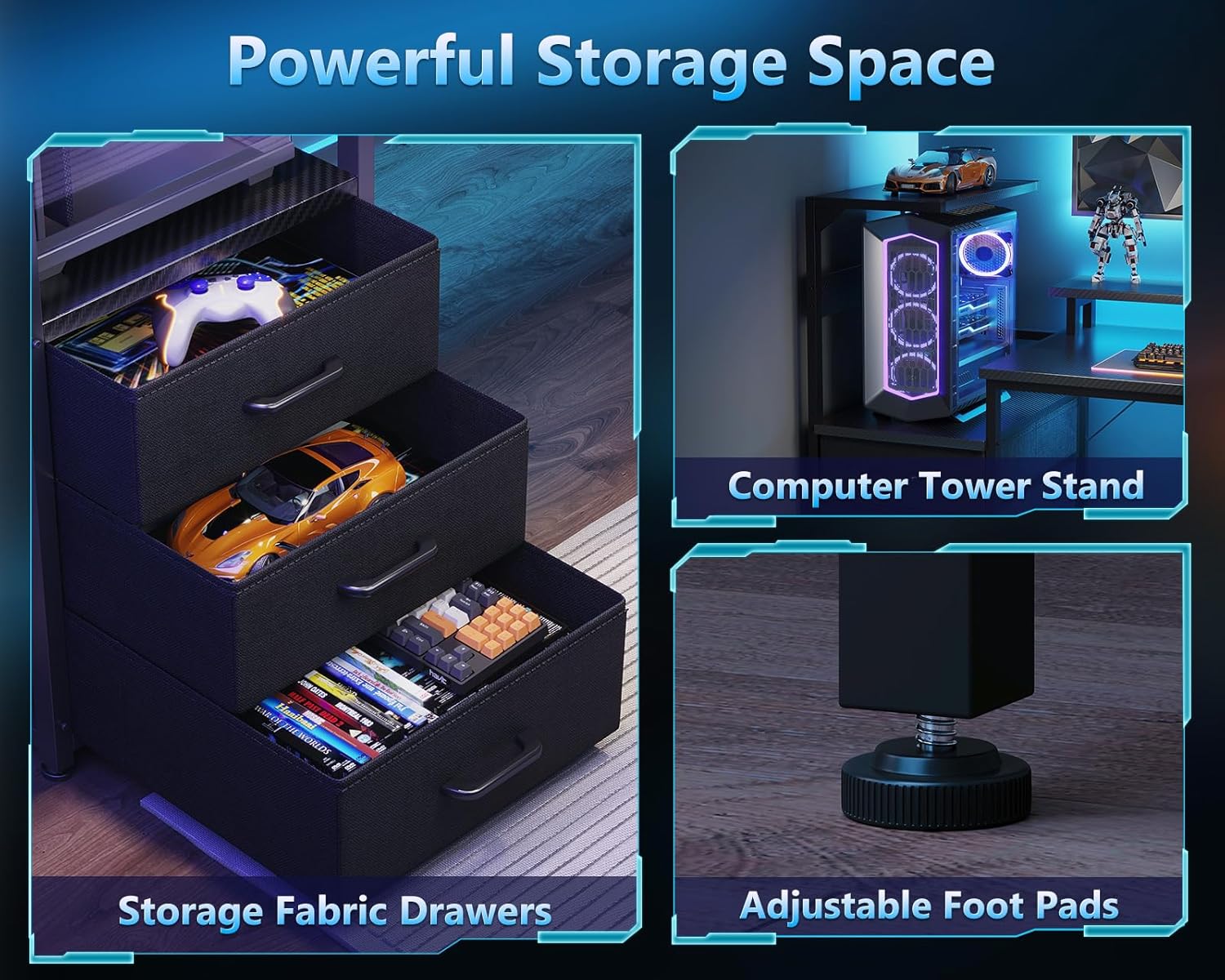
Image: Close-up of the recessed power outlet, showing its three AC outlets and two USB charging ports.
PC Display Stand
The exclusive elevated desktop stand is designed to showcase your PC tower, especially panoramic "fish tank" cases (compatible with models like Lian Li O11, Hyte Y60). It lifts your chassis to eye level, maximizing visibility of internal components and RGB setup, while protecting it from floor dust.

Image: A gaming setup featuring the AODK desk with a PC tower prominently displayed on the elevated stand, showcasing its internal lighting.
Ergonomic Monitor Stand
The integrated monitor shelf helps maintain healthy posture by elevating your monitor to an optimal viewing height. It also provides additional storage space underneath for small items.

Image: A visual comparison demonstrating the ergonomic benefits of using a monitor stand to improve posture.
Storage Drawers
The desk includes three spacious fabric drawers for clutter control, ideal for storing cables, controllers, and accessories, keeping your desktop clean and organized.

Image: The three fabric storage drawers, shown open and filled with various gaming accessories, highlighting their capacity.
Side Display Shelf
A dedicated side shelf with an overhead top board is provided for displaying collectibles such as action figures, Funko Pops, or speakers. This utilizes vertical space efficiently without obstructing your main setup.
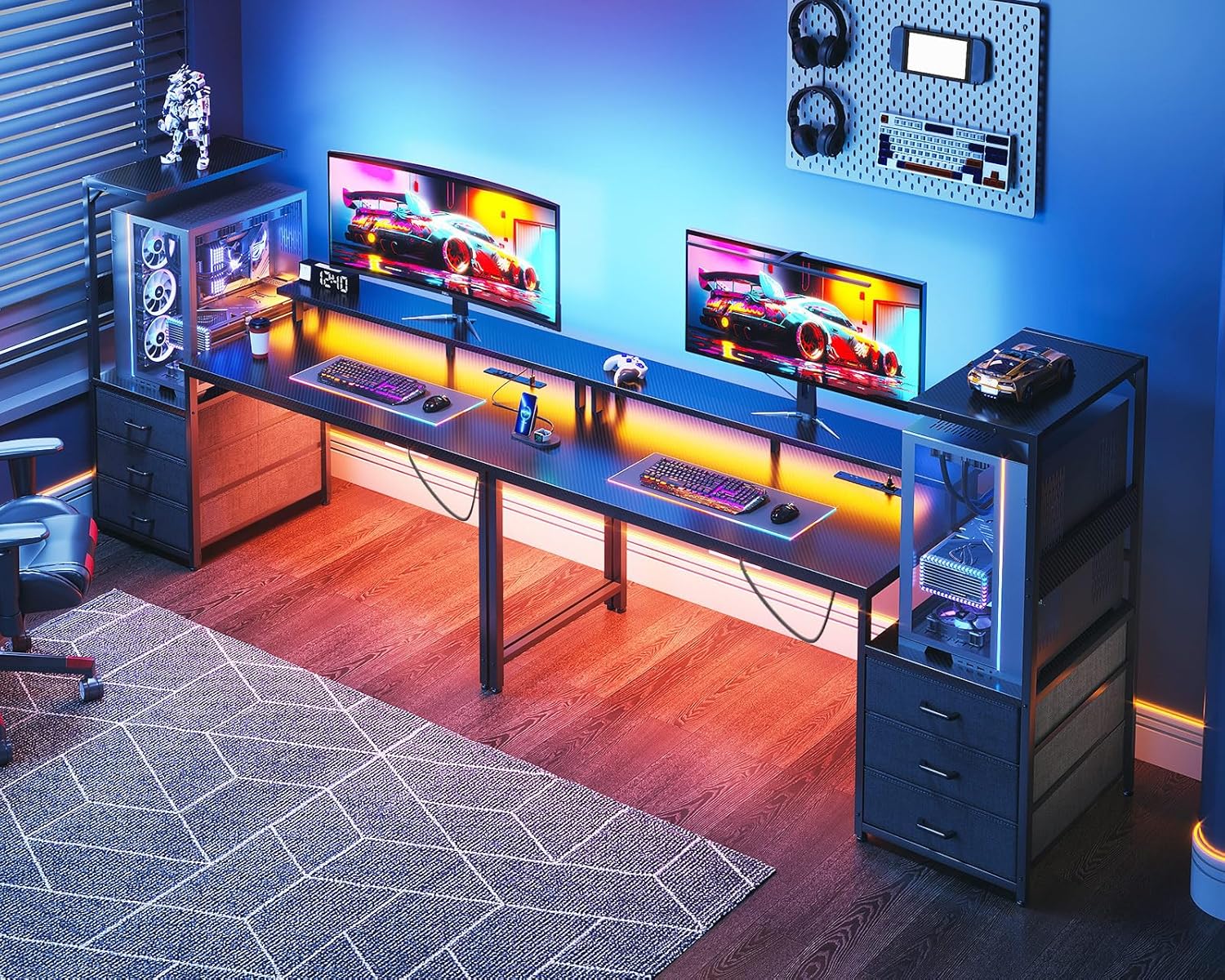
Image: The side display shelf integrated into the desk, showcasing its use for displaying various items alongside a PC tower.
Maintenance
To ensure the longevity and appearance of your AODK Gaming Desk, follow these simple maintenance guidelines:
- Desktop Cleaning: The high-quality desktop is scratch-resistant and waterproof. Wipe surfaces regularly with a soft, damp cloth. Avoid abrasive cleaners or harsh chemicals that could damage the finish.
- Frame Care: The industrial steel frame can be cleaned with a damp cloth. Ensure all parts are dry after cleaning to prevent rust.
- Drawer Maintenance: The fabric drawers can be spot cleaned with a mild detergent and water. Allow them to air dry completely before reinserting.
- Hardware Check: Periodically check all screws and bolts to ensure they remain tight. Re-tighten as necessary, but avoid over-tightening.
Troubleshooting
If you encounter any issues during assembly or use, refer to the following common solutions:
- Holes Not Lining Up During Assembly: This often occurs if screws are tightened prematurely. Loosen all screws for the current section, adjust the alignment of the parts, and then gradually tighten all screws evenly.
- Desk Wobbles After Assembly: Ensure all screws and bolts are fully tightened. Adjust the foot pads at the bottom of the desk legs to compensate for uneven flooring.
- RGB LED Strip Not Functioning: Check that the power cable for the LED strip is securely connected to both the strip and a power source. Ensure the power outlet is active. Refer to the "Operating Instructions" for correct button usage.
- PC Tower Does Not Fit on Display Stand: Verify the dimensions of your PC tower against the desk specifications. While designed for many panoramic cases, some larger custom builds may exceed the stand's capacity.
Specifications
| Feature | Detail |
|---|---|
| Brand | AODK |
| Model Number | B01OK151001009 |
| Product Dimensions | 19.7"D x 63"W x 45.1"H |
| Color | Black |
| Material Type | Engineered Wood (Desktop), Alloy Steel (Frame) |
| Item Weight | 41.9 pounds |
| Special Features | Monitor Stand, Reversible Design, RGB LED Lighting, Recessed Power Strip (3 AC, 2 USB), 3 Fabric Drawers, Side Display Shelf |
| Number of Drawers | 3 |
| Number of Shelves | 1 (Side Display Shelf) |
Warranty Information
This AODK product is covered by the manufacturer's standard warranty. For specific details regarding warranty coverage, terms, and conditions, please refer to the documentation included with your purchase or contact AODK customer support directly. Keep your proof of purchase for warranty claims.
Customer Support
For further assistance, replacement parts, or any inquiries not covered in this manual, please contact AODK customer support.
- Manufacturer: AODK
- Online Store: Visit the AODK Store on Amazon