
1. Introduction
The MiLESEEY XTAPE1 is an advanced measuring tool that combines the functionality of a traditional digital tape measure with a precise laser distance meter. This device is designed for professionals and DIY enthusiasts who require accurate and efficient measurements for various tasks, from intricate woodworking to large-scale home renovations. Its modular design, green aligning laser, and app synchronization capabilities enhance usability and data management.
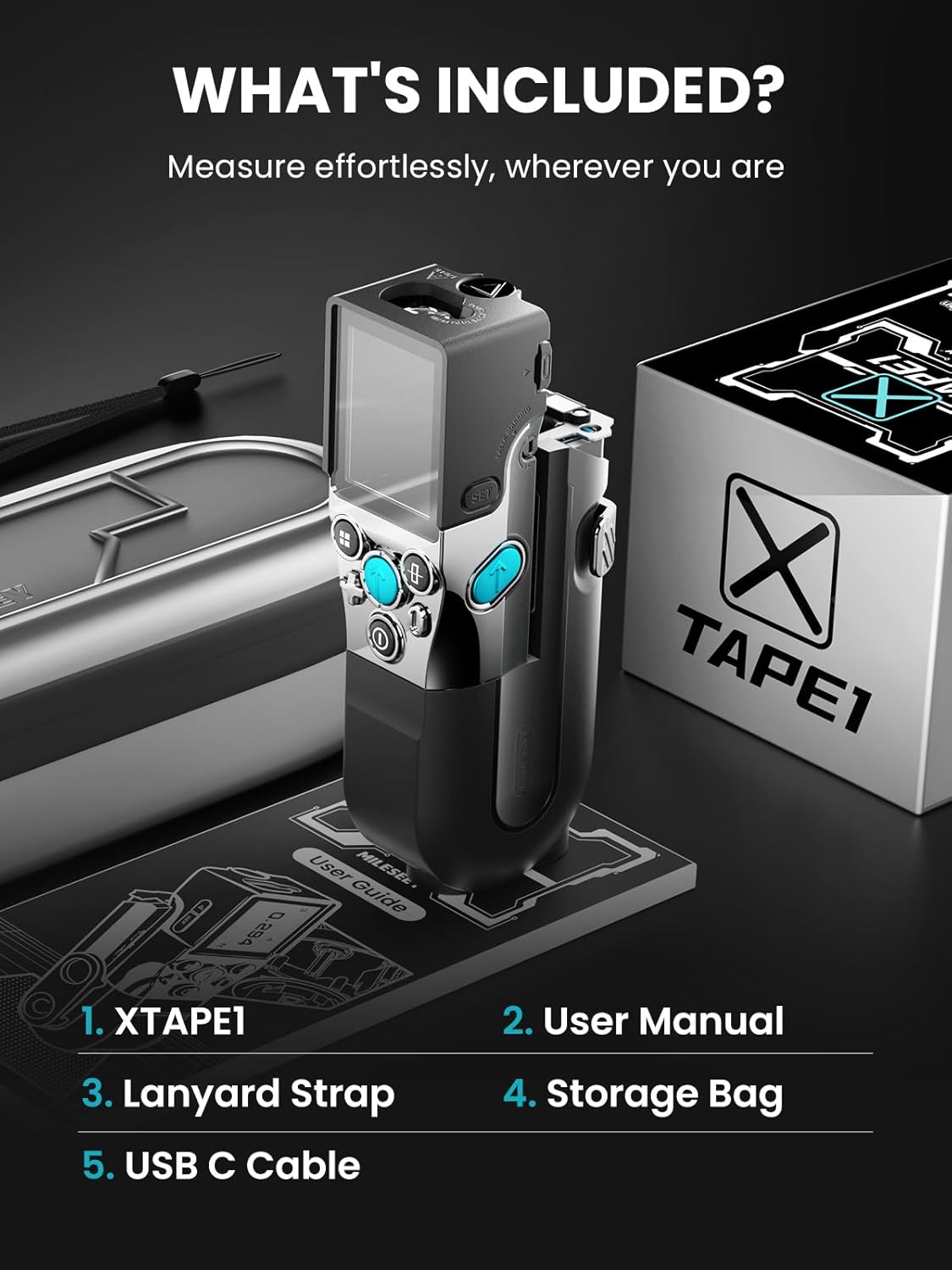
2. What's in the Box
- XTAPE1 Digital Tape Measure
- User Manual
- Lanyard Strap
- Storage Bag
- USB C Cable
3. Product Overview
The XTAPE1 integrates a 12ft digital tape measure and a 330ft laser measure, providing versatility for both short and long-distance measurements. It features a clear digital display, intuitive controls, and a robust construction for durability.

3.1 Modular Design
The XTAPE1 features an innovative modular design, allowing the laser measurement unit to detach from the tape measure housing. This enables easy replacement of the tape if it becomes damaged or worn, or to switch between different measurement units (e.g., imperial or metric modules).
3.2 Green Aligning Laser
An integrated green laser provides exceptional brightness and extended range for cross-surface alignment and precise marking, even on uneven surfaces. This feature is useful for ensuring accuracy in various applications.

3.3 Digital Readout and Ambidextrous Reading
The device features an instant digital readout for both tape and laser measurements. The screen supports rotation for ambidextrous use, ensuring clear visibility regardless of hand preference or measurement angle.

4. Setup
4.1 Charging the Device
- Connect the provided USB-C cable to the charging port on the XTAPE1.
- Connect the other end of the USB-C cable to a compatible USB power adapter (not included).
- The battery indicator on the display will show charging status. A full charge typically takes several hours.
4.2 Assembling the Modular Unit
- Align the laser measurement unit with the tape measure housing.
- Gently slide the two parts together until they click securely into place.
- To detach, press the release button (if available) and slide the units apart.
5. Operating Instructions
5.1 Power On/Off
Press and hold the power button (usually the central blue button) to turn the device on or off.
5.2 Digital Tape Measure Usage
- Pull out the tape measure blade. The digital display will automatically show the measurement.
- The L-shaped tape retraction button allows for smooth and controlled retraction of the tape.
5.3 Laser Distance Measurement
- Ensure the laser unit is attached or used independently.
- Point the laser at the target surface.
- Press the measurement button (often the central blue button) to take a reading. The distance will appear on the digital display.

5.4 Green Aligning Laser Activation
The green aligning laser can be activated for precise marking and alignment. Refer to the user manual for specific button presses to toggle this feature.
5.5 Advanced Measuring Functions
- Incremental Measuring: Start at '0' from any position. This allows for calculations without manual arithmetic.
- 1/N Line Split: Automatically splits a line into N equal smaller segments, useful for evenly spacing objects.
- Quick Distance Estimation (P2P): Measure between any two points from any location using P2P technology.
- Live Angle Display: Measure any included angle using the green aligning laser as a base reference.

6. App Synchronization
The XTAPE1 features a dedicated mobile application that allows for easy data transmission from the device to your smartphone or tablet. This app enables you to:
- Store and manage measured data.
- Annotate measured data onto hand-drawn sketches or uploaded on-site photos.
- Perform fast calculations and avoid manual errors.
7. Maintenance
- Cleaning: Use a soft, dry cloth to clean the device. Do not use abrasive cleaners or solvents.
- Storage: Store the XTAPE1 in its protective case when not in use to prevent damage.
- Battery Care: Recharge the lithium battery regularly, even if not in frequent use, to maintain battery health. Avoid extreme temperatures.
- Tape Blade Replacement: Due to its modular design, the tape blade can be replaced if it breaks or wears out. Refer to the detailed user manual for specific instructions on blade replacement.
8. Troubleshooting
- Inaccurate Readings: Ensure the device is held steady and the laser is pointed directly at the target. Calibrate the device if necessary (refer to the full user manual for calibration steps).
- App Connectivity Issues: Ensure Bluetooth is enabled on your smartphone/tablet and the XTAPE1. Restart both devices and try reconnecting.
- Battery Not Charging: Verify the USB-C cable and power adapter are functioning correctly. Ensure the charging port is free of debris.
- Laser Not Visible: In bright light conditions, the green laser may be less visible. Use in appropriate lighting or use the digital tape measure.
9. Specifications
- Product Dimensions: 9.84 x 3.94 x 0.04 inches
- Item Weight: 2.2 Pounds (1000 Grams)
- Batteries: 1 Lithium Ion battery (included)
- Measurement Accuracy: ±1/32"
- Case Material: Acrylonitrile Butadiene Styrene
- IP Rating: IP54 (dust and splash resistant)
- Battery Life: Up to 8 hours of continuous use, up to 30 days standby
10. Warranty and Support
- 180 Days: No hassle replacement for any quality problem.
- Lifetime Service: Professional technical support and solutions.
- 7*24H: Online rapid response for customer inquiries.
- Track Live: Fast delivery, direct from local hubs.
For further assistance or detailed information, please refer to the full user manual or visit the official MiLESEEY support website.