
1. Introduction
Thank you for choosing the PopBloom RL115 WiFi LED Reef Aquarium Light. This advanced lighting system is designed to provide optimal light conditions for marine SPS, LPS corals, and saltwater tanks, promoting healthy growth and vibrant coloration. This manual will guide you through the installation, operation, and maintenance of your new aquarium light.
What's in the Box
- 1 x RL115 LED Reef Aquarium Light
- 1 x Arm Kit for mounting
- 1 x Power Supply & Plug
- 1 x User Manual


Video 1.1: An introductory video showcasing the PopBloom 2026 New Launch RL115 WiFi Reef Light, demonstrating its design and functionality.
2. Setup and Installation
2.1 Mounting the Light
The RL115 comes with an adjustable rearward sliding arm kit for easy installation on various tank types. Follow these steps to securely mount your light:
- Assemble the arm kit components as shown in the diagram.
- Attach the mounting bracket to the rim of your aquarium. The bracket is compatible with both rimless and rimmed tanks with glass/rim thickness less than 3cm (1.18 inches).
- Slide the light fixture onto the arm. Adjust the length and height to achieve the desired position over your tank. The adjustable length is 12cm (4.8 inches) and adjustable height is 12cm (4.8 inches).
- Ensure all connections are secure before proceeding.


2.2 Tank Compatibility and Coverage
The RL115 is suitable for a variety of tank sizes. Refer to the compatibility chart below to determine the recommended number of lights for your aquarium dimensions.

2.3 Power Connection
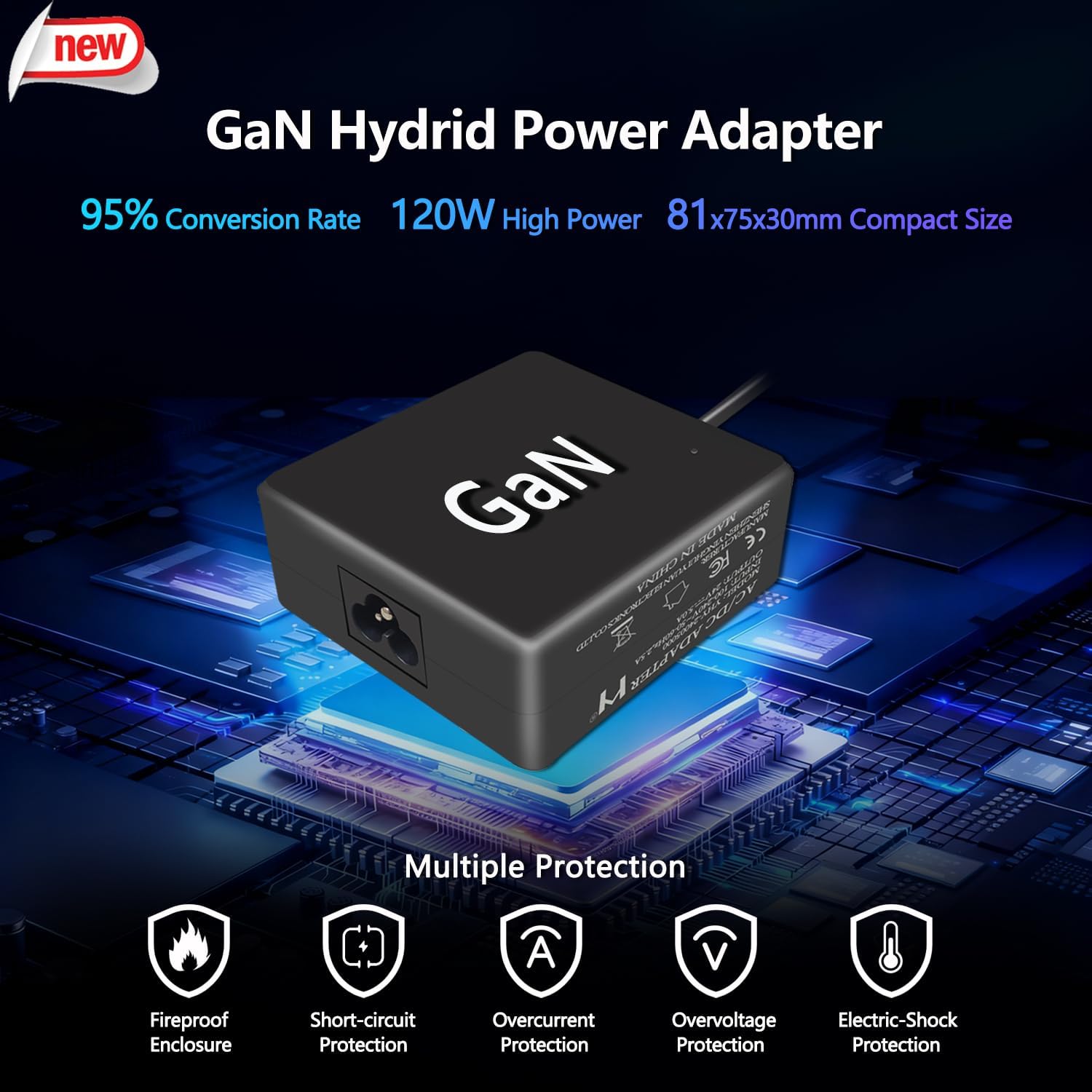
Connect the provided GaN Hybrid Power Adapter to the light fixture and then plug it into a standard electrical outlet. Ensure the power supply is placed in a dry, well-ventilated area.
3. Operating Instructions
The PopBloom RL115 light is controlled via a dedicated mobile application, offering both preset programs and full customization.
3.1 APP Download and Connection
- Download and install the PopBloom app on your smartphone.
- Enable Wi-Fi and Bluetooth on your phone.
- Grant location permissions to the app if prompted.
- Open the app and select "Add Device".
- Connect your phone to your home 2.4GHz Wi-Fi network.
- Follow the in-app instructions to add and connect to your RL115 light.

Video 3.1: A detailed instruction video on how to use the PopBloom WiFi LED APP for controlling your aquarium light.
3.2 Preset Lighting Modes
The app offers 16 dedicated lighting preset programs suitable for various reef scenarios, including SPS, LPS, mixed corals, fish-only tanks, and acclimation. These presets provide a one-click fast setup for beginners.

3.3 Custom (DIY) Programming
For advanced users, the app allows full customization with up to 16 time-points for programming. You can independently adjust the brightness of the 4 channels and set ramp-up and ramp-down times to create a personalized daily schedule.

3.4 Natural Simulation Features
The RL115 can simulate natural lighting conditions to mimic the marine environment:
- Sunrise/Sunset: Gradually increases and decreases light intensity.
- Lunar Cycle: Simulates the moon's phases over a 27-day cycle.
- Lightning: Creates a storm effect for a dynamic environment.
- Acclimation: A program to help new corals adjust to the light.

3.5 Sharing Settings
The app allows you to share your customized lighting programs with other users, facilitating community engagement and optimal coral care.

4. Maintenance
Regular maintenance ensures the longevity and optimal performance of your PopBloom RL115 light.
4.1 Cleaning
- Light Fixture: Periodically wipe the exterior of the light fixture with a soft, dry cloth to remove dust and salt creep. Ensure the light is unplugged before cleaning.
- Lens: Gently clean the projector-grade glass lens with a soft, damp cloth to maintain optimal light output. Avoid abrasive cleaners.
- Cooling Fan: Ensure the cooling fan vents are free from obstructions to prevent overheating. Use a soft brush or compressed air to clear any dust buildup.
4.2 Inspection
- Regularly check the power cord and adapter for any signs of damage.
- Inspect the mounting arm for stability and ensure it remains securely attached to the aquarium.
5. Troubleshooting
If you encounter any issues with your PopBloom RL115 light, refer to the following common troubleshooting steps:
5.1 Light Not Turning On
- Check if the power adapter is securely plugged into both the light fixture and the electrical outlet.
- Verify that the electrical outlet is functional by plugging in another device.
- Ensure there are no visible damages to the power cord or adapter.
5.2 APP Connection Issues
- Confirm your phone is connected to a 2.4GHz Wi-Fi network. The light does not support 5GHz Wi-Fi.
- Ensure your phone's Bluetooth is enabled and location services are granted to the app.
- Restart the app and try the connection process again.
- If issues persist, try resetting the light's Wi-Fi module (refer to the app's help section for specific reset instructions).
5.3 Inconsistent Light Output
- Check your programmed schedule in the app for any unintended settings.
- Ensure the light's lens is clean and free from obstructions or salt creep.
- Verify that the cooling fan is operating correctly and not blocked, as overheating can affect performance.
For further assistance, please contact PopBloom customer support.
6. Specifications
Detailed technical specifications for the PopBloom RL115 LED Reef Aquarium Light:
| Feature | Specification |
|---|---|
| Model Number | HertzRL115WiFi |
| Power | 115W |
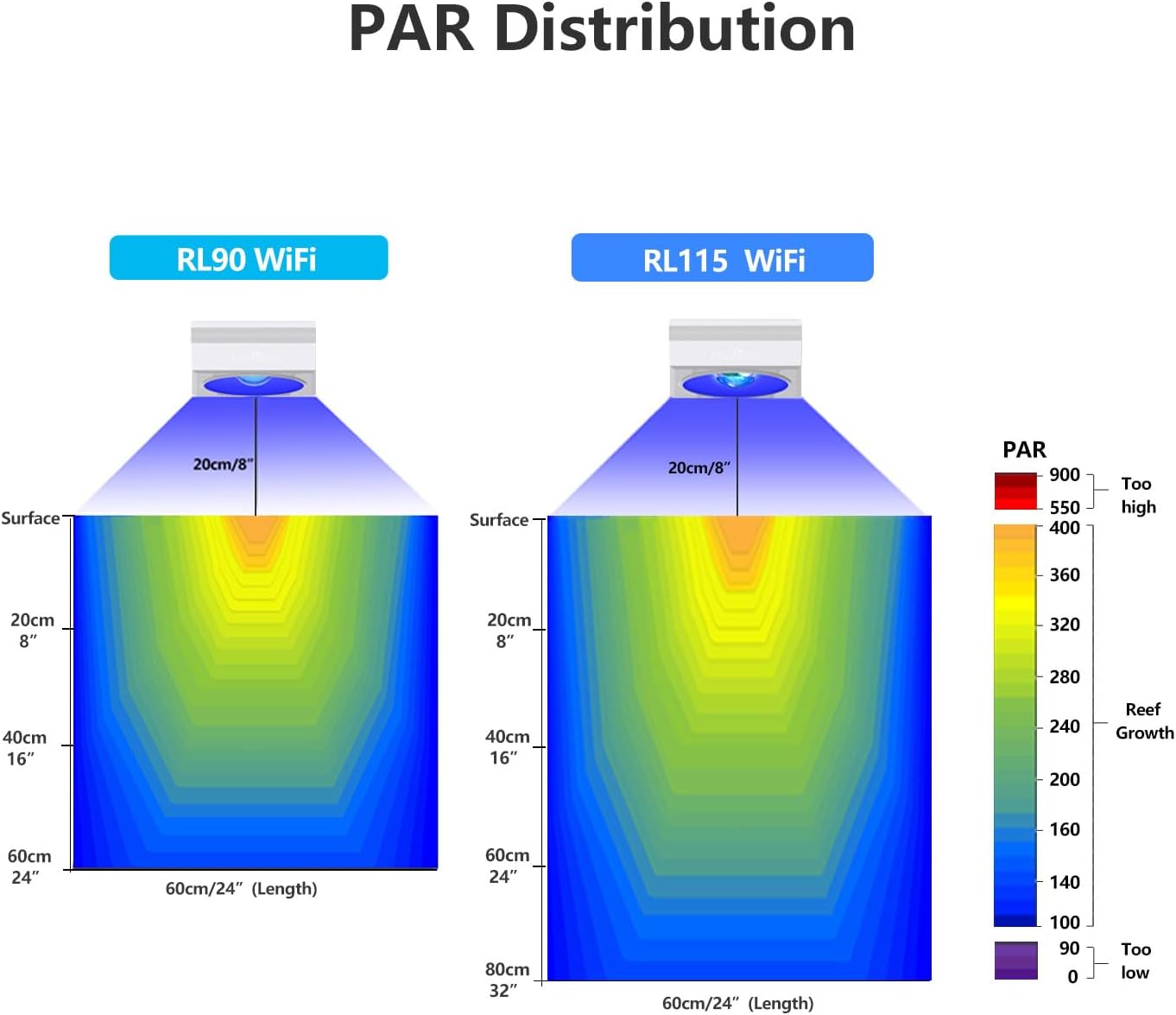
| PAR (24" depth) | >170 |
| PAR (32" depth) | >150 |
| CRI | >95 |
| Dimensions (L x W x H) | 4.72"L x 4.72"W x 2.17"H (12x12x5.5 cm) |
| Weight | 2.5 Pounds |
| Material | Aluminum frame with plastic casing |
| Lens Angle | 110° wide-angle |
| Control Method | WiFi & APP Control (4 Channels fully programmable) |
| Voltage | 120 Volts |
| Power Source | Corded Electric |
| Mounting Type | Bracket Mount |


7. Warranty and Support
7.1 Warranty Information
The PopBloom RL115 LED Reef Aquarium Light comes with a 3-year warranty from the date of purchase. This warranty covers manufacturing defects and ensures stable, long-lasting performance. Please retain your proof of purchase for warranty claims.
7.2 Customer Support
For any questions, technical support, or warranty inquiries, please contact PopBloom customer service. Refer to the contact information provided on the product packaging or the official PopBloom website.
Manufacturer: Shenzhen PopBloom Electronic Technology Co., Ltd


