
Introduction
This manual provides detailed instructions for the installation, operation, maintenance, and troubleshooting of your JOYING Android 13 Car Radio (Model JY-TT193N8). This unit is specifically designed for Toyota Camry models from 2015 to 2017, offering advanced features such as wireless CarPlay, Android Auto, GPS navigation, and 4G connectivity. Please read this manual thoroughly before using the product to ensure proper function and safety.
Product Features
- Wireless CarPlay & Android Auto: Seamless integration with your smartphone for navigation, music, calls, and messaging without physical connections.
- Plug & Play Installation: Custom-designed for 2015-2017 Toyota Camry, including all necessary cables for a straightforward installation process.
- Optical Fiber and Coaxial Digital Output: Provides high-quality audio output for connection to external amplifiers with compatible digital inputs.
- Built-in 4G Module: Insert a SIM card for internet access. Supports FDD-LTE (B2/B4/B5/B7/B12/B13/B14/B17/B25/B26/B38/B66/B71) and TDD-LTE (B41) bands. Note: This module does not support phone calls or SMS.
- GPS Navigation: Equipped with precise GPS engines and an included GPS antenna for accurate real-time navigation. Supports offline maps in areas where data download is available.
- 10.1-inch IPS Touch Screen: Large, responsive display for clear visuals and easy interaction.
- 8GB RAM + 128GB Storage: Ample memory and storage for smooth operation and app installation.
Setup and Installation
The JOYING Android 13 Car Radio is designed for a plug-and-play installation in compatible Toyota Camry models. Ensure the vehicle's ignition is off and the battery is disconnected before beginning installation.
Package Contents:
- 10.1" Radio Unit
- Single Din Cage
- Left & Right Brackets
- WiFi Antenna
- GPS Antenna
- 4G Antennas (x2)
- External Microphone
- USB Cables (x2)
- AR Cable
- Screen Ribbon Cable
- Power Cable
- User Manual
Installation Steps:
- Carefully remove the factory radio unit and trim from your Toyota Camry dashboard. Refer to your vehicle's service manual for specific instructions on trim removal.
- Connect the provided power cable harness to the vehicle's wiring and the new head unit. Ensure all connections are secure.
- Connect the GPS antenna, WiFi antenna, and 4G antennas to their respective ports on the back of the head unit. Position the antennas in a location that provides optimal signal reception, away from metal obstructions.
- Connect any additional accessories such as the external microphone, USB cables, and AR cable as needed.
- Mount the new JOYING head unit into the dashboard opening using the provided brackets and single DIN cage. Ensure a secure fit.
- Reconnect the vehicle's battery and turn on the ignition to test the unit.
- Reinstall the dashboard trim panels.
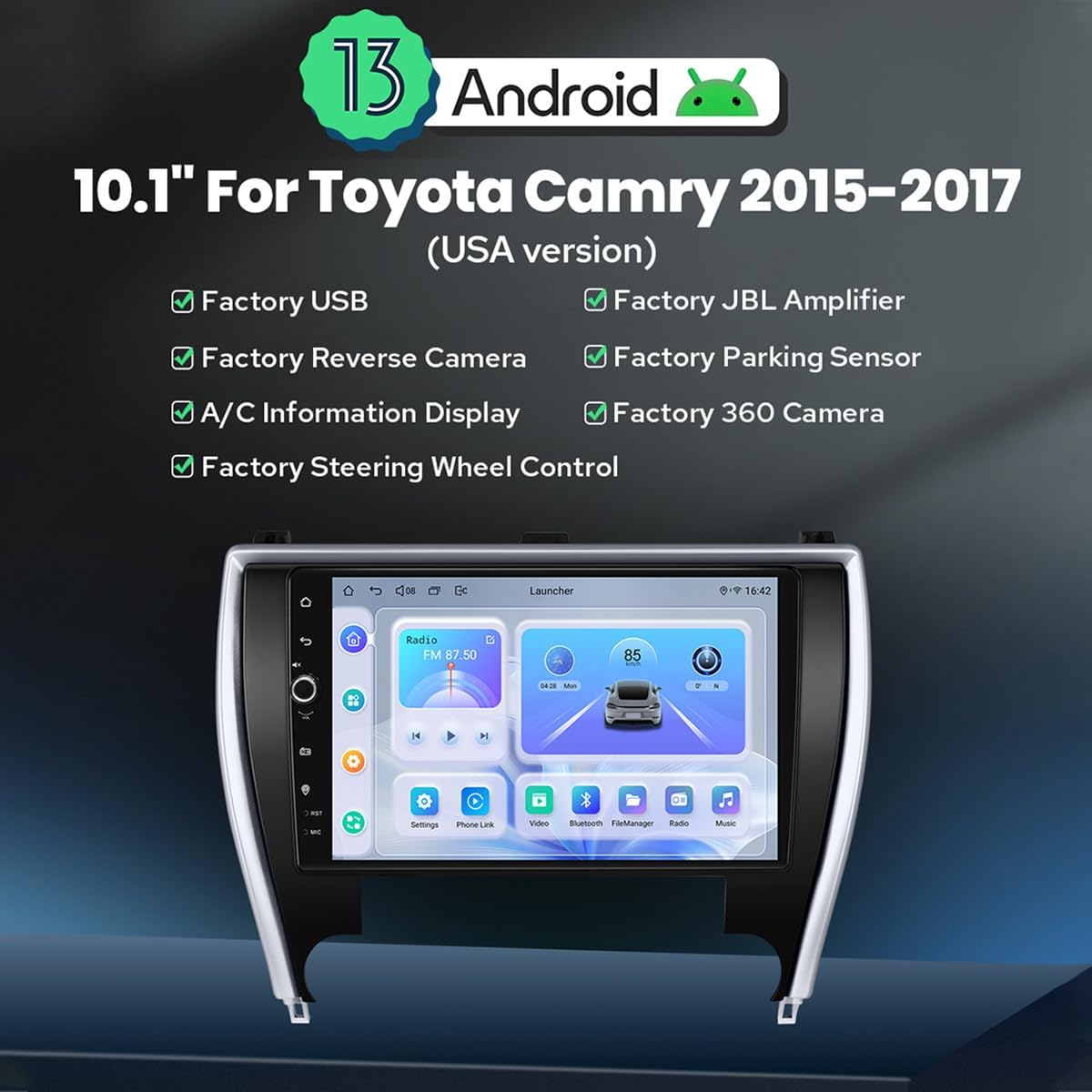
Image: The JOYING Android 13 Car Radio seamlessly integrated into a Toyota Camry dashboard, demonstrating its factory-look design and fitment.

Image: The main unit of the JOYING Android 13 Car Radio, featuring its 10.1-inch display and indicating Android 13 compatibility.
Operating Instructions
Initial Setup:
Upon first power-on, the system will guide you through initial setup steps, including language selection, time zone, and network configuration. Follow the on-screen prompts.
Wireless CarPlay / Android Auto:
- Ensure Bluetooth and Wi-Fi are enabled on your smartphone.
- On the car radio, navigate to the CarPlay or Android Auto application.
- Follow the on-screen instructions to pair your phone via Bluetooth. Once paired, the system will automatically establish a Wi-Fi connection for wireless CarPlay or Android Auto.
GPS Navigation:
The unit comes with pre-installed navigation software. You can also download additional navigation apps from the Google Play Store. For offline maps, ensure you download the necessary map data while connected to Wi-Fi. The included GPS antenna enhances signal reception for accurate positioning.
4G Connectivity:
To use 4G internet, insert a compatible SIM card into the designated slot on the unit. The system will automatically detect the network. Note that this feature is for data connectivity only and does not support voice calls or SMS.
Audio Settings and Output:
The unit features a TDA7851 DSP chip and a 48-band graphic equalizer for sound customization. Adjust settings via the audio application. For enhanced sound quality with external amplifiers, utilize the Optical Fiber or Coaxial Digital Output ports if your amplifier supports them.

Image: Illustration of the car radio's advanced audio features, including support for aftermarket amplifiers via multiple output options like optical fiber and coaxial digital.
HDMI Output:
The unit provides an HDMI output for connecting external displays, such as headrest monitors. This allows passengers to view content from the main unit in 1080p resolution without delay. An HDMI cable is not included and must be purchased separately.
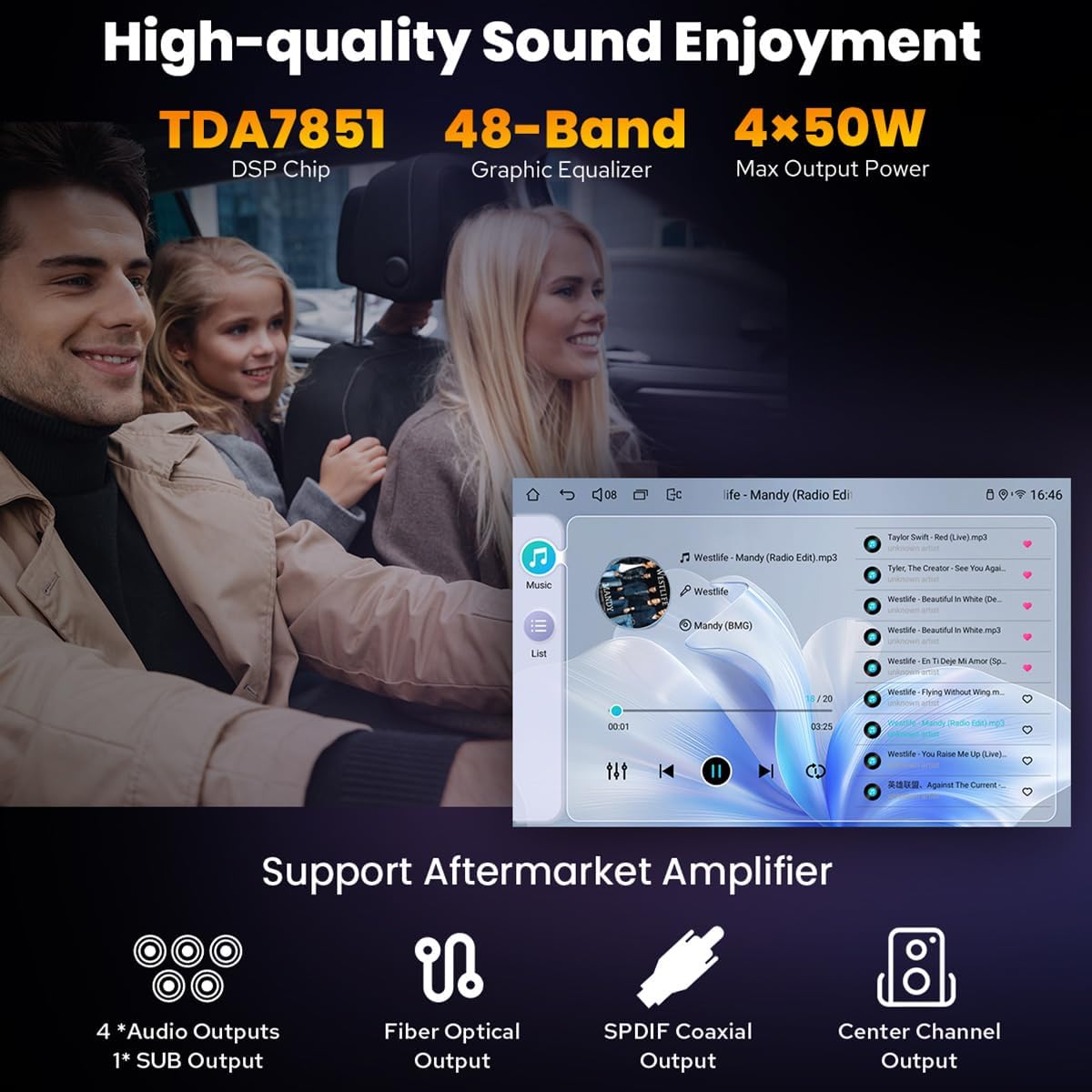
Image: The HDMI output functionality, enabling connection to external screens for synchronized video playback for passengers.
Split-screen Multitasking:
The Android 13 operating system supports split-screen functionality, allowing you to run two applications simultaneously. For example, you can have navigation on one side and music on the other.
- Tap the recent apps icon (usually a square or three vertical lines).
- Find the app you want to run in split-screen, then tap its icon to bring up the split-screen button. Tap this button.
- The first app will display on the left side. Choose the second app from the recent apps list to display on the right.

Image: Visual guide on how to activate and use the split-screen multitasking feature on the car radio.
Maintenance
- Screen Cleaning: Use a soft, lint-free cloth slightly dampened with water or a screen cleaner. Avoid harsh chemicals or abrasive materials.
- Software Updates: Periodically check for software updates through the system settings or the JOYING official website to ensure optimal performance and access to new features.
- General Care: Keep the unit free from dust and extreme temperatures. Avoid spilling liquids on the device.
Troubleshooting
- No Power:
- Check all power connections and fuses. Ensure the vehicle's battery is properly connected and charged.
- No Sound:
- Verify speaker connections. Check volume levels and audio output settings. If using an external amplifier, ensure it is powered on and correctly connected.
- GPS Signal Issues:
- Ensure the GPS antenna is securely connected and positioned with a clear view of the sky. Avoid placing it under metal objects.
- Wireless CarPlay/Android Auto Not Connecting:
- Confirm Bluetooth and Wi-Fi are enabled on your phone and the car radio. Try forgetting the device on both ends and re-pairing. Ensure your phone's operating system is up to date.
- Poor Fitment in Dashboard (e.g., 2016 Camry LE):
- While designed for 2015-2017 Toyota Camry, some specific sub-models or trim levels may experience minor gaps. Double-check the installation and ensure all mounting points are correctly aligned. If significant gaps persist, consult with a professional installer or contact JOYING support.
- System Freezes or Slow Performance:
- Try restarting the unit. Close unnecessary background applications. If the issue persists, consider performing a factory reset (note: this will erase all user data and settings).
Specifications
| Feature | Specification |
|---|---|
| Brand | JOYING |
| Model Number | JY-TT193N8 |
| Screen Size | 10.1 Inches |
| Operating System | Android 13, iOS (via CarPlay) |
| Memory Storage Capacity | 128 GB |
| RAM | 8 GB |
| Connectivity Technology | Bluetooth, Ethernet, USB, Wi-Fi, 4G |
| Special Features | Bluetooth, Touchscreen, Wireless CarPlay, Android Auto, GPS Navigation, 4G Module, Optical/Coaxial Digital Output |
| Map Type | North America (pre-installed, others downloadable) |
| Audio Output Mode | Stereo |
| Mounting Type | In-dash |
| Display Type | LED, Capacitive Touch Screen |
| Compatible Devices | Camera, Smartphone |
| Supported Satellite Navigation System | BeiDou (and others via GPS) |
| Product Dimensions (L x W x H) | 33L x 15.2W x 33H centimetres |
Warranty and Support
JOYING products typically come with a standard manufacturer's warranty. Please refer to the warranty card included with your product or visit the official JOYING website for specific warranty terms and conditions.
For technical support, troubleshooting assistance, or warranty claims, please contact JOYING customer service through their official website or the contact information provided in your product packaging. When contacting support, please have your model number (JY-TT193N8) and purchase details ready.

