
1. Introduction
This manual provides essential information for the safe operation, assembly, maintenance, and troubleshooting of your Hapali Electric Scooter A11. Please read this manual thoroughly before your first ride to ensure optimal performance and safety. Keep this manual for future reference.
2. Safety Information
Operating an electric scooter carries inherent risks. Adhere to all local laws and regulations regarding electric scooter usage. Always wear a helmet and appropriate safety gear. Regularly inspect your scooter for any damage or loose parts before each use.
- Always wear a certified helmet and protective gear (knee pads, elbow pads).
- Familiarize yourself with local traffic laws and regulations.
- Perform a pre-ride check: ensure brakes are functional, tires are in good condition, and all fasteners are secure.
- Do not ride in heavy rain, on icy surfaces, or through deep puddles.
- Maintain a safe speed and distance from other vehicles and pedestrians.
- Avoid riding under the influence of alcohol or drugs.
- The maximum weight limit for this scooter is 220 pounds.
3. Package Contents
Verify that all items are present upon unboxing:
- Hapali Electric Scooter A11
- Charger
- Tools (Hex wrench for assembly)
- User Manual
4. Product Overview
The Hapali A11 Electric Scooter features a robust design with key components for performance and safety.

Image: Hapali Electric Scooter A11, shown both unfolded and folded for transport.

Image: Diagram highlighting key features: front suspension, 550W motor, 19 MPH max speed, 36V/10.5AH smart battery, 23 max miles range, 8.5 inch smooth ride tires, and ambient side lights.
Key Components:
- Handlebar with Integrated Display: Shows speed, battery level, and riding mode.
- Headlight: Front-mounted for visibility.
- Brake Levers: Controls the dual braking system (electronic + drum).
- Throttle: Accelerates the scooter.
- Folding Mechanism: Allows for compact storage and transport.
- Front Suspension: Absorbs shocks for a smoother ride.
- 8.5-inch Honeycomb Tires: Airless design for puncture resistance and shock absorption.
- Deck: Non-slip surface for rider stability.
- Side Lights & Rear Light: Enhance 360° visibility.
- Kickstand: For convenient parking.
5. Setup
5.1 Unboxing and Assembly
- Carefully remove the scooter and all accessories from the packaging.
- Unfold the scooter by releasing the folding latch. Ensure it locks securely into place.
- Attach the handlebar to the stem using the provided screws and hex wrench. Ensure all screws are tightened firmly.
5.2 Initial Charging
Before first use, fully charge the scooter's battery.
- Locate the charging port, typically on the side of the deck.
- Connect the charger to the scooter and then to a power outlet.
- The charging indicator on the charger will change (e.g., red to green) when fully charged.
- Charging time is approximately 4 hours.
6. Operating Instructions
6.1 Power On/Off
Video: This video demonstrates the features and operation of the Hapali A11 Electric Scooter, including assembly, controls, and lighting.
- To Power On: Press and hold the power button on the display for a few seconds. The display will illuminate.
- To Power Off: Press and hold the power button again until the display turns off.
6.2 Headlight and Side Lights
- To Turn On/Off Lights: With the scooter powered on, press the power button once. The front headlight, rear light, and side lights will activate. Press again to turn them off.

Image: Hapali A11 Electric Scooter with its bright front headlight and glowing side lights activated, enhancing visibility in low-light conditions.

Image: Diagram illustrating the 360-degree light system of the scooter, including front, side, and rear lights for full visibility.
6.3 Riding Modes
The scooter offers multiple speed modes for different riding conditions:
- To Change Modes: With the scooter powered on, double-press the power button to cycle through the modes. The display will indicate the current mode (e.g., ECO, D, S).
- Eco Mode: Approximately 6 MPH, extended range (up to 23 miles).
- Normal Mode: Approximately 13 MPH, balanced performance (up to 18 miles).
- Sport Mode: Approximately 19 MPH, maximum speed and power (up to 14 miles).

Image: A rider on the Hapali A11 Electric Scooter, with an overlay showing the scooter's dimensions and a chart detailing range for Eco, Normal, and Sports modes.

Image: Image showing two people riding electric scooters in a city, with a graphic illustrating the 3-speed smart control modes (Eco, Drive, Sports) and their corresponding ranges.
6.4 App Management
The Hapali A11 can be connected to a smartphone app for enhanced control and monitoring.
- Features: Adjust speed modes, activate cruise control, control lights, and track ride statistics in real-time.
- Connection: Enable Bluetooth on your smartphone and follow the app's instructions to pair with your scooter.

Image: Smartphone screen displaying the scooter's app interface with options for Bluetooth connection, firmware update, riding status, and 'Find My' feature, overlaid on a map.
6.5 Braking System
The scooter is equipped with a dual braking system (electronic + drum brake) for reliable stopping power.
- Apply both brake levers simultaneously for effective and controlled stopping.
- Practice braking in a safe, open area before riding in traffic.

Image: Close-up image of the scooter's rear wheel, highlighting the 8.5-inch tires and drum brakes, with text describing them as 'Pothole & Rain Warrior' and 'All-Weather Stopping'.
6.6 Folding and Transport
The scooter's folding design allows for easy storage and portability.
- To fold, locate and release the folding mechanism latch on the stem. Carefully fold the stem down until it clicks into place.
- To unfold, reverse the process, ensuring the latch is fully engaged before riding.
- Weighing 27 lbs, it is suitable for urban commutes and multi-modal travel.
7. Maintenance
7.1 General Cleaning
- Wipe the scooter with a damp cloth after each use. Avoid using high-pressure water jets.
- Do not use abrasive cleaners or solvents that could damage the finish.
7.2 Tire Care
The 8.5-inch honeycomb tires are airless and designed to be puncture-resistant, minimizing maintenance.
- Regularly inspect tires for wear, cuts, or embedded debris.
- While water-resistant, avoid prolonged exposure to moisture.
7.3 Battery Care

Image: Illustration of the scooter's deck with the internal 36V/10.5AH lithium battery cells highlighted, emphasizing its 23-mile range.
- Charge the battery fully before long periods of storage.
- Store the scooter in a cool, dry place.
- Avoid completely draining the battery, as this can reduce its lifespan.
7.4 Front Suspension
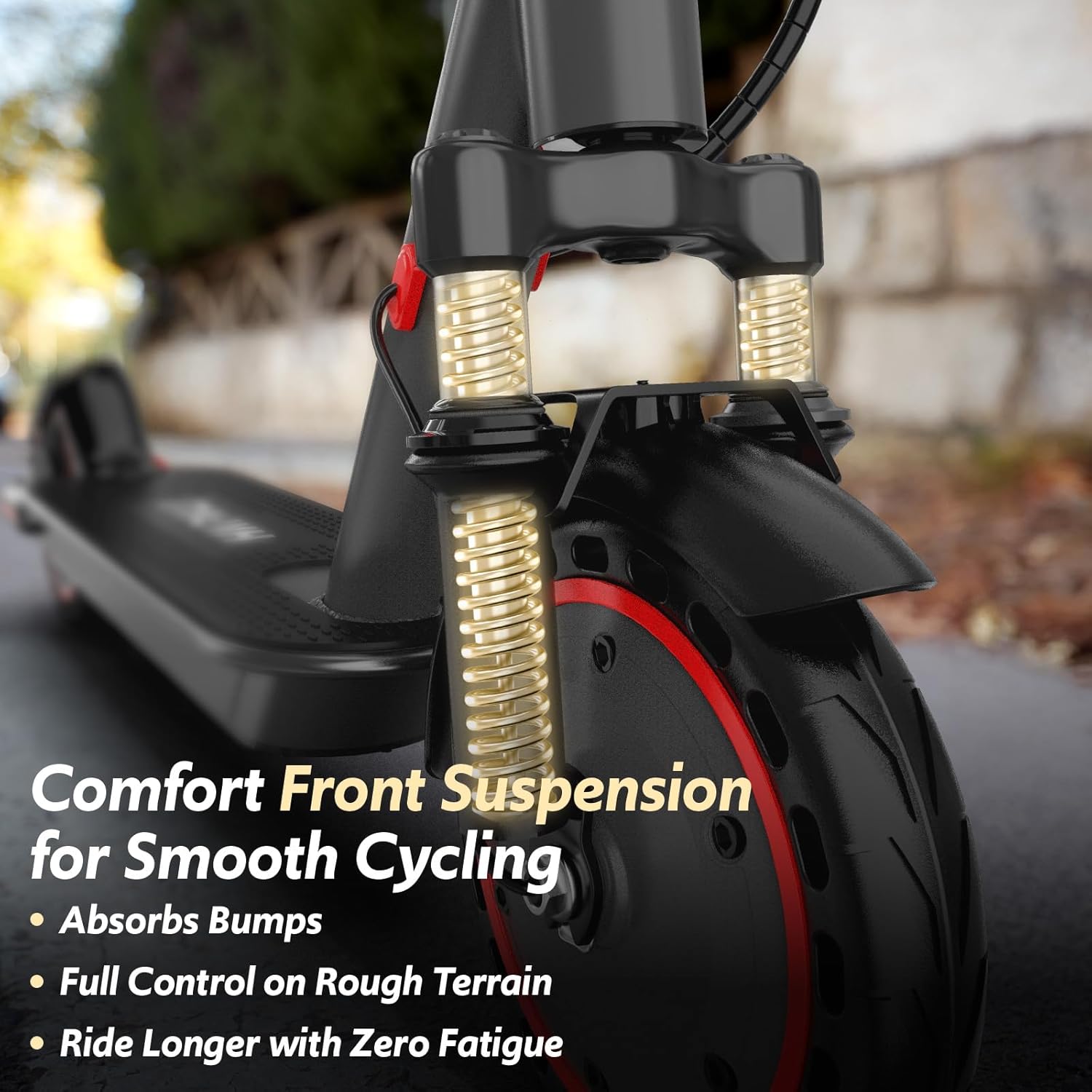
Image: Close-up of the scooter's front wheel and suspension system, showing the springs and fork designed for comfort on rough terrain.

Image: Diagram illustrating the front suspension system absorbing impacts from potholes and bumps, ensuring a smooth ride.
The front suspension system is designed to minimize vibrations and provide a comfortable ride. No specific user maintenance is required for the suspension, but ensure it remains free of debris.
8. Troubleshooting
- Scooter does not power on: Ensure the battery is charged. Check all connections.
- Reduced range or speed: Battery may not be fully charged, or riding conditions (hills, heavy load, cold weather) may affect performance.
- Brakes squeak: This can occur with mechanical brakes. Regular cleaning of the brake pads and disc may help. If persistent, professional adjustment may be needed.
- Handlebar twists: Ensure the compression fitting and all screws securing the handlebar are tightened.
- App connectivity issues: Ensure Bluetooth is enabled on your device and the scooter is powered on. Try restarting both the app and the scooter.
For issues not covered here, please contact customer support.
9. Specifications
| Feature | Specification |
|---|---|
| Brand | Hapali |
| Model Name | A11 |
| Motor Power | 550W |
| Max Speed | 19 MPH |
| Max Distance Range | 23 Miles |
| Battery | 36V/10.5AH Lithium |
| Charging Time | 4 Hours |
| Tire Size | 8.5 Inches |
| Tire Type | Honeycomb (Airless) |
| Suspension Type | Front Suspension |
| Brake Style | Dual (Electronic + Drum) |
| Weight Limit | 220 Pounds |
| Item Weight | 27 Pounds |
| Product Dimensions (LxWxH) | 41" x 5.7" x 40" |
| Special Features | Digital Display, Foldable, Lights (Front, Rear, Side), Lightweight, Non-Slip Deck, App Control |
| Material | Aluminum |
10. Warranty Information
The Hapali Electric Scooter A11 comes with a limited warranty covering manufacturing defects:
- 12 Months: Frame, motor, controller, steering, display, brakes, folding system, fork, and governing system.
- 6 Months: Battery, charger, brake lever, and gears.
- 1-3 Months (model-dependent): Lights, bell, fender, kickstand, pads, covers, etc.
Exclusions: Hex wrench, pipes, inner tube unlisted parts are excluded. Damage resulting from misuse (e.g., punctures, crashes, water exposure) is not covered under warranty.
11. Support
For further assistance, technical support, or warranty claims, please contact Hapali customer service through the retailer where the product was purchased or visit the official Hapali website for contact information.