
Introduction
This manual provides comprehensive instructions for the IMSVEPR Smart Watch LC211. It covers device setup, operational procedures, maintenance guidelines, troubleshooting tips, and detailed product specifications. Please read this manual thoroughly to ensure proper use and optimal performance of your smartwatch.
1. Setup
1.1 Package Contents
Before starting, verify that all items are present in the package:
- IMSVEPR Smart Watch LC211 (with watch band)
- Charging Cable
- User Manual

Image: Package contents and size diagram for the IMSVEPR Smart Watch LC211.
1.2 Charging the Smart Watch
Before first use, fully charge the smartwatch. Connect the magnetic charging cable to the charging contacts on the back of the watch and to a USB power source. A full charge typically takes 2-3 hours and provides up to 7 days of normal use or 35 days standby.

Image: The IMSVEPR Smart Watch LC211 connected to its magnetic charging cable.
1.3 App Installation and Pairing
To unlock the full functionality of your smartwatch, download the companion application on your smartphone. The app is compatible with both Android and iOS devices. Follow the on-screen instructions within the app to pair your smartwatch via Bluetooth.
- Scan the QR code in the manual or on the watch screen, or search for the app name (usually indicated in the watch's initial setup screen or manual) in your phone's app store.
- Install and open the application.
- Enable Bluetooth on your smartphone.
- In the app, navigate to 'Add Device' or 'Pair Device' and select your smartwatch from the list of available devices.
- Confirm the pairing request on both your phone and the smartwatch.
2. Operating Instructions
2.1 Basic Navigation
The smartwatch features a 2.01-inch HD touchscreen for intuitive control. Swipe left, right, up, or down to access different menus and functions. The side button typically serves as a power button, back button, or to access the main menu.

Image: The IMSVEPR Smart Watch LC211 displaying its clear 2.01-inch HD screen with various metrics.
2.2 Bluetooth Calling and Message Notifications
Once paired with your smartphone, the smartwatch allows you to make and receive calls directly from your wrist. It also displays notifications from social media apps and messages.
- Making Calls: Access the dial pad or contacts list on the watch to initiate a call.
- Receiving Calls: When a call comes in, you can answer or reject it directly from the watch.
- Notifications: The watch will vibrate and display incoming messages and app alerts.

Image: The IMSVEPR Smart Watch LC211 showing a call notification and various app icons, demonstrating Bluetooth calling and message features.
2.3 GPS Tracking and Sports Modes
The smartwatch features built-in GPS for accurate tracking of outdoor activities without needing your phone. It supports over 110 sports modes to monitor various activities.
- GPS Tracking: Select an outdoor activity mode (e.g., running, cycling) to track pace, distance, and route.
- Sports Modes: Choose from a wide range of sports to get specific metrics like calorie consumption, steps, distance, and duration.

Image: The IMSVEPR Smart Watch LC211 tracking a run with built-in GPS, showing real-time data and route mapping.
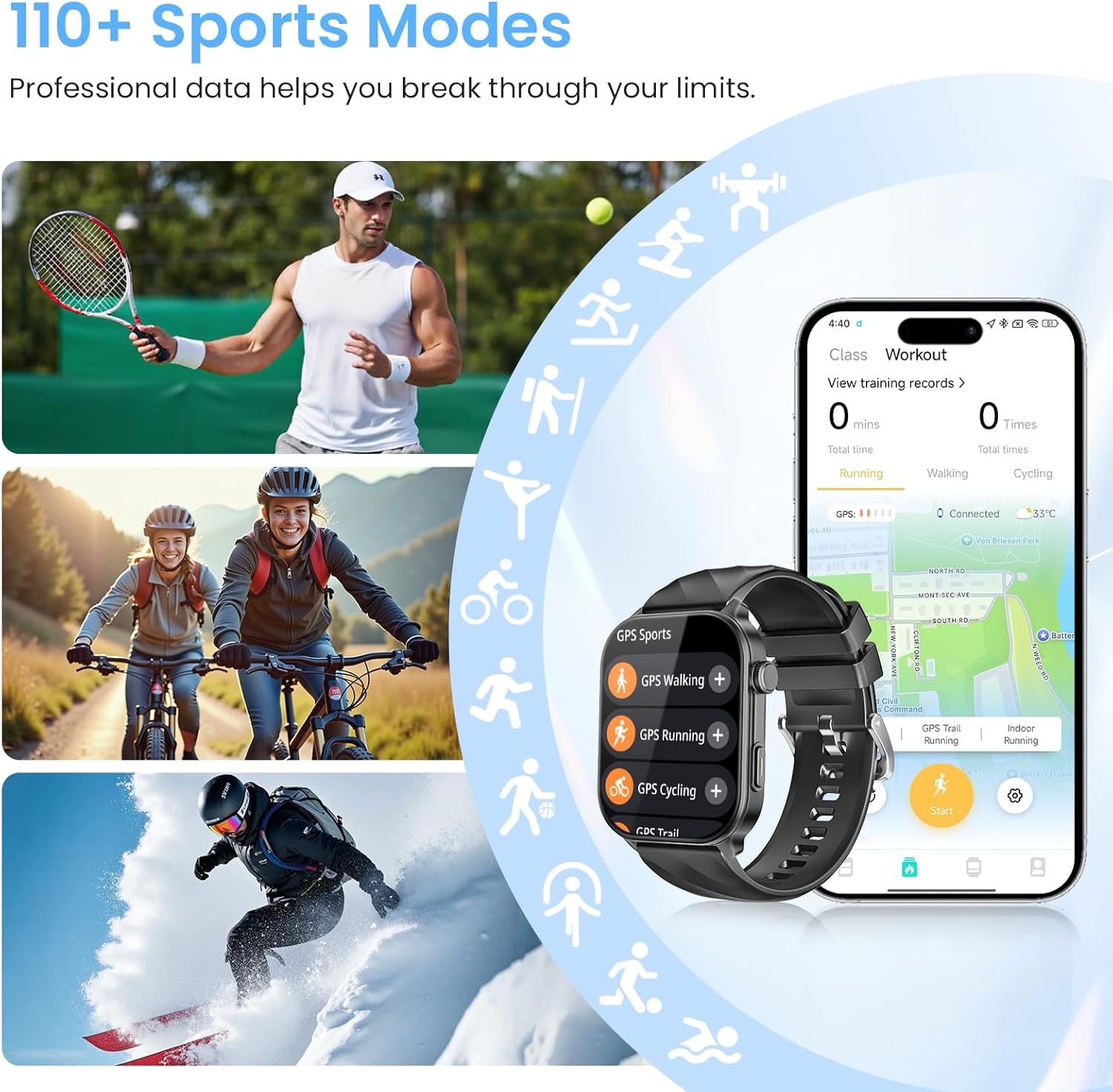
Image: The IMSVEPR Smart Watch LC211 showcasing its 110+ sports modes for diverse activities.
2.4 Health Monitoring
The smartwatch continuously monitors various health metrics to provide a comprehensive overview of your well-being.
- Heart Rate: Tracks your heart rate 24/7.
- Blood Oxygen (SpO2): Measures blood oxygen levels.
- Sleep Monitor: Records sleep quality, including awake, light, REM, and restful sleep stages.
- Stress Levels: Monitors and helps manage stress.
- Female Cycle Tracking: Predicts menstruation and ovulation.

Image: The IMSVEPR Smart Watch LC211 providing 24/7 comprehensive health monitoring, including heart rate, sleep, SpO2, and stress.
2.5 Customizable Watch Faces
Personalize your smartwatch with over 200 watch faces available through the companion app. You can also upload your own photos to create custom watch faces.

Image: The IMSVEPR Smart Watch LC211 displaying a customizable watch face, with many other options shown around it.
2.6 Additional Functions
The smartwatch includes various practical features:
- Voice Assistant: Control your watch and phone with voice commands.
- Music Control: Manage music playback on your smartphone.
- Weather Forecast: Get real-time weather updates.
- Photo Control: Use your watch as a remote shutter for your phone's camera.
- Reminders: Set water drinking reminders and other alerts.
- Find My Phone: Locate your misplaced smartphone.
- Timer & Stopwatch: Essential tools for timing activities.
- Alarm Clock: Set alarms directly from your wrist.
- Mini-Games: Includes 'Jumping Bird' and '2048' for entertainment.
2.7 Video Demonstrations
Video: Overview of the IMSVEPR Smart Watch LC211 features, including GPS tracking, health monitoring, and various sports modes.
Video: A demonstration of the IMSVEPR Smart Watch LC211's capabilities for men and women, highlighting its user interface and key functions.
3. Maintenance
3.1 Cleaning Your Smart Watch
Regularly clean your smartwatch to maintain its appearance and functionality. Use a soft, lint-free cloth to wipe the screen and body. For stubborn dirt, slightly dampen the cloth with water. Avoid using harsh chemicals or abrasive materials.
3.2 Water Resistance
The IMSVEPR Smart Watch LC211 has a 1 ATM water resistance rating, meaning it can withstand splashes, rain, and brief immersion in shallow water (up to 10 meters). It is suitable for daily hand washing, sweating during workouts, and light rain. Note: It is not recommended for surfing, diving, hot showers, or prolonged submersion, as steam and high water pressure can damage the device.

Image: The IMSVEPR Smart Watch LC211 demonstrating its 1 ATM water resistance during swimming.
3.3 Battery Care
To prolong battery life, avoid extreme temperatures and fully discharging the battery frequently. Charge the watch using the provided cable and a compatible USB power adapter.
4. Troubleshooting
If you encounter issues with your IMSVEPR Smart Watch LC211, refer to the following common solutions:
- Watch not turning on: Ensure the watch is fully charged. Connect it to the charger for at least 30 minutes.
- Cannot pair with phone:
- Ensure Bluetooth is enabled on your phone and the watch.
- Make sure the watch is within range of your phone.
- Restart both your phone and the smartwatch.
- Try unpairing and re-pairing the device through the app.
- Inaccurate health data: Ensure the watch is worn snugly on your wrist, not too tight or too loose. Clean the sensor on the back of the watch.
- Notifications not appearing:
- Check app notification settings on your phone and within the smartwatch app.
- Ensure the watch is connected via Bluetooth.
- GPS not tracking: Ensure you are in an open outdoor area with a clear view of the sky. Allow the watch a few moments to acquire a GPS signal.
If the problem persists, please contact customer support.
5. Specifications
| Feature | Detail |
|---|---|
| Model Name | LC211 |
| Operating System | Wear OS 3.0 |
| Screen Size | 2.01 Inches |
| Resolution | 320 x 320 |
| Connectivity | Bluetooth |
| GPS | Built-in GPS |
| Battery Capacity | 360 mAh |
| Battery Life (Typical Use) | Up to 7 days |
| Standby Time | Up to 35 days |
| Charging Time | 2-3 hours |
| Water Resistance | 1 ATM (10 meters) |
| Band Material | Silicone |
| Supported Applications | Fitness Tracker, GPS, Voice Assistant, Music Player, Weather, Games, Alarm, Reminders, Camera, Messages, Social Media, Phone, Email, Calendar, Find My Phone, Heart Rate Monitor, Pedometer, Blood Pressure Monitor, Sleep Monitor, Stress Monitor, Female Cycle Tracking |
| Metrics Measured | Heart Rate, Blood Oxygen, Sleep Duration, Stress, Calories Burned, Steps, Distance |
6. Warranty and Support
The IMSVEPR Smart Watch LC211 comes with a limited warranty. Please refer to the warranty card included in your package for specific terms and conditions. The manufacturer offers a 2-year free replacement policy.
For technical support, troubleshooting assistance, or warranty claims, please contact IMSVEPR customer service. Contact information can typically be found on the official IMSVEPR website or within the product packaging.

Image: IMSVEPR customer support and warranty information.