1. Important Safety Information
Always prioritize safety when operating the AONIU M4 Electric Scooter. Adhere to all local and national traffic laws and regulations. Wearing a helmet and appropriate protective gear (such as knee and elbow pads) is strongly recommended.
- Weight Limit: Do not exceed the maximum load capacity of 330 lbs (150 kg).
- Age Recommendation: This scooter is designed for adult use.
- Braking: The scooter is equipped with a dual braking system (front and rear disc brakes) for effective stopping. Familiarize yourself with the braking system before riding.
- Visibility: Utilize the integrated headlight, warning taillight, and turn signals, especially during low-light conditions or night riding, to enhance visibility to others.
- Terrain: While designed for all-terrain use with 10-inch pneumatic tires and a 7-shock absorption system, exercise caution on uneven or slippery surfaces.
2. Product Overview
The AONIU M4 Electric Scooter is a robust and versatile personal transporter. It features an 800W peak brushless motor, providing a top speed of approximately 28 mph and a maximum range of 31 miles on a single charge under specific conditions. The scooter is built with a high-strength aluminum alloy unibody frame, ensuring durability and stability.
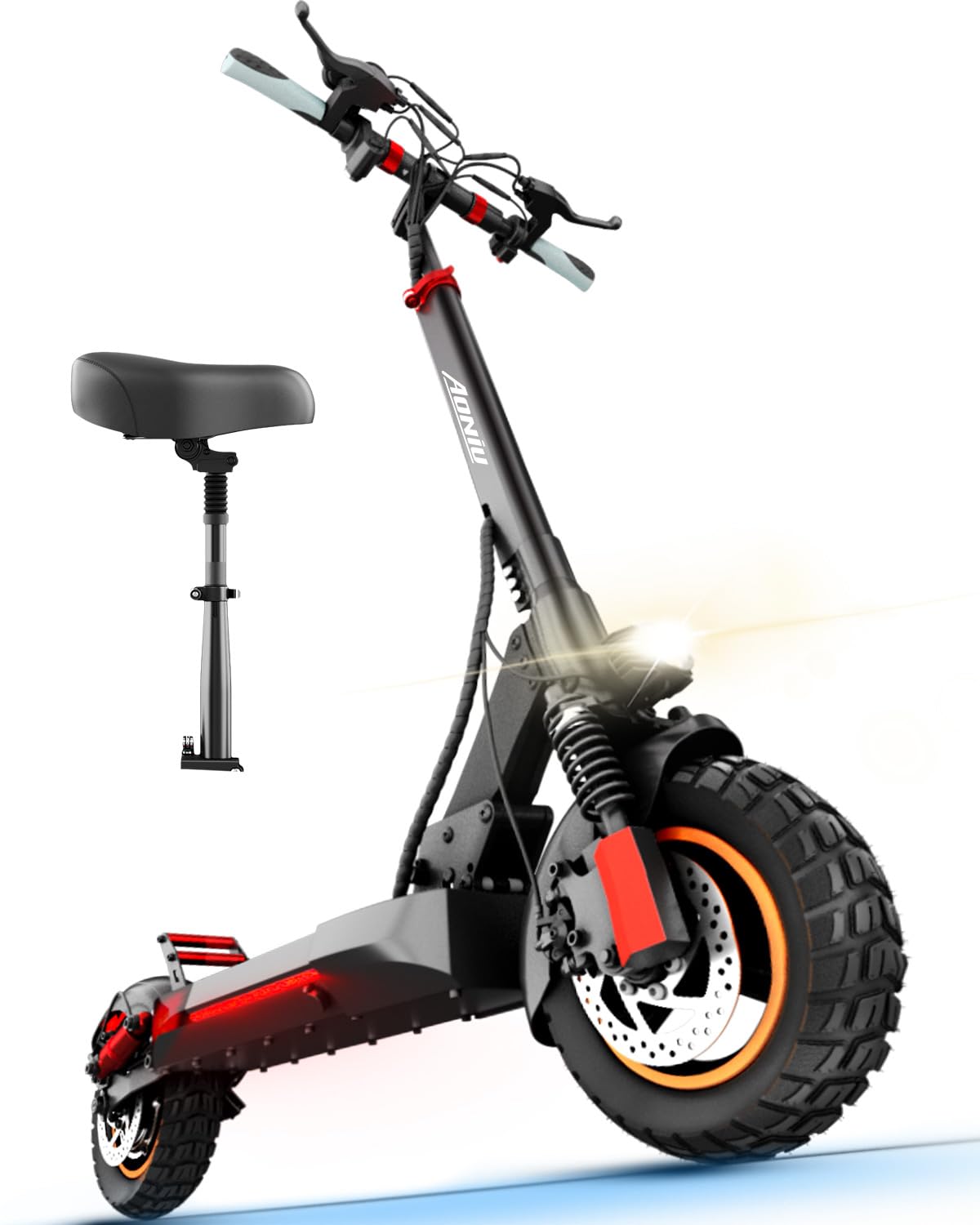
Figure 2.1: The AONIU M4 Electric Scooter, featuring its robust design and included seat.
Key features include 10-inch pneumatic off-road tires, a 7-shock absorption system for a smooth ride across various terrains, and a portable folding design for easy transport and storage. The LCD display provides essential riding information at a glance.

Figure 2.2: The scooter's portable folding design allows for convenient carrying and storage.
3. Setup and Assembly
The AONIU M4 Electric Scooter comes partially assembled. Follow these steps to complete the setup:
- Unboxing: Carefully open the box and remove all packaging materials. Take out the scooter and all included accessories.
- Unfolding the Scooter: Lift the handlebar stem until it locks into the upright position. Secure the latch firmly in place to ensure stability.
- Handlebar and Display Installation: Remove the cover screws from the handlebar stem. Align the handlebar with the stem, ensuring all cables are clear. Reinstall and tighten the screws to secure the handlebar and display unit.
Video 3.1: Detailed assembly instructions for the M4 Electric Scooter.
Video 3.2: Quick and easy assembly guide for the scooter.
4. Operating Instructions
Familiarize yourself with the scooter's controls and features before your first ride.
4.1 Power On/Off
To power on the scooter, press and hold the POWER BUTTON for several seconds until the LCD display illuminates. If a password is required, enter it using the '+' or '-' buttons and press the POWER BUTTON to confirm. To power off, press and hold the POWER BUTTON again.
4.2 Riding Modes and Speed Control
The scooter offers two riding modes: sit mode (with the removable seat installed) and stand mode. The LCD display shows current speed, speed mode, and cruise control status. You can select from 3 speed levels to match your riding preference and environment.
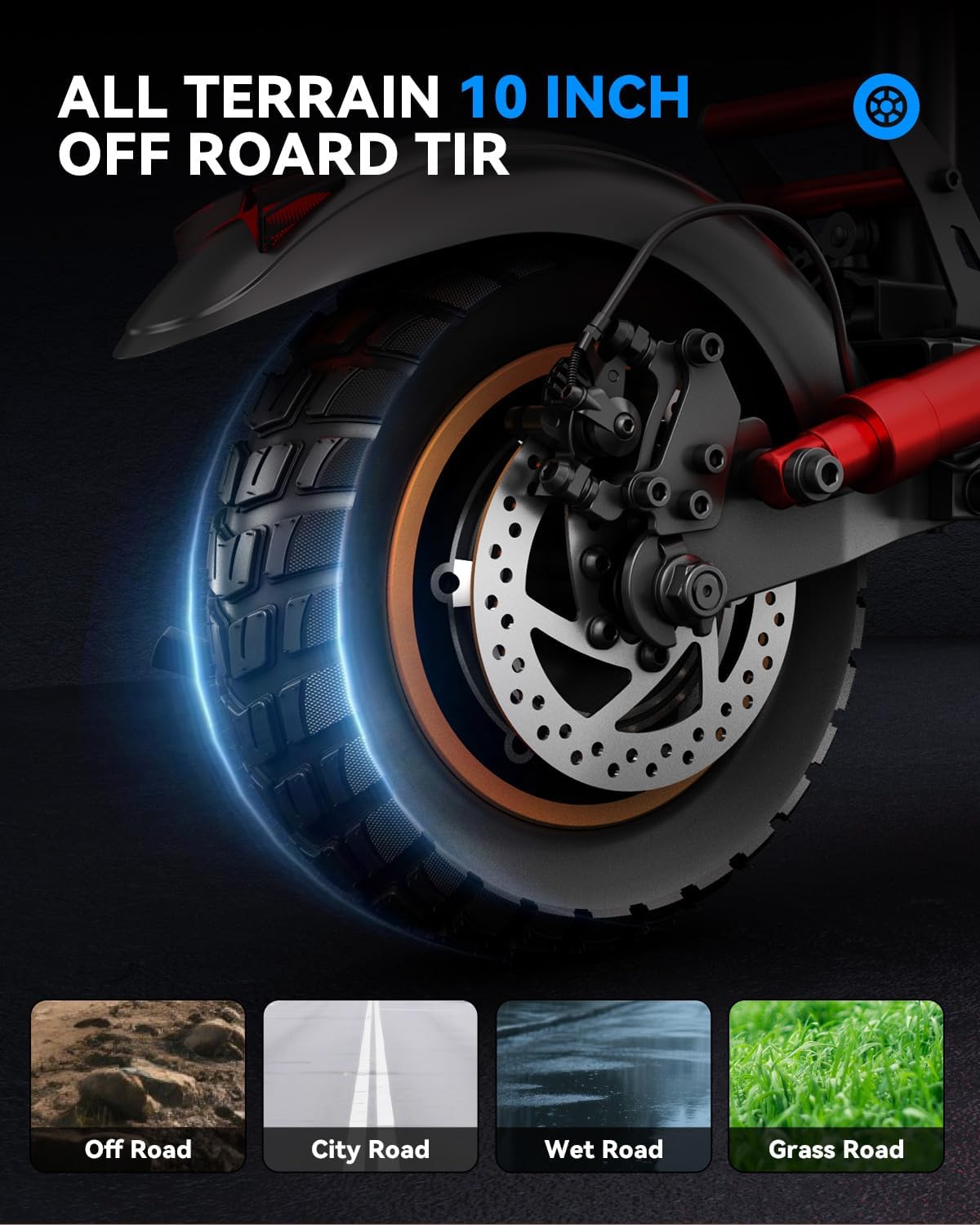
Figure 4.1: The scooter supports both sit and stand riding modes for user comfort.

Figure 4.2: The LCD display provides real-time information on speed, battery, and riding mode.
4.3 Lighting and Signals
Activate the bright headlight for forward illumination and the warning taillight for rear visibility. Use the integrated turn signals to indicate your intended direction to other road users.

Figure 4.3: The scooter's lighting system ensures visibility and safety during rides.
Video 4.1: Demonstration of the electric scooter in use by an adult.
Video 4.2: Experience a smooth city commute with the electric scooter.
Video 4.3: Ride free and explore without limits on the M4 scooter.
Video 4.4: Enjoy smooth rides and endless adventures with this electric scooter.
Video 4.5: Quick urban ride on the electric scooter.
5. Maintenance
Regular maintenance ensures the longevity and optimal performance of your AONIU M4 Electric Scooter.
- Battery Charging: Charge the high-capacity 48V 10Ah battery for 4-5 hours to achieve a full charge and maximize the 31-mile range. Use only the original charger provided. The charging port is located on the side of the deck.
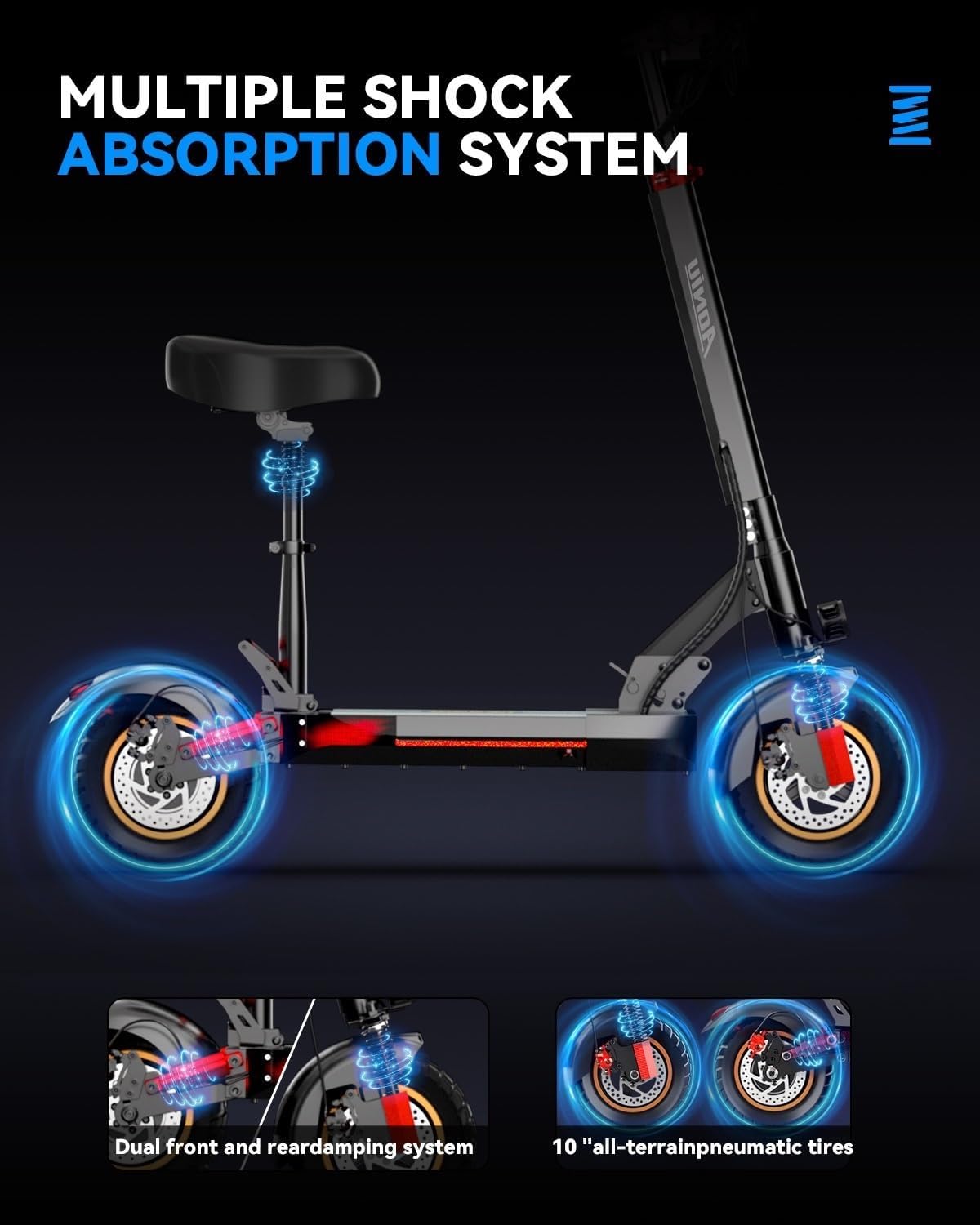
Figure 5.1: The charging port for the scooter's battery.
- Tire Care: Regularly check the pressure of the 10-inch pneumatic tires. Proper inflation helps prevent punctures and ensures a smooth ride.
- Brake Inspection: Periodically inspect the dual disc brakes for wear and tear. Ensure the brake levers and cables are functioning correctly.
- General Cleaning: Keep the scooter clean by wiping it with a damp cloth. Avoid using high-pressure water jets directly on electronic components.
- Fastener Check: Before each ride, ensure all bolts and fasteners are securely tightened.
6. Troubleshooting
If you encounter issues with your AONIU M4 Electric Scooter, refer to the following common troubleshooting tips:
- Scooter Not Powering On: Ensure the battery is charged. Check the power button connection and hold it for the required duration.
- Reduced Performance/Range: This may indicate a low battery charge. Ensure tires are properly inflated. Riding conditions (e.g., uphill, heavy load, cold weather) can also affect performance.
- Brake Issues: If brakes feel loose or ineffective, they may need adjustment. Consult a qualified technician if you are unsure.
- Error Codes on LCD Display: The LCD display may show error codes (e.g., E-00). Refer to the full manual for a list of codes and their corresponding solutions.
For persistent issues, contact AONIU customer support.
7. Specifications
| Brand | AONIU |
| Model Name | M4 |
| Motor Power | 800W Peak Brushless Motor |
| Max Speed | Up to 28 mph |
| Max Range | Up to 31 Miles |
| Battery | 48V 10Ah High-Capacity Battery |
| Charging Time | 4-5 Hours |
| Max Load | 330 lbs (150 kg) |
| Tires | 10-inch Pneumatic Off-Road Tires |
| Suspension | 7 Shock Absorption System (Dual Front & Rear) |
| Brake Style | Dual Disc Braking System (Front & Rear) |
| Frame Material | Aluminum |
| Item Weight | 49.6 lbs (22.5 kg) |
| Product Dimensions | 47.04"L x 10.23"W x 19.7"H |
| Special Features | Foldable Design, Removable Seat, LCD Display, LED Headlight, Taillight, Turn Signals |
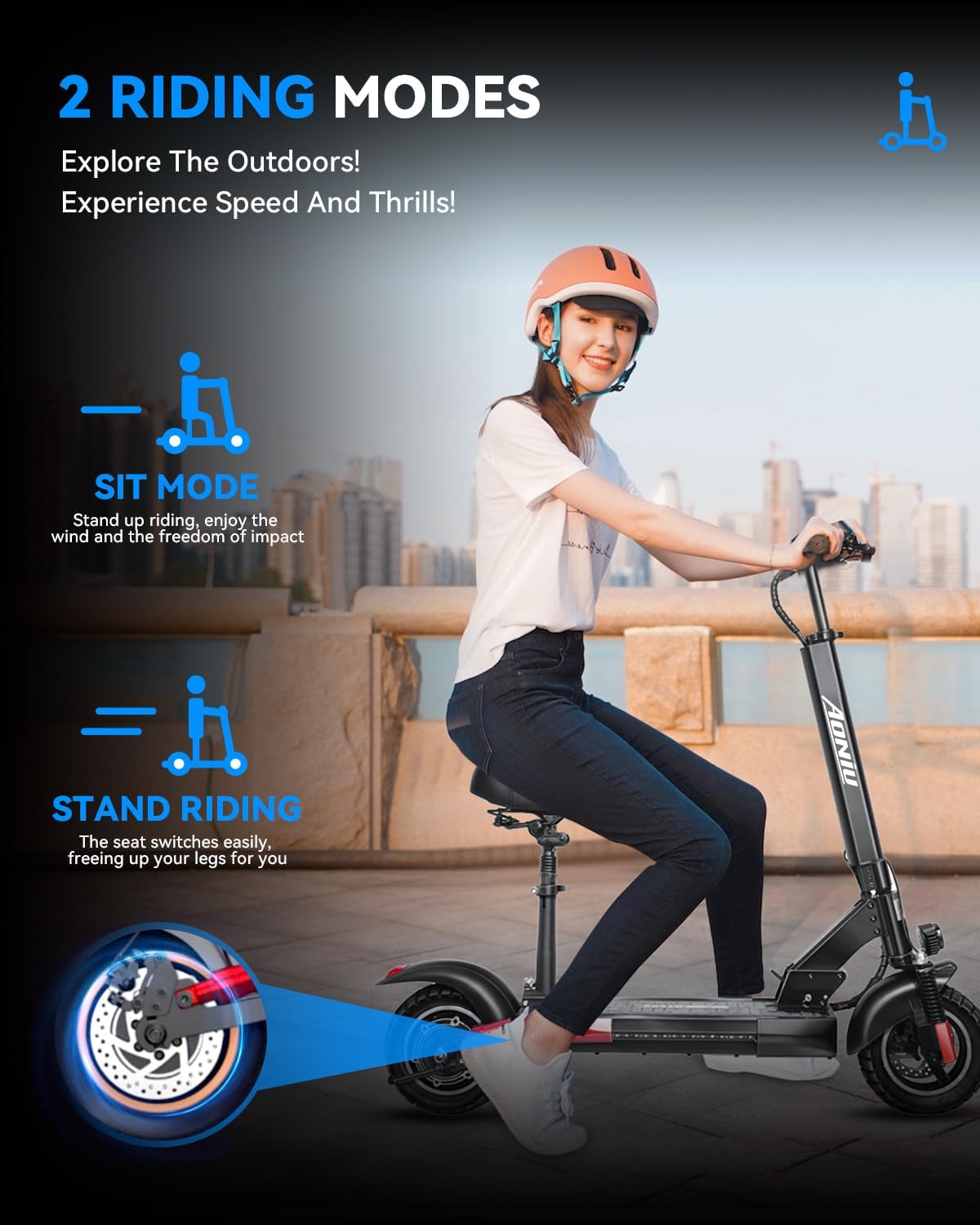
Figure 7.1: Visual representation of the scooter's dimensions and key features.
8. Warranty and Support
AONIU is committed to providing excellent performance and quality products. The M4 Electric Scooter comes with a 12-month or 180-day after-service warranty for different parts. For any questions or support needs, please contact AONIU customer service. We aim to respond within 24 hours.
Manufacturer: ZHEJIANG ZHITONG TECHNOLOGY CO.,LTD


