
Introduction
Thank you for choosing the PINDOWS L642N1 Military Digital Analog Sport Watch. This manual provides detailed instructions on how to set up, operate, and maintain your watch. Please read this manual carefully to ensure proper use and to fully utilize all the features of your new timepiece.
Product Overview
The PINDOWS L642N1 is a multifunctional watch featuring both analog and digital displays, designed for outdoor and sport activities. It includes features such as dual time, LED backlight, alarm, stopwatch, and calendar functions, with 30M water resistance.
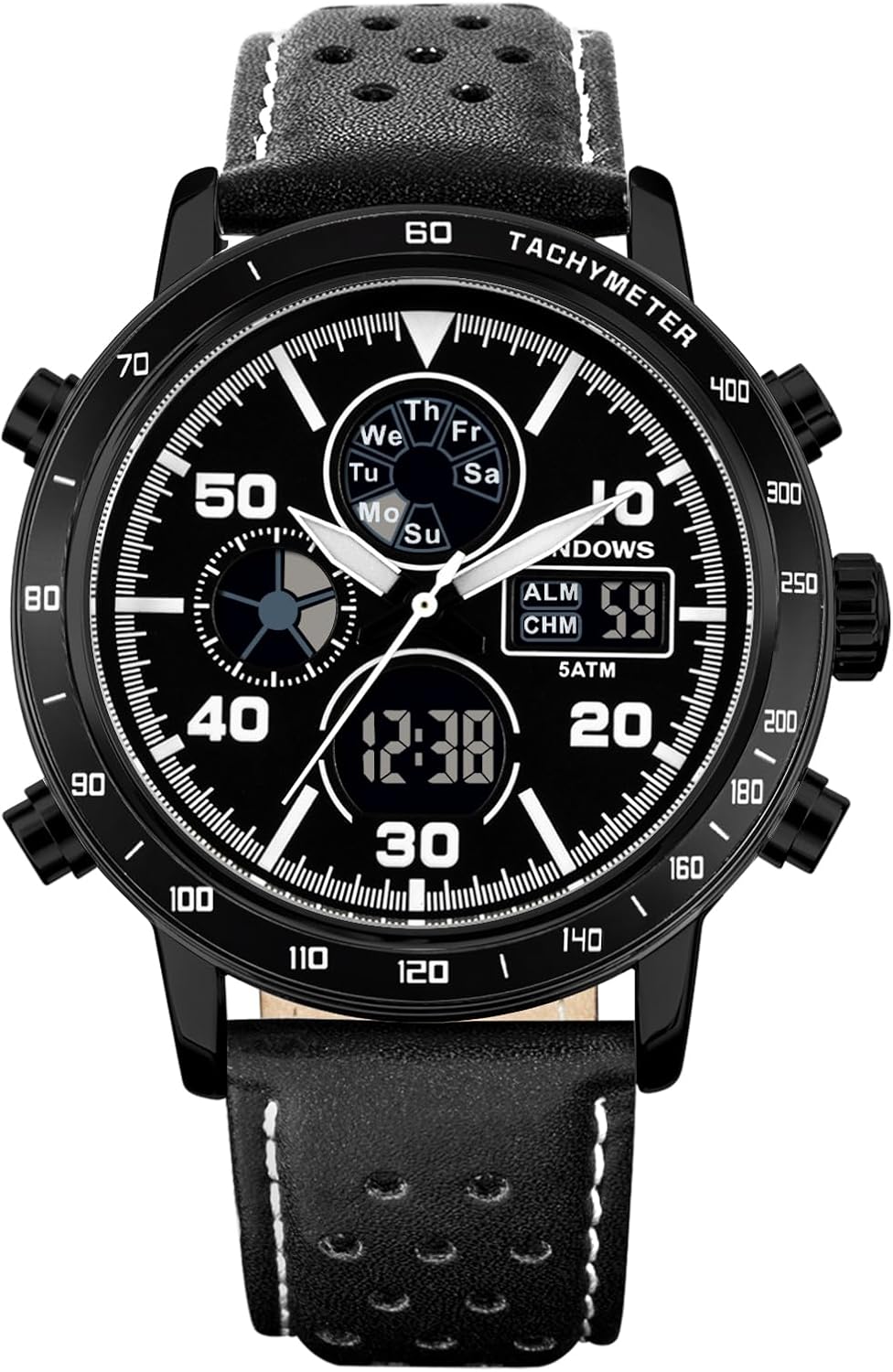
Figure 1: Front view of the PINDOWS L642N1 watch, showcasing its dual analog and digital display, multiple subdials, and robust design.
Key Description
The watch features four main buttons (A, B, C, D) and a crown for various functions:
- Key A: Light button (typically top-left)
- Key B: Mode button (typically bottom-left)
- Key C: Start/Stop button (typically top-right)
- Key D: Reset/Adjust button (typically bottom-right)
- Crown: Used for analog time adjustment.

Figure 2: Interface description showing the digital display areas for Week, Seconds, and Time.
Functional Overview
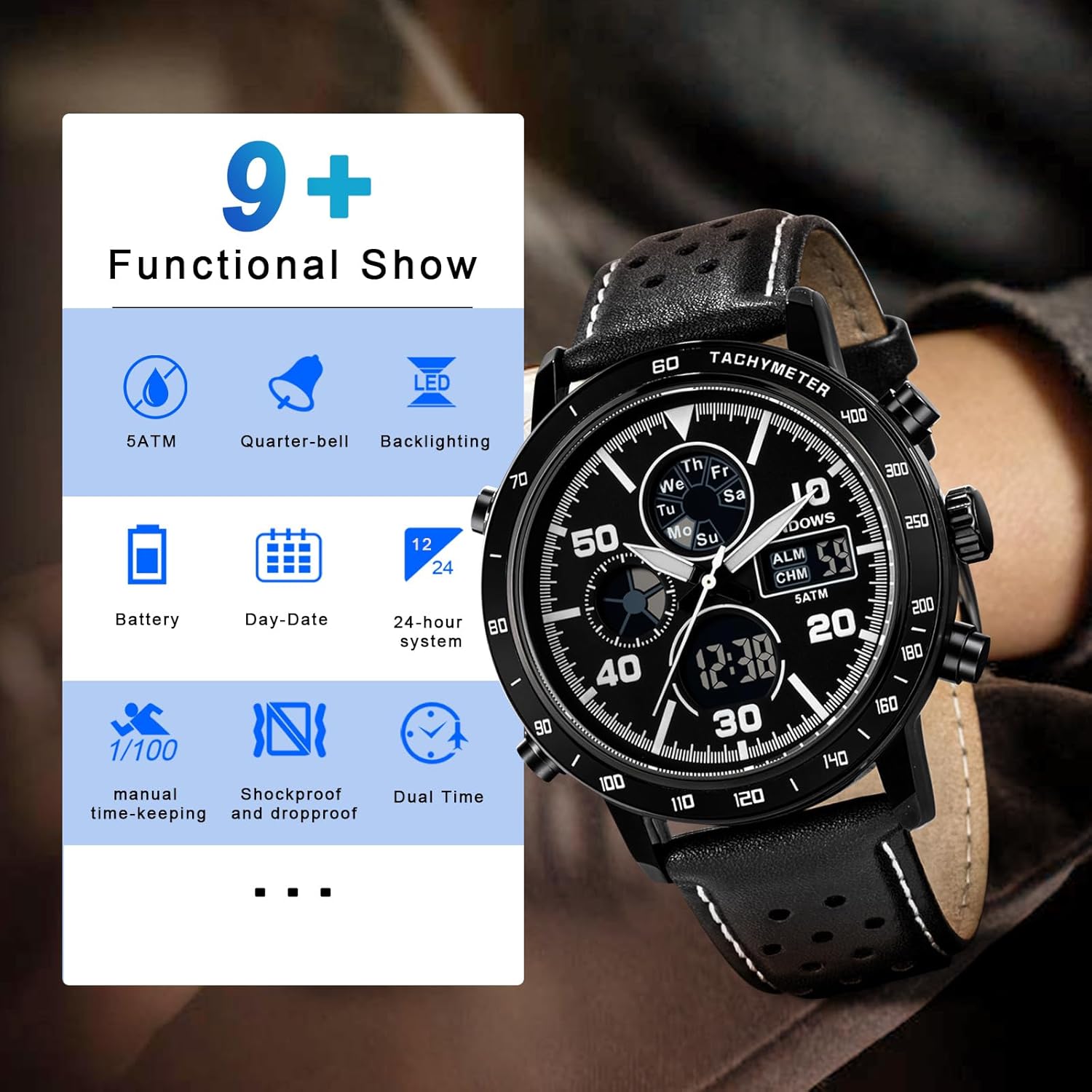
Figure 3: Visual representation of the watch's key functions including 5ATM water resistance, quarter-bell, backlighting, battery, day-date, 24-hour display, manual time-keeping, shockproof, and dual time.
Setup and Basic Operation
This section guides you through the initial setup and basic functions of your watch.
Watch Setting Guide Video
Video 1: A detailed guide demonstrating how to set the time, alarm, and use other functions of the PINDOWS L642N1 watch.
1. Time Setting (Digital Display)
- Press the B button for two seconds to enter setup mode. The seconds display will flash.
- Press C button to switch to minutes. Use the D button to adjust the minutes.
- Press C button to switch to hours. Use the D button to adjust the hours.
- Press C button to switch to month. Use the D button to adjust the month.
- Press C button to switch to day. Use the D button to adjust the day.
- Press C button to switch to week. Use the D button to adjust the day of the week.
- Press the B button to exit setup mode.
2. Alarm Setting
- Press and hold the B button to enter the alarm setting mode. The alarm hour will flash.
- Use the D button to adjust the alarm hour.
- Press the C button to switch to alarm minutes. Use the D button to adjust the alarm minutes.
- Press the B button to exit alarm setting mode.
3. Turning On/Off Alarm or Hourly Chime
- To turn on/off the alarm: In normal display mode, hold down the D key, then press the C key. An alarm icon will appear/disappear.
- To turn on/off the hourly time signal (chime): In normal display mode, hold down the D key, then press the B key. A chime icon will appear/disappear.
- Repeat the respective operations to toggle both on or off.
4. 24-Hour Switch
- In normal display mode, hold down the D key and press the B key to switch between 12-hour and 24-hour display formats.
5. Pointer Tuning (Analog Time Adjustment)

Figure 4: Side view of the watch, highlighting the crown used for analog time adjustment.
- Pull out the crown located on the right side of the watch.
- Rotate the crown to adjust the analog hour and minute hands to the desired time.
- Once set, push the crown back into its original position to start the analog movement.
Operating Advanced Features
1. Stopwatch Use
- Press the B button once to enter stopwatch mode. The display will show '0:00'.
- Press the C button to start the stopwatch.
- Press the C button again to stop the stopwatch.
- Press the D button to reset the stopwatch to '0:00'.
- Press the B button to exit stopwatch mode and return to normal time display.
2. LED Backlight

Figure 5: The watch display illuminated by the LED backlight, allowing clear readability in low-light conditions.
- Press the A button (top-left) to activate the LED backlight. The backlight will illuminate the digital display for a few seconds, making it readable in the dark.
3. Date and Alarm Time View
- To view the current date: In normal display mode, press and hold the C button. The date will be displayed temporarily.
- To view the alarm time: In normal display mode, press and hold the D button. The set alarm time will be displayed temporarily.
Care and Maintenance
Proper care ensures the longevity and performance of your PINDOWS watch.
Water Resistance

Figure 6: The watch is rated for 5 ATM water resistance, suitable for daily activities like handwashing and exposure to rain.
- This watch is 30M (5 ATM) water resistant. It is suitable for daily use, hand washing, and splashes of water or rain.
- Do not press any buttons underwater.
- Do not expose the watch to hot water or steam, as this can damage the seals.
- Avoid prolonged exposure to water, such as swimming or diving, as this may exceed the water resistance limits.
General Care
- Clean the watch regularly with a soft, dry cloth. For stubborn dirt, use a slightly damp cloth and mild soap, then wipe dry.
- Avoid exposing the watch to extreme temperatures, direct sunlight for extended periods, or strong magnetic fields.
- The watch uses a standard battery. When the display dims or functions become erratic, it may be time for a battery replacement. It is recommended to have the battery replaced by a qualified watch technician to ensure water resistance is maintained.
- Avoid dropping the watch or subjecting it to strong impacts.
Troubleshooting
If you encounter issues with your watch, refer to the following common solutions:
| Problem | Possible Cause | Solution |
|---|---|---|
| Digital display is blank or dim. | Low battery. | Replace the battery. |
| Analog hands are not moving. | Crown is pulled out; low battery. | Push the crown back in; replace the battery. |
| Buttons are unresponsive. | Watch is in water or exposed to extreme conditions. | Ensure watch is dry; allow to return to normal temperature. If issue persists, reset the watch (if applicable) or seek professional service. |
| Time is incorrect. | Time not set correctly. | Follow the 'Time Setting' instructions to adjust both digital and analog time. |
Specifications
Key technical specifications for the PINDOWS L642N1 watch:
- Model Name: PDS-L642
- Item Model Number: PDS-642
- Display: Analog-Digital
- Watch Movement Type: Japanese Quartz
- Power Source: Battery Powered
- Water Resistance Depth: 30 Meters (5 ATM)
- Case Material Type: Stainless Steel
- Band Material Type: Leather
- Clasp Type: Buckle
- Case Diameter: 44 Millimeters
- Case Thickness: 15 Millimeters
- Band Width: 22 Millimeters
- Band Length: 220 Millimeters
- Crystal: Mineral Glass
- Included Components: Mens Military Watch, English Instruction, Watch Box
Warranty and Support
Your PINDOWS watch comes with a manufacturer's warranty. For specific warranty details, please refer to the documentation included in your watch box or contact PINDOWS customer support. For technical assistance or service inquiries, please visit the official PINDOWS website or contact their customer service department.