
Introduction
The Boytond S30i Ultra Open Ear Earbuds are designed to provide a comfortable and high-quality audio experience while maintaining awareness of your surroundings. Featuring an ergonomic clip-on design and bone conduction technology, these earbuds offer a secure fit suitable for various activities, including sports and daily use. They deliver clear, rich stereo sound and enhanced call quality with advanced Bluetooth 5.3 connectivity.

Image: Boytond S30i Ultra Open Ear Earbuds and their charging case, showcasing the sleek design.
What's in the Box
Please check the package contents to ensure all items are present:
- Boytond True Wireless Earbuds × 2
- Boytond Charging Case × 1
- Fast Charging USB-C Cable × 1
- Quick Start User Guide × 1

Image: The package contents including the earbuds, charging case, USB-C cable, and user guide.
Setup
Charging the Earbuds and Case
Before first use, fully charge your earbuds and charging case. Connect the provided USB-C cable to the charging port on the case and a power source. The LED display on the case will show the current battery level. The earbuds provide up to 10 hours of continuous playtime on a single charge, and the charging case offers an additional 40 hours. A quick 5-minute charge can provide 1 hour of playback.

Image: The charging case with earbuds inside, displaying the battery percentage on its LED screen.
Pairing with Your Device
- Open the charging case and remove both earbuds. They will automatically power on and enter pairing mode.
- On your smartphone, tablet, or other Bluetooth-enabled device, go to the Bluetooth settings.
- Select "YYK-S19" (or similar model name) from the list of available devices to connect.
- Once connected, you will hear an audio prompt, and the earbuds will be ready for use.
Wearing the Earbuds
The S30i earbuds feature an ergonomic clip-on design. Gently place the earbud over your ear, allowing the flexible hook to rest securely behind your earlobe. The speaker portion should sit just outside your ear canal, providing open-ear audio without inserting into the ear canal. Adjust for optimal comfort and sound.
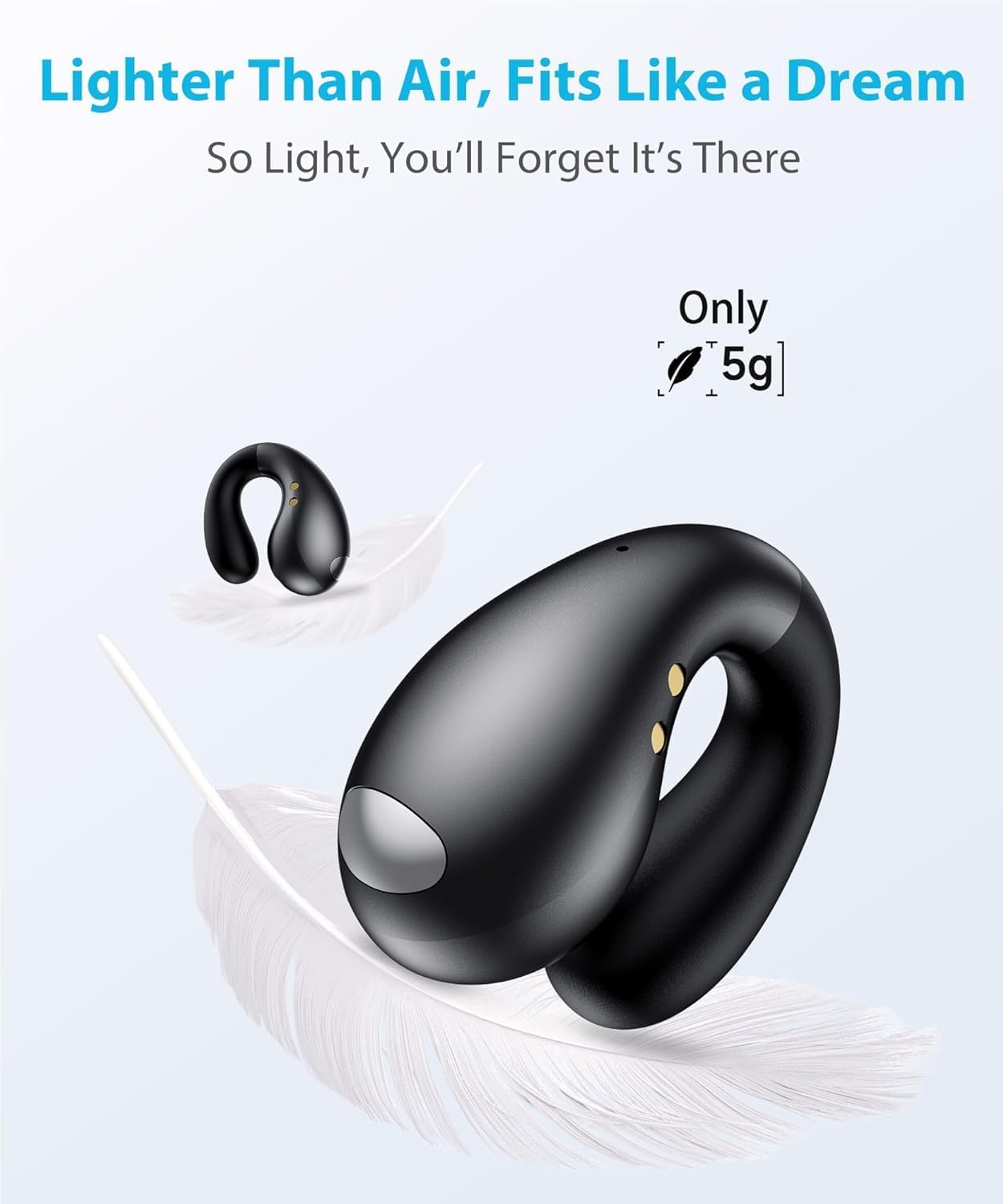
Image: A person wearing one of the Boytond S30i earbuds, demonstrating how it clips onto the ear.
Operating
Touch Controls
The S30i earbuds utilize touch controls for easy management of your audio and calls:
- Answer/Hang up Call: Tap either earbud once (x1).
- Play/Pause Music: Tap either earbud once (x1).
- Next Song: Tap either earbud twice (x2).
- Previous Song: Tap either earbud three times (x3).
Audio Experience
Experience vibrant, high-fidelity stereo sound powered by 16.3mm drivers. The open-ear design ensures you remain connected to your environment, making them ideal for outdoor activities or situations where situational awareness is crucial. The earbuds also feature active noise cancellation for calls, filtering out up to 97.9% of background noise for crystal-clear conversations.

Image: A person engaged in an activity while wearing the Boytond S30i earbuds, highlighting their secure fit.
Maintenance
Proper care will extend the life and performance of your Boytond S30i earbuds:
- Cleaning: Regularly wipe the earbuds and charging case with a soft, dry, lint-free cloth. Avoid using abrasive materials or harsh chemicals.
- Water Resistance: The earbuds are waterproof. However, ensure they are completely dry before placing them back into the charging case to prevent damage to the charging contacts.
- Storage: Store the earbuds in their charging case when not in use. This protects them from dust, damage, and keeps them charged for your next use.
- Battery Care: Avoid fully discharging the battery frequently. For long-term storage, charge the case and earbuds to about 50% every few months.

Image: The Boytond S30i earbuds being used near water, illustrating their waterproof design.
Troubleshooting
If you encounter any issues with your Boytond S30i earbuds, please refer to the following common solutions:
- Earbuds not pairing: Ensure both earbuds are charged and removed from the case. Turn off and on your device's Bluetooth, then try re-pairing. If the issue persists, try resetting the earbuds (refer to the Quick Start User Guide for specific reset instructions).
- Low sound quality: Ensure the earbuds are positioned correctly on your ear. Check the audio source and volume levels on both your device and the earbuds. Clean any debris from the speaker area.
- Battery draining fast: Ensure the earbuds are properly seated in the charging case when not in use. The case should show a charging indicator. If the issue persists, the earbuds might not be disconnecting from your phone when placed in the case; manually disconnect them if necessary.
- Discomfort during wear: Adjust the flexible clip-on design to find the most comfortable position. If discomfort persists, these earbuds may not be suitable for your specific ear shape.
- No sound from one earbud: Place both earbuds back into the charging case, close the lid, wait a few seconds, then remove them again. This often re-syncs them.
Specifications
| Feature | Detail |
|---|---|
| Brand | Boytond |
| Model Number | S30i |
| Material | Plastic |
| Specific Uses | Sport |
| Compatible Devices | Cellphones, Tablets, Laptops, Smart Speaker |
| Water Resistance Level | Waterproof |
| Control Method | Touch |
| Earbud Battery Life | Up to 10 Hours |
| Total Playtime (with case) | Up to 50 Hours |
| Audio Driver Type | Bone Conduction Driver |
| Bluetooth Range | 33 Feet |
| Input Device Interface | Bluetooth |
| Noise Control Features | Active Noise Cancellation |
| Special Features | Waterproof, Bone Conduction, AI Translation, Bluetooth 5.4, Noise Cancellation |
| Item Weight | 3.84 ounces |
| Color | Carbon Black |
Warranty and Support
For detailed warranty information, product registration, or technical support, please visit the official Boytond website or contact their customer service department. Keep your purchase receipt or order number handy as proof of purchase may be required for warranty claims.