
1. Introduction
Thank you for choosing the SUNKTA Military Smart Watch TX7-A. This device is designed to assist you in monitoring your health, tracking your fitness activities, and staying connected. This manual provides essential information for setting up, operating, and maintaining your smartwatch.

Figure 1: SUNKTA Military Smart Watch TX7-A with accessories.
2. Product Overview
The SUNKTA Military Smart Watch TX7-A is a rugged and versatile device featuring a 1.43-inch AMOLED display. It supports Bluetooth calls, message notifications, and offers over 170 sports modes. Key health monitoring functions include 24-hour heart rate tracking, blood oxygen (SpO2), blood pressure, and sleep analysis. The watch is built with military-grade durability and 5ATM water resistance, making it suitable for various environments and activities. It comes with two interchangeable bands: a stainless steel business-style band and a soft silicone sport-style band.

Figure 2: Overview of key smartwatch features.
3. Setup
3.1. Initial Charging
Upon receiving your smartwatch, ensure it is fully charged before first use. The watch will not turn on with 0% battery. It needs to be charged for at least 15 minutes to start. Use the provided magnetic charger. The watch features a 500mAh battery capacity, offering up to 7-10 days of normal working time and up to 30 days standby time. A full charge typically takes 2 hours.

Figure 3: Smartwatch charging with included cables.
3.2. App Download and Device Pairing
To unlock the full potential of your smartwatch, download the companion app. Scan the QR code displayed on the watch screen or search for 'GloryFitPro' in your device's app store (Android/iOS compatible). Once downloaded, open the app and follow the on-screen instructions to pair your device via Bluetooth. Ensure Bluetooth is enabled on your smartphone.

Figure 4: App download and pairing instructions.
Download the GloryFitPro app: GloryFitPro App
3.3. Band Installation and Adjustment
The smartwatch comes with two interchangeable bands: a stainless steel band and a silicone band. To install a band, align the metal pins on the band with the holes on the watch casing. Push the spring-loaded pin inwards and slide the band into place, then release the pin to secure it. If the stainless steel band is too long, use the provided tool to remove links for a comfortable fit. Refer to the video provided on the warranty card for detailed instructions on adjusting the metal band.
4. Operating the Smartwatch
4.1. Navigation
The smartwatch features a responsive touchscreen and two side buttons for navigation:
- Swipe Down: Access quick settings (date, phone call, brightness, vibration, battery percentage, raise-to-wake, device info).
- Swipe Right: View notifications.
- Swipe Left: Access the app list (calls, daily activity, workout, heart rate, sleep, blood oxygen, stress, music, weather, breathing exercises, world clock, stopwatch, alarm, timer, calculator, remote shutter, flashlight, find phone, women's health, settings).
- Swipe Up: View widgets (fitness tracking, media player, health metrics, weather, alarms). Widgets can be customized.
- Side Buttons: Used for power on/off, returning to the home screen, and accessing specific functions depending on customization.
4.2. Customization
Personalize your smartwatch experience:
- Watch Faces: Change watch faces directly on the device by long-pressing the screen or through the GloryFitPro app. The app offers a wide selection of dials, including custom options.
- Themes: Adjust the menu layout (e.g., honeycomb, turbulence, list, halo, whirling, waterfall) via the settings menu.
- Always-On Display: Enable or disable the always-on display feature for convenience.

Figure 5: Watch face customization options.
4.3. Bluetooth Calls & Notifications
With its 5.0 Bluetooth chip, the TX7-A allows you to make and receive calls directly from your wrist. You can also receive text messages and social media notifications from your smartphone. This feature helps you stay connected without constantly checking your phone.
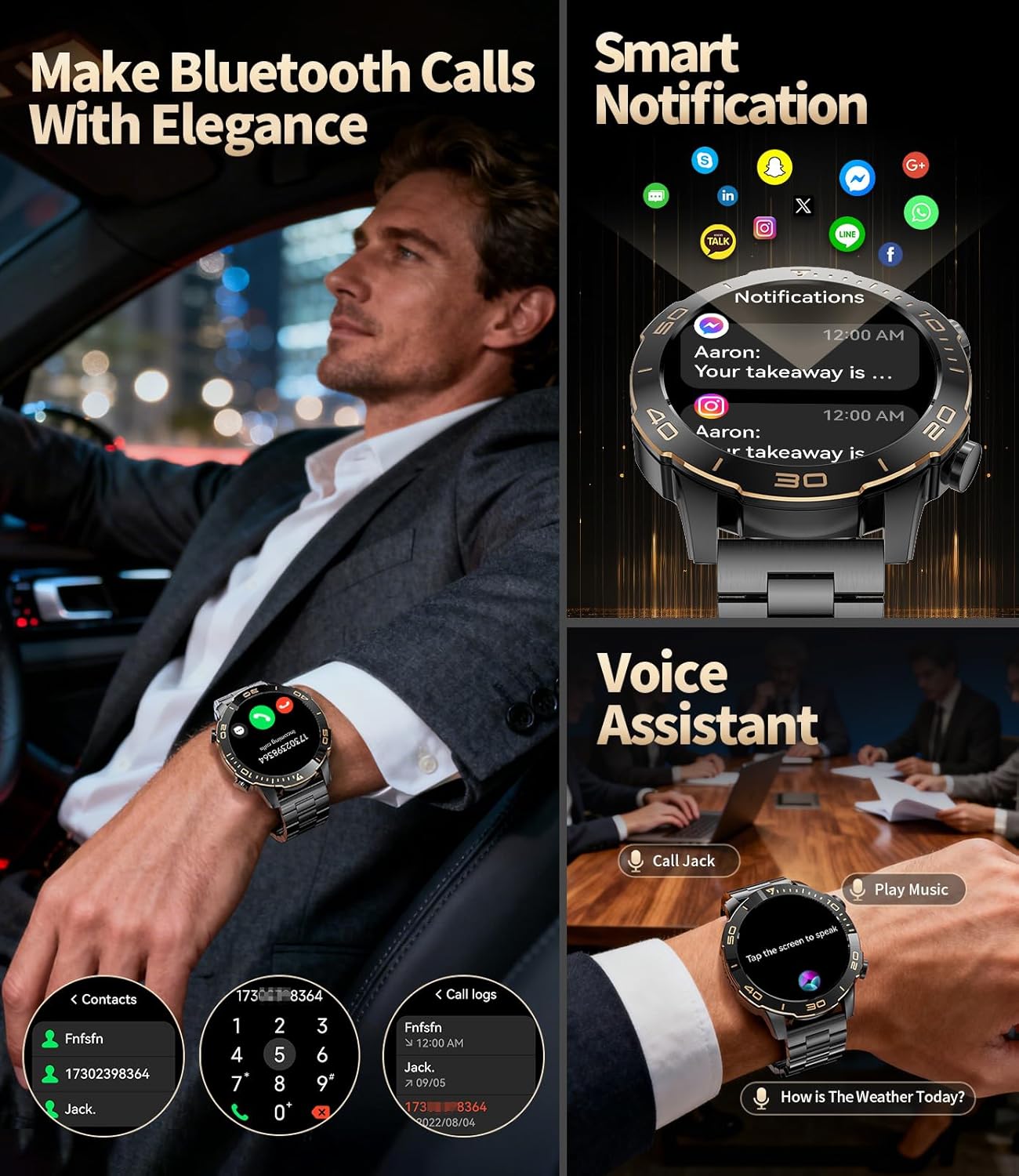
Figure 6: Bluetooth call functionality.

Figure 7: Bluetooth calling and message notifications.
4.4. Voice Assistant
Utilize the built-in AI voice assistant for hands-free control and quick information access.
4.5. Flashlight & Find Phone
The smartwatch includes a flashlight function for convenience. If you misplace your phone, use the 'Find Phone' feature on your watch to make your phone ring (requires Bluetooth connection and app permissions).
5. Health Monitoring & Fitness Management
5.1. Health Tracking
The TX7-A acts as your personal health assistant, providing 24-hour monitoring for:
- Heart Rate: Real-time heart rate monitoring.
- Blood Oxygen (SpO2): Real-time blood oxygen detection.
- Blood Pressure: Real-time blood pressure monitoring.
- Sleep Monitoring: Records sleep time and detects sleep status (deep sleep, light sleep, REM). Monitoring data can be saved for 30 days in the app.
- Stress Monitoring: Easily track your stress levels anytime.

Figure 8: Health monitoring features.

Figure 9: Heartful Health Companion.

Figure 10: Sleep quality monitoring.

Figure 11: Stress monitoring.
5.2. Sports Modes
The smartwatch offers over 170 sports modes, including cycling, running, basketball, rugby, skiing, and more. It monitors critical data such as workout heart rate, distance traveled, movement speed, and calories burned in real-time. Additional sports can be downloaded via the GloryFitPro app.

Figure 12: 170+ sports modes.

Figure 13: 24/7 Sports Tracking.
6. Maintenance
6.1. Cleaning
Use the provided microfiber cloth and screen protector cleaning cloths to keep your smartwatch clean and free of dust and oils. Regularly wipe the screen and sensors for optimal performance.
6.2. Water Resistance
The TX7-A smartwatch is 5ATM waterproof, meaning it can withstand pressures equivalent to a depth of 50 meters. It is suitable for swimming, showering (cold water), and exposure to rain or spray water. However, it is not recommended for hot showers or extreme temperatures, as this may compromise the seals.
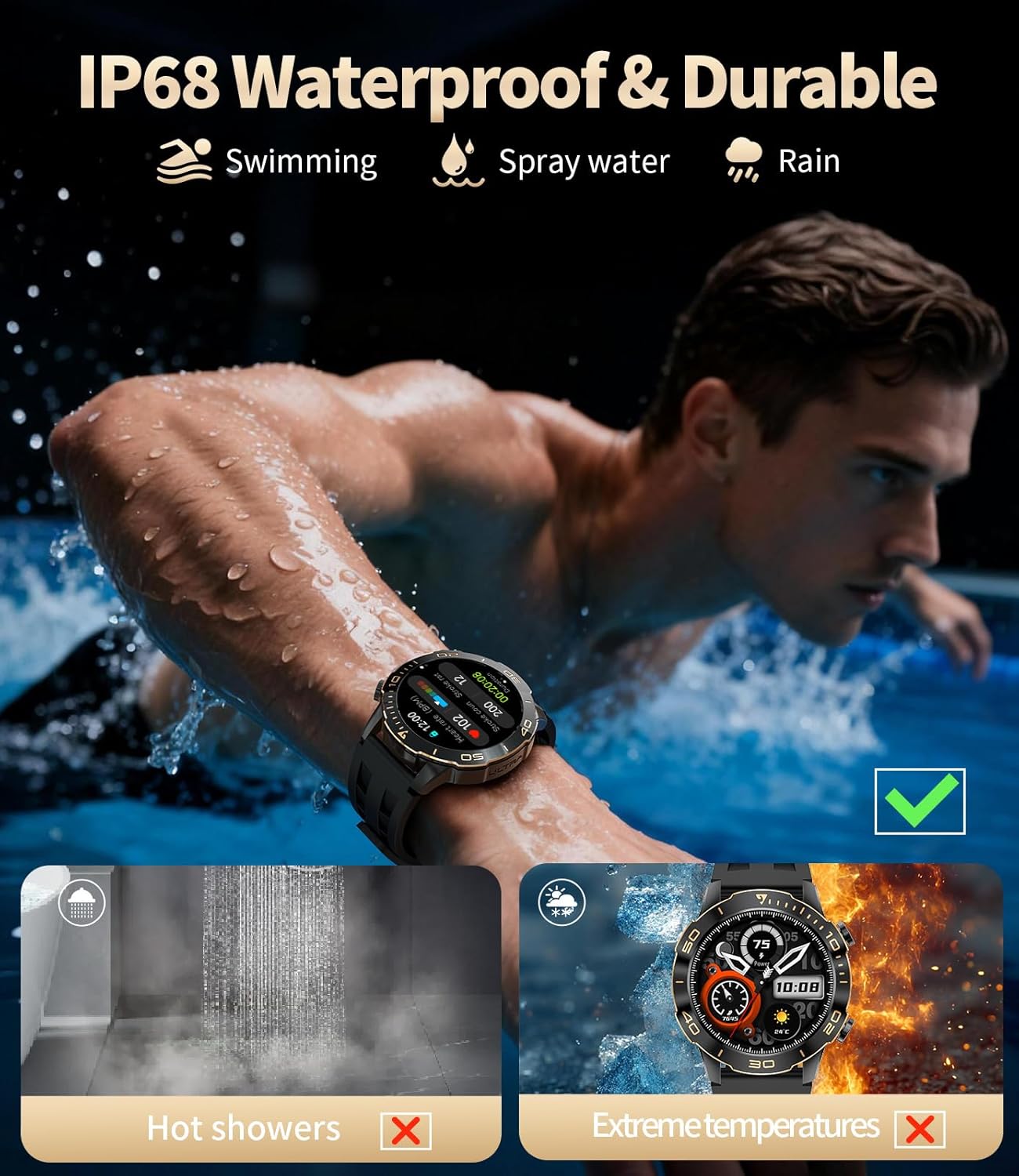
Figure 14: Water resistance capabilities.
7. Troubleshooting
If you encounter any issues with your smartwatch, such as problems with accessories, quality, operation, or charging, please refer to the warranty and support section for contact information. A solution will be provided within 24 hours.
8. Specifications
| Feature | Specification |
|---|---|
| Display | 1.43-inch AMOLED, 466*466 pixels |
| Battery Capacity | 500 mAh Lithium Polymer |
| Working Time | 7-10 days (normal use) |
| Standby Time | Up to 30 days |
| Water Resistance | 5ATM |
| Connectivity | Bluetooth 5.0 |
| Compatibility | Android 4.4 and above, iOS 8.0 and above |
| Memory Storage | 256 MB |
| Item Weight | 9.1 ounces |
| Package Dimensions | 8.07 x 3.82 x 0.91 inches |
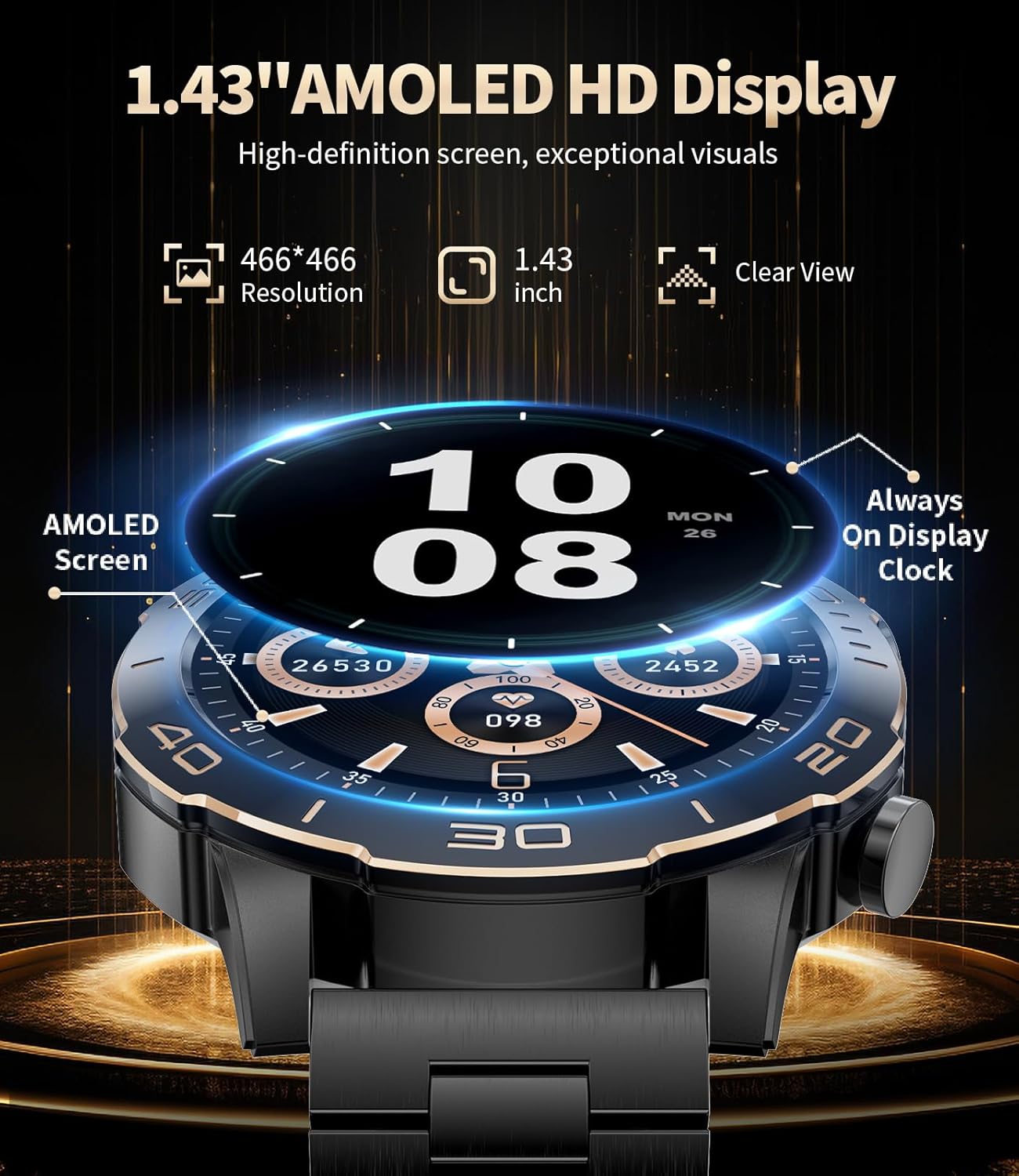
Figure 15: 1.43-inch AMOLED HD Display.

Figure 16: AMOLED Visual Splendor.
9. Warranty and Support
The SUNKTA Military Smart Watch TX7-A comes with a 12-month warranty. If you have any questions or encounter problems with your product, please contact SUNKTA customer service via Amazon. They aim to provide a solution within 24 hours.
What's in the Box:
- Smartwatch × 1
- Stainless steel strap × 1
- Silicone strap × 1
- Magnetic charger × 1
- 2-year warranty card × 1


