
1. Introduction and Overview
This manual provides comprehensive instructions for the XINFUTE UC7080T CHQ7080T Ceiling Fan Light Remote Control. This remote is designed as a direct replacement for the original UC7080T (CHQ7080T) model and is compatible with various ceiling fan receivers, including the UC7051G. It allows for convenient control of your ceiling fan's speed, direction, and lighting functions.
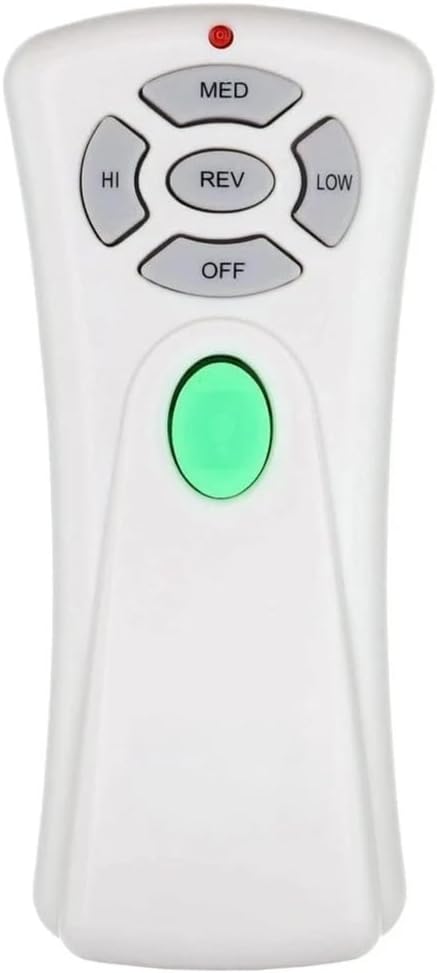
Image 1.1: Front view of the XINFUTE UC7080T CHQ7080T remote control, showing the buttons for fan speed (HI, MED, LOW), fan reverse (REV), fan off (OFF), and light control (green button).
2. Package Contents
Please verify that all items are present in your package:
- 1 x XINFUTE UC7080T CHQ7080T Remote Control
- 1 x Wall Mount Bracket
- 2 x Screws for Wall Mount Bracket
Note: Batteries are not included. Two AAA batteries are required for operation.
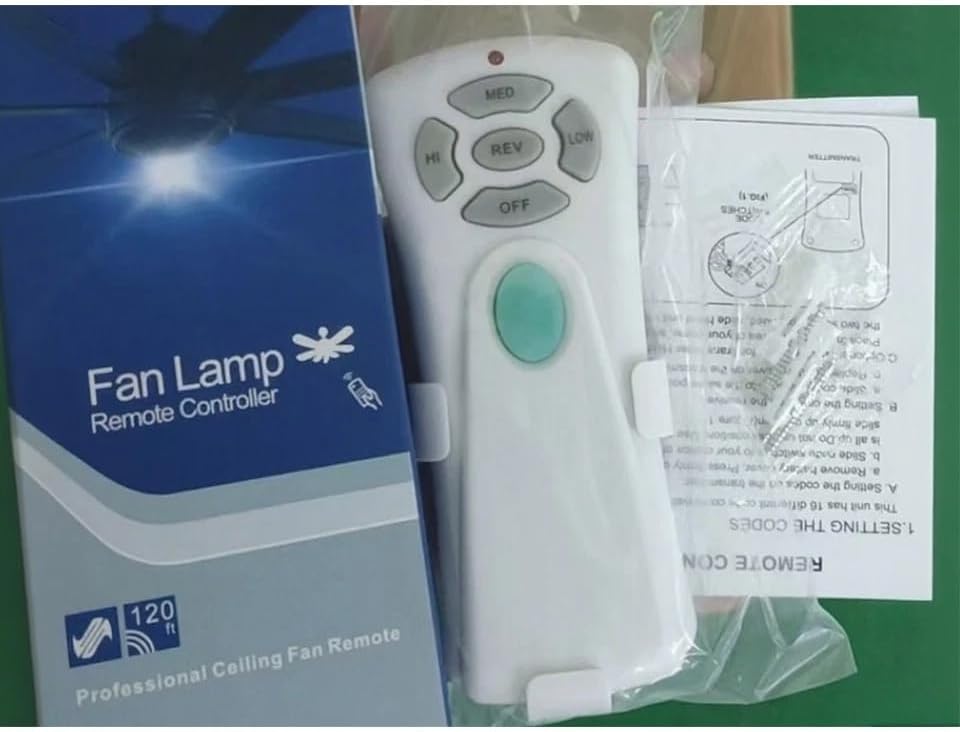
Image 2.1: The XINFUTE UC7080T CHQ7080T remote control shown alongside its packaging and a partial view of the instruction sheet, indicating included items.
3. Setup
3.1 Battery Installation
- Locate the battery compartment cover on the back of the remote control.
- Slide the cover downwards to open the compartment.
- Insert two (2) AAA batteries, ensuring correct polarity (+ and -).
- Slide the battery compartment cover back into place until it clicks securely.

Image 3.1: Rear view of the XINFUTE UC7080T CHQ7080T remote control, highlighting the battery compartment cover and screw holes for the wall mount.
3.2 Setting the Code (DIP Switches)
To ensure proper communication between the remote control and your ceiling fan receiver, you must match the code settings. This remote control utilizes DIP switches for code setting.
- Locate the DIP Switches: Open the battery compartment of the remote control. Inside, you will find a series of small switches (typically 4 or more).
- Access Receiver Switches: Turn off the power to your ceiling fan at the circuit breaker. Access the receiver unit located in the fan's canopy (above the motor housing). The receiver will also have a set of DIP switches.
- Match the Codes: Carefully observe the ON/OFF positions of the DIP switches on your existing fan receiver. Set the DIP switches on your new XINFUTE UC7080T remote control to exactly match the pattern of the switches on the receiver.
- Test Operation: Once the codes are matched, replace the battery cover on the remote and re-install the receiver cover. Restore power to the ceiling fan at the circuit breaker and test the remote control's functions.
If the remote does not operate the fan, re-check the DIP switch settings on both the remote and the receiver.
4. Operating Instructions
The XINFUTE UC7080T CHQ7080T remote control provides intuitive control over your ceiling fan and light. Refer to Image 1.1 for button layout.
- HI: Sets the fan speed to High.
- MED: Sets the fan speed to Medium.
- LOW: Sets the fan speed to Low.
- OFF: Turns the fan off.
- REV: Reverses the direction of the fan blades (typically for seasonal use - clockwise for winter, counter-clockwise for summer).
- Light Button (Green):
- Press once to turn the light ON/OFF.
- Press and hold to dim or brighten the downlights.
- This remote also supports uplights if your fan is equipped with them.
5. Maintenance
5.1 Battery Replacement
When the remote control's range decreases or buttons become unresponsive, it's time to replace the batteries. Follow the steps in Section 3.1 for battery installation, using two new AAA batteries.
5.2 Cleaning
To clean the remote control, gently wipe it with a soft, dry cloth. Do not use abrasive cleaners, solvents, or wet cloths, as these can damage the remote's finish or internal components.
6. Troubleshooting
| Problem | Possible Cause | Solution |
|---|---|---|
| Remote not operating the fan/light. | Dead or incorrectly installed batteries. | Replace batteries, ensuring correct polarity. |
| Remote not operating the fan/light. | DIP switch codes do not match the receiver. | Verify and match the DIP switch settings on both the remote and the fan receiver (refer to Section 3.2). |
| Reduced remote range. | Low battery power. | Replace batteries. |
| Interference. | Other electronic devices operating on similar frequencies. | Ensure no other remotes are being used simultaneously. If possible, try changing the DIP switch code (on both remote and receiver) to a different pattern. |
7. Specifications
| Model Number | UC7080T (CHQ7080T) |
| Brand | XINFUTE |
| Material | ABS Material |
| Power Source | 2 x AAA Batteries (not included) |
| Product Dimensions | 8 x 4 x 2 inches |
| Item Weight | 2.4 ounces |
| Compatible Receivers | UC7051G (and others) |
| Special Feature | Ergonomic Design |
8. Warranty and Support
This XINFUTE remote control is designed for reliable performance. While specific warranty details are not provided in this manual, XINFUTE products are typically inspected before shipment to ensure quality.
For any questions, concerns, or support needs regarding your XINFUTE UC7080T CHQ7080T remote control, please refer to the seller's contact information or the platform where the purchase was made. It is recommended to contact the seller within 24 hours of receipt if you are not satisfied with your purchase.
For further assistance, you may visit the XINFUTE Store on Amazon.