
Introduction
The AKALULI KL160 is a compact digital voice recorder designed for capturing high-quality audio in various settings such as lectures, meetings, interviews, and conversations. Featuring 128GB of internal memory, it can store up to 1520 hours of audio recordings. Its durable metal construction and one-click operation ensure ease of use. The device also includes automatic noise reduction and supports fast file transfer to computers and smartphones.
Package Contents
Verify that all items are present in the package:
- AKALULI KL160 Digital Voice Recorder
- Type-C USB Cable
- Headphones
Device Layout
Familiarize yourself with the physical components of your AKALULI KL160 voice recorder.

Image: The AKALULI KL160 voice recorder connected to headphones, illustrating the 'Va', 'Off', and 'On' switch positions, and the headphone controls for volume and playback.
- Recording Switch: A three-position slide switch on the side of the device.
- Va: Activates Voice Activated Recording (VOR) mode.
- Off: Saves the current recording and powers off the device.
- On: Initiates continuous recording.
- USB-C Port: Used for charging, data transfer, and connecting headphones.
- Indicator Light: Provides status feedback (e.g., recording, charging, low battery).
- Headphone Controls: Inline controls on the provided headphones for adjusting volume and navigating playback.
Setup
1. Charging the Device
Before first use, fully charge the voice recorder. Connect the device to a USB power adapter (not included) or a computer's USB port using the provided Type-C USB cable. The indicator light will show charging status. A full charge takes approximately 2 hours and provides up to 28 hours of continuous recording.

Image: The AKALULI KL160 voice recorder, highlighting its long-lasting battery and large storage capacity. Note: This image depicts 64GB memory and 760 hours storage, while the product features 128GB memory and 1520 hours storage.
2. Initial Power On
Slide the recording switch to the "On" position to power on the device. The indicator light will illuminate briefly.
Operating Instructions
1. Continuous Recording
To start continuous recording, slide the recording switch to the "On" position. The indicator light will typically blink or change color to indicate recording is active. To stop recording and save the file, slide the switch to the "Off" position. The device will automatically save the recording and power off.
2. Voice Activated Recording (VOR)
To activate Voice Activated Recording (VOR) mode, slide the recording switch to the "Va" position. In this mode, the recorder will automatically start recording when sound is detected and pause when silence occurs, conserving memory and battery life. To stop VOR and save the file, slide the switch to the "Off" position.

Image: The AKALULI KL160 voice recorder, illustrating its automatic noise reduction feature and suitability for recording lectures, meetings, interviews, classes, and conversations.
3. Playback
Connect the provided headphones to the Type-C USB port. Power on the device. Use the inline controls on the headphones to navigate through recordings, adjust volume, and play/pause audio.
4. Transferring Files to a Computer or Smartphone
Connect the voice recorder to your computer (Mac/PC/Linux) or smartphone using the Type-C USB cable. The device will appear as a removable storage drive. You can then drag and drop audio files (WAV format) to your device.
5. Custom Settings via Computer
When connected to a computer, you can access and modify various settings of the recorder. This typically involves accessing a configuration file or a dedicated folder on the device's storage. Available settings include:
- Set VOR Level: Adjust the sensitivity of the Voice Activated Recording mode (levels 1-7).
- Set Timestamp: Synchronize the device's internal clock for accurate file timestamps.
- Set Audio Segment: Configure how recordings are segmented (e.g., split into smaller files after a certain duration).
- Set Bit Rate: Adjust the audio quality and file size.
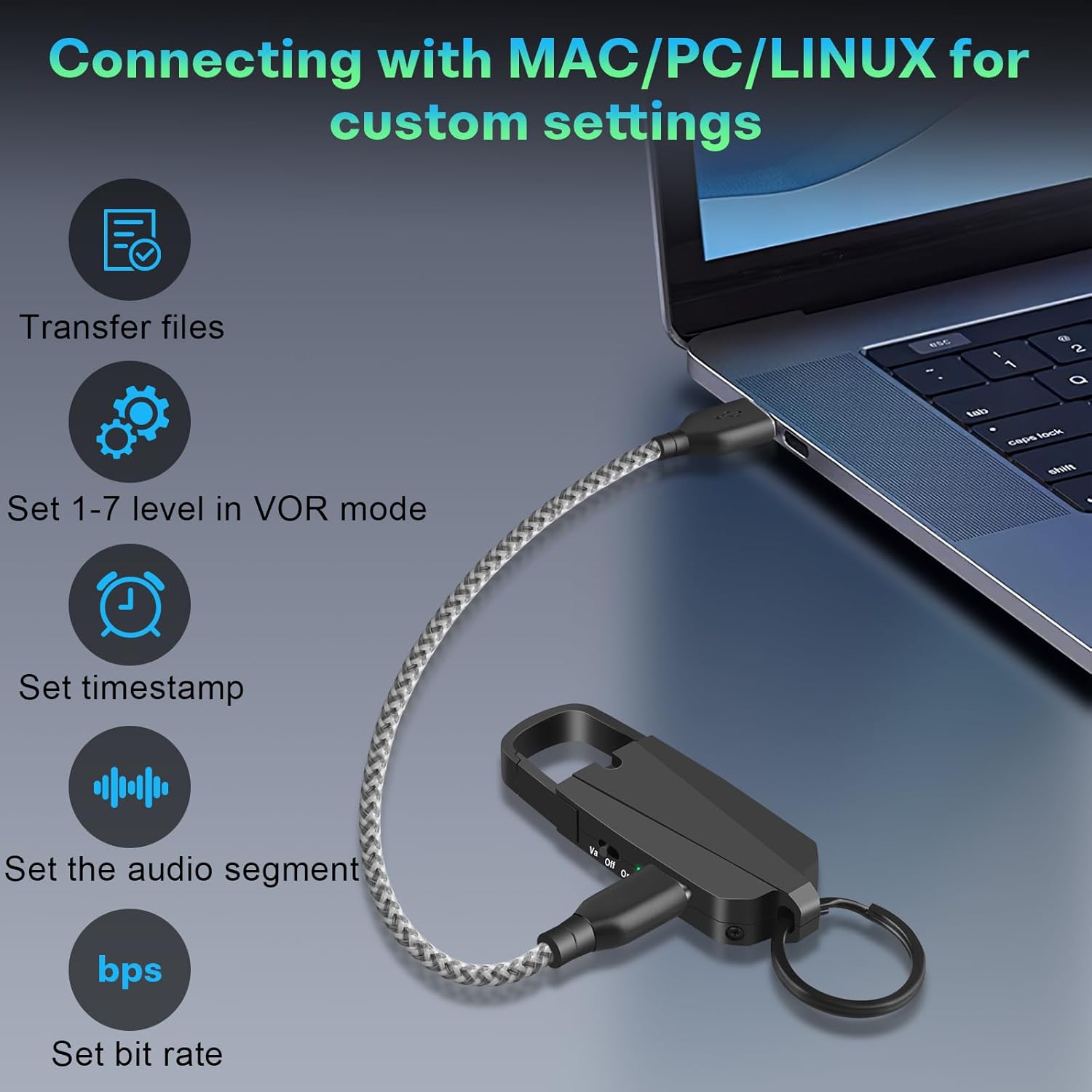
Image: The AKALULI KL160 voice recorder connected to a laptop via USB-C, illustrating the options for custom settings such as file transfer, VOR level, timestamp, audio segment, and bit rate.
Maintenance
- Battery Care: To prolong battery life, avoid fully discharging the device frequently. Charge the device regularly, even if not in use, to maintain battery health. The device can record while charging.
- Cleaning: Use a soft, dry cloth to clean the exterior of the recorder. Do not use liquid cleaners or solvents.
- Storage: Store the device in a cool, dry place away from direct sunlight, extreme temperatures, and high humidity.
- Data Management: Regularly transfer important recordings to a computer or other storage device to prevent data loss and free up internal memory.
Troubleshooting
| Problem | Possible Solution |
|---|---|
| Device does not power on. | Ensure the device is charged. Connect it to a power source using the Type-C cable and allow it to charge for at least 15 minutes before attempting to power on again. |
| Cannot record. | Check if the memory is full. Transfer files to a computer to free up space. Ensure the recording switch is in the "On" or "Va" position. |
| Poor recording quality. | Ensure the microphone is not obstructed. Reduce background noise. Adjust the bit rate settings via computer if applicable. Ensure the device is placed appropriately for optimal sound capture. |
| Device not recognized by computer. | Try a different USB port or a different Type-C cable. Ensure the device is powered on when connected. Restart your computer. |
| Recordings have no sound in VOR mode. | Adjust the VOR sensitivity level via computer settings. The current sensitivity might be too low to detect ambient sounds. |
Specifications
| Model | KL160 |
| Brand | AKALULI |
| Memory Storage Capacity | 128 GB |
| Recording Capacity | Up to 1520 hours (high quality audio) |
| Battery Capacity | 200mAh Lithium Ion |
| Continuous Recording Time | Up to 28 hours |
| Charging Time | Approximately 2 hours |
| Hardware Interface | USB Type C |
| Compatible Devices | Personal Computer (Mac/PC/Linux), Smartphone |
| Microphone Format | Built-In |
| Media Format | WAV |
| Headphones Jack | Type C |
| Product Dimensions | 1.02 x 2.39 x 8.99 cm (0.4 x 0.94 x 3.54 inches) |
| Item Weight | 36.29 g (0.08 lb) |

Image: The AKALULI KL160 voice recorder with its dimensions clearly marked: 3.54 inches in length, 0.94 inches in width, and 0.4 inches in thickness, weighing 0.08 lbs.
Warranty and Support
For warranty information and technical support, please refer to the documentation provided with your purchase or contact AKALULI customer service through their official website or the retailer where the product was purchased. Keep your proof of purchase for warranty claims.


