1. Product Overview
The PROGRACE Kids Smart Phone T8 is an all-in-one device designed for children aged 36 months to 14 years, combining communication, education, and entertainment. It supports talking and texting, allowing children to stay connected with parents. This device functions as a learning tablet, inspiring curiosity and creativity through preloaded educational and entertainment content. Advanced parental controls ensure a safe digital environment.

Figure 1: Front and back view of the PROGRACE Kids Smart Phone T8 with its protective silicone case.
2. What's in the Box
- Kids Phone
- 32GB Card
- User Manual
- Lanyard
- Type-C Cable
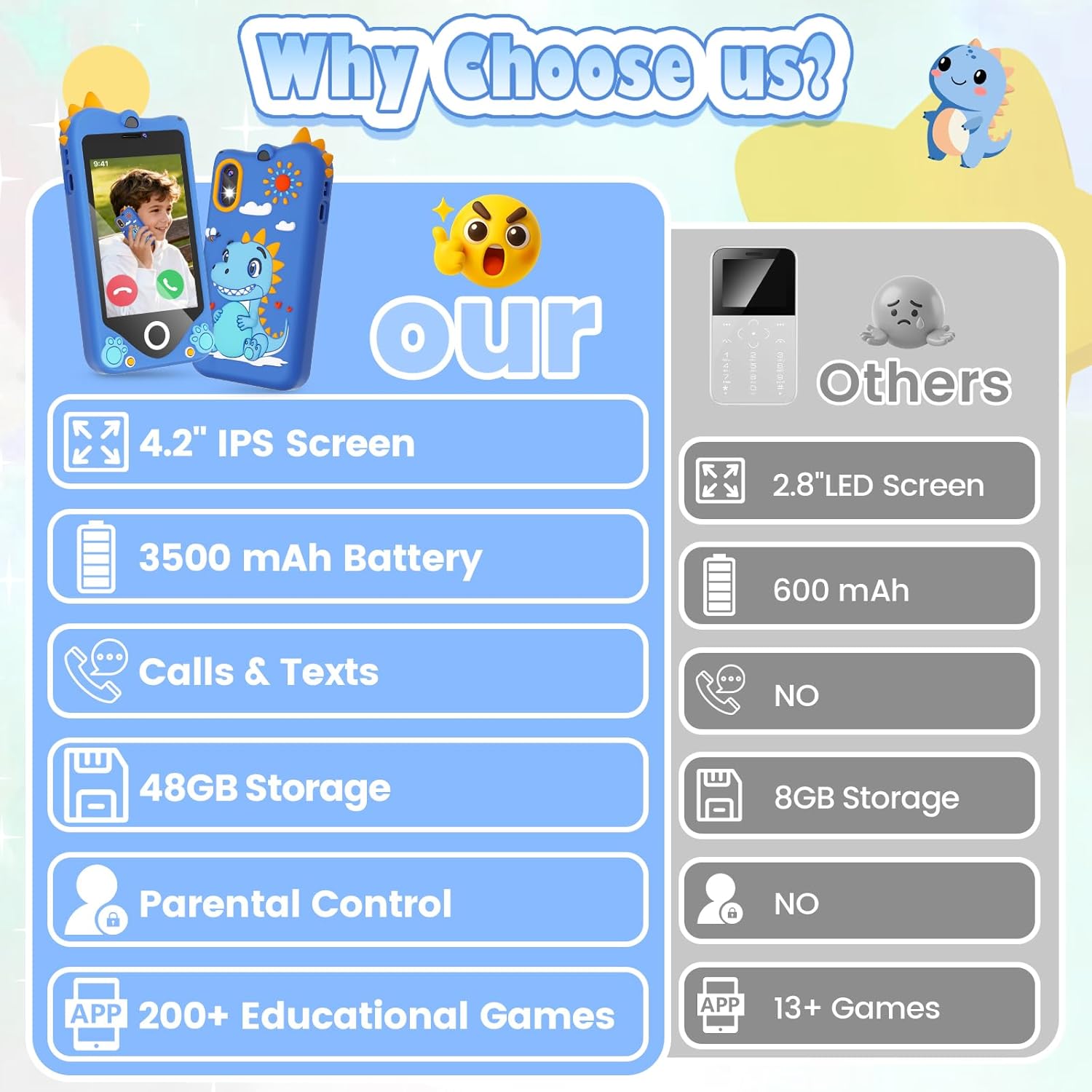
Figure 2: Included accessories with the PROGRACE Kids Smart Phone T8.
3. Setup Instructions
3.1 Initial Power On
- Press and hold the Power Button (located on the side) for a few seconds until the screen illuminates.
- Follow any on-screen prompts for initial setup, such as language selection.
3.2 SIM Card and SD Card Installation
The phone accepts a standard Nano SIM card (not included) and comes with a 32GB SD card for expanded storage.
- Locate the SIM/SD card slot on the side of the device.
- Carefully open the slot cover.
- Insert the Nano SIM card into the designated slot with the gold contacts facing down.
- Insert the provided 32GB SD card into its designated slot.
- Close the slot cover securely.
3.3 Charging the Device
Use the provided Type-C cable to charge the device. The 3500mAh polymer battery supports fast charging and long use.
- Connect the Type-C end of the cable to the charging port on the phone.
- Connect the USB-A end of the cable to a compatible USB power adapter (not included) or a computer USB port.
- The battery indicator on the screen will show charging status.
4. Operating Instructions
4.1 Making Calls and Sending Texts
The PROGRACE Kids Smart Phone supports talk and text functionality with a Nano SIM card (AT&T compatible).
- Calls: Navigate to the 'Phone' app, select a contact from the approved list, and initiate a call.
- Texts: Open the 'Messaging' app, select a contact, and compose your message.
4.2 Using the Camera
The device features dual cameras: a 2MP front camera and a 13MP rear camera, supporting autofocus, selfies, video recording, and burst shooting.
- Open the 'Camera' app from the home screen.
- Tap the shutter button to take a photo.
- Switch between front and rear cameras using the on-screen icon.
- Select video mode to record videos.

Figure 3: Using the dual camera feature for photos and videos.
4.3 Navigating Apps and Content
The 4.2" IPS eye-protection display provides a clear interface for navigating preloaded apps.
- Swipe left or right on the home screen to browse through available apps.
- Tap an app icon to open it.
- Use the 'Home' button (paw print icon) to return to the main screen.
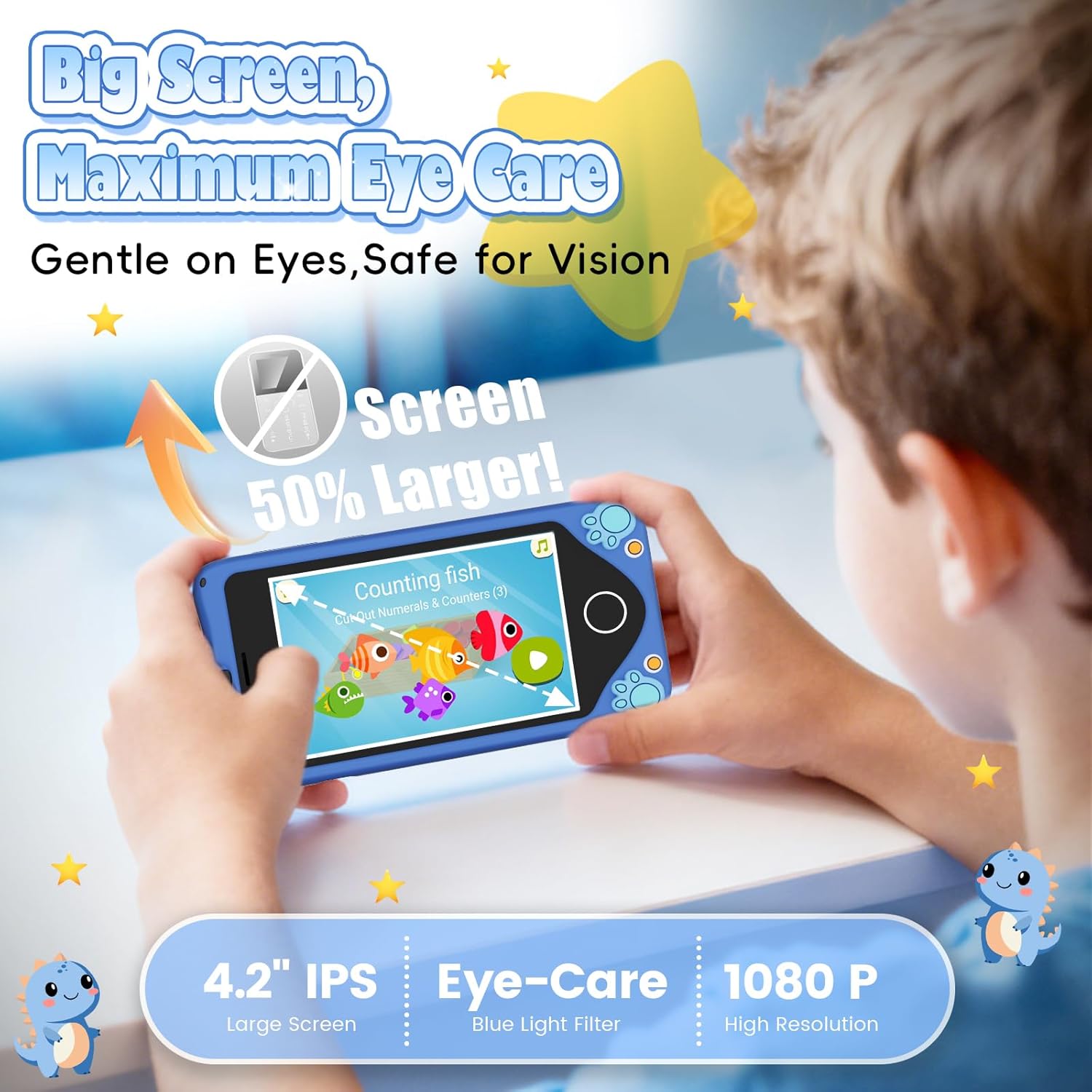
Figure 4: Overview of the device's app interface.
5. Features Overview
5.1 Display and Cameras
- Screen: 4.2" IPS eye-protection display.
- Front Camera: 2MP.
- Rear Camera: 13MP.
- Video: 1080P Full HD video recording.
5.2 Storage and Battery
- Internal Storage: 16GB.
- Expandable Storage: Includes a free 32GB SD card (total 48GB).
- Battery: 3500mAh polymer battery for long-lasting use.

Figure 5: Battery life and storage capacity details.
5.3 Preloaded Apps
The device comes with a variety of hand-picked educational and entertainment apps, ensuring age-appropriate content without unauthorized downloads.
- Montessori learning apps.
- STEM activities.
- Logic games.
- Children's videos.
- Music player.
- Calculator, Clock, Recorder.
6. Parental Controls
The iWawa kids system provides robust parental controls for peace of mind.
- App Access Management: Control which apps your child can use.
- Screen Time Limits: Set daily limits for device usage.
- Usage Reports: Monitor your child's activity on the device.
- Whitelist Mode: Ensure safe browsing by restricting access to approved content only.

Figure 6: Parental control features for managing app access and screen time.
6.1 Seller Video: General Content of Children's Smartphones
Video 1: This video provides a general overview of the content and features available on children's smartphones, including educational apps and entertainment options.
6.2 Seller Video: Real Smart Phone for Kids with Calling
Video 2: This video demonstrates the calling capabilities of the kids' smart phone, highlighting how children can use it for communication.
6.3 Seller Video: Sharing of Brain-Teasing Games
Video 3: This video showcases some of the brain-teasing and educational games available on the device, promoting cognitive development.
7. Maintenance
- Cleaning: Use a soft, dry cloth to clean the screen and body of the device. Avoid harsh chemicals.
- Protective Case: The soft silicone case provides shockproof and drop-resistant protection. Ensure it is properly fitted at all times.
- Storage: Store the device in a cool, dry place away from direct sunlight and extreme temperatures.
8. Troubleshooting
- Device Not Turning On: Ensure the device is charged. Connect it to the charger and wait a few minutes before attempting to power on again.
- Screen Unresponsive: Try restarting the device by holding the power button until it turns off, then power it back on.
- Apps Not Working: Check parental control settings to ensure the app is not restricted. Ensure sufficient storage space is available.
- Calling/Texting Issues: Verify that a Nano SIM card is correctly inserted and activated with a compatible carrier (e.g., AT&T). Check network signal strength.
9. Specifications
| Product Dimensions | 5.7 x 2.9 x 0.6 inches |
| Item Weight | 9.9 ounces |
| Item Model Number | T8 |
| Manufacturer Recommended Age | 36 months - 14 years |
| Batteries | 1 Nonstandard Battery (included) |
| Screen Size | 4.2 inches |
| Storage | 16GB built-in + 32GB SD card (48GB total) |
| Cameras | 2MP Front, 13MP Rear |
10. Warranty and Support
Specific warranty information is not provided in the product details. For warranty claims or technical support, please refer to the contact information provided with your purchase or visit the official PROGRACE website.


